Author Archive
Tuesday, June 28th, 2016
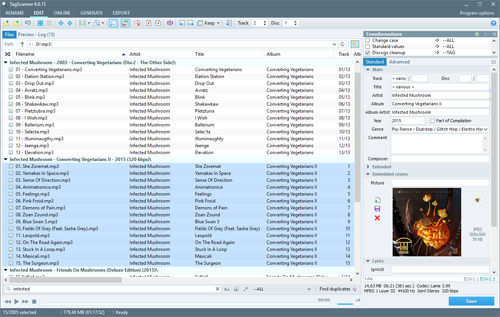 Tagging your music collection has a lot of advantages. First it makes it very easy to place songs on music server and get album info whenever you need a song. To make sure your music collection is well arranged, you can choose a program like TagScanner. Tagging your music collection has a lot of advantages. First it makes it very easy to place songs on music server and get album info whenever you need a song. To make sure your music collection is well arranged, you can choose a program like TagScanner.
TagScanner is a powerful tool for organizing and managing your music collection. It can edit tags of most modern audio formats, supports ID3v1/v2, Vorbis comments, APEv2, WMA and MP4(iTunes) tags. You can rename files according to information from the tags, import tag information from filenames or other sources, perform any text replacement and transformations in tags and filenames. With TagScanner, you may also get album info and download covers via online databases like freedb, Amazon, Discogs or MusicBrainz. You can create playlists in one click and export your collection to HTML, Excel or any user-defined format. Program has easy-to-use multilingual interface and built-in audio player.
TagScanner 6.0.12 has some new changes and fixes including: filelist filtering feature now allows you to make searching with exact case, whole words and regular expressions; regular expressions now tested for errors to avoid program hang; fixed ID3v2 TDAT frame didn’t removed on save; and a few others.
Lots of fixes and updates in this version means TagScanner is more stable than it used to be.
Want to check it out? Visit xdlab.ru/en/
Posted in Main | No Comments »
Saturday, June 25th, 2016
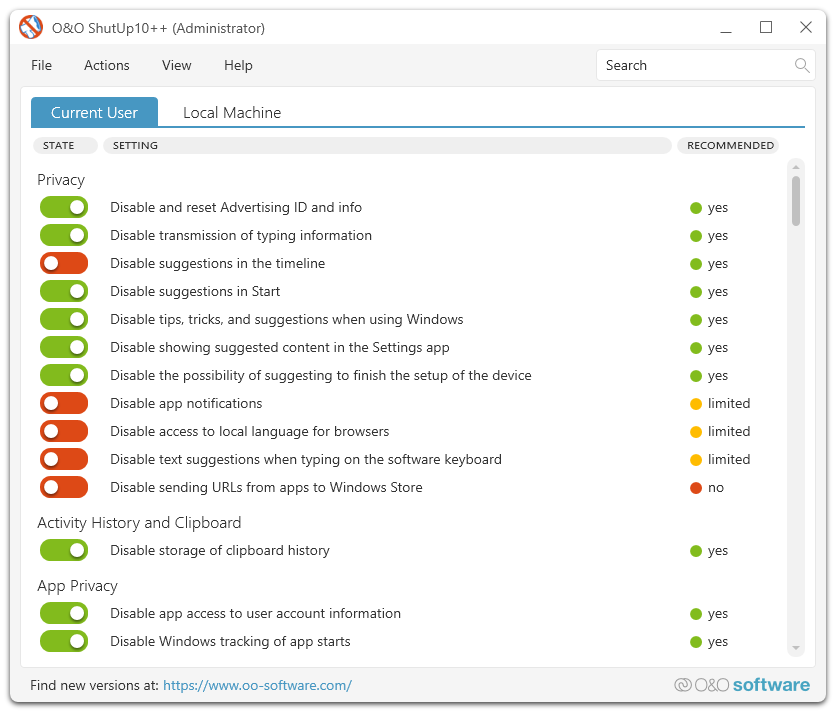 Windows 10 is the latest Operating System from Microsoft; and despite showing flashes of a system that will dwarf Windows 8, some privacy concerns still exists. O&O ShutUp10 gives you control over the OS, especially when it has to do with some of its functions. Windows 10 is the latest Operating System from Microsoft; and despite showing flashes of a system that will dwarf Windows 8, some privacy concerns still exists. O&O ShutUp10 gives you control over the OS, especially when it has to do with some of its functions.
O&O ShutUp10 means you have full control over which comfort functions under Windows 10 you wish to use, and you decide when the passing on of your data goes too far. Using a very simple interface, you decide how Windows 10 should respect your privacy by deciding which unwanted functions should be deactivated. O&O ShutUp10 uses a very simple interface that lets you decide how Windows 10 should respect your privacy by deciding which unwanted functions should be deactivated.
O&O ShutUp10 does not require an installation since it can simply be run directly on your PC. That means it won’t slow down your system for no reason whatsoever. Some of the things it lets you do include: it protects your privacy; control location service; control Windows update; adapts your security setting; and many more.
Want to check it out? Visit oo-software.com.
Posted in Main | No Comments »
Saturday, June 11th, 2016
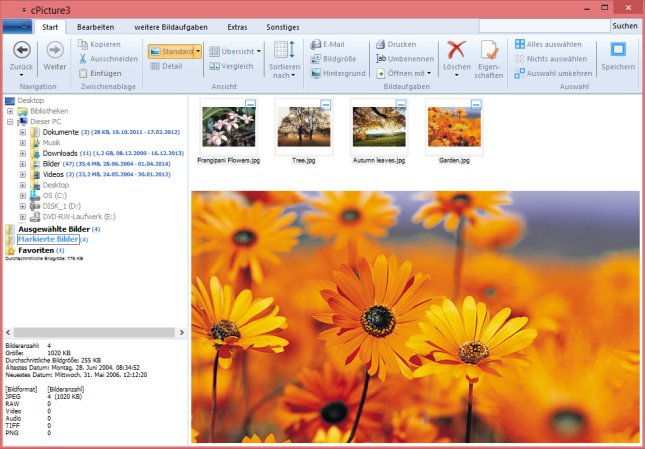 Image editing can be loads of fun with the right tool. A tool with a lot of nice features doesn’t have to cost a fortune—you can even find a freeware that offers you cute features. CPicture is a freeware with some nice features to make image editing very easy. Image editing can be loads of fun with the right tool. A tool with a lot of nice features doesn’t have to cost a fortune—you can even find a freeware that offers you cute features. CPicture is a freeware with some nice features to make image editing very easy.
cPicture is a software to view and work with your digital photos. It offers support for thumbnail browsing, EXIF display, histogram view, as well as various features to resize, rotate, crop and more. You can also remove red-eye effects, create a HTML gallery or picture index, and batch process images to perform selected operations on multiple photos at once.
cPicture supports all popular images formats, and even view/convert various RAW formats as well (including Canon CR2), which is not often found in free image viewers. The interface is easy to use and provides access to the features with non-technical commands (I want to …) and a modern look. cPicture LE offers several other handy features like mouseover image zooms, lossless rotation, image slideshow, command line options, color profile support and more. The program comes as standalone executable, and does not require installation – it can be run from a USB drive.
Want to check it out? Visit: http://cpicture.thecloudsite.net/
Posted in Main | No Comments »
Friday, June 10th, 2016
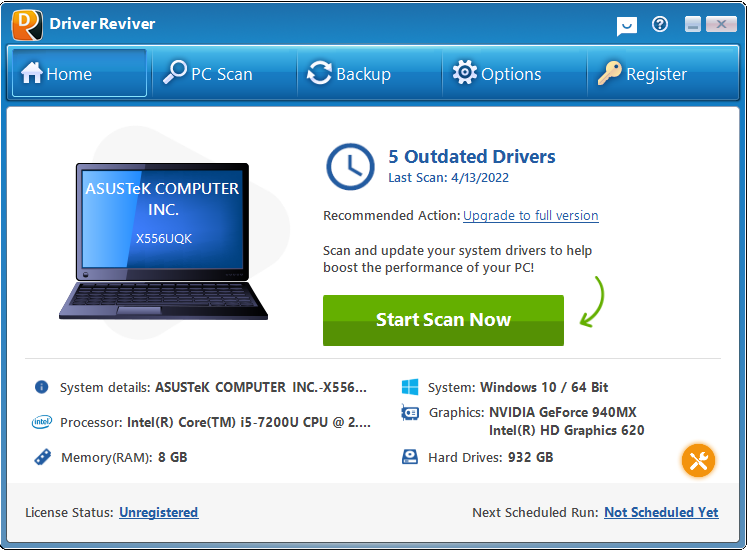 Having outdated drivers can upset your system and could even crash it. Did you also know that downloading and installing the wrong driver for your system can also affect its performance? One of the benefits of having your drivers updated is to ensure things remain stable. Driver Reviver is a program designed to keep your drivers up to date. Having outdated drivers can upset your system and could even crash it. Did you also know that downloading and installing the wrong driver for your system can also affect its performance? One of the benefits of having your drivers updated is to ensure things remain stable. Driver Reviver is a program designed to keep your drivers up to date.
Driver Reviver is a program that will keep the drivers on your PC up to date and restore optimum performance and functionality its components. Considering all of the individual components on your PC, not to mention external devices such as printers, scanners, web cams, Hard Drives and more, keeping abreast of all the latest Drivers can not only be a time consuming and tedious task, but also one that can be terribly confusing.
Once the required updates are identified, Driver Reviver allows you to quickly and easily download and install all these updates from one central location. Driver Reviver ensures you are getting the maximum performance from your PC, its components and its software.
Driver Reviver gets the job done, but a couple of freeware could compete with it.
Want to check it out? Visit Reviversoft.com.
Posted in Main | No Comments »
Friday, June 10th, 2016
 Nothing beats having a personal database that you can keep an eye on every time you want to play your favorite DVDs. EMDB is a small utility, but with great features to allow you keep track of your DVD collection. Nothing beats having a personal database that you can keep an eye on every time you want to play your favorite DVDs. EMDB is a small utility, but with great features to allow you keep track of your DVD collection.
EMDB is a small utility to keep track of your DVD collection. With an automatic import from the database of IMDB, export to csv, text or complete website, thumbnail cover preview, a loan tracker, search function and multi-language user interface. EMDB is written in C++ using Microsoft Visual Studio 2008 and doesn’t need a .NET framework or any other external libraries.
Available in languages such as English, Dutch, Danish, German, Italian, Portuguese, Slovak, Spanish, Hungarian; EMDB now boasts of some new features and fixes to make it more stable. Some of the changes and fixes made to this version include: added a TV Series Status field. The Status is imported from TheTVDB; fixed some fields which were not made readonly when a movie was locked; the DarkComfort HTML Export template was updated to V1.6; and re-added the option to move the title prefixes to the end of the titles as a lot of people seem to like it this way.
EMDB is one of the best software in its category—and is also available for free.
Want to check it out? Visit emdb.tk.
Posted in Main | No Comments »
Friday, June 10th, 2016
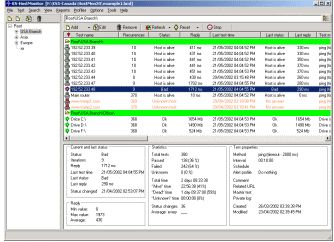
 Monitoring and checking network servers at regular intervals can be much fun and a stroll in the park if you manage to find the right software. It means you will be able to respond to issues whenever there is an urgent need for it. Among many other amazing features, Advanced HostMonitor is a program that will enable you to do a lot on your network including monitor any TCP service, ping a host. Monitoring and checking network servers at regular intervals can be much fun and a stroll in the park if you manage to find the right software. It means you will be able to respond to issues whenever there is an urgent need for it. Among many other amazing features, Advanced HostMonitor is a program that will enable you to do a lot on your network including monitor any TCP service, ping a host.
Advanced HostMonitor is a network monitor program. You can create a list of jobs and tests in advance on a ‘set and forget’ basis. Among the many checks it can do, it can monitor any TCP service, ping a host, retrieve an URL, check the available disk space, and more. It checks network servers at regular intervals and takes pre-defined actions if a device does not respond. It can provide a visual and sound warning, send an E-mail message to a mailbox, pager or mobile phone, execute another program, etc. All this allowing you to respond to a problem before your users start to complain.
Advanced HostMonitor keeps an eye on availability of servers on a network and keep you up to date with performance level.
Advanced HostMonitor has a 30-day trial period. Licensed version starts from $99. Be sure to study this page to see which version suits your needs the best.
Want to check it out? Visit Ks-soft.net
Posted in Main | No Comments »
Wednesday, June 8th, 2016
 A utility tool with advanced features to access your remote desktop and take control of things can sometimes be difficult to find. When you do find one eventually, it might come incomplete with some of the features you want. Supremo is a shareware that has some nice features and is also easy to use. A utility tool with advanced features to access your remote desktop and take control of things can sometimes be difficult to find. When you do find one eventually, it might come incomplete with some of the features you want. Supremo is a shareware that has some nice features and is also easy to use.
What’s Supremo?
Supremo is a powerful, easy and complete solution for remote desktop control. It allows you to control a remote PC in just a few seconds. There is no need to configure the routers or to install the software. Download, connect, control.
The software is constituted by only one executable file that is very small and doesn’t need any installation—and is fast and dummy-proof. Supremo uses a powerful data transfer protocol that doesn’t require any router/firewall configuration. Connect to everyone with just a few clicks, which means there is no need to configure it.
Current version of Supremo has been updated with some minor fixes and additions. You can now capture a screenshot of the remote machine and change the screen resolution of the remote PC. This latest version also allows you to remotely run Supremo as administrator, to interact with the UAC dialogs even if Supremo has been launched from a normal user.
At $98 per year (subscription), Supremo is a bit expensive, but a great program all the same.
Want to check it out? Visit SupremoControl.com.
Posted in Main | 1 Comment »
Wednesday, June 8th, 2016
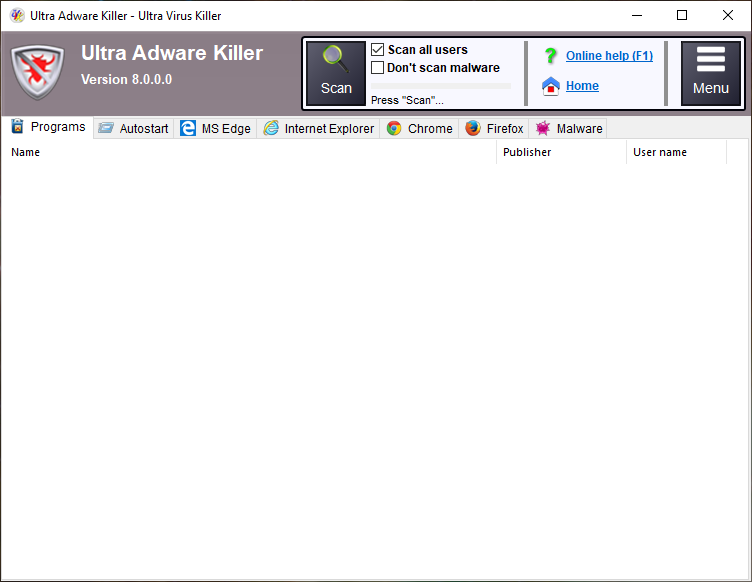 Did you know you can extend the lifespan of your PC by regularly maintaining it and getting rid of all sorts of malware? With a tool like UVK – Ultra Virus Killer, you can clean, boost and optimize Windows. The tool also allows you to easily remove all kinds of malware and perform different tasks related to the performance of your PC. Did you know you can extend the lifespan of your PC by regularly maintaining it and getting rid of all sorts of malware? With a tool like UVK – Ultra Virus Killer, you can clean, boost and optimize Windows. The tool also allows you to easily remove all kinds of malware and perform different tasks related to the performance of your PC.
UVK – Ultra Virus Killer bundles advanced tools to repair, clean, boost and optimize Windows. With user friendly interface, UVK allows users to easily remove all kinds of malware, and perform all tasks related to Windows repair, maintenance, optimization and info retrieval.
UVK performs a lot of security checks on your system and rids it of some malicious software. It also helps to keep your system optimized while fixing a lot of known Windows issues. The software also helps to analyse and remove issues clogging the performance of your PC. You can also uninstall some unwanted programs from your PC with UVK-Ultra Virus Killer.
UVK-Ultra Virus Killer is a great program, but with some limited features which can only be accessed when you purchase a license.
Want to check it out? Visit Carifred.com.
Posted in Main | No Comments »
Tuesday, May 31st, 2016
 Accessing or locating webcam on your Windows OS can be pretty difficult and sometimes you may not even find it. Thus making it absolutely necessary to install a third-party software to be able to use it. ManyCam solves such problem and gives you access to a couple of nice features to enable you enjoy video chat etc. Accessing or locating webcam on your Windows OS can be pretty difficult and sometimes you may not even find it. Thus making it absolutely necessary to install a third-party software to be able to use it. ManyCam solves such problem and gives you access to a couple of nice features to enable you enjoy video chat etc.
Without Manycam installed you are unable to use your Webcam in more than one application at a time. This program solves this problem for you by splitting one video stream into several video streams. All you need to do is to choose Manycam virtual Webcam as the video source in your webcam applications. You can also add some features to the video stream by using ManyCam (for example, funny animations, time and text). Right click the Manycam icon in your bottom right tray to access these features.
ManyCam has some nice features including allowing you to broadcast quality videos with your choice of background image and appear to be anywhere. The program also boasts of a feature that enables you to add amazing effects and custom graphics; change your face, eyes, add accessories, and more.
ManyCam is pretty to use — but it’s a shareware, so be ready to spend $29.95 for a Standard version.
Want to check it out? Visit: Manycam.com.
Posted in Main | No Comments »
Monday, May 30th, 2016
 Looking for the right tool to record and upload all your presentation on the web? This free version of ActivePresenter has some basic features to help you achieve minimal results with little stress. Looking for the right tool to record and upload all your presentation on the web? This free version of ActivePresenter has some basic features to help you achieve minimal results with little stress.
ActivePresenter is a tool designed for screen casting, eTraining and eLearning. With fast smart screen capture technology and a powerful authoring environment, the software includes all the tools needed to record a presentation and convert the output to video (AVI, WMV, MPEG4/MP4, FlashVideo), HTML, AJAX and Flash simulation, or document formats (PDF, DOC, PPT, XLS).
ActivePresenter is available in three editions. The Free Edition provides a simple and economic way to create a short presentation video and upload it to the web (e.g. YouTube.com). The Standard Edition on the other hand, allows reusing the already created resources from a project or imported from PowerPoint slides to create documentation in common formats (e.g. Adobe PDF, HTML, Microsoft Word, Microsoft Excel). The Professional Edition allows the creation of AJAX-based or Adobe Flash interactive tutorials and provides Microsoft PowerPoint export feature.
ActivePresenter is a feature-rich software, but this free version only boasts of limited features. You can get more features from the paid versions of the tool. To find the one that suits your needs best, go to the Atomisystems.com.
Posted in Main | No Comments »
|
|
|