
Prism Video File Converter
Ciaran Moore - September 9, 2011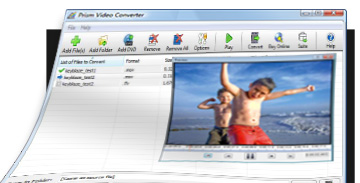 So your player doesn’t support the video a friend just sent you?
Maybe you have an older model DVD player that can’t play the video that you just recorded with your cell phone? Or you have an older cell phone that records videos with very bad quality? Then here is a fast and easy to use solution for you, created by NCH Software.
Even if you never done any video converting before, this software will help you do it in seconds because of its very simple interface and it’s also a powerful tool for the more advanced users. You can convert video files from avi, mpg, vob, wmv, flv, 3gp and more into avi, 3gp, flv, mp4, mpg, asf or wmv files. Also, convert avi, mpg, vob, asf, wmv, mp4, ogm and all video formats that have a DirectShow based codec to AVI and Windows Media Video formats.
Let’s say it in short – if you can play the video file using ‘Windows Media Player’, then you can convert it using Prism. All popular media devices are supported, and video files can be added directly from DVDs. The user has the ability to set resolution and frame rate, set a specific size of the output files, change the compression/encoder rates and many more!
Prism Video File Converter has a 14-day trial period, but the conversion to AVI and WMV continues to be free even after this period.
Check it out at Nchsoftware.
This entry was posted on Friday, September 9th, 2011 at 11:21 am and is filed under Main. You can follow any responses to this entry through the RSS 2.0 feed. You can skip to the end and leave a response. Pinging is currently not allowed.

 Loading...