Author Archive
Thursday, November 17th, 2011
 BibleTime is a completely free Bible study program with an easy to use user-interface built with Qt framework, which makes it run on several operating systems. BibleTime for Windows uses the SWORD programming library to work with over 200 free Bible texts, commentaries, dictionaries and books provided by the Crosswire Bible Society. A couple of changes have been made to this program, and some of these include fixing of compilation against CLucene 2, optimizations, translation updates, and refactoring. BibleTime is open source with lots of bible translations that will make studying absolutely easy. BibleTime is a completely free Bible study program with an easy to use user-interface built with Qt framework, which makes it run on several operating systems. BibleTime for Windows uses the SWORD programming library to work with over 200 free Bible texts, commentaries, dictionaries and books provided by the Crosswire Bible Society. A couple of changes have been made to this program, and some of these include fixing of compilation against CLucene 2, optimizations, translation updates, and refactoring. BibleTime is open source with lots of bible translations that will make studying absolutely easy.
BibleTime is not a bible, but a bible study application built with features that ensure users dig deeper into the scripture. Users can download various books relating to the bible from FTP servers. Some of the books you can download include; the Complete works of Josephus Flavious, the popular Lexicon, various Bible Dictionaries, Various Bible versions or translations, devotionals, and a lot more.
Like a couple of other bible freeware applications on the internet, BibleTime for Windows is free, and can be installed without much effort. However, publishers of BibleTime for Windows still has a lot of catching up to do with a couple of other programs out there n terms of features.
Want to check t out? Visit Bibletime.info.
Posted in Main | No Comments »
Thursday, November 17th, 2011
 GraphicsGale is an application for editing raster format image. The software can be used to retouch a photo, paint a picture, and so on. GraphicsGale allows you to easily edit graphic images; and is a bit different from most bitmap editors because it can make an animated image using a preview window. This feature must be useful for making an animated GIF or a video game character. Users may however, not be able to achieve much with the free version as it does not allow “Save and Load Windows Icon”, “Save and Load Windows Cursor, and “Sand and Load Windows Animated Cursor”. GraphicsGale is an application for editing raster format image. The software can be used to retouch a photo, paint a picture, and so on. GraphicsGale allows you to easily edit graphic images; and is a bit different from most bitmap editors because it can make an animated image using a preview window. This feature must be useful for making an animated GIF or a video game character. Users may however, not be able to achieve much with the free version as it does not allow “Save and Load Windows Icon”, “Save and Load Windows Cursor, and “Sand and Load Windows Animated Cursor”.
GraphicsGale is freeware software, and is compatible with the following Windows operating systems; Windows 7, 2000, 2003, Vista, and Vista. GraphicsGale has the following key features; batch conversion, real-time preview in editing, supports and bits-per-pixel, onion skin, multiple layers, supports AVI format (*no audio), supports Windows icon format (*.ico)*, Supports Windows cursor format (*.cur, *.ani)*, supports animated GIF format, Supports AVI format (*no audio), real-time preview in editing, outputs an animation as multiple files or a combined file, prints multiple frames, image browser, as well as acquires an image from a TWAIN.
Want to check it out? Visit Humanbalance.
Posted in Main | No Comments »
Thursday, November 17th, 2011
 The GodFather is here to put order to chaos and put you in control; which means no more strange file names and endless search for “that song.” You can now rename, update tags, restructure files on hard disk, create/merge play lists, encode-decode with LAME/Ogg Vorbis/MpcEnc, export/import to/from file, play, use freedb.org and allmusic.com with ease of use and perfect results every time. GodFather is user-defined, and comes with lots of quality key features to enable you enjoy the best of all it has to offer. The program also has a powerful case conversion, which includes custom and all the options a user may have require. The GodFather is here to put order to chaos and put you in control; which means no more strange file names and endless search for “that song.” You can now rename, update tags, restructure files on hard disk, create/merge play lists, encode-decode with LAME/Ogg Vorbis/MpcEnc, export/import to/from file, play, use freedb.org and allmusic.com with ease of use and perfect results every time. GodFather is user-defined, and comes with lots of quality key features to enable you enjoy the best of all it has to offer. The program also has a powerful case conversion, which includes custom and all the options a user may have require.
The GodFather also has a lot of features that include the following; replacement matrix (remove unwanted characters or words or replace them. User defined matrix), smart filters enable you to have only the files that are potentially wrong listed for renaming, use album art and/or full comments, credits, tones, styles, composer, store cover art and up to 4 pictures per album, export to xls, HTML, play list files, auto sort according to duration, encode/decode your files with LAME,Ogg Vorbis or mpcenc. (trans code without losing tag information from one format to the other), and a host of others.
Want to check it out? Visit Jtclipper.eu.
Posted in Main | No Comments »
Wednesday, November 16th, 2011
 Mielophone is a minimalistic application for searching, listening, downloading and discovering new music. The application mashes up together databases like MusicBrainz, Last.FM and BBCRadio to deliver complete info about songs, artists and albums; and uses unique plug-in system to search for publicly available mp3s and streams for desired songs. Mielophone is a minimalistic application for searching, listening, downloading and discovering new music. The application mashes up together databases like MusicBrainz, Last.FM and BBCRadio to deliver complete info about songs, artists and albums; and uses unique plug-in system to search for publicly available mp3s and streams for desired songs.
Mielophone enables you to search for your favorite artists, albums or songs using up to date crowd-sourced databases. The program provides a complete and precise discography, Last.FM provides complete info about artists including tags, similar and related artists as well as ratings, and BBCRadio provides top lists. The application’s integrated player can be used to listen to your favorite music right from the internet. You can also download mp3s and play with a desktop player of your choice.
Mielophone has a lot of key features, which include the following; search for your favorite artists, albums or songs, use integrated player to listen to your favorite music right from the internet, includes a powerful download manager to handle both single song and full album downloads, easily scrobble what you listen using Last.FM. Connect with Facebook to automatically share your listening experience with friends, and a few others. Mielophone is a freeware program that is compatible with Windows operating systems.
Want to check it out? Mielophone.
Posted in Main | No Comments »
Wednesday, November 16th, 2011
 Norton PC Checkup is a free diagnostic application from Norton that scans every PC to identify security, performance and system-related problems. The program has the capacity to scan over 200 elements of your PC on each occasion, giving you a complete and customized report on your PC’s overall health. Through the program’s simple graphical user interface, you can review and perform simple do-it-yourself steps to fix PC problems, upgrade or purchase needed software, or call an expert for remote help – all right from Norton PC Checkup. Norton PC Checkup is a free diagnostic application from Norton that scans every PC to identify security, performance and system-related problems. The program has the capacity to scan over 200 elements of your PC on each occasion, giving you a complete and customized report on your PC’s overall health. Through the program’s simple graphical user interface, you can review and perform simple do-it-yourself steps to fix PC problems, upgrade or purchase needed software, or call an expert for remote help – all right from Norton PC Checkup.
Norton PC Checkup has a lot of key features including the following; examine over 200 computer attributes to uncover security threats and weaknesses, uncover risks to your files and identity and provides easy access to solutions, gives you tips for improving your computer’s performance, the program is fast and very easy to use, it is built with the ability to auto-scan your computer only 10 minutes in a week, provides in-depth security and performance analysis that less a few other tools or applications in similar category may not be able to handle, and it is also free. The program tries to auto-scan your computer as soon as installation is completed by you.
Want to check it out? Visit Norton.
Posted in Main | No Comments »
Tuesday, November 15th, 2011
 Craving Explorer is a Web Browser that specializes in downloading videos from video sharing site such as YouTube. The program can convert videos and save them to your PC, iPod, iPhone, PSP, and a host of others. There is no complex setting, so you can use Craving Explorer without any confusion. The program includes an uninstaller, and also includes a couple of new features such as the following; fixing of the bug that has to do with couldn’t save cache title of movies due to the fact that YouTube changes specification is fixed, and also fixing of problem that has to do with the program’s inability to save some movies because “Dailymotion changes specification is fixed.” Craving Explorer is a Web Browser that specializes in downloading videos from video sharing site such as YouTube. The program can convert videos and save them to your PC, iPod, iPhone, PSP, and a host of others. There is no complex setting, so you can use Craving Explorer without any confusion. The program includes an uninstaller, and also includes a couple of new features such as the following; fixing of the bug that has to do with couldn’t save cache title of movies due to the fact that YouTube changes specification is fixed, and also fixing of problem that has to do with the program’s inability to save some movies because “Dailymotion changes specification is fixed.”
Craving Explorer has a couple of key features that include the following; allows you to get videos which cannot save naturally such as YouTube or Google Videos, very easily, convert a FLV format file to the other format so you don’t have to use complicated steps, cache feature allows you to play videos which is played once, search videos from more than 100 websites at one time, automatically change its website to be able to see videos quickly, and add a download link when you open blogs that include YouTube URL, etc.
Want to check it out? Visit Crav-ing.com.
Posted in Main | No Comments »
Tuesday, November 15th, 2011
 Sound Vibe is a powerful freeware audio player for computer. The program includes a lot of quality key features that supports a huge variety of different audio formats, full unicode support, multiple hierarchical playlists, media library with advanced directory monitor, ability to download album covers from the internet, Last.fm scrobbler, queue manager, audio converter/ripper, and a host of others. This version is also easy to use. Also, automatic updating is implemented, so You don’t have to worry about keeping up-to-date. Sound Vibe is a powerful freeware audio player for computer. The program includes a lot of quality key features that supports a huge variety of different audio formats, full unicode support, multiple hierarchical playlists, media library with advanced directory monitor, ability to download album covers from the internet, Last.fm scrobbler, queue manager, audio converter/ripper, and a host of others. This version is also easy to use. Also, automatic updating is implemented, so You don’t have to worry about keeping up-to-date.
Sound Vibe is lightweight, and won’t occupy much of disk space and perform well compared to a few other audio players. You can also extend functionality with different plug-in, listen to your favorite music, radio station, and download album cover arts from internet among others. Sound Vibe uses high quality audio engine for best possible audio playback; and supports huge amount of different audio formats (MP1, MP2, MP3, MPC, MP+, AAC, AC3, OGG, FLAC, APE, WavPack, Speex, WAV, CDA, WMA, S3M, XM, MOD, IT, MO3, MTM, UMX, etc.).
Advanced features also support multiple playlists with tree-like structure, advanced media library with custom directory monitor, grouping capabilities and many more features also available. Sound Vibe also supports Drag & Drop skinnable interface all through to make it very easy to use and enjoyable.
Want to check it out? Visit SoundVibe.net.
Posted in Main | No Comments »
Monday, November 14th, 2011
 EmEditor is a text editor for Windows that includes supports for JavaScript or VBScript macros, Unicode, plug-ins, syntax highlighting (including embedded scripts in HTML, ASP, and PHP files), drag-and-drop, and menu and keyboard customizations. This edition of the program supports not only JavaScript and VBScript for the text editing macros, but also supports PerlScript, PHPScript, Python, Ruby, and other languages as long as script engines you want to use are installed. EmEditor is a text editor for Windows that includes supports for JavaScript or VBScript macros, Unicode, plug-ins, syntax highlighting (including embedded scripts in HTML, ASP, and PHP files), drag-and-drop, and menu and keyboard customizations. This edition of the program supports not only JavaScript and VBScript for the text editing macros, but also supports PerlScript, PHPScript, Python, Ruby, and other languages as long as script engines you want to use are installed.
Not many are designed or built for both 32- and 64-bit modes like EmEditor. One of the editors you should seriously consider installing when you have a 64-bit operating system is EmEditor. You can edit files larger than 4GB even on 32-bit Windows, but 64-bits makes the editor run even faster and keep more in memory before using temporary space. Editing a large file can be a big problem if you don’t have an effective program; and that is one key area the publishers of this program have been able to get it right.
EmEditor is light, and also very fast; and is compatible with the Windows Operating systems. Some of the latest changes made to this version include the following; Markers, HTML/XML character references, Batch Replace, Find toolbar, and a host of others.
Want to check it out? Visit Emeditor.
Posted in Main | No Comments »
Monday, November 14th, 2011
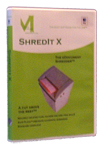 ShredIt is the computer privacy software you need when it comes to data privacy. Whether you deal with confidential data on an ongoing basis or just want to protect yourself from identity theft when disposing of a computer, ShredIt has the features you want. ShredIt for Mac OS X enables you to wipe files, disk free space, a hard drive, external drives, USB Flash and more. It comes with simple instructions, built in safety features, DoD, DoE, NSA, Gutmann standards compliance and online tutorials. The program has a lot of privacy features that will keep your files secure and safe at all time. You can also get most of the shredding features necessary including the ones that enables you to do the following; shred files, folders, disk free space, files you’ve already deleted, hard drives, external hard drives and even CD-RWs. ShredIt is the computer privacy software you need when it comes to data privacy. Whether you deal with confidential data on an ongoing basis or just want to protect yourself from identity theft when disposing of a computer, ShredIt has the features you want. ShredIt for Mac OS X enables you to wipe files, disk free space, a hard drive, external drives, USB Flash and more. It comes with simple instructions, built in safety features, DoD, DoE, NSA, Gutmann standards compliance and online tutorials. The program has a lot of privacy features that will keep your files secure and safe at all time. You can also get most of the shredding features necessary including the ones that enables you to do the following; shred files, folders, disk free space, files you’ve already deleted, hard drives, external hard drives and even CD-RWs.
ShredIt is also available for the Windows operating systems, and performs just as good as the one made for Mac. The features are simply amazing, but you may require a bit of technical ability to handle some of them. As a matter of fact, users must be cautious when using some of the features; especially when it comes to some sensitive files.
Want to check it out? Visit Mireth.
Posted in Main | No Comments »
Monday, November 14th, 2011
 Homer is a free cross-platform video conferencing application that supports unlimited amount of simultaneous live video/audio chats. Movies as well as music files can be presented during a conference. The software supports low quality as well as high quality audio and video transmissions. Homer can also be used to remotely observe the activities on a desktop screen. Homer is a free cross-platform video conferencing application that supports unlimited amount of simultaneous live video/audio chats. Movies as well as music files can be presented during a conference. The software supports low quality as well as high quality audio and video transmissions. Homer can also be used to remotely observe the activities on a desktop screen.
The good thing is that all these tasks the software doesn’t need a server infrastructure but it supports SIP servers as well. Homers supports streaming formats including MP3, G.711 a-law, G.711, PCM16 and AMR. The program also enables easy capturing of local audio inputs via ALSA, OSS or Windows-Multimedia-System (MMSYS), playback/streaming of local audio files in the AVI, MKA, MKV, MP3 and WAV formats.
Homer for Windows also a lot of other key features that include the following; IPv4 and IPv6 support, support for UDP, TCP, and UDP-Lite based video and audio transmission, configurable stream relay and preview to interoperate with other streaming tools, flexible port assignment for multiple participants behind a NAT box, capture local video input, streaming of local desktop or only desktop segments, video resolutions from 128*96, recording of incoming video stream in AVI, ASF, DV, MOV, SWF, WMV, and many more.
Want to check it out? Visit Homer-Conferencing.
Posted in Main | No Comments »
|
|
|




