Author Archive
Thursday, September 15th, 2011
 Stuff Organizer is a free open source library application that enables you to organize your stuff (movies, softwares, games, musics, e-books or whatever. If you have many downloaded files from torrent or web and would like to organize them, then you can give Stuff Organizer a try; and it is free. Stuff Organizer keeps track of all the files on your computer, and you can catalog your music or video collection, and have a big data base of music, video collection, find a song or a video in thousands of your collection, among many other things you can enjoy when you have it installed on your system. Stuff Organizer is a free open source library application that enables you to organize your stuff (movies, softwares, games, musics, e-books or whatever. If you have many downloaded files from torrent or web and would like to organize them, then you can give Stuff Organizer a try; and it is free. Stuff Organizer keeps track of all the files on your computer, and you can catalog your music or video collection, and have a big data base of music, video collection, find a song or a video in thousands of your collection, among many other things you can enjoy when you have it installed on your system.
Stuff Organizer can unpack your compressed files (7z, zip, rar) and when it’s done it automatically cleans up the unnecessary files that usually remain in the directory (.svf, file_id.diz etc). You also have the benefit of using this program to extract your iso files, making your job a lot easier. The program comes with a lot of amazing features that also allows you to find exactly the results you are looking for while browsing your database, supports tags, allows you save NFO file content (extremely useful for torrent users), includes an intelligent category selector (ICS) that automatically assigns newly added files to their respective categories and it even supports a series of plug-ins, and a few others.
Want to check it out? Visit Stufforganizer.
Posted in Main | No Comments »
Thursday, September 15th, 2011
 Detwinner is a program that has flexible search options including creating scan and ignore masks, ranges of file size and date to search, and folder protection. It shows duplicate files as soon as they are found, and supports text and image files preview. Detwinner has smart selection feature that allows selecting files by certain rule. Duplicate files can be deleted either permanently, or to recycle bin, and can be backuped before deleting. The application is a fast and efficient tool for finding and removing duplicate files from your PC. It uses sophisticated algorithms for file comparing, so nothing will be hidden from its eyes. Detwinner is a program that has flexible search options including creating scan and ignore masks, ranges of file size and date to search, and folder protection. It shows duplicate files as soon as they are found, and supports text and image files preview. Detwinner has smart selection feature that allows selecting files by certain rule. Duplicate files can be deleted either permanently, or to recycle bin, and can be backuped before deleting. The application is a fast and efficient tool for finding and removing duplicate files from your PC. It uses sophisticated algorithms for file comparing, so nothing will be hidden from its eyes.
Some of its key features include the following; flexible search options that create file masks to search or ignore, specify ranges of file size or file write date, skip hidden and system files, specific folders protection that exclude system or backup folders from scanning for duplicate files, search presets that customize standard presets for searching duplicates among audio, video, image files, photos and documents or create your own, duplicate file previews to see what you are deleting before it is too late, smart selection to select the oldest duplicate files, files with longets path or name, regular expressions selection that select duplicate files with name or path match sophisticated rules, and a few others.
Want to check it out? Visit Neatdecisions.
Posted in Main | No Comments »
Thursday, September 15th, 2011
 One of the most important thing you need to know when it comes to using a computer is the memory usage; and that is precisely what MemInfo is designed to help you achieve. The program displays current memory usage of Windows in the system tray; using a small graphic and the value updated in real time, the program gives a fast feedback to current memory usage in Windows. With version 3.0 now released and ready for use, you can look forward to a couple of updates and changes that include the following; improved memory defragmenter module (now faster and with better results), addition of an optional shortcut to quickly defrag memory, addition of top 5 process to the tray menu (display and process count configurable), first time launch now adapts theme colors with current windows theme loaded, clicking the menu process terminates the process, and addition of hint information to the tray menu. One of the most important thing you need to know when it comes to using a computer is the memory usage; and that is precisely what MemInfo is designed to help you achieve. The program displays current memory usage of Windows in the system tray; using a small graphic and the value updated in real time, the program gives a fast feedback to current memory usage in Windows. With version 3.0 now released and ready for use, you can look forward to a couple of updates and changes that include the following; improved memory defragmenter module (now faster and with better results), addition of an optional shortcut to quickly defrag memory, addition of top 5 process to the tray menu (display and process count configurable), first time launch now adapts theme colors with current windows theme loaded, clicking the menu process terminates the process, and addition of hint information to the tray menu.
MemInfo very easy to customize, and you can choose when it should warn you about high memory usage, show physical memory Windows page file, show free or used memory, and choose the font that looks better. The program has its own built-in memory defragmenter that speeds up your computer by simply maximizing the available free memory.
Want to check it out? Visit Carthagosoft.
Posted in Main | No Comments »
Monday, September 12th, 2011
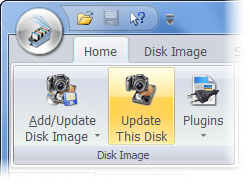 Where Is It? is an application designed to be the best media cataloging tool available on the shareware market today. The publishers developed this program as a successor of the very successful DOS program Floppy Master; extending its capabilities to new and larger media storage devices and providing even more comprehensive access to stored data. Where Is It? is an application designed to be the best media cataloging tool available on the shareware market today. The publishers developed this program as a successor of the very successful DOS program Floppy Master; extending its capabilities to new and larger media storage devices and providing even more comprehensive access to stored data.
This version of Where Is It? features optimized speed in thumbnails importing and processing for several types of graphics files. Also, version 2011.902 features a couple of changes that include the following; fine-tuning of the order of importing files and folders when scanning the media, addition of some newer non-removable media and related hardware (this can result in performance increase due to more efficient data caching), improved searching performance on multi-core CPUs, and a few others.
The program is easy to use for both beginners and experienced users and features a familiar and easy user-interface. Where Is It? also combines with strong searching and reporting capabilities, multi-language support, automated description and thumbnails importing through extendable plugins from more than 130 different sources, and much more. Users can also create more than one catalog, and at any time open and work with as many catalogs at once as required by them.
Want to check it out? Visit Whereisit-Soft.
Posted in Main | No Comments »
Monday, September 12th, 2011
 Bullzip PDF Printer works as a Microsoft Windows printer and allows you to write PDF documents from virtually any Microsoft Windows application. The program also allows you to write BMP, ESP, JPEG, PCX, PNG, PS, TIFF files. Presently, Bullzip PDF Printer is translated into various languages including the following: French, Afrikaans, Croatian (Hrvatski), Chinese (simplified), Arabic, Czech, Danish, Dutch (Netherlands), English (Australia), English (United Kingdom), English (United States), Estonian, Greek, German, Hungarian, Indonesian, Italian, Japanese, and a host of others. Bullzip PDF Printer has a lot of wonderful features that include the following; Print to PDF from almost any Windows program, runs on Microsoft Windows 2000/XP/XP x64/2003/2003 x64/Vista/Vista x64/2008/Windows 7, supports 64-bit operating systems, direct output to the same file each time or prompt for destination, control if the printer should ask if you want to see the resulting PDF document, set document properties, quality settings (screen, printer, ebook, prepress), graphical user interface, setup can run unattended, password protect PDF documents, 128/40 bit encryption, and many more. Bullzip PDF Printer works as a Microsoft Windows printer and allows you to write PDF documents from virtually any Microsoft Windows application. The program also allows you to write BMP, ESP, JPEG, PCX, PNG, PS, TIFF files. Presently, Bullzip PDF Printer is translated into various languages including the following: French, Afrikaans, Croatian (Hrvatski), Chinese (simplified), Arabic, Czech, Danish, Dutch (Netherlands), English (Australia), English (United Kingdom), English (United States), Estonian, Greek, German, Hungarian, Indonesian, Italian, Japanese, and a host of others. Bullzip PDF Printer has a lot of wonderful features that include the following; Print to PDF from almost any Windows program, runs on Microsoft Windows 2000/XP/XP x64/2003/2003 x64/Vista/Vista x64/2008/Windows 7, supports 64-bit operating systems, direct output to the same file each time or prompt for destination, control if the printer should ask if you want to see the resulting PDF document, set document properties, quality settings (screen, printer, ebook, prepress), graphical user interface, setup can run unattended, password protect PDF documents, 128/40 bit encryption, and many more.
Bullzip PDF Printer is a freeware program, but with limitations; that means it is free for both personal and commercial use up to 10 different users. Users will also discover that this program has no annoying ads or popup.
Want to check it out? Visit Bullzip.
Posted in Main | No Comments »
Monday, September 12th, 2011
SetACL Studio is a management tool for Windows permissions. The application combines lots of advanced features with extremely intuitive user interface. SetACL Studio works with files, folders, registry keys, printers, network shares, services and WMI objects. It supports very long file system paths and bypasses security to display information about the remotest corner of the system. The program is built on the SetACL’ proven engine, which means it can easily bypass security to show permissions of any object and deals with very long paths. Permissions may however, be a bit complex unlike the user-interface, which is very easy to understand for all users.

SetACL Studio works well over the network as it does locally; and you can connect to multiple computers simultaneously and easily switch from one to the other. SetACL Studio lists permissions from the DACL and the SACL and displays the owner. DACL, SACL and owner can be changed for the current object and optionally sub-objects can be reset to get a consistent state. The program also works with files, directories, registry keys, services, printers, network shares and WMI objects.
SetACL Studio 1.0.3 is compatible with Windows 7/2003/2008/Vista and XP; and has a 30 day trial period for all users.
Want to check it out? Visit Helgeklein.
Posted in Main | No Comments »
Saturday, September 10th, 2011
 InstantPhotoSketch is an application that converts a digital photo into the pencil or color sketch. Some of the tools in the photo editing application have built-in sketching effect. InstantPhotoSketch Pro is different from a lot of other program because of the natural look of the results. Basically, other programs just do the simple edge detection and black and white conversion. InstantPhotoSketch Pro carefully examines the image and finds the lines the real artist would draw. Another reason that makes this program stands out is the simplicity of the process. You don’t have to be a digital photo tools wizard or an artist to use the program. Latest changes included in this pro version are as follows; creating color sketches, improved pencil sketches, and new stylish UI. InstantPhotoSketch is an application that converts a digital photo into the pencil or color sketch. Some of the tools in the photo editing application have built-in sketching effect. InstantPhotoSketch Pro is different from a lot of other program because of the natural look of the results. Basically, other programs just do the simple edge detection and black and white conversion. InstantPhotoSketch Pro carefully examines the image and finds the lines the real artist would draw. Another reason that makes this program stands out is the simplicity of the process. You don’t have to be a digital photo tools wizard or an artist to use the program. Latest changes included in this pro version are as follows; creating color sketches, improved pencil sketches, and new stylish UI.
The program is fully compatible with the following Windows operating systems; Windows 7/9x/Vista/XP. Users can download the MS Windows version of InstantPhotoSketch for free and access features such as; improved pencil sketches, new stylish UI, creating color sketches.
Finally, InstantPhotoSketch is a nice program that takes only a few hours to understand; and the features too are easy to use. So, whether you are a pro or an amateur; InstantPhotoSketch is not difficult to understand.
Want to check it out? Visit Clipping-Path-Studio.
Posted in Main | No Comments »
Saturday, September 10th, 2011
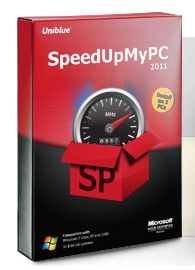 SpeedUpMyPC is an application that lets you monitor and control all your PC resources with easy, one click instructions. System settings, internet usage, disk clutter, RAM and CPU are all automatically scanned, cleaned and optimized for peak performance. You also have the choice to select disable or remove unnecessary background and auto-start processes to cut valuable seconds off your startup time. SpeedUpMyPC is an application that lets you monitor and control all your PC resources with easy, one click instructions. System settings, internet usage, disk clutter, RAM and CPU are all automatically scanned, cleaned and optimized for peak performance. You also have the choice to select disable or remove unnecessary background and auto-start processes to cut valuable seconds off your startup time.
With so many different settings, files and processes to monitor, it is hard to identify just what is slowing most systems down these days. It is even worse when you consider the pain involved in implementing the necessary technical adjustments to recover speed and performance. Since your PC depends on data transfer speed and efficiency, SpeedUpMyPC tweaks your system to remove the bottlenecks slowing you down.
Compared to other popular programs that perform similar functions as this one, SpeedUpMyPC remains one of the most feature-rich. SpeedUpMyPC is a shareware program and is compatible with Windows 7, 2000, Vista, and XP. To download the full version of this program, you will need to pay $29.95. Though, you may be able to find a few other programs that are freeware; SpeedUpMyPC remains a program worth checking out because of its features.
Want to check it out? Visit Uniblue.
Posted in Main | No Comments »
Friday, September 9th, 2011
 Key Manager is a key and mouse button re-mapper with ability to assign the following actions to regular, long and sequential key presses and key combinations. The program also shows an actions menu, paste text, launch a program, open a file/folder, open a web page, press/block a key, key combination, mouse button, rotate the mouse wheel, create a new email, manage windows, manage the computer’s sound and power settings, manager the monitor’s power settings and a host of others. Key Manager is a key and mouse button re-mapper with ability to assign the following actions to regular, long and sequential key presses and key combinations. The program also shows an actions menu, paste text, launch a program, open a file/folder, open a web page, press/block a key, key combination, mouse button, rotate the mouse wheel, create a new email, manage windows, manage the computer’s sound and power settings, manager the monitor’s power settings and a host of others.
Key Manager also enables you to turn virtually any key or mouse button into a user-defined modifier and use it (similar to Alt and Ctrl) in combination with other keys, mouse buttons and modifiers.
Key Manager gives your keyboard and mouse a new life and allows you to save lots of time and efforts in your daily work. The program’s flexible interface enables you to create various actions and execute them by pressing keys, mouse buttons and combinations of both, as well as represent them in the form of a popup actions menu. That aside, Key Manager also features powerful key and mouse button redefinition and blocking tools. Key redefinition and the execution of assigned actions can be restricted to specific applications and/or windows.
You can download a 30 day limited trial version that allows you to create up to 20 actions and 10 folders/menus.
Want to check it out? Visit Keymanager.
Posted in Main | No Comments »
Friday, September 9th, 2011
 PhotoOnWeb is an application that can be used to create your own photo album with digital pictures and host it on the internet. The software offers quick and easy creation and customization of the album (more than 20 different templates to match the theme of your pics). Sort your photos in multiple albums, pick a template and click on the Publish button. PhotoOnWeb does a lot of work for you; including resizing photos, building websites as well as publishing on the internet. The publisher has been able to fix a problem with protected album published. The storage server also had severe issues and has been recovered with a new file structure that is why this update is being released now. PhotoOnWeb is an application that can be used to create your own photo album with digital pictures and host it on the internet. The software offers quick and easy creation and customization of the album (more than 20 different templates to match the theme of your pics). Sort your photos in multiple albums, pick a template and click on the Publish button. PhotoOnWeb does a lot of work for you; including resizing photos, building websites as well as publishing on the internet. The publisher has been able to fix a problem with protected album published. The storage server also had severe issues and has been recovered with a new file structure that is why this update is being released now.
The navigation in the online gallery of PhotoOnWeb is easy to browse through the pictures with the keyboard or mouse using your current web browser. The program requires a Javascript or html5 or Flash technology in order to use the full screen of your display to enjoy the details of the pictures.
PhotoOnWeb includes a couple of nice features such as; FTP Client software integrated, Free Extra Fast and Secured 20Mb hosting space! (200 photos with default settings), add your comments on each picture, and a few others.
Want to check it out? Visit: PhotoonWeb.
Posted in Main | No Comments »
|
|
|




