Author Archive
Saturday, April 16th, 2011
 Hitonic MIDlet Protector is an application that modifies MIDlet JAR/JAD files and sets various limitations on launching MIDlets (launch count, launch date, runtime limitations). MIDlet launch limitation can be turned off by activation (activation code, password, SMS message sending). Hitonic MIDlet Protector is useful when it comes to protecting mobile phone applications created automatically, for example, through bookreaders. This version comes with an uninstaller, as well as some minor bug fixes. Since it is a shareware, users are allowed use of this program for a limited period of 20 days before making up their minds on whether to go full version or not. Hitonic MIDlet Protector is an application that modifies MIDlet JAR/JAD files and sets various limitations on launching MIDlets (launch count, launch date, runtime limitations). MIDlet launch limitation can be turned off by activation (activation code, password, SMS message sending). Hitonic MIDlet Protector is useful when it comes to protecting mobile phone applications created automatically, for example, through bookreaders. This version comes with an uninstaller, as well as some minor bug fixes. Since it is a shareware, users are allowed use of this program for a limited period of 20 days before making up their minds on whether to go full version or not.
You can download a free version, then have the chance to try the demo version before actually registering it. You can download or view the step-by-step guide on how to run or install Hitonic MIDlet Protector on your computer. This guide helps you do all the things you need to do without having any difficulty with the program. Once you are through with the installation, you can start using this program before the 20 days trial period expires. However, the unlimited version costs $59.77 per download. Hitonic MIDlet Protector runs on Windows 7, 2000, 2003, 2008, Vista, and XP.
Want to check it out? Visit Hitonic.
Posted in Main | No Comments »
Saturday, April 16th, 2011
 AutoHotkey is an application that lets you customize your keyboard, joystick, and mouse. AutoHotkey is an open source automation and hotkey utility that is backward compatible with AutoIt. The software includes a quick-start tutorial, an automatic script writer that records and plays back your keystrokes and mouse clicks, and a comprehensive help file. AutoHotkey can remap keys and buttons, and make almost any key, joystick button, mouse button, or combination into a hotkey. Also the program allows you to define abbreviations that expand as you type them (auto-replace); create custom GUI windows and menu bars; retrieve or change the volume, mute, and other settings of any soundcard; hide/close/resize any window; use a joystick as a mouse; retrieve and change the clipboard’s contents; display dialog boxes, tooltips, balloon tips, and popup menus; and create your own stand-alone EXE files that can be run on any computer. AutoHotkey is an application that lets you customize your keyboard, joystick, and mouse. AutoHotkey is an open source automation and hotkey utility that is backward compatible with AutoIt. The software includes a quick-start tutorial, an automatic script writer that records and plays back your keystrokes and mouse clicks, and a comprehensive help file. AutoHotkey can remap keys and buttons, and make almost any key, joystick button, mouse button, or combination into a hotkey. Also the program allows you to define abbreviations that expand as you type them (auto-replace); create custom GUI windows and menu bars; retrieve or change the volume, mute, and other settings of any soundcard; hide/close/resize any window; use a joystick as a mouse; retrieve and change the clipboard’s contents; display dialog boxes, tooltips, balloon tips, and popup menus; and create your own stand-alone EXE files that can be run on any computer.
AutoHotkey is definitely one of those very few open source applications that is difficult to live out of your collections. Some of its key features include the following; convert any script to an exe file that can be run on computers that don’t have AutoHotkey installed, automate virtually anything by simply sending keystrokes and mouse clicks, respond to signals from hand-held remote controls via the WinLIRC client script, and many more.
Want to check it out? Visit AutohotKey.
Posted in Main | No Comments »
Friday, April 15th, 2011
 CommFort is a client-server chat with voice chat support, and designed for use in local networks. The application supports or combines all attributes of the best network communication utility, such as channels-based chat, user profiles, file and folder transfers, sound notification system and 100 graphical emoticons. CommFort has a well-rounded user interface, which is easy and effective for both experienced and inexperienced users. CommFort is a client-server chat with voice chat support, and designed for use in local networks. The application supports or combines all attributes of the best network communication utility, such as channels-based chat, user profiles, file and folder transfers, sound notification system and 100 graphical emoticons. CommFort has a well-rounded user interface, which is easy and effective for both experienced and inexperienced users.
This latest or updated edition of CommFort comes with some new additions that include the following; changed indication for read board messages, improved appearance of conversation history, added viewing server logs from client computer and a lot more.
Some of its basic features include; text messaging (it combines everything necessary for text chat between users), image exchange (it allows image exchange that is quick, comfortable and effective. Images inserted into public channels, private channels or messages are automatically compressed to ensure maximum comfort and minimum network load), file transfer (it enables users to exchange files in the fastest and most comfortable way. Just drag and drop the necessary files or folders onto the recipient’s image in the list and the program will begin the file transfer), and audio and video chat.
CommFort is a shareware, and available for 30m days trial for all users.
Want to check it out? Visit Commfort.
Posted in Main | No Comments »
Thursday, April 14th, 2011
 Solveig Multimedia Video Splitter is a powerful tool to perform fast video trimming tasks without any quality loss. It has intuitive user-friendly interface and allows splitting a video file in few mouse clicks. Version 2.3.1103.30 comes with an uninstaller as well as a couple of updates that include the following; sound volume control, WAV files support, MPEG-1 files support, automatic check for updates, and recent files menu. Solveig Multimedia Video Splitter is a powerful tool to perform fast video trimming tasks without any quality loss. It has intuitive user-friendly interface and allows splitting a video file in few mouse clicks. Version 2.3.1103.30 comes with an uninstaller as well as a couple of updates that include the following; sound volume control, WAV files support, MPEG-1 files support, automatic check for updates, and recent files menu.
SolveigMM Video Splitter is great for working with MPEG-2, AVI, WMV, ASF, MP3, WMA files. The editor is lossless and fast, removing, and is capable of removing unwanted parts of the video seamlessly with just a few mouse clicks; and it makes cutting and joining up video and audio streams easy and perfect. The attractive and intuitive user-friendly interface is very easy to use.
Some of the basic or key features of SolveigMM Video Splitter include the following; support for MPEG-2 files- (mpg, mpeg, vob, ts), MPEG-2 program stream, MPEG-2 transport stream, MPEG-2 video elementary stream, DVD VOB files, supports all AVI files, supports Windows media files, supports MPEG audio files, supports file by file joining, and many more.
SolveigMM Video Splitter is a shareware, but is available for a period of 21 days for users who would love to try it out.
Want to check it out? Visit SolveigMM.
Posted in Main | No Comments »
Thursday, April 14th, 2011
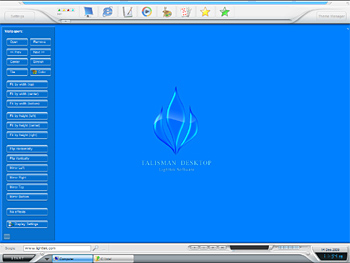 Talisman is a replacement for Windows Desktop and shell replacement. It simply allows you to build any interface for your computer. Talisman Desktop hides the standard desktop of Windows. Place any number of icons, buttons, pictures or other objects. These objects can have any form or dimensions; and all objects can run external programs or internal shell commands. The number of forms (desktops) is not limited, and virtually every screen object can be set to switch from one desktop to another. All settings and pictures are stored in a theme file. Talisman is a replacement for Windows Desktop and shell replacement. It simply allows you to build any interface for your computer. Talisman Desktop hides the standard desktop of Windows. Place any number of icons, buttons, pictures or other objects. These objects can have any form or dimensions; and all objects can run external programs or internal shell commands. The number of forms (desktops) is not limited, and virtually every screen object can be set to switch from one desktop to another. All settings and pictures are stored in a theme file.
Users can make many themes as well as use objects with links to go from one theme to another. Talisman Desktop allows you to add HTML-pages and Flash movies to the desktop, and add sounds to different events. The application supports Windows XP icons of any sizes from 16×16 to 128×128 pixels. Talisman Desktop helps you to create your own interface or use one of the hundreds already available in the publisher’s collection on the internet.
One very lovely thing about this program is that you can create various kinds of interfaces for companies, exhibitions, media centers, desktop panels, table PC, and many more.
Want to check it out? Visit Talisman.
Posted in Main | No Comments »
Thursday, April 14th, 2011
 MetaProducts Offline Browser downloads Web pages or entire Web sites. These include; including images, sounds, video and other media files to your hard disk, flash drive or memory card. The program enables you to browse saved content while offline. MetaProducts Offline Browser appears as a handy, floating toolbar near the upper right corner of your Web browser. All you need to do is simply browse to the page you want to save and click download to begin downloading the page to your disk. The page will be placed in the MetaProducts Offline Browser’s WebList. MetaProducts Offline Browser downloads Web pages or entire Web sites. These include; including images, sounds, video and other media files to your hard disk, flash drive or memory card. The program enables you to browse saved content while offline. MetaProducts Offline Browser appears as a handy, floating toolbar near the upper right corner of your Web browser. All you need to do is simply browse to the page you want to save and click download to begin downloading the page to your disk. The page will be placed in the MetaProducts Offline Browser’s WebList.
MetaProducts Offline Browser allows you to save e-books, news articles, photo galleries and more; all to your drive so that you can browse them as soon as an internet connection is unavailable. MetaProducts Offline Browser also has a simple user-interface, and attaches its toolbar to the browser window. The program supports the following browsers; Internet Explorer, Safari, Chrome, FireFox and Opera.
Other key or vital features of this program include the following; a floating toolbar that enables you browse straight to the page you want to, save offline pages you want to save and click download to begin downloading the page to your disk, and many more.
MetaProducts Offline Browser is a shareware application; and is available for a trial period of 30 days
Want to check it out? Visit MetaProducts.
Posted in Main | No Comments »
Thursday, April 14th, 2011
 Daminion is an easy-to-use digital asset and document solution for your precious multimedia content. Easy asset cataloging means goodbye to last-minute scrambling. The program is built also with support for the following features; storage of data inside files, including copyright information, synchronization of database information with EXIF, IPTC, XMP, and MWG, as well as format-specific metadata in a wide variety of formats. The metadata mark your copyrighted material; and this helps to protect your intellectual property rights. Tagging all copyrighted materials will help prevent unlawful usage of images and content. Daminion is an easy-to-use digital asset and document solution for your precious multimedia content. Easy asset cataloging means goodbye to last-minute scrambling. The program is built also with support for the following features; storage of data inside files, including copyright information, synchronization of database information with EXIF, IPTC, XMP, and MWG, as well as format-specific metadata in a wide variety of formats. The metadata mark your copyrighted material; and this helps to protect your intellectual property rights. Tagging all copyrighted materials will help prevent unlawful usage of images and content.
Daminion’s search capabilities include: Quick Search, Filter Content By Tags in combining with AND/OR operations, Advanced Search and Saved Searches. The program also helps you to store data as metadata. Metadata is the best way to exchange information between different systems.
Daminion supports a huge number of media formats including raster, vector, camera RAW images, video, music and PDF files. Besides media formats, the program is also designed to read/write tags from/to XMP, IPTC, EXIF metadata in a wide range of media formats including video and camera RAW formats.
One program that has a lot of features to choose from; and the interesting part of it is that this one is a freeware.
Want to check it out? Visit Daminion.
Posted in Main | No Comments »
Thursday, April 14th, 2011
 Sqrxz 2 is a Jump n’Run game that requires a sharp mind and fast reflexes. Sqrxz is not designed for casual gamers; 10 levels full of traps and enemies will keep you busy for a while. It is the second part of the game series, and takes place in outer space where you have to help little cute Sqrxz to recollect Smaragds, previously lost by him. Sqrxz features a chip-tune soundtrack and resembles the look of old 16-bit games. Original Sqrxz made was by Marcus Vesterlund (Maze) and John Holmvall (Hojo). Sqrxz 2 is a Jump n’Run game that requires a sharp mind and fast reflexes. Sqrxz is not designed for casual gamers; 10 levels full of traps and enemies will keep you busy for a while. It is the second part of the game series, and takes place in outer space where you have to help little cute Sqrxz to recollect Smaragds, previously lost by him. Sqrxz features a chip-tune soundtrack and resembles the look of old 16-bit games. Original Sqrxz made was by Marcus Vesterlund (Maze) and John Holmvall (Hojo).
This version includes the following features: retro graphics; hidden passages to discover; 10 tricky n’ hard levels; 11 marvellous chip-tunes; top 10 highscore; infinite continue mode, which you will need badly in order to practice; tough challenging gameplay; extremely difficult; not for weaklings; and a host of others.
Sqrxz is an extremely difficult game for people who don’t have much experience when it comes to playing this kind of game. It can be highly interesting, and can also be very frustrating because of the various levels. It is extremely fast, and if you can’t cope with its pace; it is better not to give it a try. You might actually require a lot of skills to get used to it.
Want to check it out? Visit: Sqrxz2.
Posted in Main | No Comments »
Thursday, April 14th, 2011
 Absolute Time Corrector is an application that queries NIST timeservers using the Internet, and then compares NIST time to the time setting of the host computer. Once Absolute Time Corrector discovers a disparity, it automatically adjusts the computer’s time to reflect NIST time. Once Absolute Time Corrector is set up, the host computer can serve as a timeserver to any size network. The host can be set to check NIST time as often or seldom as desired, and each computer in the network can likewise be set to check time on the host computer. It is one nice application that gets things done without talking too much of your time, and space on your system. This version comes with an uninstaller, and fixing of a minor problem that has to do with small Windows XP SP3 compatibility issue. Absolute Time Corrector is an application that queries NIST timeservers using the Internet, and then compares NIST time to the time setting of the host computer. Once Absolute Time Corrector discovers a disparity, it automatically adjusts the computer’s time to reflect NIST time. Once Absolute Time Corrector is set up, the host computer can serve as a timeserver to any size network. The host can be set to check NIST time as often or seldom as desired, and each computer in the network can likewise be set to check time on the host computer. It is one nice application that gets things done without talking too much of your time, and space on your system. This version comes with an uninstaller, and fixing of a minor problem that has to do with small Windows XP SP3 compatibility issue.
Absolute Time Corrector is a one-click application that allows you synchronize the time on your PC to the official time provided by a network of NIST (National Institute of Standard and Technology) servers or local time server. You can synchronize time on demand, automatically according to a schedule or whenever an Internet connection is detected. The program sits quietly in the task menu and will hardly consume a bare minimum of system resources; that means you don’t have to worry yourself about other important things or be annoyed about reminders.
Want to check it out? Visit TimeUtilites.
Posted in Main | No Comments »
Thursday, April 14th, 2011
 Blaze Statistics an easy-to-use tool that enables various kinds of users; including researchers, analysts, managers and students to create high quality statistical reports and make statistically justified decisions without much effort. With Blaze, anyone can create histograms, statistical summaries and perform all of the most common types of hypothesis tests (ANOVA, T-Test and Chi Square). The application allows you to create beautiful histograms with or without much stress. Blaze Statistics an easy-to-use tool that enables various kinds of users; including researchers, analysts, managers and students to create high quality statistical reports and make statistically justified decisions without much effort. With Blaze, anyone can create histograms, statistical summaries and perform all of the most common types of hypothesis tests (ANOVA, T-Test and Chi Square). The application allows you to create beautiful histograms with or without much stress.
The most common statistics you will find in Blaze Statistics include the following; mean, median, standard deviation, and skew. These statistics are displayed in a table that allows for easy reading or understanding; they are placed right below the histogram.
Users have the opportunity of choosing which field to display in the histogram and can apply a filter in a way that only the subnet of the data is displayed. You can also customize the histogram by simply highlighting particular values of interest such as a percentile, the sample mean or the estimated population. Blaze has been specifically designed or created to automatically recalculate the statistics and renew the histograms as you browse your data.
Whatever results or outcome of your test, this program presents it in a fashion that is easy to understand.
Want to check it out? Visit BlazeStatistics.
Posted in Main | No Comments »
|
|
|




