Author Archive
Thursday, May 20th, 2010
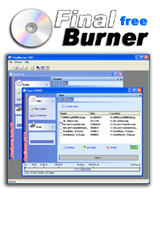 If your desire is to find a free alternative to expensive CD and DVD burners then look no farther than FinalBurner. If you wish to find a tool that can help you share your video or photo CDs with your family or friends, you should stick with the most reliable, highly efficient and the most common media standards that can be replayed on any computer, video player, or a game console. If your desire is to find a free alternative to expensive CD and DVD burners then look no farther than FinalBurner. If you wish to find a tool that can help you share your video or photo CDs with your family or friends, you should stick with the most reliable, highly efficient and the most common media standards that can be replayed on any computer, video player, or a game console.
FinalBurner affords every user the opportunity of creating data, audio, and DVD disc, and equally burn them into any media type. Such media types include; DVD+R/RW, DVD-R/RW, DVD DL, and also possess the capability of creating ISO images of a disk.
FinalBurner is a combination of various elements of a professional CD recorder that is delivered with convenient user interface to please the eye. It is basically designed without any extraneous features and it restricts the complex process of CD recording to a very few mouse clicks that is ideal for day-to-day users.
FinalBurner offers to users the opportunity of producing high quality output on the fly without necessarily requiring any deep knowledge of CD recording technologies. This is made possible because FinalBurner is designed in such a way that anyone can easily understand its workings.
Want to check it out? Visit Protectedsoft.
Posted in Main | No Comments »
Wednesday, May 19th, 2010
 OpenOffice.org for Windows 3.2.1 RC is an open source program from Sun Microsystems technology. The program works with different kinds of platforms, providing access to all functionality and data via open-component based APIs and XML-based format. OpenOffice.org for Windows 3.2.1 RC is an open source program from Sun Microsystems technology. The program works with different kinds of platforms, providing access to all functionality and data via open-component based APIs and XML-based format.
I do have some little problems with this program, especially in terms of the functionality and calculator. The Calculator functions are a bit too weak especially in terms of using the formulae part of it. When you of course compare this side by side with Excel produced by Microsoft, you can’t, but express displeasure. Excel is more compact in this area than OpenOffice.org. That might just be all in terms of what I have some problems with.
The developers really took their time while working on this program. At least it took nothing less than twenty years to have OpenOffice.org for Windows 3 to get to this stage. The good thing about the OpenOffice.org software is that it is not difficult for a user to get adjusted to using it. Anybody who is used to Microsoft Office should not have any problem using this program.
Anyone who wants to have a shot at this can have it downloaded for free since it is an open source program. There is no limitation for those who are interested in downloading it for their personal or office use.
You can check it out at OpenOffice.org
Posted in Main | No Comments »
Tuesday, May 18th, 2010
 Avast! Free Antivirus 5.0 is a perfect antivirus for people who frequently send out e-mails or visit popular websites. it is a new package of applications that has the main responsibility to protect computers from possible virus attack or other malware threats. When used correctly with the combination of other relevant programs like data backup utilities, it really reduces the risk of a computer system attack. Avast! Free Antivirus 5.0 is a perfect antivirus for people who frequently send out e-mails or visit popular websites. it is a new package of applications that has the main responsibility to protect computers from possible virus attack or other malware threats. When used correctly with the combination of other relevant programs like data backup utilities, it really reduces the risk of a computer system attack.
Avast antivirus 5.0 contains numerous features that is synonymous modern day antivirus program. Such features include anti-spyware technology, as well as anti-rootkit and strong self-protection capabilities, with a more advanced scanning detection ability that is faster then it used to be. Avast! Antivirus 5.0 comes with real-time Shields that have the capacity to continuously monitor e-mail; internet connections; check computer files as frequently as required.
Some of the key features of Avast! Antivirus 5.0 are; Antivirus and anti-spyware engine (provides reliable protection against viruses, spyware and other forms of malicious software); Code emulator; Heuristics engine; Boot-time scanner; Behavior Shield (Monitors activity on your computer using a number of sensors and reports or blocks any suspicious behavior); Smart virus definition updates and Real-time graphic scanning reports.
The only bad-side of avast! Antivirus 5.0 is the memory usage which unfortunately is 10MB.
Want to check it out? Visit Avast.com
Posted in Main | 2 Comments »
Monday, May 17th, 2010
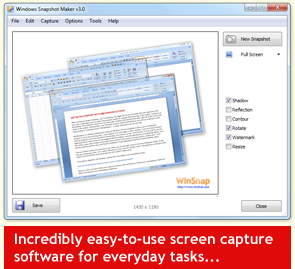 WinSnap is a very potable enhancement utility that is used for taking screenshots and editing them. It provides simply smooth workflow and, most importantly, it accurately captures alpha blending and consequently produces true alpha blended PNG files without necessarily having any background, this is definitely contrary to most current freeware. WinSnap is a very potable enhancement utility that is used for taking screenshots and editing them. It provides simply smooth workflow and, most importantly, it accurately captures alpha blending and consequently produces true alpha blended PNG files without necessarily having any background, this is definitely contrary to most current freeware.
It can effortlessly capture windows that are of non-rectangular form and offers you the option of picking the background of your choice. WinSnap has the capacity to automatically perform simple but complex canvas transformations and coloring effects. It provides professional smoothing shadows in Photoshop style and so much more. Furthermore, WinSnap supports different variety of image formats and provides advanced auto-save options for would be users.
One other strong point of WinSnap when it comes to its file size is the obvious fact that it runs with only the EXE file, this makes it very easy for it to snap difficult transparent objects, and the simple GUI.
The disadvantage of WinSnap becomes noticeable when one tries to watermark, as it renders screenshots only marginally useful, thereby contradicting the developer’s assertion. Another weak point is fact that print function is either a Ctrl-P or it is mouse to File-Print-Print.
Want to check it out? Visit Winsnap
Posted in Main | No Comments »
Saturday, May 15th, 2010
 What makes a program thick and widely acceptable to majority of users on the internet? Though people’s answer may vary, but there are certainly going to be a general view. Whether a program is freeware, opensource, or shareware is not what matters these days. People want programs that can add values to their systems. What makes a program thick and widely acceptable to majority of users on the internet? Though people’s answer may vary, but there are certainly going to be a general view. Whether a program is freeware, opensource, or shareware is not what matters these days. People want programs that can add values to their systems.
PostgreSQL for Windows 9.0 Beta 1 may still be a Beta application, but it certainly has prospect of doing well in the future. It is a relational database application, and has been around for a while. The program runs on major operating systems, and is scalable in terms of the quantity of data it can manage, as well as the number of concurrent users it can contain.
PostgreSQL for Windows 9.0 Beta 1 has some new additions in terms of features and applications. Some of these include: support for Python 3 in PL/python and a lot of PL/ Perl improvement; anonymous procedure blocks with the DO statement; new Binary application and a few others.
In 2008, PostgreSQL was named as the product of the year by Developer.com; that speaks volume of what this program is all about. I think the publishers have done a great job and they should just keep it up.
Want to check it out? Visit PostgreSQL.org
Posted in Main | No Comments »
Friday, May 14th, 2010
 A good and well-packaged program from start to finish; DownloadStudio 6.0.3.0 is an ideal download accelerator for your all your download. The program is very fast in terms of downloading different kinds of files anywhere on the internet. It contains more than twelve different specialized downloading tools, which include: file downloader; file range downloader; video downloader; website downloader; streaming media downloader; blog and podcast downloader; audio and video recorder; URL Sniffer among others. A good and well-packaged program from start to finish; DownloadStudio 6.0.3.0 is an ideal download accelerator for your all your download. The program is very fast in terms of downloading different kinds of files anywhere on the internet. It contains more than twelve different specialized downloading tools, which include: file downloader; file range downloader; video downloader; website downloader; streaming media downloader; blog and podcast downloader; audio and video recorder; URL Sniffer among others.
It is one of the easiest download tools around, and users are unlikely to have any difficulty in trying to get used to it. DownloadStudio is an easy-to-use application, and lets you download different types of your favourite contents from the web. Such contents include: flash; podcast; blogs documents; complete websites; RSS feeds and videos.
The publishers have been able to introduce some new changes into this version, and users can even have a richer experience than before. Some of these new changes are: %30-%50 faster downloading algorithm; addition of Download high definition video from YouTube, Metacafe and more; support for Mezzmo DLNA media server; automatic video and audio converter; etc.
DownloadStudio 6.0.3.0 is not a shareware; and users can have a feel of it for 15 days before they buy it.
Want to check it out? Visit Downloadstudio
Posted in Main | No Comments »
Wednesday, May 12th, 2010
 The past few years have witnessed one of the most intensive periods of development in Slackware. This has led to the release of Slackware Linux 13.1. Slackware comes with it a lot of changes from previous version, which also includes a completely reworked collection of X packages. What this means is that a configuration file for X is no longer needed in most cases. The past few years have witnessed one of the most intensive periods of development in Slackware. This has led to the release of Slackware Linux 13.1. Slackware comes with it a lot of changes from previous version, which also includes a completely reworked collection of X packages. What this means is that a configuration file for X is no longer needed in most cases.
Slackware Linux can best be described as a complete 32-bit multitasking system. It is modeled around the GNU C Library version 2.3.4 (libc6) and the 2.4 Linux kernel series. It also comes with a menu-driven package system and; extensive online documentation. A complete installation provides a user with the X Window System; C/C++ development environments; news server; networking utilities; mail server; Perl; web server; GNU Image Manipulation Program; FTP server; Netscape Communicator, and so much more.
It is designed to run on 486 systems even as far as the latest x86 machines. Though it uses –mcpu=i686 optimization to provide users with the opportunity to experience its best performance on i686-class machines like the P3, P4, and Duron/Athlon.
The major setback of Slackware Linux 13.1 is the complexity of installation. It would have come highly rated had it not been for the complexity of installing it.
Want to check it out? Visit Slackware.com
Posted in Main | No Comments »
Wednesday, May 12th, 2010
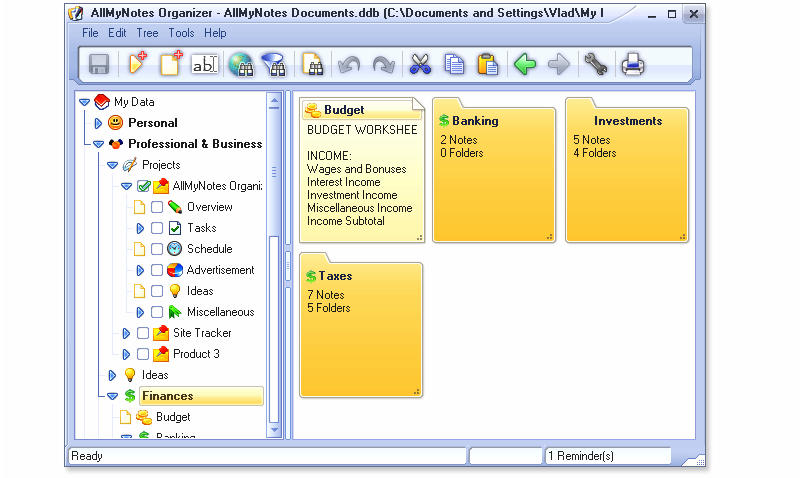 AllMyNotes can simply be explained as a multi-functional information manager for that is created for Windows. It helps to store all Notes of a user in virtual folders in one file that can be easily assessed. Every user is unique so AllMyNotes Organizer offers a user the opportunity of creating individual identity for notes in absolutely customized tree structure. AllMyNotes can simply be explained as a multi-functional information manager for that is created for Windows. It helps to store all Notes of a user in virtual folders in one file that can be easily assessed. Every user is unique so AllMyNotes Organizer offers a user the opportunity of creating individual identity for notes in absolutely customized tree structure.
AllMyNotes helps to translate toolbar to other languages, save notes, organize folders according to the kind of information you want to put in them, enables you take advantage text editor and search engine, and so much more. It is provides freedom for your notes to be completely customized.
AllMyNotes comes with improved status bar messages that better reflects current operation status; added status bar section that displays active reminders count (this section brings up Reminders window) once it has been installed; it First Start Wizard automatically selects language that corresponds correctly with system locale language. Though, users can manually change it, for now it’s easier to immediately see application in users own language. The database file that can be created with the exact same notes in AllMyNotes is approximately 28mb and about 25kb in CintaNotes.
One major disadvantage of AllMyNotes is that it has a huge database, and the free version has limited functions.
Want to check it out? Visit Vladonai
Posted in Main | 1 Comment »
Friday, May 7th, 2010
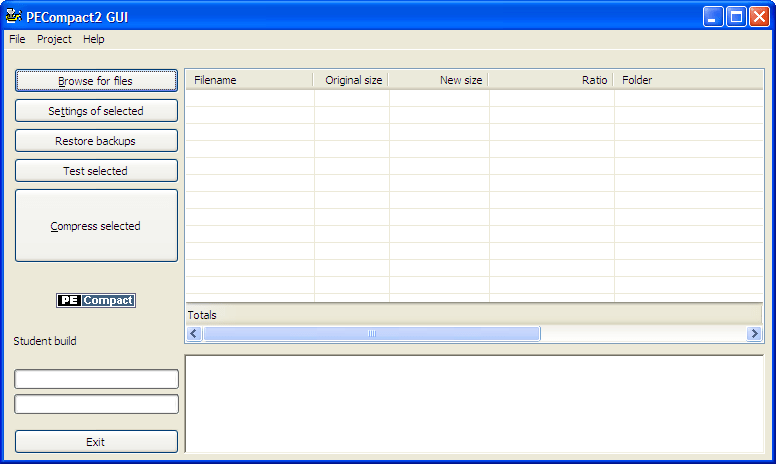 PECompact 3.02.2 is Win32 Executable compressor that is also called or referred to as exe packer. It is used for the compression of PE, EXE, SCR and DLL modules. The program is also useful when it comes to multiple CODEC plugins per compressed module, API hook plug-ins, compressed resource selection, loader plug-ins, etc. PECompact 3.02.2 is Win32 Executable compressor that is also called or referred to as exe packer. It is used for the compression of PE, EXE, SCR and DLL modules. The program is also useful when it comes to multiple CODEC plugins per compressed module, API hook plug-ins, compressed resource selection, loader plug-ins, etc.
PECompact 3.02.2 supports both software and hardware DEP and .NET 2003 SHE protection. The program is not for every user, it is specifically targeted at publishers of software alone. This application is a bit too technical even though it is not targeted at all categories of users.
This version comes out with some few bug fixes, as well as some minor changes to suit the needs of users. Some of these changes include: addition of a new loader that does not execute any code from writable dynamic memory allocations; changing of some plugins; extension of trial to 30 days; fixing of issues where debug directory entry was not completely claret when stripping of debug directory was indicated among others.
The price is affordable, and is put at $5 per download for everyone who wants to have a shot at it. PECompact 3.02.2 may not be the best program around, but users can still find it useful in more ways than one.
Want to check it out? Visit Bitsum.com
Posted in Main | No Comments »
Friday, May 7th, 2010
 Screenshot Captor is specifically designed to help you grab different kinds of screenshots, with or without much user intervention. The program comes with a multi monitor support that includes complete image explorer, full shell functionality and integration with external tools. The external tools support graphic editors, and watermarkers. Screenshot Captor is specifically designed to help you grab different kinds of screenshots, with or without much user intervention. The program comes with a multi monitor support that includes complete image explorer, full shell functionality and integration with external tools. The external tools support graphic editors, and watermarkers.
Screenshot captor 2.81.01 is a freeware, and is fully loaded with extra new features to enable users have an even richer experience while using it. Some of the features you can also enjoy include: good multi-coloured support; unique cool effect; optional automatic image file versioning; seamless integration with Unicode image maker tool; etc.
Screenshot Captor is one of those very few freeware programs that are way above my expectations in terms of quality. I am always of the opinion that even if a program is tagged a freeware, it shouldn’t take anything away from its performance. Some programs don’t exactly give value for money even when users pay for them.
The aim of the publishers is to create a program that every user will find easy to use; and if you ask me, I think they are on the right path. The publishers juts added a new feature; the full set of scanner acquisition tools and scanner image correction.
Want to check it out? Visit Donationcoder.com
Posted in Main | No Comments »
|
|
|




