
Blogs at Free Downloads Center

Author Archive

Wikipedia Used to Spread Virus

Monday, November 6th, 2006

34534632343223.jpgEverybody knows what Wikipedia is, right? It’s an online encyclopedia in which anyone can submit and edit articles. So, for a long time it was useful and safe site until now, I guess.

The German edition of Wikipedia was used as the vehicle to convince users to install what they thought was a “fix” for a new variant of the Blaster worm (Lovesan/MSBlast), which affected over 50,000 Windows computers in the summer of 2003. The attackers then sent out a German-language e-mail purporting to be from Wikipedia that told users to visit the page.

Thankfully Wikipedia’s superiors reacted almost immediately and thjse hijacked pages were removed, but still the fact that you can catch a virus down at Wikipedia sounds pretty scary. Serious impact on Wikipedia’s reputation. But I guess all’s well that ends well.

Zamzar: Convert files online for free

Friday, November 3rd, 2006

zamzar.jpgTell me honestly how much time do you spend online? Well, if it’s even a half of my online time then you just love to dig into some new web-based services as much as into the downloadable freeware or shareware stuff. So, get ready to find out something interesting with me.
The other day I was using my friends computer that lacks lot’s of useful tools and needed to convert some files from one format to another. To be honest that friend of mine becomes a little bit strange when it comes to his PC (you know, he doesn’t download nearly nothing ‘cause he’s afraid of viruses and doesn’t use any kind of Antivirus in principle). So I was left with no choice but to find some online converter that’ll do the trick. And I did!

You should check out Zamzar. It’s a free service that can convert nearly everything (you can choose from five image formats, 14 document formats, 11 audio formats and 9 video formats). It can convert many files at once (but only if you want to convert ‘em to the same format), up to 100MB. It works really simple: you select a file(-s) to convert, choose from the available formats to convert to, supply your e-mail address and click “convert” button. Then just check up your mail – it takes just a few seconds Zamzar to do it’s job – there you’ll find a letter with a link to your newly converted file.

If you want to find some ordinary (not web-based) freeware/shareware file convertors just check out this link.

Vista gets official release dates

Thursday, November 2nd, 2006

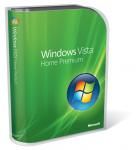
3342342523.jpgVista’s coming to our PC’s. It’s going to be really soon enough. Microsoft is going to release Windows Vista by the end of the month. At least according to APC Magazine

So, hear this everybody: Microsoft will release Windows Vista November 30 for business customers and January 30 (2007) for all consumers. In case you forgot or even didn’t know let me remind you Vista’s retail prices for your reference:

  • Windows Vista Home Basic – $385
  • Windows Vista Home Basic Upgrade – $199
  • Windows Vista Home Premium – $455
  • Windows Vista Home Premium Upgrade Academic – $179
  • Windows Vista Home Premium Upgrade – $299
  • Windows Vista Ultimate – $751
  • Windows Vista Ultimate Upgrade – $495
  • Windows Vista Business – $565
  • Windows Vista Business Upgrade – $379

via APC Mag

Make your life easier with InstallPad

Wednesday, November 1st, 2006

5654533321111.jpgSurfin’ throw the web you can find nearly anything – useful or not much. I’d like to talk about something that can be placed in the first category – a tool named InstallPad. It is an open source app for Windows that will help you to save lots of your precious time. It lets you automate the download and installation of entire suites of programs.

InstallPad relies on special “application lists” (XML files) that tell the app where to download the programs from and how to install them. You always can edit XML program list (by hand if you like or using the built-in GUI). So after you’ve set everything InstallPad takes charge and makes the rest. With it’s help you don’t have to look after the every action on installation process and give your permission on every command – it’ll do it all for ya.

It also lets you pass arguments to the installers and invoke scripts when installation is complete. This app can download from HTTP and FTP sources as well as run local installers or network resources. I’ve got your attention? Then what are you waiting for go get yourself a useful buddy – InstallPad.

Ps: Wanna find out more about this one? Head to the Lifehacker or just read the instructions.

Windows Live Messenger 8.1: New Beta released

Wednesday, November 1st, 2006

Another good (I guess) news from our ‘friendly neighbor’ Microsoft. It has released a beta version of Windows Live Messenger (version 8.1). Well new version doesn’t have some new great advantages over the previous one but still more than interesting to check out.

53456434.jpg

As for the new features: new emoticons Winks, Backgrounds, Display Pictures (menus have gotten an updated look), a “Roaming Identity” function, which means that you can (optionally) have your display picture and personal message follow you wherever you login, an SMS phone book that lets you associate phone numbers with you contacts and send them SMS messages easily, and a “Report abuse” function (well, who knows maybe it’ll come in handy someday). Also this Beta version supports a couple of other minor new features like an improved “Contact Card” and a “Sign Out” option on the Status menu.

As for the new features: new emoticons Winks, Backgrounds, Display Pictures (menus have gotten an updated look), a “Roaming Identity” function, which means that you can (optionally) have your display picture and personal message follow you wherever you login, an SMS phone book that lets you associate phone numbers with you contacts and send them SMS messages easily, and a “Report abuse” function (well, who knows maybe it’ll come in handy someday). Also this Beta version supports a couple of other minor new features like an improved “Contact Card” and a “Sign Out” option on the Status menu.

65556454.jpg

You can download and start using Windows Live Messenger right now from here and it won’t cost you a dime.

Windows Media Player 11: WinAmp have to go?

Tuesday, October 31st, 2006

It’s finally happened – new Windows Media Player (11/ full version) is now available. So you just have to check it out. Yes, I know that lots of people nearly hates (well, at least dislikes) this media player but maybe this version will make them change their minds. I have to confess – I always was a WinAmp fan.

First of all I have to say that I hadn’t used this one for a long time – I’ve just downloaded it about an hour ago, but already can say a few things on the topic. Well, first of all (and for me – most important) this realize seems to take less memory. Previous Windows Media Player was ve-e-ery slow, so my system had some ‘heart attacks’ – it slowly opened main window, and when I was using visualization, well, you really don’t want to know what was happening with my poor PC. New realize works smoothly and to my mind a little bit quicker.

45644342.jpg

So, what else? New version can logically organize all types of media, create playlists in an easy way, search, renaming tracks and much-much more new (you’ll say nothing really new, well, you’re right, but now everything is packed in a neat good-looking ‘box’). Maybe I’m too excited about this one but what the hell, that’s just a first impression:)

So my point is – give the new Windows Media Player a shot and see if you like it. If you already had some fun using it or you’ve noticed some problems with it just share with everyone – leave a comment. (more…)

Copyright © 2001-2026, Free Downloads Center. Free Downloads Center Blog is proudly powered by WordPress.
