
MagicPDF
Friday, April 3rd, 2009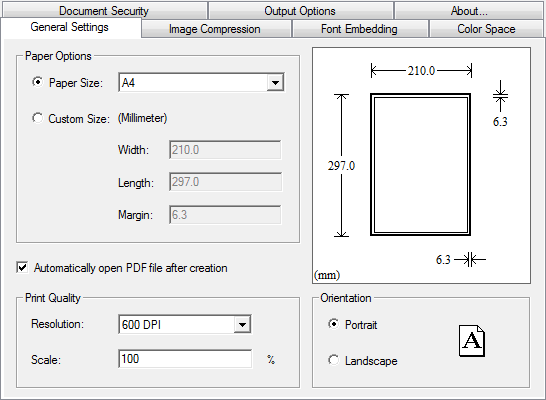 Creating PDF documents has become a lot easier with the MagicPDF. This application is a free PDF creator that converts basic document formats into PDF. The application works as printer wherein it could be chosen as an output of the document. Users could select MagicPDF as their printer after they have created their document in various office tools.
Aside from being a printer option, the application could also be started as a standalone wherein a specific document could be converted. The application is not just a simple converter tool since it provides options for users before the final document is created.
MagicPDF 2.0 is not like any other PDF creator since the free version is offered without any strings attached. The output document in PDF by MagicPDF will not have any watermarks in every page and the number of pages is never limited. This version is the first version to be fully compatible with Vista operating system.
The free version of MagicPDF comes with two important customization options – the image compression and font control. These options are tabbed so you can easily access the functions and see the results immediately. Image compression allows users to easily embed photos in the document while font control will help users maintain the font when they are transferred as PDF document.
If you’re interested in the pro version, you’ll be able to enjoy more conversion features, customization on sizes of documents and security encryption that prevents copying of data in the created PDF file. But if you’re looking for a simple converter, the free version should be more than enough.
Check it out at http://www.magicpdf.com/
 While working collaboratively with your teammates on a certain project, you often require sharing data with them so as to track the progress of the project. At most such times you either use flash drives or share data through emails, which takes much time making it all a hectic affair. However, all these hassles can be addressed with the help of a synchronization tool that helps you in collaborating real-time. If you are yet to get hold over such a tool, then try out the new Fragment Sync 2.647. It’s an advanced file synchronization utility aimed at facilitating you to synchronize your files between web services, devices, and PCs.
 Keeping your local network secure and stable could become a lot easier with the application named Lansweeper. As the name suggests, this application will scan the entire local network and report to the user the number of active users as well as their activities on their local gadget and with the network.
 Teach2000 Light 8.31 is an easy to use application that helps teachers, parents or even those who just wants to memorize information or practice a language. This application creates flash cards that could become an interactive testing tool. The data could be uploaded by teachers and the data will be processed to become an interactive exam for students.
 TunnelEx 1.0.1 is a very simple application that will help network administrators control the network connections. It’s specifically built to control traffic for each members of the network wherein a member could be singled out as the target of the traffic while others will have limited access and vice versa. This could also be used to set up rules for bandwidth connectivity so that each user will have the same bandwidth to avoid abuse.
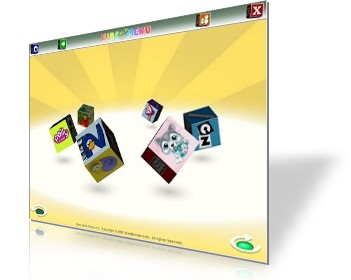 Kids Web Menu is a free browser for kids that provide an entertaining and interactive use of the web browser. Exploring the browser is very easy even for kids who can’t read since it’s based on pictures. First time computer users could easily interact with the web browser and access the information they like.


