
Startup Delayer 3.0.326 – delay your computer Startup Process
Wednesday, September 5th, 2012 Did you know you can download an application that delays your computer Startup Process to enable it run faster? That is what you get for installing Startup Delayer on your system.
Startup Delayer is a program that gives you the edge when it comes to optimizing your Startup Process by simply delaying applications from starting up as soon as you log into your computer. By simply delaying the applications during startup, your computer becomes usable a lot faster. The program is designed to start launching your delayed applications as soon as your computer becomes idle.
Latest changes
A couple of more changes have been made by the publishers to include fixing of minor issues. Some of the issues that have been fixed include the following; fixing of issues when no user profiles could be located as the active, and fixed for directory permissions due to Unauthorized Access.
With Startup Delayer, you can optimize your Startup Process by delaying applications from starting up as soon as you log into your computer; which makes your system more stable and faster. The program also gives you more control over what starts on your computer.
Downsides
The program takes a bit too long to load, which is a minor setback; but this shouldn’t be a problem eventually.
Want to check it out? Visit StartDelay.
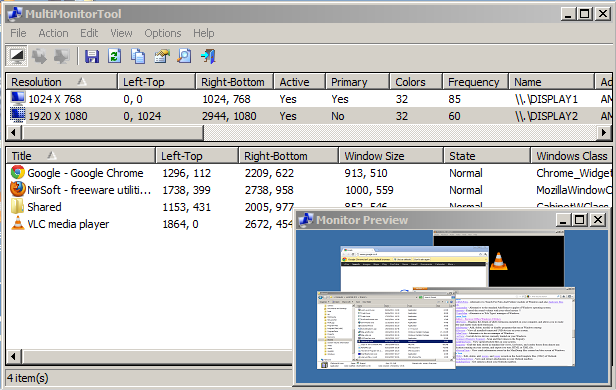 Internet users have better chances of accessing various kinds of applications that simply make their various online activities richer and more exciting. A program like MultiMonitorTool is not only one of those programs that enrich your working experience; but allows you to do some actions related to working with multiple monitors.
 Are you looking for a program that can be used to copy and backup your favourite movies; while also removing the copy protection on the DVD? Well, AnyDVD HD is worth a try because it has a couple of features that can help you achieve your aim.


