Author Archive
Tuesday, August 17th, 2010
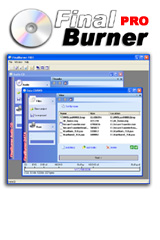 If you want an alternative to those expensive CD and DVD burners around, this one would suit you just fine. FinalBurner Free 2.23.0.0.193 is a freeware application that allows you to create data, DVD, and audio disks and similarly burn them onto all kinds of media. Some of these media include: DVD-R/RW; DVD DL; DVD+R/RW; and CD R/RW. Another feature of this application is that it allows you create an ISO image of a disk. If you want an alternative to those expensive CD and DVD burners around, this one would suit you just fine. FinalBurner Free 2.23.0.0.193 is a freeware application that allows you to create data, DVD, and audio disks and similarly burn them onto all kinds of media. Some of these media include: DVD-R/RW; DVD DL; DVD+R/RW; and CD R/RW. Another feature of this application is that it allows you create an ISO image of a disk.
Though it is a freeware just I mentioned earlier, it nevertheless combines some of the features of a shareware program. The features are quite easy to understand, and the user interface competes almost favorably with most professional programs out there. What really thrills me about this application is the fact that it doesn’t pack too many features that confuses a novice. In other words, it doesn’t require too much technical skill to use. So, for the professional out there, and the amateur, this is without doubt a quality program worth giving a try.
This application can burn any data on CD-R/CD, DLB/BLU-RAY, apart from this, it has an excellent tool that helps you to drag and drop files straight from any window explorer windows, helps you to rip CDs, and also rip files from any CD to WAV or MP3 formats. FinalBurner Free 2.23.0.193 is also good at burning ISO files to Compact Disk to WAV or MP3.
Initially I had some few issues with burning FLV files, though I still have such challenge, I believe with time I shall get over it.
Want to check it out? Visit Protectedsoft
Posted in Main | No Comments »
Monday, August 16th, 2010
 With Vista Codec Package 5.8.1 on a computer, users don’t need any other filter installed on their computers. It doesn’t contain any associate file types, nor a media player as well. As a matter of fact, Vista Codec Package 5.8.1 allows any media player to play DVDs, music clips of different formats. The package also supports video streaming (both Real and QuickTime). However, users may still have to visit the publisher’s homepage to get a 64bit Addon. This addon will enable xvid, DVD, and divx playback in Vista MediaCenter. With Vista Codec Package 5.8.1 on a computer, users don’t need any other filter installed on their computers. It doesn’t contain any associate file types, nor a media player as well. As a matter of fact, Vista Codec Package 5.8.1 allows any media player to play DVDs, music clips of different formats. The package also supports video streaming (both Real and QuickTime). However, users may still have to visit the publisher’s homepage to get a 64bit Addon. This addon will enable xvid, DVD, and divx playback in Vista MediaCenter.
This version has laid to rest so many issues users have always faced when it comes to codec. I trust this one will go a long way; a great program in spite of being freeware and without limitations. This pack contains an application that contains various settings that can be used in conjunction with windows media player center setup. This will allow users to choose from the various splitters as well as decoders for any file in particular.
Once installed, the codec package will automatically remove other codec packs from your computer. It also has the ability to help recognize your all the files on your computer, saving you all the problems associated with tweaking and adjusting your windows media center.
Want to check it out? Visit Shark007.net
Posted in Main | No Comments »
Friday, August 13th, 2010
 ProgDVB is an application that enables you to watch digital TV and listen to radio channels easily on your computer. ProgDVB allows you to watch satellite television using DVB-PCI cards with hardware decoders on the board, SAT-dish and your PC. ProgDVB is an application that enables you to watch digital TV and listen to radio channels easily on your computer. ProgDVB allows you to watch satellite television using DVB-PCI cards with hardware decoders on the board, SAT-dish and your PC.
One really cool thing about ProgDVB is that it has options for working with network broadcasting and Audio/Video recording of the stream to different digital-media formats. ProgDVB provides you with a complete satellite experience as it supports both Internet TV and Radio, with about 4000 channels in the list.
ProgDVB supports High Definition TV, so you can use your High Definition TV as monitor and have a pleasant viewing experience. The fact that it doesn’t just allow you to just watch but to also record TV and Radio channels easily, makes ProgDVB a tool really worth checking out. A new version of ProgDVB was released 3 days ago – ProgDVB 6.45.4. Some changes in features in the new version includes:
- Digital Signature
- Update TBS module
- Some small fixes
Want to check it out? Visit progdvb.com
Posted in Main | No Comments »
Friday, August 13th, 2010
 Every now and then you may need to capture the image on your computer screen. Such images are called screenshots. A cool tool to capture screenshots easily is Screenshoter. Every now and then you may need to capture the image on your computer screen. Such images are called screenshots. A cool tool to capture screenshots easily is Screenshoter.
With Screenshoter you can capture the whole screen of your PC or just a selected area with just a click of the button. One other thing worth mentioning is that Screenshoter supports image saving in different formats including jpg, png and bmp format.
I love the fact that it automatically hides itself while capturing, so it doesn’t disturb your browsing experience one bit. A major reason people are comfortable with using Screenshoter is the fact that it is portable – just one executable and no need for installation.
A new version of Screenshoter was released a couple of days ago- Screenshoter 1.3.
The Latest Changes in this new version include:
- Added multiple translations (French, German, Italian, Portuguese, Spanish)
- Many internal code improvements
- Fixed several issues with the selected area
- Improved the “look and feel”
One other thing I must not forget to mention is the fact that this cool tool is free. Yes, you heard me right! It is a freeware, so you have nothing to lose in checking it out and so much to gain.
Want to give Screenshoter a shot? Visit Inspire-soft.net
Posted in Main | No Comments »
Wednesday, August 11th, 2010
 Process Hacker is more than just a process viewer, it has powerful process termination and memory searching and editing abilities. With Process Hacker, you get to see information about processes, services, modules, handles and lots more. Process Hacker is more than just a process viewer, it has powerful process termination and memory searching and editing abilities. With Process Hacker, you get to see information about processes, services, modules, handles and lots more.
It is a free and open source tool that works well on all versions of Windows XP SP2 and above.
Process Hacker’s main features include:
- A simple, customizable tree view with highlighting showing you the processes running on your computer.
- Detailed performance graphs.
- A complete list of services and full control over them (start, stop, pause, resume and delete).
- A list of network connections.
- Comprehensive information for all processes: full process performance history, thread listing and stacks with dbghelp symbols, token information, module and mapped file information, virtual memory map, environment variables, handles, …
- Easy DLL injection and unloading – simply right-click a process and select “Inject DLL” to inject and right-click a module and select “Unload” to unload!
Want to check it out? Visit http://processhacker.sourceforge.net/
Posted in Main | No Comments »
Tuesday, August 10th, 2010
 ExtractNow is a cool tool that allows you to extract multiple files easily. ExtractNow simply lets you extract more than 1 archived file at a time, with just a click of the button. With ExtractNow, you can extract files by simply dragging and dropping them into the main program window. ExtractNow is a cool tool that allows you to extract multiple files easily. ExtractNow simply lets you extract more than 1 archived file at a time, with just a click of the button. With ExtractNow, you can extract files by simply dragging and dropping them into the main program window.
With ExtractNow, you can also right click the files you want to extract while in Windows Explorer. It really does make extracting files easier and quicker.
This tool supports a lot of formats including ZIP, RAR, ISO, BIN, IMG, IMA, IMZ, 7Z, ACE, JAR, GZ, LZH, LHA and SIT archive formats.
The latest version of ExtractNow, version 4.47 was released a couple of days ago. In ExtractNow 4.47, a couple of feature updates has been made. These updates include:
- Added recursive archive extraction option
- Added time column to extraction list view
- Fixed drag&drop for rar archives with .r## format
- Fixed crash bug in overwrite dlg when file has no valid time
- Fixed crash bug in overwrite dlg when file has no extension
- Fixed history view status message blank when file size is 0
Want to check out ExtractNow? Visit http://www.extractnow.com/
Posted in Main | No Comments »
Tuesday, August 10th, 2010
 If you have been looking for an easy to use tool to help organize, catalog and play music files on your PC without any stress then you need to check out MusicBee. If you have been looking for an easy to use tool to help organize, catalog and play music files on your PC without any stress then you need to check out MusicBee.
MusicBee is a good tool that helps you organize and play music files on your computer, portable devices and on the web.
MusicBee’s cool features include:
- Organize music files and edit tags in your library with a powerful and easy to use interface.
- Have new music files automatically added to your library from monitored folders, with the option to tag the files from an Inbox beforehand.
- Securely rip CD tracks as individual files or as a single album with embedded cuesheet, and with AccurateRip.com validation.
- Play MP3, FLAC, Vorbis, WMA files and optionally have tracks scrobbled to Last.fm. Play the web – playlists are created from MP3 blogs you visit.
- Play and Sync iPods and MP3 players, converting and leveling tracks on-the-fly.
- And Much More
Just recently a new version of MusicBee was released – MusicBee 1.2.3873 Beta. Latest feature changes in this new version includes:
- New WASAPI (exclusive mode) support for Vista, Win7
- New gapless playback for DirectSound and WASAPI output for most formats
- New support for ChartLyrics as a lyrics provider
- New right click/ correct lyrics on source website
- Fix folder re-organisation not releasing memory
Want to check out MusicBee? It’s free!!! Visit GetMusicBee
Posted in Main | 1 Comment »
Friday, August 6th, 2010
 Here is a cool tool really worth your attention and download time. It is called DVDFab Passkey and it is a simple driver [for Windows] that works easily to unprotect encrypted movie DVDs and Blu-ray discs. Cool, Right? Here is a cool tool really worth your attention and download time. It is called DVDFab Passkey and it is a simple driver [for Windows] that works easily to unprotect encrypted movie DVDs and Blu-ray discs. Cool, Right?
One of the features I really love is that DVDFab Passkey can remove all DVD copy protections like CSS, CPPM, APS, UOPs, RipGuard and many others easily.
With this tool you can watch Blu-Ray discs without HDCP- compliant graphic cards and display. DVDFab Passkey also lets you watch any region DVD on your region specific DVD drive and player software. Talk about removing all limitations.
You have to agree with me that it is really worth checking out, isn’t it?
Last I forget DVDFab Passkey is a shareware not a freeware, that simply means you can check out the trial version before deciding to part with your hard earned cash.
Visit DVDFab.com for more information.
Posted in Main | No Comments »
Friday, August 6th, 2010
 Here is a useful tool worth checking out, it is called Atchoo. Atchoo is actually a tool that gives reminders for your Google Calendar. It simply connects to your Google Calendar to remind you of events. One cool feature that comes with the tool is that it gives you a choice to snooze or dismiss an upcoming event entirely. Here is a useful tool worth checking out, it is called Atchoo. Atchoo is actually a tool that gives reminders for your Google Calendar. It simply connects to your Google Calendar to remind you of events. One cool feature that comes with the tool is that it gives you a choice to snooze or dismiss an upcoming event entirely.
Atchoo works well on Windows 2000, 2003, 2008, XP and Vista. I’m not sure about its compatibility with windows 7 just yet, but I feel it should also work well with it.
And the most important feature is – IT IS FREE! Yeah everybody loves freebies. Atchoo is a freeware that simply provides outlook style reminders for your Google Calendar.
Want to check it out? Visit Atchoo
Posted in Main | No Comments »
Friday, August 6th, 2010
 Is your computer freezing up on you or just acting slow unnecessarily? Now may be the perfect time for you to “defrag” your system registry files. Hope I’m not sounding Martian? The term defrag simply refers to a process of removing fragments and wasted space in your registry. Is your computer freezing up on you or just acting slow unnecessarily? Now may be the perfect time for you to “defrag” your system registry files. Hope I’m not sounding Martian? The term defrag simply refers to a process of removing fragments and wasted space in your registry.
A free tool to help defrag your system registry files easily is Quicksys RegDefrag. This tool helps improve overall system performance by simply removing unnecessary gaps, spaces and fragments in your Windows registry files. It also boosts access to the registry.
Quicksys RegDefrag works well on all versions of Windows from 2000 till date; that includes Windows 7. I doubt anyone still uses Windows 98 so that should not be a problem.
The latest version 2.9, just released recently has these major updates:
- Improved 64-bit performance
- Improved debug engine
- GUI improvements
- Minor bugs fixed
Want to improve your system performance for free? Check Out Quicksys RegDefrag
Posted in Main | No Comments »
|
|
|




