Archive for the 'Main' Category
Monday, December 1st, 2008
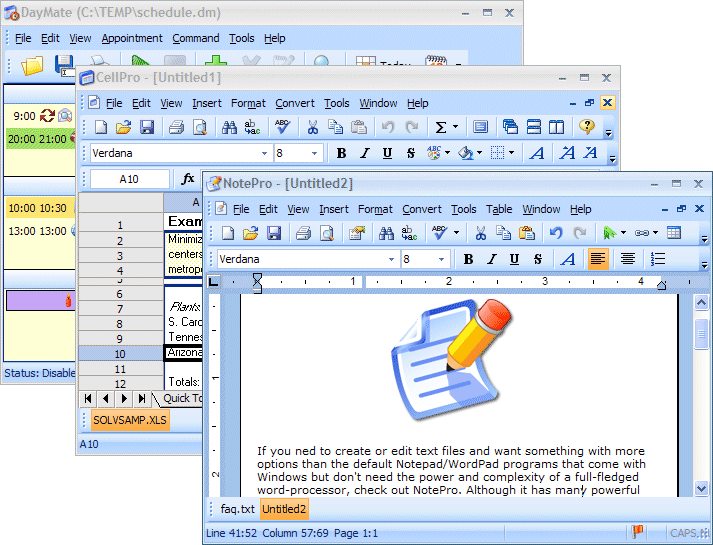 Here is something worth checking out. It’s called Crystal Office. Crystal Office is the essential office suite ideal for home and business users. Here is something worth checking out. It’s called Crystal Office. Crystal Office is the essential office suite ideal for home and business users.
Why is it worth checking out? Simply because it is designed to make your work go faster and your life easier.
Crystal Office delivers the necessary tools to make things easier for you. Find all the essential office software to complete routine tasks faster and with better results. And if you want to create and edit text and graphics in letters, reports, documents and Web pages, no problem, this can be done easily with Crystal Office.
You can also perform calculations and manage lists in spreadsheets and even enjoy working on Microsoft Office documents [open, edit, save or do what ever you like]. That’s not all Crystal Office makes it easy for you to keep track of appointments and tasks.
Now do you see why I say it’s worth checking out?
Check it out at http://www.crystaloffice.com/office
Posted in Main | No Comments »
Monday, December 1st, 2008
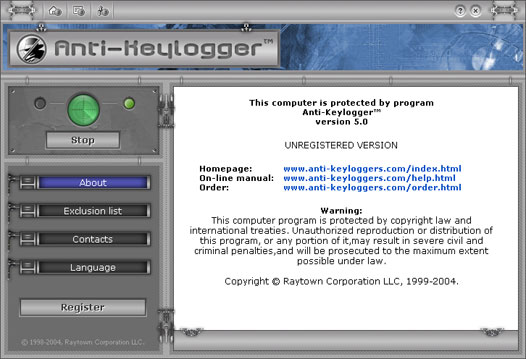 If you access sensitive information on your PC and you feel susceptible to some hacker attacks then this tool may be very important for your peace of mind and internet safety. If you access sensitive information on your PC and you feel susceptible to some hacker attacks then this tool may be very important for your peace of mind and internet safety.
It is called Anti-keylogger. It simply provides every computer with strong protection against most types of keylogging programs (software keyloggers), both known and unknown, currently in use or being developed at the present moment.
The fat that it is able to block various types of keylogging programs possibly included in any commercial, shareware, freeware products, as well as in Trojan horses, viruses of very different operation principles, makes it a very useful tool.
Want to see if this is what you need? Go to http://www.anti-keyloggers.com/
Posted in Main | No Comments »
Wednesday, November 26th, 2008
 At times, computer use tends to involve doing a lot of things at the same time. Browse the internet, check e-mail, calculate a spread sheet, use instant messengers when the boss isn’t looking! etc.etc. Some of the times, as you’ve probably experienced, this makes your computer creep along like a tortoise. At times, computer use tends to involve doing a lot of things at the same time. Browse the internet, check e-mail, calculate a spread sheet, use instant messengers when the boss isn’t looking! etc.etc. Some of the times, as you’ve probably experienced, this makes your computer creep along like a tortoise.
Generally whenever this occurs, it’s because of a program—a process— taking up a good deal more than its fair share of the processor—the computer’s brainpower. Downloading a large file, for instance, can make all else seem to come to a sudden stop. Who would have thought that one task could force all else to have to sit there and wait it out, along with you!
Here is a potential answer to this issue.
Process Lasso is a program for monitoring your computer and what it’s up to. It keeps tabs on what programs are utilizing your CPU’s time, and when it catches one that’s hogging the CPU, it automatically lowers its priority, getting it to be more considerate of the other things that are also running. You are able to manually set it as well, to lower the priority on things you run in the background. Now you will be able to get the things you’re working on done, while background tasks chill out and take their time!
Wanna try it out? Check out the homepage.
Posted in Main | No Comments »
Wednesday, November 26th, 2008
 Although they may not be the best thing in the entire universe, PDF files are surely allowed to be included in amongst some of the most practical things ever in the computer universe. They are a neat cross-platform file type for letting you have all-in-one text and image files. Although they may not be the best thing in the entire universe, PDF files are surely allowed to be included in amongst some of the most practical things ever in the computer universe. They are a neat cross-platform file type for letting you have all-in-one text and image files.
As you’re probably aware of by now if you’ve spent any time at a computer, this comes in very useful for many different document types such as ebooks, instruction manuals, etc. Alas, producing those files can be somewhat bothersome, particularly in terms of how costly it can work out.
The full version of Adobe’s PDF creation software will cost you a pretty penny, and in reality you might not require all the features and functions that you’re purchasing with such a pricey package. So how about if you were capable of creating PDFs for a much more attractive price—nothing!
PDFCreator is a freeware program that permits you to produce PDF files on your own pc. It installs as a “virtual printer”, if your able to print a file, you will be able to make a PDF document. One feature is that you’re able to encrypt your files and then when you share them, they can be read, for instance, but no one will be able to copy the content from them or print them. The ability to mix multiple PDFs into one file lets it become simpler to keep track of your info. Additionally, PDFCreator is also able to convert your document files into a few other image formats.
Basically, this is handy and free program for creating PDF files, without all the unncessasary bells and whistles of the costly Adobe alternative. Check out the PDFCreator Homepage.
Posted in Main, PDF | No Comments »
Tuesday, November 25th, 2008
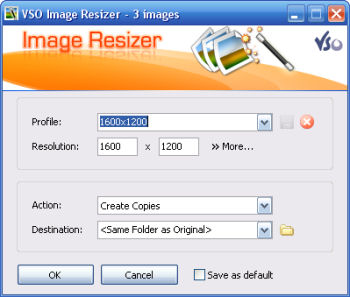 If you are a digital picture nut, you will want to take a very close look at what VSO Image Resizer can do for you. It may be a free piece of software, but this free piece of software is one very powerful package. The latest version, released on November 22nd, is the most powerful package yet in the series and the things that it can do for you across multiple Windows platforms are quite remarkable indeed. If you are a digital picture nut, you will want to take a very close look at what VSO Image Resizer can do for you. It may be a free piece of software, but this free piece of software is one very powerful package. The latest version, released on November 22nd, is the most powerful package yet in the series and the things that it can do for you across multiple Windows platforms are quite remarkable indeed.
One side of the coin that this software package brings to the table is the basic graphic operations that ever imaging program can do. These include the resizing of images to a proper resolution as well as the configuration of different compression ratios for different purposes. The more advanced options that most image programs have such as the ability to switch back and forth between different image formats are also available on this piece of software.
However, when you add to that the fact that this program can integrate directly with windows, can convert batch numbers and can be run in a mode that allows for fast processing, you begin to see just how powerful this program is. More information can only be found through direct exploration and is available from http://www.vso-software.fr/products/image_resizer/.

Posted in Main | No Comments »
Tuesday, November 25th, 2008
 Everyone in the world knows exactly what a monthly budget is. In the developed countries of the world, people tend to live their lives out through the process of developing a budget for their monthly purposes. If you have done this before then you know that developing a budget takes a lot of time and consideration towards the items that appear in your expenses and inflows. It is hard to do this alone and by hand but lucky for you there are programs like Budget4All that have the ability to really help you out in situations like this. Everyone in the world knows exactly what a monthly budget is. In the developed countries of the world, people tend to live their lives out through the process of developing a budget for their monthly purposes. If you have done this before then you know that developing a budget takes a lot of time and consideration towards the items that appear in your expenses and inflows. It is hard to do this alone and by hand but lucky for you there are programs like Budget4All that have the ability to really help you out in situations like this.
The latest version of this software program was released on November 23rd and it is easily the best version of the software to date. You can not only create simple budgetary flow charts that show how things are going to happen this month, but you can also create future forecasts that will allow you to guess at how the situation might look a few months down the road. In fact, you can graph the trends out and use those graphs to visually implant in your mind an image of what your current budgetary health looks like. There are even advanced models that you can take into account for elements like inflation that will give you an even greater accuracy in determining exactly what goes on.
More information is available at http://www.budget4all.net/
Posted in Main | No Comments »
Monday, November 24th, 2008
 Hard drives are perhaps not as important as they used to be in terms of the overall hardware configuration of your computer, however they still represent an important aspect that you want to take care of as best as you can. There are many utilities that you can use to help you in this task but one that has always been good from the freeware point of view is CrystalDiskInfo. The latest 2.0.1 version of this software was released on November 23rd and represents the latest bit of excellence in a long line of high quality software versions to be released for this package. Hard drives are perhaps not as important as they used to be in terms of the overall hardware configuration of your computer, however they still represent an important aspect that you want to take care of as best as you can. There are many utilities that you can use to help you in this task but one that has always been good from the freeware point of view is CrystalDiskInfo. The latest 2.0.1 version of this software was released on November 23rd and represents the latest bit of excellence in a long line of high quality software versions to be released for this package.
The basic premise of CrystalDiskInfo is giving you as much information as possible regarding your hard drive without straining your system resources to the max in the process. You can easily get information regarding the temp information, size, modes of transfer and every other basic quantifiable measure of a hard drive you can think of. When you take this fact and add to it a high level of user friendliness and compatibility with the SMART method of doing things, you have a very special software package indeed.
More information is available at Crystal Dew World.
Posted in Main | No Comments »
Monday, November 24th, 2008
 QuickStart is the ideal program for people that are always forgetting where they put things. Whether you are a person that just doesn’t have the intuition for navigating through your documents folder or whether you are a person that has a highly specialized directory structure that sometimes makes locations of certain files ambiguous, QuickStart is a software utility that can help you get through it all and make some sense of it in the process. Version 2.5.1 is the latest version released on November 23rd and it features a better overall design than the previous version of this software package. QuickStart is the ideal program for people that are always forgetting where they put things. Whether you are a person that just doesn’t have the intuition for navigating through your documents folder or whether you are a person that has a highly specialized directory structure that sometimes makes locations of certain files ambiguous, QuickStart is a software utility that can help you get through it all and make some sense of it in the process. Version 2.5.1 is the latest version released on November 23rd and it features a better overall design than the previous version of this software package.
The basic premise of this program is that you can use specific keywords to denote specific applications. It is not just limited to applications however as you can tie keywords to any file type that you want and open that file type in the process when you type in the keyword. Rather than searching through folders to find what you are looking for, QuickStart allows you to launch it in a second just by typing the corresponding keyword and then pressing enter. It is an absolute godsend for someone with too much on their hard drive and not enough in their brain’s memory to remember where everything is.
More information on this freeware program can be found at http://www.digiarch.org/.
Posted in Freeware, Main | No Comments »
Monday, November 24th, 2008
 LangOver is a software program that is perhaps not as useful to the wide range of internet users as some other programs might be, but the people that find it useful find it extremely useful and for that reason it deserves to be featured here. The latest version of the program, released on November 21st, contains support for more languages as well as a more intuitive setup. LangOver is a software program that is perhaps not as useful to the wide range of internet users as some other programs might be, but the people that find it useful find it extremely useful and for that reason it deserves to be featured here. The latest version of the program, released on November 21st, contains support for more languages as well as a more intuitive setup.
The modern internet world is a world of many languages and for this reason the traditional English keyboard just does not cut it anymore. Some people need to be able to type in multiple languages for their business or personal lives. The LangOver software package allows you to do this and switch back and forth between the languages at will, effectively fixing a keyboarding problem that has plagued non-English users of keyboards for years.
All you have to do is select a specific alphabet to the keyboard that you want to imprint on the keys and press F10 to see the end results. In this way you can change your keyboard keys to correspond to the actual letters for your language and this in turn makes it a lot easier to type things out as they come in. For anyone that speaks a language other than English, this utility is an absolute must have. The fact that it is free just makes it better.
More information is available from http://www.langover.com/
Posted in Main | No Comments »
Friday, November 21st, 2008
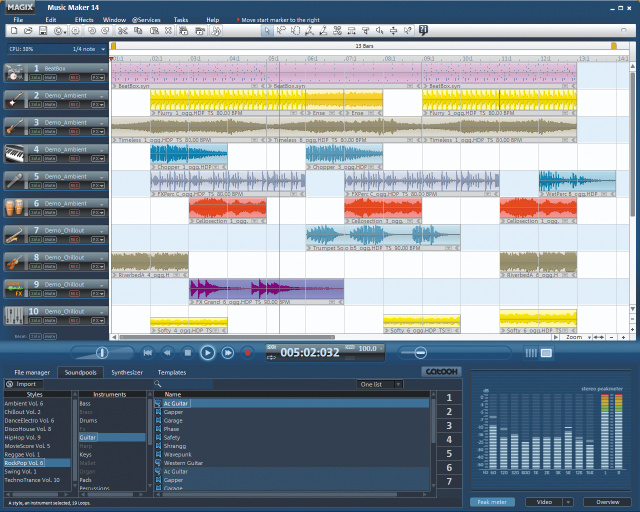 Simply create music with it. MAGIX Music Maker 14 is the perfect solution for stunning songs, experimental beats and exciting soundtracks. Produce music with MAGIX Music Maker 14, Record, edit and mix. Simply create music with it. MAGIX Music Maker 14 is the perfect solution for stunning songs, experimental beats and exciting soundtracks. Produce music with MAGIX Music Maker 14, Record, edit and mix.
Pros: The application is a sophisticated tool for creating music. High quality premium sounds, virtual instruments and integrated mixing console and exclusive effects are all available for this purpose. Combine the facilities to create songs, experimental beats or a entirely new and exciting sound track. An available sound archive of 1500+ pieces of rock, pop, dance, hip-hop, disco house, techno, and chill-out as well as ambient material can be the basis of your experiments.
The tempo adjusts itself automatically making sure you’ll never be out of sync with the rhythm. Instruments available create realistic sound by combining synthesized instrument sound mixed with typical play behavior of real musicians making the sound more natural. Sound library has a wide spectrum of instruments. The MIDI editor included lets you write exact melody ideas. You’ll also receive more exciting synthesizers like LiViD, your own personal virtual drummer.
Studio quality effects and a large set of templates lets you make professional production of sound that you composed. Produce a perfect harmony and mix, mix the instruments at the right volume, adjust bass or the drum; they are all at your command. Of course, you can also mix your own recordings into your songs, too. Add your own recordings to the archive for future use. These can be direct recordings, imported MP3s, instrument records, songs from CDs or whatever. Cut, mix, remix, edit and add effects to get just the right results you are looking for. Direct loading to online portals eases publishing of your work. Access to Catooh, one such content library portal is integrated into the application.
Cons: You need to be aware of how exactly the steps in composing music work to make optimal use of the application.
{More Info and Download}
Posted in Main | No Comments »
|
|
|




