Archive for the 'Main' Category
Wednesday, April 16th, 2014
 Do you want a multi-network chat client that supports IRC, AIM, ICQ, MSN, and Yahoo! Messenger? Then Trillian is the application you should be seriously considering because it has a lot of features you will love. Do you want a multi-network chat client that supports IRC, AIM, ICQ, MSN, and Yahoo! Messenger? Then Trillian is the application you should be seriously considering because it has a lot of features you will love.
What’s the big deal about this program?
Trillian is a multi-network chat client that currently supports IRC, AIM, ICQ, MSN, and Yahoo! Messenger. It supports all of the features you’ve come to expect from a good IM client, including but not limited to docking, multi-line edit boxes, buddy alerts, multiple connections to the same medium, a powerful skinning language, easy importing of your existing contacts, skinnable emoticons, logging, “global” away/invisible features, and a unified contact list. It is completely free with no nag screens or built-in ads.
With Trillian, the conversation is never interrupted because you can start a chat on your iPad, and also continue chatting on your phone as you move from place to place. It is one of the best programs when it comes to keeping up with your friends and loved ones across several chat clients. It is also a great tool to keep in touch with your social world on Twitter, Facebook, Foursquare and LinkedIn.
Want to check it out? Visit: Trillian.im.
Posted in Main | No Comments »
Tuesday, April 15th, 2014
 With so many free antivirus programs out there online, finding one that suits your internet needs is not something you easily come across every day. However, AVG is one of those rare freeware programs that you can count on; not just because it is one of the most popular in the world, but because it is a bit safer to have installed on your system than several others. With so many free antivirus programs out there online, finding one that suits your internet needs is not something you easily come across every day. However, AVG is one of those rare freeware programs that you can count on; not just because it is one of the most popular in the world, but because it is a bit safer to have installed on your system than several others.
What is AVG Internet Security?
AVG Internet Security brings a new and complete level of computer protection against the newest threats. It includes new scanning engine together with rootkit scanner and extended protection for Internet threats (HTTP, Instant Messaging, Safe Search and Safe Surf), email protection with SPAM filter, Firewall and System tools. All functions are included in new, simple and intuitive user interface for easy control.
With AVG Internet Security, you can have all your important and not so important files safely secured from potentially unwanted programs. Your personal files are so important that you shouldn’t leave them unprotected; not with breakout of malware and other potentially dangerous programs invading computers all over the world.
Does AVG Internet Security have any downside?
The program is a bit too heavy, and takes up a lot of space on your system.
Want to check it out? Visit AVG.com.
Posted in Main | No Comments »
Monday, April 14th, 2014
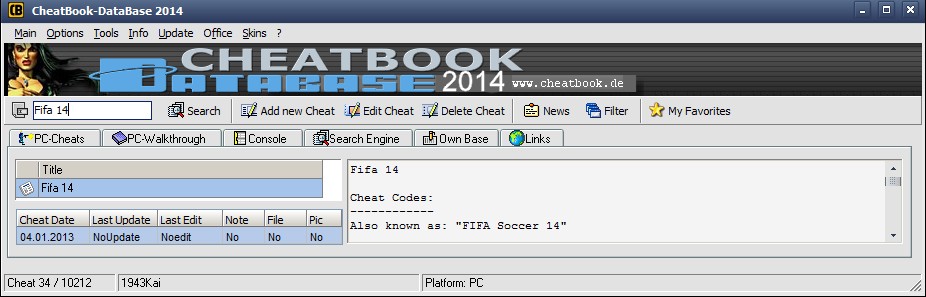 Are you looking for a program that is a comprehensive database that has a lot of cheats, hints and walkthroughs for PC and other platforms? Well, you are lucky because CheatBook-DataBase fits your search. Are you looking for a program that is a comprehensive database that has a lot of cheats, hints and walkthroughs for PC and other platforms? Well, you are lucky because CheatBook-DataBase fits your search.
What is CheatBook-DataBase?
CheatBook-DataBase is a cheat-codetracker that makes hints and cheats easily accessible from one central location. If you’re an avid PC gamer and want a few extra weapons or lives to survive until the next level, this cheat database can come to the rescue.
CheatBook Database is a comprehensive database that contains different kinds of cheats, hints and walkthroughs for PC and other platforms. This particular version being reviewed features solutions for a wide array of devices: PC, Walkthroughs, Playstation, Playstation 2, PlayStation 3, PlayStation 4, Sega, Nintendo 64, Nintendo DS, DVD, Gameboy Advance, Gameboy Color, N-Gage, Nintendo DS, Xbox, Xbox 360, XBox One, iPhone, Gamecube, Dreamcast, Super Nintendo, Wii, Wii U, and Sony PSP.
The games in this database are from all very important genres and can also be accessed without any form of stress from the left menu. If you need help with your games, this cheat book is just watch you need. With over 22.000 different games, it has now become easier to use CheatBook to become very good at your favorite game.
Want to check it out? Visit CheatBook.de
Posted in Main | No Comments »
Wednesday, April 9th, 2014
 Do you need an application that can help you manage and connect to all computers remotely? Then there NeoRouter is that kind of software that has some basic features that can help you achieve your aim. Do you need an application that can help you manage and connect to all computers remotely? Then there NeoRouter is that kind of software that has some basic features that can help you achieve your aim.
NeoRouter is the next generation router that helps you manage and connect to all your computers from anywhere. It gracefully integrates Remote Access, File Sharing, Virtual Private Network, User and Access Management.
NeoRouter easily integrates Remote Access, File Sharing, Virtual Private Network, User and Access Management. Also, NeoRouter Free can setup direct peer-to-peer (P2P) connection between computers and achieve fastest connection speed.
Being a freeware has not deterred the publisher from including a number of key features to help you do all the things you want. Some of the key features of NeoRouter include the following: cross-platform; remote desktop (RDP, VNC, and X Window); File sharing; advanced user management and access control; and roaming user profile.
This version in review also comes with a lot of updates including bug fixes. Some updates and fixes included in this version include the following: fixed bug in server that may cause stuck when change static virtual IP to an invalid value; fixed bug in client service (non-Windows), that may cause P2P failed; and a few others.
Want to check it out? Visit: NeoRouter.com
Posted in Main | No Comments »
Wednesday, April 9th, 2014
 Are you looking for an independent photo manager that combines easy-to-use features? Are you also looking for a program that allows you to tag photos with Adobe Photoshop Lightroom on different operating systems? Then what need is JPhotoTagger. Are you looking for an independent photo manager that combines easy-to-use features? Are you also looking for a program that allows you to tag photos with Adobe Photoshop Lightroom on different operating systems? Then what need is JPhotoTagger.
What’s JPhotoTagger all about?
JPhotoTagger is a platform independent Photo Manager that enables you to manage and find fast your photos through keywords, descriptions and other so called metadata (“tags”). It speeds up adding or editing tags through automatic keyboard input completion and other features.
All tags will be written into XMP sidecar files and JPhotoTagger’s database. The images are left untouched. JPhotoTagger is open to work together with other applications such as Adobe Photoshop Lightroom. JPhotoTagger automatically reads tags from new and changed sidecar files and updates its database. You can tag your photos with e.g. Adobe Photoshop Lightroom and JPhotoTagger both even on different operating systems: JPhotoTagger runs on every system where Java is installed.
The program is a Java-based photo manager that could easily satisfy you both in terms of functionality and usability as it addresses both beginners and more experienced users that require sorting the items based on specific technical information.
Want to check it out? Visit Jphototagger.org.
Posted in Main | 1 Comment »
Wednesday, April 9th, 2014
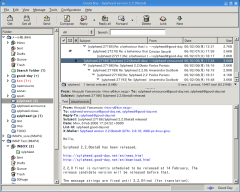 One good thing about open source software is the fact that you can change some things you find unsuitable about it; and that is why they are so popular among millions of users all over the world. One open source program that is making a lot of waves is Sylpheed, which has a lot of useful features. One good thing about open source software is the fact that you can change some things you find unsuitable about it; and that is why they are so popular among millions of users all over the world. One open source program that is making a lot of waves is Sylpheed, which has a lot of useful features.
Sylpheed is a compact email client designed to handle your email messages from multiple accounts. The program is a very useful utility for all the users who prefer to receive and read their emails in a Windows application instead of using the browser. Sylpheed features a flexible interface that provides quick access to the email folders, message content and email actions. The layout of the main window and the toolbar buttons can be changed in order to match your preferences.
The software allows you to include multiple POP3 or IMAP accounts and organize your messages by creating different mailboxes. The account wizard, which is one of the best features of this software provides you with a one-step configuration for Gmail accounts and guides you through all the required steps.
Any downside?
With the latest release Sylpheed now seems to be more stable, and does not have any downsides.
Want to check it out? Visit Sylpheed.
Posted in Main | No Comments »
Tuesday, April 8th, 2014
 One of the things every software developer likes is to have the ability to publish programs directly from their own web-sites; and that is why a program like Zero Install is not a bad idea. One of the things every software developer likes is to have the ability to publish programs directly from their own web-sites; and that is why a program like Zero Install is not a bad idea.
What is Zero Install?
Zero Install is a decentralized cross-platform software-installation system available under the LGPL. It allows software developers to publish programs directly from their own web-sites, while supporting features familiar from centralized distribution repositories such as shared libraries, automatic updates and digital signatures. It is intended to complement, rather than replace, the operating system’s package management. 0install packages never interfere with those provided by the distribution.
In other words, it simply allows you to install software without the need of administrator privileges. As a matter of fact, the application is designed with a lot of features that virtually every software developer would love.
Significant changes have recently being made to this version, and they include the following: it now has support for extracting 7-Zip archives (.7z); fixed bug in self-updater that caused problems on Windows XP; and fixed bug that could prevent 0store remove from working.
Any downside?
A couple of users prefer to download the portable version of this program rather than this one; though there is nothing wrong with installing this version.
Want to check it out? Visit 0install.de
Posted in Main | No Comments »
Tuesday, April 8th, 2014
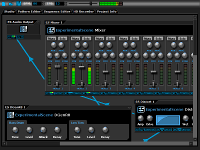 Are you looking for a digital audio workstation that is not only a freeware, but with lots of useful features as well? Do you want such program to have the kind of features that will allow you connect machines in an ad-hoc fashion? Then what you do need is DarkWave Studio. Are you looking for a digital audio workstation that is not only a freeware, but with lots of useful features as well? Do you want such program to have the kind of features that will allow you connect machines in an ad-hoc fashion? Then what you do need is DarkWave Studio.
What is DarkWave Studio all about?
DarkWave Studio is an open source (GPLv3) digital audio workstation / modular virtual studio for Windows. You can easily use the built in sequencer, bundled DarkPlug machines and third-party VST effects and VSTi instruments to create music. DarkWave Studio allows the connection of machines in an ad-hoc fashion. The installer ships with both a 32-bit and 64-bit version.
DarkWave Studio has some key features that include the following: native x64 and x86 Windows Platform Support; VST PlugIn Support – Limitlessly Expandable With Instrument and Effects PlugIns; Multi Core / Multi CPU Support; Full 64-bit Double Precision Floating Point Audio Processing; and low Latency ASIO And DirectSound Audio Output Support.
Recently, the publisher also made a number of changes to this version, and they include: improved Somoto Installer; and licence now changed to freeware.
Any downside?
DarkWave Studio has been improved in a lot of ways, and those issues identified with previous version have been taken care of.
Want to check it out? Visit: ExperimentalScene.com.
Posted in Main | No Comments »
Sunday, April 6th, 2014
 Did you know that as an individual you could easily manage or publish or organize a variety of content on a website with Drupal? Did you know that as an individual you could easily manage or publish or organize a variety of content on a website with Drupal?
Drupal is a free software package that allows an individual or a community of users to easily publish, manage and organize a wide variety of content on a website. Tens of thousands of people and organizations are using Drupal to power scores of different web sites.
Drupal can be used to build everything from personal blogs to enterprise applications. Thousands of add-on modules and designs let you build any site you can imagine. It is an open source program, which gives you a lot of privileges that a commercial program won’t give.
The program has a wide active community that assists when it comes to driving innovation. It also has lots of in-built functionality, as well as thousands of freely available modules, that make it easy and cost-effective to deploy features that include the following: e-commerce; collaborative authoring environments; peer-to-peer networking; file uploads and downloads; newsletters; picture galleries; podcasting; forums; blogs; and newsletters.
Drupal is an excellent program that is absolutely useful for a lot of things. It doesn’t have any downside.
Want check it out? Visit Drupal.org.
Posted in Main | No Comments »
Wednesday, April 2nd, 2014
 Even though many people usually only look at system information tools once they encounter issues with their computers, these types of programs can assist in many different situations. For instance, the details may very well be useful when installing new hardware or software, fine-tuning a computer or planning upgrades. Even though many people usually only look at system information tools once they encounter issues with their computers, these types of programs can assist in many different situations. For instance, the details may very well be useful when installing new hardware or software, fine-tuning a computer or planning upgrades.
HWiNFO32 is one particular such tool, which is available absolutely free. It is developed to extract and show the maximum amount of information as possible about a computer system. HWiNFO32 supports the most recent standards and technologies as well as components within the industry.
The user interface is split into a couple of primary parts:
An Explorer-style window that shows all hardware info by category inside a tree-view on the left area and a floating System Summary box which shows all important system info in a compact view. (more…)
Posted in Main | No Comments »
|
|
|




