Archive for the 'Main' Category
Thursday, February 20th, 2014
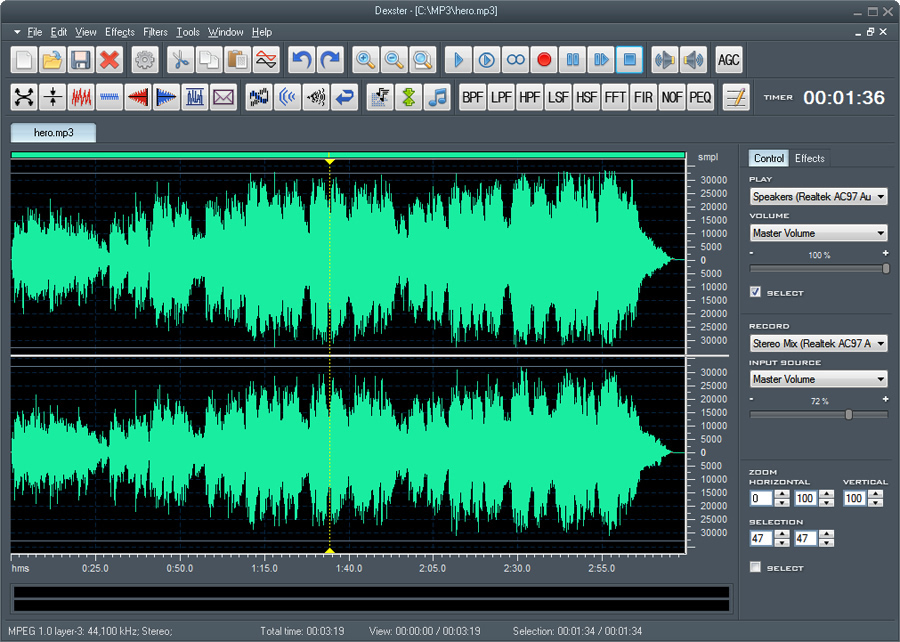 Are you looking for an audio editor tool for your music production that supports several popular audio formats and features audio CD burning? Then this review is just what you need because it has information about a program called Dexter. Are you looking for an audio editor tool for your music production that supports several popular audio formats and features audio CD burning? Then this review is just what you need because it has information about a program called Dexter.
What is Dexter all about?
Dexter is an audio editor tool for your music production that supports several popular audio formats and features audio CD burning. It provides cool and easy-to-use interface that allow you to edit an audio file visually (Cut, Copy, Select, Delete Silence, Paste, Paste from File, Mix, Mix from file); apply different effects (Amplify, Compressor, Delay, Envelope Equaliser, Expander, Fade, Flanger, Invert, Normalise, Phaser, Reverb, Reverse, Silence, Stretch, Trim, Vibrator, Chorus, Pitch Shift); etc.
Latest changes made to Dexter include the following: new text to speech feature; amplify feature improvement (users may now increase or decrease sound volume in dB scaling; fade in/out feature improvement with the options to set initial and final amplification; new Waveform settings (frequency, channel) will be saved and remembered; improved preset editor for amplify, fade in, and fade out; and several other improvements and fixes.
Any downside?
Dexter has a 9 day trial limitation; though, the trial period should have been more than just 9 days. Full version costs $45.
Want to check it out? Visit AudioEditor.
Posted in Main | No Comments »
Tuesday, February 18th, 2014
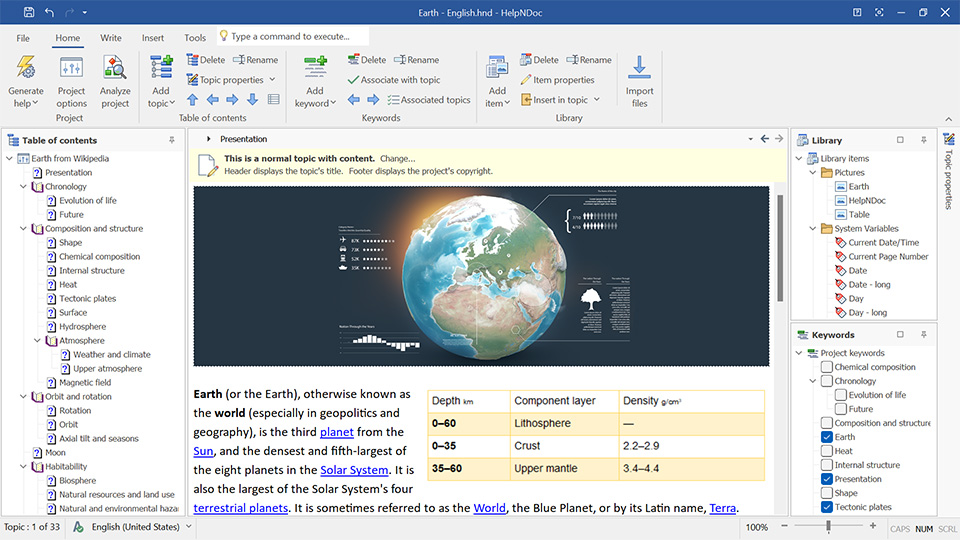 Do you want an application that can help you to easily build HTML help files without worrying about the inner working of help file generation? With HelpNDoc you can enter your text in the built-in word processor and hit “Compile” to obtain a fully functional help file which looks exactly as you designed it. You can read and find out more about what the program is all about by reading the review below. Do you want an application that can help you to easily build HTML help files without worrying about the inner working of help file generation? With HelpNDoc you can enter your text in the built-in word processor and hit “Compile” to obtain a fully functional help file which looks exactly as you designed it. You can read and find out more about what the program is all about by reading the review below.
What’s HelpNDoc?
HelpNDoc is an easy-to-use and intuitive tool to create HTML help files. It provides a clear and efficient interface to build HTML help files without worrying about the inner working of help file generation. You just enter your text in the built-in word processor and hit “Compile” to obtain a fully functional help file which looks exactly as you designed it.
HelpNDoc is a program that provides all tools necessary to write complete help files, manuals, documentations and eBooks in a user friendly and very easy to use environment. The program is able to generate standard Windows CHM help files, WEB based documentation, iPhone specific websites, printable PDF and Word documents as well as ePub and Kindle eBooks. The best part is that HelpNDoc free for personal use only.
Want to check it out? Visit HelpNdoc.com.
Posted in Main | No Comments »
Tuesday, February 18th, 2014
 Do you want a launcher that contains a lot of features that enable you to do a lot of things? Do you want one that is easily customizable to help you achieve a lot of things without much stress? Then this is one review you should never miss because it has a lot to say about a program called Executor. Do you want a launcher that contains a lot of features that enable you to do a lot of things? Do you want one that is easily customizable to help you achieve a lot of things without much stress? Then this is one review you should never miss because it has a lot to say about a program called Executor.
What’s the Executor?
Executor is a multi-purpose launcher and a more advanced and customizable version of windows run. The program comes with a lot of features such as: customizable keywords; history; auto-completion (keywords, history, file system); drop-down or vista like list; each keyword can be assigned a hotkey.
Besides keywords, Executor can automatically match start-menu items, control panel items, user defined paths and other handy items, start-menu importer, a “Find [text]” keyword that uses Windows Instant Search (Vista) or Windows Desktop Search (XP etc). skinable, very customizable, url and email detection, one keyword can launch multiple keywords/files/urls/programs etc, optional icon and program title display, customizable hotkey, a number of special commands and parameters, filesystem autocompletion, list and select clipboard text history, list running applications and manipulate them, list all recent documents, optional sounds, integrated calculator and more.
Though, it needs a couple of fixes, it is still a great program.
Want to check it out? Visit Executor.dk.
Posted in Main | No Comments »
Monday, February 17th, 2014
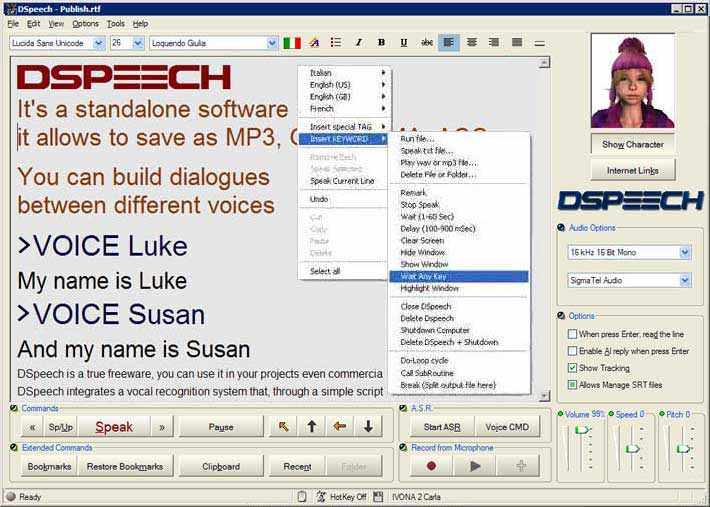 Do you want a text to speech application with lots of useful functionalities and features? Do you also want such program to include features that can also read and write text aloud and also choose the sentences to be pronounced based on the vocal answers of users? Then you might want to check out DSpeech because it has a lot of features. Do you want a text to speech application with lots of useful functionalities and features? Do you also want such program to include features that can also read and write text aloud and also choose the sentences to be pronounced based on the vocal answers of users? Then you might want to check out DSpeech because it has a lot of features.
DSpeech is a TTS (Text To Speech) program with functionality of ASR (Automatic Speech Recognition) integrated. It is able to read written text aloud and choose the sentences to be pronounced based upon the vocal answers of the user. It is specifically designed to provide functions that are necessary to this kind of program.
What does DSpeech allow you to do once you have it on your system? It allows you to do the following without any stress: allows you to save the output as a .WAV, .MP3, AAC, WMA or OGG file; DSpeech integrates a vocal recognition system that, through a simple script language, allows you to create interactive dialogues with the user; it allows you to quickly select different voices, even combine them, or juxtapose them in order to create dialogues between different voices; it allows you to configure the voices in an independent way; and many more.
Any downside?
The program is easy to use, and does not have any issue.
Want to check it out? Visit Dimio.altervista.org.
Posted in Main | No Comments »
Monday, February 17th, 2014
 It is not every time you come across a program that a lot of users are saying great things about. The problem with some applications or programs these days is that users endure a lot of unwanted features or features that are a bit too advance and difficult to use. With Macro Express, you won’t have such a problem as it contains everything you need to create macros for specific applications. It is not every time you come across a program that a lot of users are saying great things about. The problem with some applications or programs these days is that users endure a lot of unwanted features or features that are a bit too advance and difficult to use. With Macro Express, you won’t have such a problem as it contains everything you need to create macros for specific applications.
What’s the big deal about Macro Express?
Macro Express lets you create macros for specific applications and global macros that will work with any Windows program. Dozens of wizards are available to help you create macros. Not only will you find this program very useful, you won’t have a tough time getting used to it. The publisher has made it so easy that users can find a tutorial on the software’s home page.
With Macro Express, you can record, edit and play back mouse and keyboard macros. Its powerful tools and robust features will make you more productive. Some of its key features include: automate boring, repetitive computer tasks; gets the job done quicker, more reliably and with less stress; and reduce wear and tear on wrists and hands.
Any downside?
Macro Express is a great program that does not have a downside. However, it has a 30 day trial limitation. One user license will cost you $39.95, while Macro Express Pro goes for $59.95.
Want to check it out? Visit Macros.com.
Posted in Main | No Comments »
Saturday, February 15th, 2014
 Do you want advanced, but easy to use SEO software that comes with some of the most amazing features you can think of? Do you want an application that can help you solve all your link exchange needs with minimal effort? Then you might want to find out more about LinkAssistant. Do you want advanced, but easy to use SEO software that comes with some of the most amazing features you can think of? Do you want an application that can help you solve all your link exchange needs with minimal effort? Then you might want to find out more about LinkAssistant.
What’s the big deal about LinkAssistant?
LinkAssistant is packed with a plethora of revolutionary features. It’s the only SEO software on the market that is an all-in-one solution to your link exchange needs plus much more. As a webmaster, one of the things you may need is to get hundreds and thousands of links to make websites rank very high on Google. Of course, it is not an easy job, yet it is manageable. With LinkAssistant, you get a chance to catch up with guys who already enjoy enormous traffic flows.
The program has both the free and paid version. The free version does a lot of things for you; but does not contain as many key and useful features as the paid one. LinkAssistant has the ability to burst with piles of outstanding high-PageRank link partners that are eager to put a link to you; and each link will be of exceptional quality.
Any downside?
Users are required to pay a monthly maintenance program known as SEO SpyGlass Live which costs $6.95. Pro version of LinkAssistant would cost you $124.75.
Want to check it out? Visit Link-Assistant.com.
Posted in Main | No Comments »
Saturday, February 15th, 2014
 These days, it is not enough to just install an antivirus on your system to ward off unwanted malware and viruses; you also need to ensure you get private as well. This is important especially when you are surfing the internet as it protects you from being monitored. It also ensures the safety of your valuable data, and protects you from invasion. Total Privacy is one program designed for that purpose; and you can find out more below. These days, it is not enough to just install an antivirus on your system to ward off unwanted malware and viruses; you also need to ensure you get private as well. This is important especially when you are surfing the internet as it protects you from being monitored. It also ensures the safety of your valuable data, and protects you from invasion. Total Privacy is one program designed for that purpose; and you can find out more below.
What is Total Privacy?
Total Privacy protects your privacy by cleaning up all the tracks of your Internet and system activities. It can clean your browser’s cache, cookies, web forms data, entries in your recent documents history, recent applications history, find files history, your temporary files, recycle bin, clean recent documents lists for popular applications, can recover Hard Disk space, and many more.
Total Privacy gives you total confidence and peace of mind for secure computer use by completely and permanently removing all traces and history of your recent activity. It also helps to improve and optimize your computer’s performance by deleting temporary files install/uninstall records and by cleaning your internet browser cache, and keeps your computer working as smoothly as possible.
Any downside?
The program has a 15 day trial limitation. Full version costs $29.95.
Want to check it out? Visit TotalPrivacy
Posted in Main | No Comments »
Saturday, February 15th, 2014
 As a VB.Net developer, one of the challenges you would have to overcome is getting enough compliant controls written in C# in order to be able to develop or create applications that can record and also play sound. When you are able to overcome such problem, the rest of your tasks become highly easy, and things can start going smoothly as planned. Luckily, you have an opportunity to use a program that is called or known as Alvas.Audio. what is the program all about? Find out in this review below. As a VB.Net developer, one of the challenges you would have to overcome is getting enough compliant controls written in C# in order to be able to develop or create applications that can record and also play sound. When you are able to overcome such problem, the rest of your tasks become highly easy, and things can start going smoothly as planned. Luckily, you have an opportunity to use a program that is called or known as Alvas.Audio. what is the program all about? Find out in this review below.
Alvas.Audio is a collection of 100% native CLR compliant controls written in C#. The collection allows C# and VB.Net developers to create applications that play and record sound. This version in review has a couple of updates that include the following: added Sox class that allow converts the audio data from the specified audio file type to the new audio file type; and now supports aifc, aiff, au, snd, hcom, voc, wav, gsm, lpc10, ogg, vorbis, wv.
The program’s key features include the following: record compressed audio data: IMA ADPCM, Microsoft ADPCM, CCITT A-Law, CCITT u-Law, GSM 6.10, MPEG Layer-3 (mp3) and others; play mixed audio data; change the speed of audio data; convert the audio data from one audio format to another; and many more.
Any downside?
Alvas.Audio is a nice program; but is designed for advanced users and is pretty expensive to have: single license without source code goes for $499, with source code – $1747.
Want to check it out? Visit Alvas.net.
Posted in Main | No Comments »
Thursday, February 13th, 2014
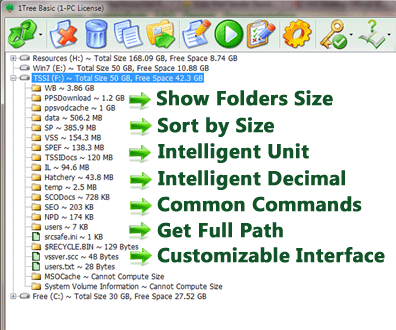 Do you want an application that will enable you to see/get all directories/folders size in 1 tree view, so as to let you to do the manual disk cleaning work easily? Then you should consider checking out what 1Tree Basic is all about. Do you want an application that will enable you to see/get all directories/folders size in 1 tree view, so as to let you to do the manual disk cleaning work easily? Then you should consider checking out what 1Tree Basic is all about.
What’s 1Tree Basic?
1Tree Basic lets you quickly see/get all directories/folders size in 1 tree view, so as to let you to do the manual disk cleaning work easily. It loads drives, folders and files with their sizes (sorted by size), and provides you with the common commands (e.g. Delete, Move to) and a few special commands (e.g. Get Full Path of Resource) for drives/files/folders. So, with 1Tree Basic, you can do the manual disk cleaning work easily. In fact, it is similar to UNIX/Linux du command, or you can think it is a GUI du tool for Windows.
Some latest changes included in 1Tree Basic include the following: can open any resource by using double-click, previous versions can only open file; uses new domain name (1tree.info) for 1Tree products; after pressed {Enter} on the system dialog boxes, the selected resource will be opened; and after did Move to Other Place, Permanently Delete or Move to Recycle Bin operation, the resource tree may not be updated if there is exception.
Any downside?
You can only see the resources size for top 4 levels. 1Tree Basic would cost you $20 for a single license. In case you’re ready to go PRO prepare to spend another $29.95.
Want to check it out? Visit 1tree.info.
Posted in Main | No Comments »
Friday, February 7th, 2014
 Did you know there are some applications designed specifically to enable you watch SAT-Television and listen to Radio channels directly from satellite? Of course, you can with a program known as ProgDVB. For more on what the program is all about, and what other things you can benefit from it, continue reading the review below. Did you know there are some applications designed specifically to enable you watch SAT-Television and listen to Radio channels directly from satellite? Of course, you can with a program known as ProgDVB. For more on what the program is all about, and what other things you can benefit from it, continue reading the review below.
What’s ProgDVB?
ProgDVB allows you to watch SAT-Television and listen to Radio channels directly from satellite by using DVB-PCI cards with hardware decoders on the board, SAT-dish, and personal x86-compatible computers with Microsoft Windows installed. It has options for working with network broadcasting and Audio/Video recording of the stream to different digital-media formats.
The interface is intuitively designed and provides you with a logical layout of the application’s commands and settings. All your TV and radio channels are neatly organized in alphabetical order by country and you can access them with a simple click. The application automatically connects to the channel and starts broadcasting. You can also watch your shows in full screen as well as in window mode. The second hides the interface and leaves you with a resizable window that you can place anywhere on your screen and enjoy a news broadcast while working on a project.
Any downside?
It has a 21 day trial limitation. Full version will cost you 25 euros, but be ready to spend some more money to register few much needed codecs.
Want to check it out? Visit Progdvb.com.
Posted in Main | No Comments »
|
|
|




