
Camersoft Webcam Recorder 3.1.16
Monday, February 21st, 2011 Most of us using the computer facility might go ahead and use the utility of webcam by which we can record and capture almost anything happening around us in the nearby vicinity. Further, webcam utilities are increasingly being used for security purposes across the world owing to the rising instances of crime all across and the willingness of adapting to new technology steadily for enhanced working and performance and facilitates speedier recording. Apart from all these usages, the webcam facility can also be successfully utilized for business purposes, keeping in mind globalization requirements and professional usage through which interaction and communication is made possible. Out of the varied options available with us, Camersoft Webcam Recorder can be considered to be quite practical and powerful utility for its features.
Camersoft Webcam Recorder 3.1.12 opens with a neatly arranged and vibrant looking interface with the chief options placed at the top pane in the form of vivid icons and right side of the screen showing the varied animations available that can be integrated with the webcam video to enhance the experience. The bottom pane shows the procedure to start up the webcam utility and makes the working extremely simplified and neat. The webcam works like a VCR or DV and easily records videos with a simple and ready to use interface; the user only needs to click on the record tab to enjoy digitally recorded videos. The program can also take up snapshots and pictures easily save them as BMP files onto the system and is fully compatible with Windows 7, Vista and 2000 systems.
To conclude, Camersoft Webcam Recorder 3.1.12 definitely works as one of the most powerful and suitable utilities for capturing and recording data.
 Unlike other screen savers that are usually somewhat predictable, SurveillanceSaver is a screen saver with a difference. It shows live CCTV images from over 600 networked surveillance cameras worldwide. Now whenever your screen saver kicks in, you’ll be shown live images from random CCTV cameras that are connected to the internet.
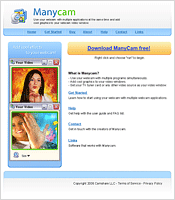 Have you ever imagined being able to use your webcam in more than one application at a time? Yes, it’s possible with tools like Manycam. This is a program which makes this possible by splitting one video stream into several video streams. Sounding good? Well, give it a try, and choose Manycam virtual Webcam as the video source in your webcam applications. There are some features you can also add to the video stream by using Manycam, such as time, text and funny animations.


