O. James Samson - August 29, 2011
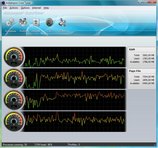 Ashampoo Core Tuner enables you to use the full power of all your cores. In order to get instant results, all you need is to select Auto-Optimize to optimize all the programs you are running or Boost to give more power to a single program. Ashampoo Core Tuner enables you to use the full power of all your cores. In order to get instant results, all you need is to select Auto-Optimize to optimize all the programs you are running or Boost to give more power to a single program.
Basically, most modern computers have at least two processors that are generally referred to as “cores”. As a matter of fact, some even have as many as four. Unfortunately, Windows often doesn’t manage multiple cores very well, so you are not actually getting the full multi-processor power you paid for. Ashampoo Core Tuner also allows you to fine-tune individual processes, display a live view of the current workloads of all your processor cores and enhance the overall performance of your system with additional tools. Ashampoo Core Tuner comes with additional tools that include a startup manager, and services manager.
The StartUp manager lists all the programs and utilities that are started automatically every time you run Windows and lets you disable them if you don’t need them. Many applications automatically install such auto-start programs without asking or telling you and they then just run in the background all the time, wasting processor power and memory. While the services manager on the other hand, lists the background programs (“services”) that Windows starts automatically even though most users don’t need them.
Want to check it out? Visit Ashampoo.
Rating:  Loading... No Comments »
O. James Samson - August 29, 2011
 CDex is an application with features that is able to record audio tracks from a CD-ROM, and save the files to disk in a standard WAV file. CDex can extract the data directly from an Audio CD, which is generally a called an Audio CD Ripper or CDDA utility. The application reads the digital audio data directly from the disc, which can be stored in either a WAV file or a MP3 sound file. This version of CDex has a couple of bug fixes, and features many internal and encoder updates. CDex is an application with features that is able to record audio tracks from a CD-ROM, and save the files to disk in a standard WAV file. CDex can extract the data directly from an Audio CD, which is generally a called an Audio CD Ripper or CDDA utility. The application reads the digital audio data directly from the disc, which can be stored in either a WAV file or a MP3 sound file. This version of CDex has a couple of bug fixes, and features many internal and encoder updates.
CDex can extract the data directly (digital) from an Audio CD, which is generally called a CD Ripper or a CDDA utility. The resulting audio file can be a plain WAV file (useful for making compilation audio CDs) or the ripped audio data can be compressed using an audio encoder. CDex is an open source program and supports the following encoders; lame MP3 encoder, internal MP2 encoder, APE lossless audio, Ogg Vorbis encoder, the Windows MP3 encoder (Fraunhofer MP3 encoder), NTT VQF encoder, FAAC encoder, and Windows WMA8 encoder.
CDex supports a variety of features that include the following; direct encoding or multiple tracks, read/store album information from/to the cdplayer.ini file, read/store album information from/to a local and remote CD database (CDDB), support CD-Text (if your CD-drive supports it), normalization of audio signal, and many more.
Want to check it out? Visit ?dexos
Rating: Loading... No Comments »
O. James Samson - August 27, 2011
 DVD Audio Extractor is a powerful software DVD audio extracting or ripping tool. The program can help you extract audio streams from your favorite DVDs and save them as OGG, MP3 or Wave files. DVD Audio Extractor is also able to demux audio streams directly to PCM, MPA, AC3 or DTS files. Specifically, this version has a few updates that include the following; video preview is even more stable on OSX, small quality improvement foe MP3 format, dither is now always applied on 8 bit and 16 bit output, and fixing of a bug that ‘notify sound is not played when encoding finished.’ DVD Audio Extractor is a powerful software DVD audio extracting or ripping tool. The program can help you extract audio streams from your favorite DVDs and save them as OGG, MP3 or Wave files. DVD Audio Extractor is also able to demux audio streams directly to PCM, MPA, AC3 or DTS files. Specifically, this version has a few updates that include the following; video preview is even more stable on OSX, small quality improvement foe MP3 format, dither is now always applied on 8 bit and 16 bit output, and fixing of a bug that ‘notify sound is not played when encoding finished.’
DVD Audio Extractor is a nice application with lots of features, as well as a standard windows interface. The application is fast when it comes to ripping files, and most significantly; it doesn’t use up to much space on your system. DVD Audio Extractor also features ultra-fast extracting speed, rich audio formats support, multi-channel capability, resample to arbitrary sample rate, audio preview and a lot more. If you are looking for a great program that will help you get audios out of DVD discs so you can listen on MP3 Player, play on PC, record to CD or do anything else; DVD Audio Extractor is something worth checking out.
Want to check it out? Visit Dvdae.
Rating: Loading... No Comments »
O. James Samson - August 26, 2011
 Integra is a program that takes a snapshot of the current system which can then be compared to a snapshot in the future. Any changes to monitored drives and registry hives will be highlighted; and the information can be used to track changes to the computer. If you are at all security conscious and you know the value of having information when faced with a problem; this program gives you information about your computer that would be difficult or impossible to get otherwise. Once you create a folder and extract the zip archive into it, you can simply go ahead to run the Integra.exe. Integra is a program that takes a snapshot of the current system which can then be compared to a snapshot in the future. Any changes to monitored drives and registry hives will be highlighted; and the information can be used to track changes to the computer. If you are at all security conscious and you know the value of having information when faced with a problem; this program gives you information about your computer that would be difficult or impossible to get otherwise. Once you create a folder and extract the zip archive into it, you can simply go ahead to run the Integra.exe.
Basically, Integra can help you verify in order to see what changes an installed program made to your system. For instance, if you install a game or utility and your start noticing some funny thing about your computer, you uninstall the software but it still doesn’t seem right. However, you can verify with Integra and see what changes the program made to your computer.
By default Integra monitors drive C:\ and the HKEY_CURRENT_USERS registry hive. You can modify this by selecting the Options menu. All you are required to do is to simply click “create new snapshot” and let Integra take over the rest.
Want to check it out? Visit Moosoft.
Rating: Loading... No Comments »
O. James Samson - August 26, 2011
 ArcadiaCharts creates attractive, interactive 2D and 3D JavaScript and GWT charts which run natively in all browsers without plug-ins (no flash required). Some of the supported chart types include the following; line, area, pie, donut (doughnut), bar, column, scatter, xy, logarithmic scale charts, time plot. Current version includes automatic thinning function and new font fallback rules implemented. The rendering of bar charts has been optimized. Besides there are also some minor bug fixes. ArcadiaCharts enables you to build highly customizable interactive charts which run in all browsers without plug-ins (like flash). ArcadiaCharts creates attractive, interactive 2D and 3D JavaScript and GWT charts which run natively in all browsers without plug-ins (no flash required). Some of the supported chart types include the following; line, area, pie, donut (doughnut), bar, column, scatter, xy, logarithmic scale charts, time plot. Current version includes automatic thinning function and new font fallback rules implemented. The rendering of bar charts has been optimized. Besides there are also some minor bug fixes. ArcadiaCharts enables you to build highly customizable interactive charts which run in all browsers without plug-ins (like flash).
ArcadiaCharts has some of the following chart types; line charts (sets a new standard for flexibility and interactivity), bar/column charts (create bar charts and column charts with single bars, stacked bars or 100% stacked bars), pie/donut charts (pie and donut charts in different styles. Supports circle sectors, extrusion and value summarization), and combined charts (useful for climate data and other areas in which a combination of bar and line charts makes sense).
Some of the features you can look forward to include the following; apply colour and style, interactivity, axis type, and CSV data import. ArcadiaCharts is a bit technical, and may not be easily understood by non experienced users.
Want to check it out? Visit Arcadiacharts.
Rating: Loading... No Comments »
O. James Samson - August 25, 2011
 Vista Manager is a system utility that helps you optimize and tweak, as well as clean up your Windows Vista PC. It is built with features that will help increase you system speed, improve system security and suit your idea. The program enables you to safely and easily accomplish everyday tasks and instantly find what you want on your PC. Vista Manager bundles more than 30 different utilities in one and help your system faster and more stable, secure and personal. Vista Manager is a system utility that helps you optimize and tweak, as well as clean up your Windows Vista PC. It is built with features that will help increase you system speed, improve system security and suit your idea. The program enables you to safely and easily accomplish everyday tasks and instantly find what you want on your PC. Vista Manager bundles more than 30 different utilities in one and help your system faster and more stable, secure and personal.
Vista Manager has a lot of features that include some of the following; users can get detailed system and all hardware information on their systems, show all detailed information of running processes and threads on your machine, tweak your system to improve windows startup and shutdown speed, tweak your hardware to increase system speed and performance, find out which files or folders engross your disk space and shown with chart, find and clean junk files to increase Hard Disk space, control what is started on Windows startup, tune up Vista boot menu, edit context menus of mouse Right-Clicking, customize system desktop, menus, toolbar and notifications settings, automatically change your desktop wallpaper on background, and a host of others.
Want to check it out? Visit Yamicsoft.
Rating: Loading... No Comments »
O. James Samson - August 25, 2011
 PHPRunner creates a set of PHP pages to access and modify MySQL database. Using generated PHP pages, PHPRunner allows you to search, sort, edit, delete, and add data into database. PHPRunner is easy to learn, and you can get started in only a couple of minutes. The publishers also included an easy to use wizard-like interface to help you to an easy start. You can generate pure PHP code, numerous search modes, add, view, edit and delete pages, create password protected PHP pages, etc. PHPRunner creates a set of PHP pages to access and modify MySQL database. Using generated PHP pages, PHPRunner allows you to search, sort, edit, delete, and add data into database. PHPRunner is easy to learn, and you can get started in only a couple of minutes. The publishers also included an easy to use wizard-like interface to help you to an easy start. You can generate pure PHP code, numerous search modes, add, view, edit and delete pages, create password protected PHP pages, etc.
PHPRunner has a lot of key features that include the following; easy to use wizard-like interface, numerous search modes, add, view, edit, copy and delete pages, built-in FTP Client to upload PHP pages to the Web server, multilingual templates. Ability to choose language while logging in, Creates password protected PHP pages, and user self-register page, password reminder, change password pages.
Whether or not you are a new user, PHPRunner is a program that is very easy to use; and assists you in more ways than expected. You can look forward to the following benefits when you use PHPRunner; news articles, products listing, web-based database searching and data entry, web-based reporting, members only password protected websites, phone/address book, etc.
Want to check it out? Visit Xlinesoft.
Rating: Loading... No Comments »
O. James Samson - August 25, 2011
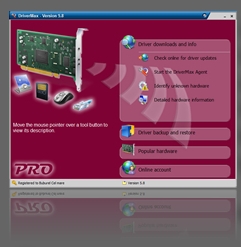 DriverMax is a powerfully built utility which helps you download, backup and restore drivers installed on your Windows Vista or Windows XP computer and check if newer versions are available. The program enables you download all drivers from one place in just a few steps. After backing up your drivers you will have all of them in a single place and will be able to reinstall all of your drivers or just the ones you choose in a single step which takes about one minute. The application is basically able to display a complete report of all drivers (versions, release dates) installed on your computer. You can also use this feature to analyze the differences between the drivers installed on various machines. DriverMax is a powerfully built utility which helps you download, backup and restore drivers installed on your Windows Vista or Windows XP computer and check if newer versions are available. The program enables you download all drivers from one place in just a few steps. After backing up your drivers you will have all of them in a single place and will be able to reinstall all of your drivers or just the ones you choose in a single step which takes about one minute. The application is basically able to display a complete report of all drivers (versions, release dates) installed on your computer. You can also use this feature to analyze the differences between the drivers installed on various machines.
DriverMax ensures you never have to search for rare drivers on discs or on the internet or inserting one installation CD after the other. Once your account has been created, you can log in and start downloading all necessary updates. With DriverMax, you can also export all your current drivers (or just the ones that work perfectly) to a folder or a compressed file. The thing is that you can have everything in a single place after Windows have been reinstalled.
This version of DriverMax is a freeware, and may not contain a lot of features that you require. As a matter of fact, it limits your ability to do a lot of things.
Want to check it out? Visit Innovative-sol.com.
Rating: Loading... No Comments »
O. James Samson - August 25, 2011
 Express Burn is a free CD burning program that lets you create and record audio and data CDs. The program lets you record a data or audio discs quickly and easily by dragging the files you want onto the icon and clicking Burn CD. Express Burn then does the rest, including converting the files if required. There is no doubt about the fact that Express Burn is one of the fastest CD/DVD writing programs in the world using proprietary optimizing systems. Express Burn is a free CD burning program that lets you create and record audio and data CDs. The program lets you record a data or audio discs quickly and easily by dragging the files you want onto the icon and clicking Burn CD. Express Burn then does the rest, including converting the files if required. There is no doubt about the fact that Express Burn is one of the fastest CD/DVD writing programs in the world using proprietary optimizing systems.
Express Burn has a lot of features, which include the following; audio is recorded with direct digital recording so perfect that quality is maintained, audio CD burner supports wav,mp3, wma, au, aiff, ra, ogg, flac, aac, and a number of other audio file formats. It also features video burning that supports avi, mpg, vob, asf, wmv, ogm, and all video formats that have a DirectShow based codec.
Express Burn is a freeware program and is available for non commercial use; and that means you can use it as long as you want. For all MAC users out there; you can also download and install a free version. For Windows users, Express Burn is compatible with Windows XP, 2003, Vista, 2008, and Windows 7.
Want to check it out? Visit Nch.
Rating: Loading... No Comments »
O. James Samson - August 24, 2011
 Antirun is a program that protects your system and external devices from viruses, which spread via removable media. The program enables to detect an autorun virus and delete it by one click. While installing, the program automatically adjusts the system according to security standards. All connected external devices are displayed in Antirun dialog in the form of tabs; one can remove the device directly from the dialog Antirun safely and easy. Version 2.3 now includes a couple of new features that include the following; support for silent install, addition of EULA, notice of new version at the bottom of the dialog antirun, fixing of problems with safely removing devices, as well as support for USB HDD and a few others. Antirun is a program that protects your system and external devices from viruses, which spread via removable media. The program enables to detect an autorun virus and delete it by one click. While installing, the program automatically adjusts the system according to security standards. All connected external devices are displayed in Antirun dialog in the form of tabs; one can remove the device directly from the dialog Antirun safely and easy. Version 2.3 now includes a couple of new features that include the following; support for silent install, addition of EULA, notice of new version at the bottom of the dialog antirun, fixing of problems with safely removing devices, as well as support for USB HDD and a few others.
Antirun also has a lot of features that include the following; automatically scans plug-in devices and informs a user about detection of threats, it automatically identifies a running file (a detected virus can be deleted by one click), while installing, the program automatically adjusts a system according to security standards, all connected external devices are displayed in the dialog Antirun in the form of tabs (this makes the process of device control easier), you can remove a device from Antirun dialog directly or by opening menu of removing, and a few others.
Want to check it out? Visit Antirun.
Rating: Loading... No Comments »
|
|
|





