O. James Samson - March 16, 2013
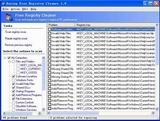 Are you experiencing frequent Windows crashing? Is your computer sending several error messages? This could be due to problems with the Windows Registry. If you want an application that will help you scan and clean up your Windows registry, then check out Eusing Free Registry Cleaner. Are you experiencing frequent Windows crashing? Is your computer sending several error messages? This could be due to problems with the Windows Registry. If you want an application that will help you scan and clean up your Windows registry, then check out Eusing Free Registry Cleaner.
What is Eusing Free Registry Cleaner?
This freeware will scan your Windows registry for invalid or obsolete information and show you a list of the errors found. It helps to fix the invalid entries found, thus making your computer more stable and faster. To ensure maximum safety, Eusing Free Registry Cleaner will make a backup of the repaired entries. You can easily restore any changes made using the software by choosing Restore registry backup. It does not contain any spyware or adware.
It has a very plain and easy to navigate user interface. You can choose specific parts of your computer that you want to scan such as DLLs, startup etc. Also you can add registry keys to an ignore list, save the log file to a text document, open an entry in Registry Editor and select a preferred language for the interface. It is very light on system memory, moderate-to-high CPU, and can guide you to an online help file.
Some of the key features of this application are: safely scan your entire Windows registry for invalid or obsolete information, it has a simple and user-friendly interface, makes your computer faster by cleaning your registry, improves your PC’s overall performance and stability and aso on.
Downsides?
Not very portable. It’s a good application though.
To know more, visit Eusing.
Rating:  Loading... No Comments »
O. James Samson - March 16, 2013
 If you want an application that allows you to play media files of various formats without the use of any external codecs, then get VSO Media player. If you want an application that allows you to play media files of various formats without the use of any external codecs, then get VSO Media player.
What is the big deal about this program?
It is a tool that allows you to play media files of various formats, including AVI, 3GP, FLV, MOV, MPG, along with DVDs and Blu-ray discs and audio files without any external codecs. It is extremely light and easy to use. You can also use this program to manage your playlist. It supports blu-ray and DVD iso files.
It is easy to navigate, with a clean, elegant interface. It comes with the usual media player tools- such as pause and stop, adjust the volume, switch to full screen mode and navigate back and forth within the video. In addition, you can save and load playlists, select the audio and video stream, add subtitles, as well as configure image settings (contrast, brightness, saturation and gamma).
Some of the key features of this program are: it is a free video player with no adware, spyware or toolbars, it is very easy to use, it does not require external codecs, Supports various audio file formats: mp3, wma, FLAC, and more, it is Blu ray and DVD compatible, has several advanced settings and comes in several languages.
Downsides?
The media player takes up a moderate-to-high amount of system resources and lacks a help file. Other than these, it is a very useful application.
To learn more about this program, visit VSO-Software.
Rating: Loading... No Comments »
O. James Samson - March 15, 2013
 Need an application that helps you capture lots of screenshots easily with minimal intervention? Then check out Screenshot Captor. Need an application that helps you capture lots of screenshots easily with minimal intervention? Then check out Screenshot Captor.
What is Screenshot Captor?
It has multi-monitor support and includes a full image explorer with full shell functionality and unsurpassed integration with external tools like graphic editors, watermarkers, etc. It also supports unique effects not seen in other capture tools including the ability to automatically locate and enhance the active window.
Some of the outstanding features of this program include: Optimized for taking lots of screenshots with minimal intervention; highly configurable to make it work the way you want it to but stays out of your way in the system tray, Excellent multi-monitor support, Full set of scanner acquisition tools and scanner image correction, Perfect capture of Windows 7 partial transparency effects.
Other amazing features are: Ability to embed textual comments in files, watermarking, captioning, Lots of capture modes: Multimon (multiple monitors), Desktop, Active Window, Region, Windows Object, Scrolling Capture. Each mode has a customizable hotkey for quick access, Cool Special Effects,including automatic active window enhancement, ragged edge splicing, pixelation, and many more. Unsurpassed support for 3rd party user configurable tools, including file browsers and image editors; extend the program to do whatever you need by interfacing it with other programs and sidebar thumbnail file browser provides full shell operations, drag and drop support, and right-click actions on screenshots.
To know more go to http://www.donationcoder.com/Software/Mouser/screenshotcaptor/
Rating: Loading... No Comments »
O. James Samson - March 15, 2013
 Are you having issues with your computer such as an extremely slow OS or your computer is churning out all kinds of errors because you tweaked the Windows? Xpy can help you fix such issues. Are you having issues with your computer such as an extremely slow OS or your computer is churning out all kinds of errors because you tweaked the Windows? Xpy can help you fix such issues.
What is xpy?
Xpy is a portable utility that disables the default threats of a Windows 2000, XP, and Server 2003 installations. Apart from it excellent antispy features, it also closes recent security holes like the remote procure call (RPC) service and the distributed component object model (DCOM). It helps to make your OS more secure, without risking any damage to the operating environment. It is a very handy utility when you want to tweak your OS. It is very easy to use.
Some of the features of this program include disable Windows communicating with Microsoft servers, disable remote services, restore Windows classic look, enable workstation features on Windows Server, increase Internet Explorer security, disable features, uninstall Windows Messenger, delete media files coming with a clean Windows installation, and disable usability annoyances.
Jan.T.Sott, the publisher of this program, has added a few changes to this version. They include: disable Adobe Flash Update Service, disable Skype Update Service, disable NVIDIA Update Service, disable Branch Cache, disable Adaptive Brightness Service, fixed bug in Metacrawler selection among several others.
Downside?
This app is not for newbies. It is meant for those that have a good knowledge about their OS. It is light, multilingual and easy to use.
To find out more about this program, please visit XPY.
Rating: Loading... No Comments »
O. James Samson - March 15, 2013
 If you want an application that helps you connect two computers together; if you want to take complete control of another PC from your own computer, irrespective of the distance between both computers, then you should try out TeamViewer. If you want an application that helps you connect two computers together; if you want to take complete control of another PC from your own computer, irrespective of the distance between both computers, then you should try out TeamViewer.
What is TeamViewer?
It is a simple and fast solution for remote control, desktop sharing and file transfer that works behind any firewall and NAT proxy. It allows you to connect with another computer without the need of an installation procedure. It is a freeware that makes it very easy to set and use a VPN connection; a Virtual Private Network that lets you take complete control of another PC from your own computer, no matter how far apart both computers are.
It activates a two-way connection in which users can bounce control back and forth. You can use TeamViewer to hold virtual meetings with several other people (who also would have installed TeamViewer on their computers). It is a smart utility that allows users to remotely connect to a computer, view its desktop and operate it as if it was their own. It is user friendly and very easy to use even for beginners.
Some of the key features of this application include: remote control of any PC anywhere without installation, remote presentation of products, solutions and services from your desktop live to a partner, integrated file and folder transfer, with TeamViewer you don’t have to worry about firewalls. It is entirely safe to use, no worries about its security.
The publisher of this program has added a few new changes to this version. They are: Groups shared with a contact can be listed from the contact’s context menu, The comment window doesn’t open a browser window anymore, The Management Console can be opened directly from the menu, Additional placeholders (e.g. meeting start time or custom phone conference data) can be used within the custom and a few other changes.
Downsides?
None at all. This is the best remote desktop manager available by far. Good work publishers.
To know more about this amazing program, please visit TeamViewer.
Rating: Loading... No Comments »
O. James Samson - March 15, 2013
 There are several applications that allow users to run virtual machines on a windows or Linux PC. But one program that stands out in all of these is the VMware Player. There are several applications that allow users to run virtual machines on a windows or Linux PC. But one program that stands out in all of these is the VMware Player.
What is the deal about VMware Player?
This freeware enables PC users to easily run any virtual machine on a Windows or Linux PC. VMware Player runs virtual machines created by VMware Workstation, GSX Server or ESX Server and also supports Microsoft virtual machines and Symantec LiveState Recovery disk formats.
This program is ideal for running legacy Windows XP applications on Windows 7 or Windows 8. Using its unity mode, copy-and-paste, drag-and-drop, and networking and printing that do not require any additional setup, XP applications will run seamlessly on modern hardware. It’s the easiest way to run restricted virtual machines on Windows or Linux PCs.
Taking advantage of the latest hardware, it can create virtual machines with up to 4 virtual processors, 2 TB virtual disks and up to 64 GB of memory per virtual machines. VMware Player can easily handle your most demanding applications. This program can be used to convert your existing Windows PC into a virtual machine and eliminate the need to re-install and re-configure your existing applications. Now you can recycle the old machines you have running under your desk or stored in the closet.
Downsides?
This is one of the best virtualization applications around.
To know more about this program, please visit http://www.vmware.com/products/player/
Rating: Loading... No Comments »
O. James Samson - March 13, 2013
 There are several download managers out there. But if you’re truly looking for a download manager that will increase your download speed and resume broken downloads, then what you need is Free Download Manager. There are several download managers out there. But if you’re truly looking for a download manager that will increase your download speed and resume broken downloads, then what you need is Free Download Manager.
What is the deal with Free Download Manager?
It is a powerful, easy-to-use and absolutely free download accelerator and manager. It helps you increase your download speed by as much as 600% and more. It does this by splitting the files to download into sections and downloading them all at once. If you need to discontinue the download for whatever reason, you can resume the download right from where you left off without starting from the beginning.
It allows you to download files and whole web sites from any remote server via HTTP, HTTPS and FTP. You can also use BitTorrent protocol to download files. You can use this application to download your favorite movies online and save them in in native .flv format or converted to one of more popular video formats.
Some of the features of this program include: Free Download Manager is released under GNU Public License, Download files using BitTorrent protocol, Create new downloads or view the list of active and completed downloads remotely, via the internet, If you want to use Free Download Manager on different computers, you can easily create its portable version and avoid the need to install and configure the program on each computer and several other new and interesting features.
Freedownloadmanager.org, the publisher of this program, has added a few changes to this version. They are: RTSP/MMS downloads, FDM saves list of downloads and other service data only when it’s required, Auto update system for Firefox extension, Support of “Decrease traffic usage on browser activity” option for Firefox browser, Compatibility issue with Internet Explorer 10 and fixed bugs.
Any downsides?
None, I can think of! Works as it is designed to.
To familiarize yourself with this application, please go to FreeDownloadManager.org.
Rating: Loading... No Comments »
O. James Samson - March 12, 2013
 Trying to figure out how to build web menus, multi-browser navigation menus but you lack experience of DHTML or Javascript? Well you don’t really need that knowledge to achieve that. With AllWebMenus PRO you can do that and more. Trying to figure out how to build web menus, multi-browser navigation menus but you lack experience of DHTML or Javascript? Well you don’t really need that knowledge to achieve that. With AllWebMenus PRO you can do that and more.
What is AllWebMenus PRO?
This program is a web menu builder that requires absolutely no DHTML or Javascript experience from you. It creates cross-browser navigation menus that work alike in all browsers supporting DHTML. It can be fully customized by applying a vast available number of features through the Properties Pane or by choosing a predefined appearance from the Theme Gallery.
It is a JavaScript menu or CSS menu builder that allows you to create any kind of popup or drop-down menu for websites, without programming knowledge required. You could choose from several stylish themes to easily build SEO-friendly web menus, CSS menus, sliding menus, mega drop-down menus, AJAX menus etc. that work alike in all browsers (IE, Firefox, Mozilla, Safari, Chrome, Opera etc.) and all popular platforms (Win, Mac, Unix). Customize your DHTML, JavaScript, or CSS menus through stylish themes or examples and plenty of properties.
Likno Software, the publisher of this application, has added a few changes to this version. These changes include: The “Responsive Menu” feature now fully supports: Joomla menu implementations, WordPress menu implementations, CSS menu implementations and “UL/LI” populated JavaScript menu implementations (like CSS menu).
Downsides?
None. This is a decent web menus builder.
To know more about this program, please visit Likno.
Rating: Loading... No Comments »
O. James Samson - March 12, 2013
 Sometimes you want to run some floppy-based diagnostic tools from your CD ROM but your floppy drive is taking forever to load. If that is what you are experiencing, then what you need is the Ultimate Boot CD Full. Sometimes you want to run some floppy-based diagnostic tools from your CD ROM but your floppy drive is taking forever to load. If that is what you are experiencing, then what you need is the Ultimate Boot CD Full.
What is the big deal about this program?
This freeware allows you to run floppy-based diagnostic tools from CD ROM drives, it frees you from the annoying and time consuming waiting session from the slow loading speed of the floppy drive, or Consolidate as many diagnostic tools as possible into one bootable CD.
As more and more PCs without floppy drives are entering the market, it would be such a harrowing experience to run diagnostic tools on them. But with this program, you can run floppy-based diagnostic tools from CDROM drives. Even when you have a floppy drive, it is a whole lot slower running your diagnostic tools from it. Ultimate Boot CD is much faster as it runs from the CD ROM.
Using this application, you can consolidate as many diagnostic tools as possible into one bootable CD. No need to be searching for the right floppy drive. Simply run all of them from a single CD. It is also very portable. You can run this application from your USB.
UltimateBootCD, the publisher of this program, has added a few changes to this version. They are:The Linux-based distro Parted Magic is now included with UBCD V5.0. This should be the method of choice when you need to resize/rescue partitions; access NTFS filesystems or work with USB storage devices and UBCD V5.x now supports both syslinux/isolinux and grub4dos. This helps improve the chances that UBCD will boot on any particular machine.
Downsides?
This is a CD you should at least give a try.
To find out more about this application, please go to SourceForge.
Rating: Loading... No Comments »
O. James Samson - March 12, 2013
If you provide computer support and are searching for an application that allows you to work on a remote PC as if you were sitting in front of it, right from your current location? Then you should check out UlraVNC.
What is UltraVNC?
UltraVNC is a powerful freeware that can display the screen of another computer (via internet or network) on your own screen. The program allows you to use your mouse and keyboard to control the other PC remotely. This allows you to work on a remote computer as if you were sitting right in front of it. With this program, you can provide help desk solutions to your customers wherever they are in the world without leaving your location.
It has optional DSM Encryption that ensures secure communications between the viewer and the server, reducing the possibility for man-in-the-middle attacks that would be able to see 100% of the remote screen. You could compress and transfer entire files and folders to and from remote computers rather than emailing them. It also comes with an embedded Text Chat with a very beautiful GUI which allows for easy communication.
This program works very fast and is very friendly with the hardware resources on both computers. When using UltraVNC as a server will require two different passwords, one for full control of the computer and one for the view mode only. As a client however, you’ll need the server’s IP and the password to establish a connection.
Some of the key features of this program are: File transfer, Video driver, Optional Encryption Plugins, MS Logon, Text chat, Viewer Toolbar, Java Viewer with File Transfer , as well as Viewer Auto scaling and Server Side Scaling, Multiple-Monitors-support,Repeater/Proxy-support, Auto reconnection, good performances and tons of other functionalities.
The add-ons are: Repeater, SingleClick generator and NATtoNAT connectors , that help you to easily handle the most complex connection situations.
Downsides?
All in all it is a simple but cool remote VNC.
To find out more about this program, please visit UltraVNC.
Rating: Loading... No Comments »
|
|
|





