Author Archive
Tuesday, August 3rd, 2010
 WinSCP is the one FTP (File Transfer Protocol) client that excites users. It is a freeware FTP and SCP (Secure CoPy) client for Windows which uses SSH (Secure Shell). WinSCP works by helping to safe copying files between local and remote PC. Going a step furthermore, WinSCP can be used to manage some other actions with files. It can easily perform all operations with files, such as copying and moving files. WinSCP is the one FTP (File Transfer Protocol) client that excites users. It is a freeware FTP and SCP (Secure CoPy) client for Windows which uses SSH (Secure Shell). WinSCP works by helping to safe copying files between local and remote PC. Going a step furthermore, WinSCP can be used to manage some other actions with files. It can easily perform all operations with files, such as copying and moving files.
WinSCP also allows users the access to rename files and folders, create new folders, and change properties of files and folders. Its selectable program interfaces allows would-be user to manage files even on local PC.
Some of the main features of WinSCP are as follow; graphical user interface, it has been translated into many languages, it is integrated with Windows (drag and drop, URL, short icons), U3 support, it can perform all common operations with files, it supports SFTP and SCP protocols over SSH-1 and SSH-2 and plain old FTP protocol, it comes with batch file scripting and command-line interface, it has directory synchronization in a lot of semi or fully Automatic ways, integrated text editor, it integrates with Pageant for full support of public key authentication, and it optionally stores session information.
Want to check it out? Visit Winscp
Posted in Main | No Comments »
Monday, August 2nd, 2010
 PaintShop Photo Pro is actually a third edition of TBYB that takes editing to a new level of functionality and ease of use for users. The second edition of is installed GB + + bloatware but this third edition only PSPClassic (cca. 500MB). With this tool, users can actually set their own installation path by manually. PaintShop Photo Pro is actually a third edition of TBYB that takes editing to a new level of functionality and ease of use for users. The second edition of is installed GB + + bloatware but this third edition only PSPClassic (cca. 500MB). With this tool, users can actually set their own installation path by manually.
It is a tool that is designed for users who want control, flexibility and power. PaintShop Pro delivers tools that users will need so as to easily capture, enhance, create and optimize graphic projects.
Some of the major functions of this software includes: manually adjust RAW photos during the loading process; enhanced Express Lab that enables users to quickly fix common flaws; work with more RAW formats, faster than ever; edit fast with Smart Carver, vibrancy; Create photo books, HD slideshows, cards; email print online or at home and directly send pictures to Facebook, YouTube and Flickr; email print online and or at home.
PaintShop can actually help users to view and organize all their photos and video in one place. Users can equally use Thumbnails and previews to select photos fast, catalog, search, rate, and tag photos to help them find their favorites quickly.
Want to check it out? Visit Corel.com
Posted in Main | No Comments »
Monday, August 2nd, 2010
 This program is an automatic password field login application. Sticky Password 4.1.0.188 automatically fills login and password fields in web forms and usual dialog Windows. Its unique feature is named; Sticky Button, it appears on any window that has password saved for. It also features a careful backup that keeps all your passwords safely stored until you when the need arises for them to be used. Also, users can have multiple logins and passwords for a single account among other great features. This program is an automatic password field login application. Sticky Password 4.1.0.188 automatically fills login and password fields in web forms and usual dialog Windows. Its unique feature is named; Sticky Button, it appears on any window that has password saved for. It also features a careful backup that keeps all your passwords safely stored until you when the need arises for them to be used. Also, users can have multiple logins and passwords for a single account among other great features.
Some of its recent changes includes: improved error reporting, and processing of unhandled exceptions; improved support system; improved license key handling; improved installation and shutdown flow; introduction of support for the Google Chrome browser, and many more.
I have seen quite a number of password managers, but this one ranks among the best. Sticky Password 4.1.0.188 is not a freeware, but the publishers allow a 30 day trial period, which is more than enough for any user to become familiar with the program. The application is sold for $24.95 after trial period expires. KeePass is no doubt another good password manager, but this one will definitely go places.
Some other benefits of using this program over other applications include; protection from phishing and key loggers, automatic form filling, protects your personal data among others.
Want to check it out? Visit StickyPassword
Posted in Main | No Comments »
Monday, August 2nd, 2010
 Coollector is designed to be powerful and easy to use by would-be-users. It is an encyclopedia of movies and a database of existing videos which enables users to track both videos and movies. This software can be used to browse huge database of movies with advanced filters and search options. Furthermore, this tool, can be used to personalize movies with users possessions and taste. Coollector is designed to be powerful and easy to use by would-be-users. It is an encyclopedia of movies and a database of existing videos which enables users to track both videos and movies. This software can be used to browse huge database of movies with advanced filters and search options. Furthermore, this tool, can be used to personalize movies with users possessions and taste.
It can be used to manage user’s collection of DVD, Blu-Ray and VHS. It can also be used for the following: remember what a user have loaned out, to whom and when; to print a list of all videos that a user has; use the price information to bargain a good price; associate video files with their corresponding movies; and launch videos by clicking the play icon.
Collector can also be used to take a quick glance at the actors or directors filmograhies, decide what to watch on television or in theaters, can be used to discover movies that users like to see, can be used to add to users wish-list with a click, can scan a folder on users PC and make the associations automatically.
Coollector is completely fun to use because users do not have to start with dull empty database.
Want to check it out? Visit: Coollector
Posted in Main | No Comments »
Monday, August 2nd, 2010
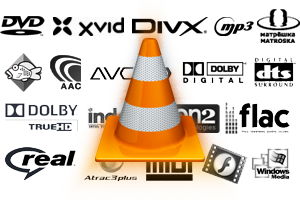 VLC (VideoLAN) is designed as a multi-platform multimedia player for all kinds of users. VLC (VideLAN) has the capacity to read DVD, VCD, Audio CD, MPEG, and DivX files from a satellite card and TV cards. Furthermore, It can also read a stream from a network sent by the VideoLAN Server or any other source. The stream that it read can be MPEG 2 TS in UDP or HTTP packets uni-casted or multi-casted on an IPv4 or IPv6 network. VLC (VideoLAN) is designed as a multi-platform multimedia player for all kinds of users. VLC (VideLAN) has the capacity to read DVD, VCD, Audio CD, MPEG, and DivX files from a satellite card and TV cards. Furthermore, It can also read a stream from a network sent by the VideoLAN Server or any other source. The stream that it read can be MPEG 2 TS in UDP or HTTP packets uni-casted or multi-casted on an IPv4 or IPv6 network.
With VCL, users do not need to keep track of dozen codec packs that they might need to install. This is so because it comes with support for nearly all codec there is. The beauty of this tool is that it can play back the file or media if it is damaged, missing or broken into pieces. It does this by been able to play all the video and audio information that is still intact.
VCL works on GUN and Linux, Solaris, and Microsoft Windows. VCL support for other platforms varies depending on the availability of these libraries. VCL can grab video and audio using Mac OS X 120.4.
Although its handling is still a bit problematic, it sometimes uses menus and switches between different video formats.
Want to check it out? Visit Videolan.
Posted in Main | No Comments »
Friday, July 30th, 2010
 PrimeDesktop is described as an administrative program which usually works by allowing easy, but ultimately detailed planning and drawing of an entire network. The planning and drawing of an entire network comes with the ability to place, move and manipulate all entities within the network map such as desktops, server and infrastructure objects. PrimeDesktop requires Java 6 to operate effectively. PrimeDesktop is described as an administrative program which usually works by allowing easy, but ultimately detailed planning and drawing of an entire network. The planning and drawing of an entire network comes with the ability to place, move and manipulate all entities within the network map such as desktops, server and infrastructure objects. PrimeDesktop requires Java 6 to operate effectively.
It is belief that this tool is the simply the best for professional and non-professionals alike. It is highly user-friendly as it can easily be used by just about anyone who may wish to try it.
PrimeDesktop is designed with unique features that stand it out. Some of its main features include: Network Rules; OS list; it can import and export Network rules; it can also import and export OS list; Hardware, Software and Network-Overview cleanup; Graphical Interface clean up; has the capacity to Device Properties save and display corrections; Device network info panel enhancements; Settings simplification; and Code clean up and bug patches.
Want to check it out? Visit Prime
Posted in Main | No Comments »
Monday, July 26th, 2010
bitTerGrape is a tool designed to allow hard drive stored data checking in a lot of ways and consequently preventing their damage and or loss due to hardware failure. Based on randomly selected access and reading, this solution is by far compromising in comparison with full disk scans but more effective and useful.
Looking further, users can set few parameters affecting performance and region of interest. bitTerGrape is often up-dated to keep minimal requirements and maximal performance, which makes it useful to browse websites every quarter minimally. It is a freeware which can be downloaded and used for non-commercial purposes only. It can not be sold or modified.
This utility is best suited for systems that contains a lot of unused files, created system lifetime and new left behind. This data may be not only secret but hard to find and therefore is not enough time or experience to select them. This utility best suits such situation because it can search for data like the ones mentioned and then remove them on the authority of the user.
The utility is designed for mass file attributes changes, making use of standard Windows graphic user interface to select group files and make changes.
Want to check it out? Visit Micware
Posted in Main | No Comments »
Friday, July 23rd, 2010
 FBackup is a freeware for both commercial and personal use to backup program for Windows. FBackup is used to protect important files and folders from partial or total loss by automating backup tasks, password protecting and compressing it to save storage space for better functioning of computers. With FBackup users can easily backup to any local or network drive or to destinations such as USB/firewire connected devices or mapped network locations. FBackup is a freeware for both commercial and personal use to backup program for Windows. FBackup is used to protect important files and folders from partial or total loss by automating backup tasks, password protecting and compressing it to save storage space for better functioning of computers. With FBackup users can easily backup to any local or network drive or to destinations such as USB/firewire connected devices or mapped network locations.
FBackup main features includes: automatic backup which allows users to set and run backup at the scheduled date automatically; backup with standard zip compressed; exact copies of files (it can make exact copies of the backup source); capacity to run action before and after backup; easy to use; automatic updates; multiple backup destinations; backup plugins; backup open files; and multi-language.
FBackup is surely better because it is more focused, although it is still quite not what many users were expecting. FBackup is stable and well done program. Also some essential features like file copying are missing, and this is a must for many users.
The major functions of FBackup program is the backup and restores operations. This program usually makes it quite easy for users simply by offering friendly wizards.
Want to check it out? Visit Fbackup
Posted in Main | No Comments »
Monday, July 19th, 2010
 If you are bored with the standard Windows clock, here is one application that will suit your taste. LAVClock 2.6.2 is an application built to provide personal astrological forecast, which is calculated on the basis of your DOB and the present positions of the planets. The application also shows the positions of the Sun, the Moon and the Planet in graphical details. If you are bored with the standard Windows clock, here is one application that will suit your taste. LAVClock 2.6.2 is an application built to provide personal astrological forecast, which is calculated on the basis of your DOB and the present positions of the planets. The application also shows the positions of the Sun, the Moon and the Planet in graphical details.
It also shows graphical details of rise/set times of heavenly bodies, twilight, as well as positions in the zodiac, lunar days, nearest new and full moons, etc. LAVClock 2.6.2 also features a multifunctional alarm clock which allows users to schedule and reschedule anything they can possibly think of, automatic time synchronization assures users that they are always on time with both selection of time servers and adjustable mode of time synchronization. Users can synchronize time even with a proxy server, making it an application that is easy to understand.
Some of the latest changes the publishers have made to LAVClock 2.6.2 include; the holiday in tooltip and calendar, astrological events such as: Russian and American holidays; German and French holidays; Weather sayings in Russian language alone; etc.
The use of LAVClock 2.6.2 is not free, and registration which cost $14.95 can be made at the publisher’s site. For an astrological clock, it is fair enough.
Want to check it out? Visit Lavresearch.com
Posted in Main | No Comments »
Monday, July 19th, 2010
 GFI FAXmaker for Exchange/SMTP is a program that integrates with users’ email servers. It gives users the opportunity to send and receive fax and text messages directly from their email client. It is easy to operate and leverages on your email infrastructure and active directory; giving you unequaled scalability and reliability. GFI FAXmaker for Exchange/SMTP is a program that integrates with users’ email servers. It gives users the opportunity to send and receive fax and text messages directly from their email client. It is easy to operate and leverages on your email infrastructure and active directory; giving you unequaled scalability and reliability.
Some of the latest changes noticeable in the program include: support for USRobotics USR5686E V.92 external modem; support for G.711 protocol when using Dialogic solutions (SDK v. 6.2.4); support for LANCOM devices (1700 and 1800 series). Some of the minor fixes included in this version are; fixing of problem that has to do with a remote modem responds with an unexpected command, the fax may not be received, fixing of attachments may be sent in the reverse order when using Microsoft Outlook, and many more.
Some of its features include: easy installation, which allows little maintenance and integrates with all existing message clients; easy integration with mail server, allowing users to send and receive faxes and SMS using their email client; install and forget; support for Microsoft Exchange 2000, 2003, 2007, etc; and support for Fax over IP (FOIP) and integrates with IP-enabled PABXs and Brooktrout’s SR I40 technology to send faxes over the internet.
Users can start having a feel of what this program has to offer when they download a free 30 day trial, after which they can buy the full version at $375.00.
Want to check it out? Visit GFI.com
Posted in Main | No Comments »
|
|
|




