Author Archive
Thursday, September 24th, 2009
 For organizations and businesses, they cannot afford a server that goes down from time to time. They cannot afford servers which crash down unexpectedly. Therefore, it is always very important to monitor how the server operates to avoid unforeseen server failure. At least, when the server is being monitored, the problem gets to be detected the earliest possible time so it gets to be repaired promptly. For organizations and businesses, they cannot afford a server that goes down from time to time. They cannot afford servers which crash down unexpectedly. Therefore, it is always very important to monitor how the server operates to avoid unforeseen server failure. At least, when the server is being monitored, the problem gets to be detected the earliest possible time so it gets to be repaired promptly.
ServerRadar is software that deals with monitoring one’s server to prompt the user when it fails to operate smoothly. It provides the user charts that show the real-time status of the server. It also provides historic reports that are in HTML. It is good that the reports are in HTML formats so that you can easily send copies to your colleagues or your clients. You don’t have to worry about logging in from time to time because it operates as a windows service.
ServerRadar is one of the most effective server monitoring software as it makes use of different ways to give you notice when the server shuts down. It sends the users email, even multiple emails when there are many people that need to be notified when the server is down. It also plays sounds. It also notifies you when there are items that have been recovered from the server failure.
ServerRadar is compatible with HTTP/HTTPS, TCP servers, data servers, and many other servers that are usually being used by businesses and organizations. ServerRadar is still one of the most reliable server-monitoring software and is widely recommended by experts.
You can check it at serverradar.com
Posted in Main | No Comments »
Monday, September 21st, 2009
 The name of the application tells exactly what users should expect. FREE Flash Video & Game Recorder is a very straightforward application. Users should be able to download videos from popular video sharing sites like YouTube and Google Video. The application is also very efficient in downloading flash games from popular online flash games websites. The name of the application tells exactly what users should expect. FREE Flash Video & Game Recorder is a very straightforward application. Users should be able to download videos from popular video sharing sites like YouTube and Google Video. The application is also very efficient in downloading flash games from popular online flash games websites.
The application boasts of a very simple interface when downloading videos and games. Users simply need to run the application and open the website where their video or game is located. The application detects the flash videos or games in the site and their direct links are loaded in the application. Users can simply download the files they need to watch the videos or play the games offline. Aside from being a downloader, the application is also an FLV player. This means users can watch the videos after they have successfully downloaded the flash video. Although the application can’t run flash games, users can still enjoy the games by simply opening the file in your favorite browser.
A common concern about flash video and game downloaders is that they usually slow down the system while they download. FREE Flash Video & Game Recorder tries to deal with that problem by providing the necessary files in advance rather than by using online tools. But even with the offline tools, the FREE Flash Video & Game Recorder is still slow. Flash detection in games is often a hit or miss, especially if the application cannot accurately pinpoint which flash file is the flash video game.
Check it out at flashrecorder.org
Posted in Main | 1 Comment »
Monday, September 21st, 2009
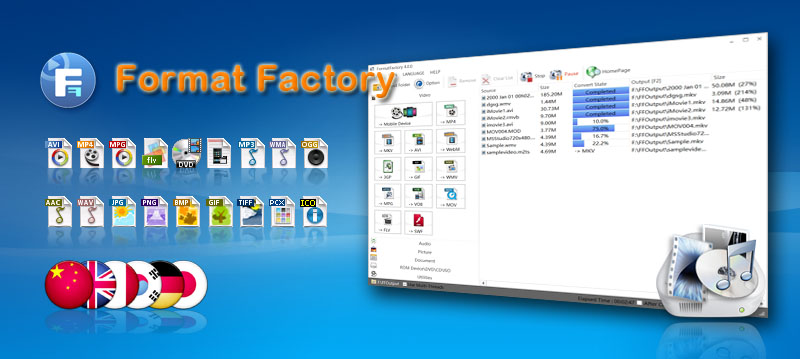 Format Factory is a file conversion application that covers almost every major format. The application can convert audio, video and image into your preferred format. It could basically replace all your conversion applications that are only limited to single format. Format Factory is a file conversion application that covers almost every major format. The application can convert audio, video and image into your preferred format. It could basically replace all your conversion applications that are only limited to single format.
Aside from being an efficient file conversion application, the application can also be used as a ripper. Format Factory can be used to extract video from DVDs and audio CDs. Users can automatically convert the video and audio they ripped into their preferred format. Full customization which includes screen size, audio format as well as specific output folder is included.
An additional feature in the application includes the ability to improve video quality. Specifically, videos and audios that are unable to load well in various video and audio players can be fixed through the application. Image conversion is not just limited to simple change in format as the picture can be zoomed, rotated and even tagged before converted.
The interface of the application is very simple that users can simply choose a “task” on the upper left side of the application. The interface based on that task will load. Conversion is almost in an instant especially for smaller files.
Last but not the least; the application has default configurations for mobile devices. Users can convert videos that will be compatible to iPod, PSP and other MP4 players. Even 3GP is supported so that it can easily play in various 3GP-capable mobile phones. The application is literally a one-stop shop for audio, video and image conversion.
Check it out at pcfreetime.com
Posted in Main | No Comments »
Friday, September 18th, 2009
 Defraggler is small application with a very important function for any computer. As the name suggests, Defraggler is a tool that can defrag hard drives with efficiency. The installation file is less than 1mb which means it can be used in just a few minutes. Defraggler is small application with a very important function for any computer. As the name suggests, Defraggler is a tool that can defrag hard drives with efficiency. The installation file is less than 1mb which means it can be used in just a few minutes.
The unique feature of Defraggler is the ability to defrag files. Files contain fragments that might be distributed in various portions of the hard drive, making it slower to load compared to other files. Through Defraggler, the file should be able to load faster because they were defragged through the small application.
The interface of Defraggler is very straightforward. After running the application, users should be able to select the hard drive they want to defrag. The application will start to analyze the hard drive so that it will determine its contents. After the application is done analyzing, users can defrag the entire hard drive or select the files inside the hard drive. Users can choose to check the files they want to defrag or simply right click on the files they want to defrag in the application.
Because Defraggler is relatively small, it can analyze the hard drive with limited capacity fast. The added visual representation on the hard drive should give users an idea on the remaining space. The only difficulty users might experience with Defraggler is the lag that could be experienced when the application tries to analyze a hard drive more than 500GB. But if the content in a 500GB hard drive is less than 20%, the Defraggler should work at its optimal speed.
Check it out defraggler.com
Posted in Main | No Comments »
Friday, September 18th, 2009
 Assassin S.E. is a very popular malware and spyware detection application. It has the ability to actively detect processes that might be used to extract your information and use them for illegal purposes. It’s very easy to use as the application continues to auto update itself with the latest forms of attacks. An efficient malware is highly recommended for every user since many unknown applications could be used to extract data or inject viruses without the user’s knowledge. A single malware can easily destroy a single computer and delete precious files. Assassin S.E. is a very popular malware and spyware detection application. It has the ability to actively detect processes that might be used to extract your information and use them for illegal purposes. It’s very easy to use as the application continues to auto update itself with the latest forms of attacks. An efficient malware is highly recommended for every user since many unknown applications could be used to extract data or inject viruses without the user’s knowledge. A single malware can easily destroy a single computer and delete precious files.
The interface of the application is very simple. When the application is loaded in the desktop, it will show the current processes that are currently running in the application. Users can choose which processes will be terminated if they suspect the said process is simply gathering information without any actual use in the computer. Users can also update the application at will or set the time when the application should update itself.
This type of application is usually recommended for advanced computer users. But Assassin S.E. removes the difficulty associated with the application by providing “ratings” of each process. Aside from listing the processes currently running in the application, Assassin S.E. rates the processes so that the user can identify which process should be suspected as malware. With this feature, first time anti-malware users should be able to easily work with the application. Protecting your sensitive information in your local computer is important and this applications eases the trouble of establishing proper computer protection.
Check it out at blacklistsoft.com
Posted in Main | No Comments »
Friday, September 18th, 2009
The European Football Result and League Table Database 1.0 is the perfect solution for those who wanted to get the latest scores in football without requiring a strong internet connection. There are many football leagues in Europe that tracking each game just to get the latest results could be difficult. You can always visit a website wherein you can get the latest scores but they can take too much bandwidth.
The interface of the application is a little bit challenging to work with first. But the complexity also shows the application’s ability to load your needed data. The “League Date Range Selector” is a very impressive tool as it will help the user connect to the latest results in the league. Although you can’t search by team, you should be able to get the data you need in no time.
There are two impressive tools users can enjoy from European Football Result and League Table Database. The first feature is the “League Analysis” wherein users should be able to see the schedule in full details including Home and Away games. Another feature is the head to head team comparison. You can select up to 4 teams and see the results of their matches since 1993.
The only downside of the application is that it’s an add-on to Microsoft Access application. Users who have installed limited MS Office might not have this application. But for those who have MS Access, the application will work without any problem as it provides football results in an instant.
Check it out at soccer-data.co.uk/
Posted in Main | 1 Comment »
Friday, September 11th, 2009
 The Real Alternative is a software package that you can download and install in order to play files that are normally only supported by Real Player. Anyone that has dealt with Real Player will know that the software package can be a pain to deal with at times and the Real Alternative is a completely free alternative that does not have many of the same faults. The Real Alternative is a software package that you can download and install in order to play files that are normally only supported by Real Player. Anyone that has dealt with Real Player will know that the software package can be a pain to deal with at times and the Real Alternative is a completely free alternative that does not have many of the same faults.
When compared with Real Player, the Real Alternative is easier to install and actually uninstalls properly if you want to get rid of it. There are no processes running in the background when you use it, you can choose a lot of the options and there are no registration forms or advertisements included. When you add to this the fact that the Real Alternative is much less resource intensive than Real Player, you can see that this is an excellent piece of software that you can use instead of the annoying Real Player.
At the moment, full support is not available for .smi and .smil files. Also, streaming content must be played on Media Player Classic. Aside from those two minor changes, the Real Alternative is easily a better choice than the Real Player.
More information is available at codecguide.com.
Posted in Main | No Comments »
Friday, September 11th, 2009
 The PiggyDB is a piece of free software that can literally change the way you look at the world. When you look at any piece of software, you’ll notice that it comes with a knowledge base. This is essentially a construction of the knowledge available about that piece of software that is used by end users to get information about that software package. Well, your real life has a knowledge base attached to it as well. The PiggyDB is a piece of free software that can literally change the way you look at the world. When you look at any piece of software, you’ll notice that it comes with a knowledge base. This is essentially a construction of the knowledge available about that piece of software that is used by end users to get information about that software package. Well, your real life has a knowledge base attached to it as well.
Now, you can put it all together with the PiggyDB, a web application that will help you create your own knowledge base. The input for adding knowledge fragments to the knowledge base is similar to blogging and therefore everyone should be familiar with its use. Once you have entered the knowledge fragments into the knowledge base, you can link them together by using this program to build different relationships. You can change the relationships as new knowledge becomes available and you can even create a hierarchy that can be used later by you when inputting new fragments and reading through old ones.
In short, you can use PiggyDB as your own personal memory dump, discovering new things about yourself and gaining creativity in the process. All you need is the Java Runtime Environment to make this possibility a reality. For more information, please visit the publisher’s website at piggydb.net
Posted in Main | 1 Comment »
Thursday, September 10th, 2009
 Version 1.12 of this freeware program was released on September 4th and it contains a number of upgrades that make the previous version seem very archaic indeed. Perhaps one of the most important updates is the fact that no special system requirements are in place for this software, allowing you to retain portability and free cost without having to tax your system in the process. Version 1.12 of this freeware program was released on September 4th and it contains a number of upgrades that make the previous version seem very archaic indeed. Perhaps one of the most important updates is the fact that no special system requirements are in place for this software, allowing you to retain portability and free cost without having to tax your system in the process.
The MP3 Quality Modifier has always been an impressive piece of software. With an intuitive process in place for bit rate changes, this software package allows you to decrease the file size of your audio files while at the same time keeping the same level of quality. The end result is the same great music with more disk space available. If you want, you can even use it to change available channels for the music, use presets and down sample any audio file that you come across.
In addition to this, MP3 Quality Modifier does not require any installation whatsoever. It is less than a megabyte in size and has an intuitive interface that is extremely easy for the average person to understand. For all these reasons and more, it is a great addition to the freeware collection of any audio aficionado.
More information on this particular piece of software can be obtained from inspire-soft.net.
Posted in Main | 1 Comment »
Thursday, September 10th, 2009
 The latest release of TextFindIT came to the freeware marketplace on September 9th and it has already received rave reviews from people that enjoy the specialized service that it provides. The latest release of TextFindIT came to the freeware marketplace on September 9th and it has already received rave reviews from people that enjoy the specialized service that it provides.
Using TextFindIT, you can search for a specific text string inside all of the files in a folder. This means that if you’re looking for a specific letter or article and you can remember a phrase from it, TextFindIT will allow you to find that file in a way that the normal search that comes with Vista could never do.
Most people that have searched through their files on Windows have at one point or another come to the conclusion that being able to search for specific text strings within files would be a useful thing to have. Now, thanks to the genius and programming grit of an individual programmer, TextFindIT 2.0 brings that functionality to you in stunning form.
The only thing that you need to know in order to run this program is that Microsoft .NET Framework 3.5 is required in order to run it. This is not the only reason to get this framework however and most people should already have it.
Aside from that, you can find out more information about this piece of software by visiting the publisher’s website at crwld.org.
Posted in Main | No Comments »
|
|
|




