Author Archive
Monday, May 26th, 2008
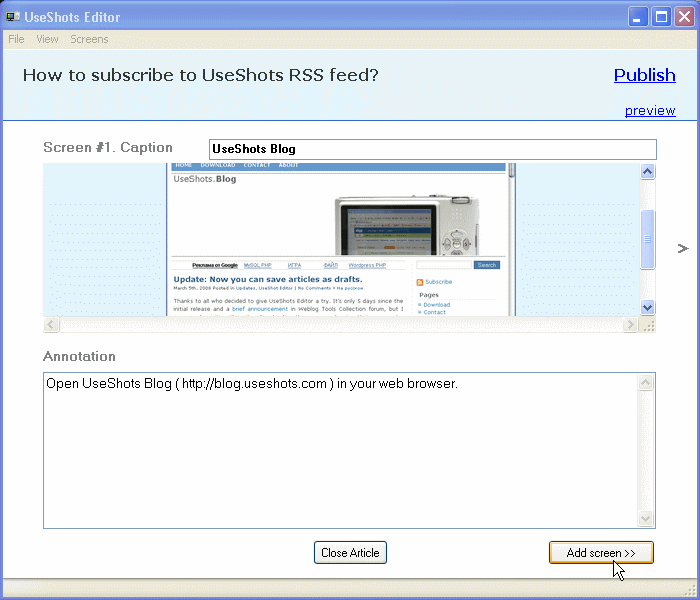 One of the biggest areas of blogging in the modern world has to do with the idea of screenshots. One of the biggest areas of blogging in the modern world has to do with the idea of screenshots.
No matter how you slice it, there are many blogs around that get their traffic by offering high quality content that loses most of its meaning without the use of screenshots. While there is nothing inherently wrong with this, at the same time the process of preparing even one screenshot for blogging is extremely tedious, with multiple ones almost being more effort than they’re worth.
Well, that was the past. The future is UseShots Editor, which allows you to take screenshots, annotate them and then publish them instantly to your blog. All of the business with physical files and photo size is taken care of by the software so that all you have to do is make sure that the screenshot fits in with the rest of your post. This can shave hours off the work that you do and ultimately can be a very positive influence in the long run.
The latest version of UseShots was released just yesterday and included support for categories in the Word Press software program. It also can remember the size of the window from the last use, something that was not available in the previous version. More information is available at http://blog.useshots.com/
Posted in Main | No Comments »
Tuesday, May 13th, 2008
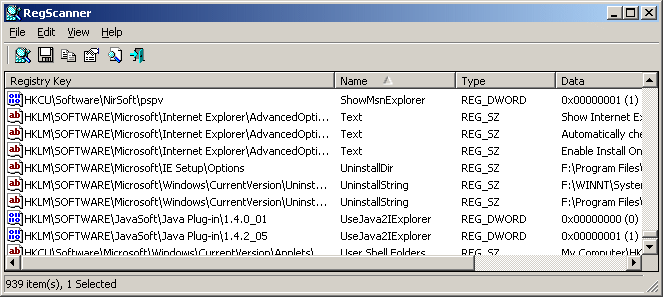
RegScanner is a utility which enables you to scan the Registry, find the values of the desired registry that match to the specified search criteria and display them in one list. Once you find the Registry values, you can move to the right value in RegEdit simply by double-clicking the desired Registry item. This utility also helps you to export the found Registry values into a .reg file that can be used in RegEdit. RegScanner can find a Unicode string located inside a binary value and also allows you to make a case sensitive search.
The latest version of this utility was released on May 6, 2008 and it has the following change:
Fixed bug: The main Window lost the focus when the user switched to another application and then returned back to RegScanner.
To know more, go to http://www.nirsoft.net/utils/regscanner.html
Posted in Main | No Comments »
Tuesday, May 13th, 2008
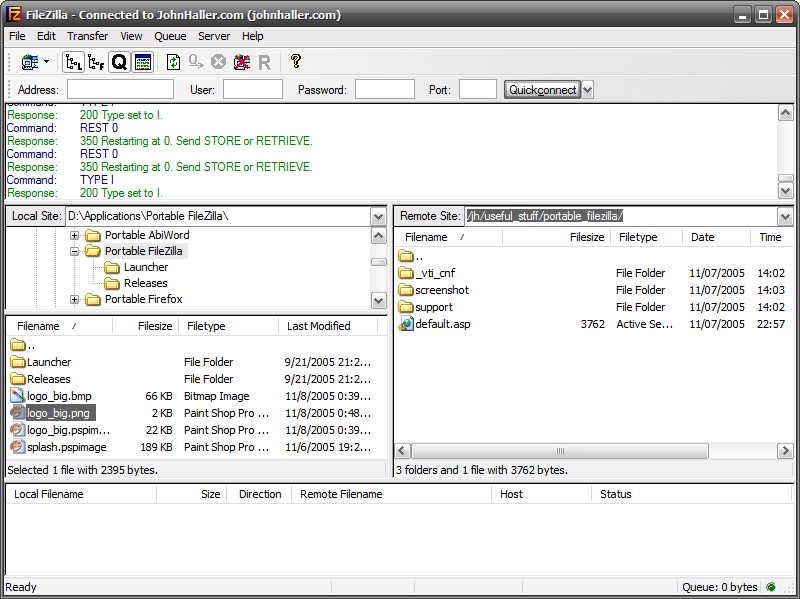 Welcome to the portable world of Filezilla. Welcome to the portable world of Filezilla.
FileZilla Portable is the well-known FileZilla FTP client but it comes as a portable app. FileZilla helps you to place your server list and settings on your USB flash drive, iPod, portable hard drive or on a CD thereby allowing you to take it anywhere with you and use it on any computer without leaving behind any personal information.
The latest version was released on May 6, 2008 .
Want to see for yourself? Go to http://portableapps.com/apps/internet/filezilla_portable
Posted in Main | No Comments »
Tuesday, May 13th, 2008
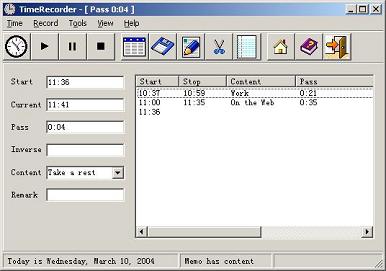 TimeRecorder is a software which helps you to keep tabs on time and also serves as a reminder. TimeRecorder is a software which helps you to keep tabs on time and also serves as a reminder.
It helps you to know how much time you spent on your PC carrying out a task and also what kind of task it is. It reminds you of scheduled times and records. It can save what you write and copy it to the memo automatically. It simply functions as a personal information manager.
The latest version of this software was released just a couple of days ago, precisely on May 6, 2008.
Want to know more? Visit http://www.freewebs.com/timerecorder/
Posted in Main | No Comments »
Monday, May 12th, 2008
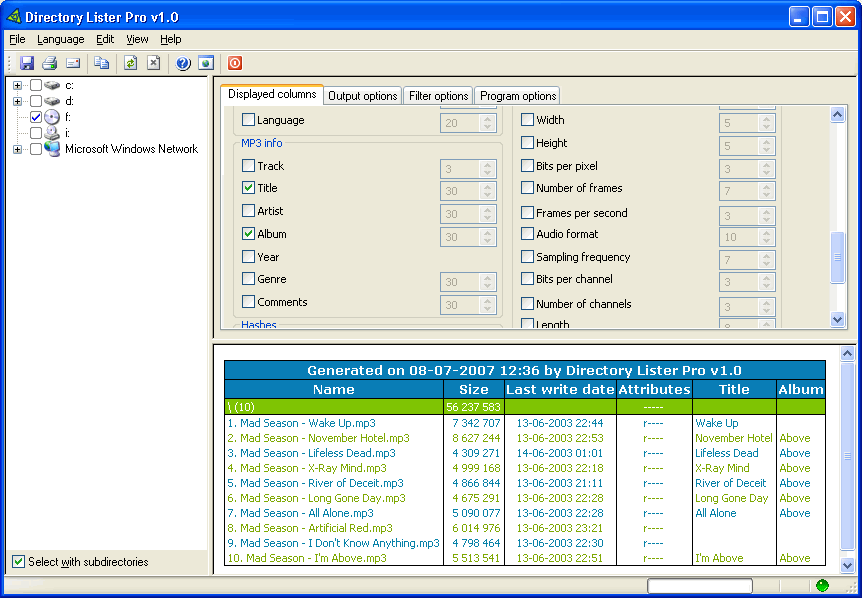 Need a cool tool for generating file listings? Check this out… Need a cool tool for generating file listings? Check this out…
Directory Lister is a tool for generating listings of files from user-selected directories on hard disks, cd-roms, floppys, usb storages etc. It is a really easy to use tool that is worth having. It allows you to create, save, print or send via e-mail listings of files from selected folders on hard disks, cd-roms, floppys, USB storages, dvd-roms etc.
You will love the fact that it gives you a certain level of flexibility as the listing can be in HTML, TXT or CSV format. It is a convenient directory command.
The latest version was released on May 6, 2008 and it has the following changes:
- Added option for opening a listing in default browser after generation
- Fixed counting of dirs when archives are treated as dirs
- Fixed displaying of unicode chars in archives
If you can’t afford paying for this you can try out the freeware version.
Want to know more? Visit http://www.krksoft.com/index.php
Posted in Main | No Comments »
Monday, May 12th, 2008
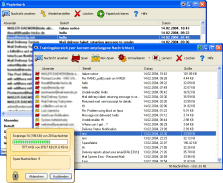 A new version of spamihilator has been released into the software market, Spamihilator 0.9.9.41. If you are not familiar with the software, let me throw more light on what it does… A new version of spamihilator has been released into the software market, Spamihilator 0.9.9.41. If you are not familiar with the software, let me throw more light on what it does…
Spamihilator examines each of your incoming emails in such a way that it filters and deletes useless spam mails (junk). It does this by working between your E-mail client and the internet and it goes on completely in the background. This filter can be trained to recognize your messages and the recognition rate will continuously increase.
The cool thing about this software is that it runs with almost every Email-Software such as Outlook 2000/XP/Express, Eudora, Pegasus Mail, Phoenix Mail, Opera, Mozilla, Netscape, etc. and it supports plugins.
The latest version was released recently. The prior version actually had a bug which often resulted in reduced filter quality. The so-called DCC Filter did not work correctly on some systems. In the new version the bug has been resolved, so installing the new version is recommended for all users.
Furthermore, the user interface under Windows Vista has been improved slightly.
To find out more, visit http://www.spamihilator.com/
Posted in E-mail, Main | No Comments »
Friday, May 9th, 2008
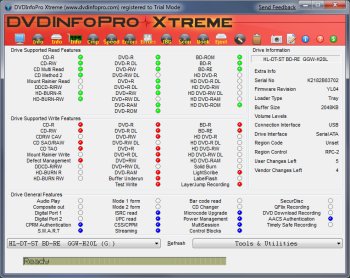 DVDInfoPro is a very simple yet very useful application which is a must for every PC owners with a DVD burner (who doesn’t?). This application will inform the user everything about the hardware as well as the inserted disk. Additional tools for the hardware also come with this simple installation. Tools such as speed test or configuring the bitsetting function for your DVD burner are found in DVDInfoPro HD. DVDInfoPro is a very simple yet very useful application which is a must for every PC owners with a DVD burner (who doesn’t?). This application will inform the user everything about the hardware as well as the inserted disk. Additional tools for the hardware also come with this simple installation. Tools such as speed test or configuring the bitsetting function for your DVD burner are found in DVDInfoPro HD.
As of this writing DVDInfoPro HD is already on its fifth version. The update version has added tons of information and tools for the user. In this update, not only will DVD tools be available for the user, information on Blu-Ray Disks and HD-DVD is also available. If you already have a Blu-Ray Disk Player on computer, brag on and understand your hardware better with this application. Of course, regular CDs can also be analyzed of the application.
This application will really work wonders especially when you’re concerned with quality of the video and music that you acquired. The media grade of the movies in disks is not necessarily correct and this application will set the records straight.
What’s even better with this application is the ability to analyze the memory requirements of your computer before it could run your hardware. This will give you the chance to understand your computer along with the DVD writer and make the necessary adjustments to optimize your hardware.
Give it a try, visit http://www.dvdinfopro.com/
Posted in Main | No Comments »
Thursday, May 8th, 2008
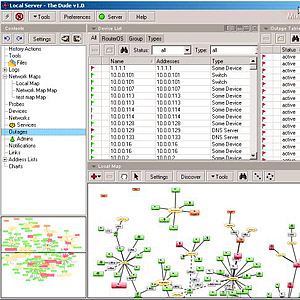 The Dude network monitor can significantly improve the management of your network environment. It automatically scans all devices within specified subnets and monitors services of your devices and alerts you in case some service has problems. It also draws and layout a map of your networks. The Dude network monitor can significantly improve the management of your network environment. It automatically scans all devices within specified subnets and monitors services of your devices and alerts you in case some service has problems. It also draws and layout a map of your networks.
It supports SNMP, ICMP, DNS and TCP monitoring for devices that support it. You will definitely love the fact that it supports remote Dude server and local client and it’s free of charge.
Want to see for yourself? Go to http://www.mikrotik.com/thedude.php
Posted in Main | No Comments »
Thursday, May 8th, 2008
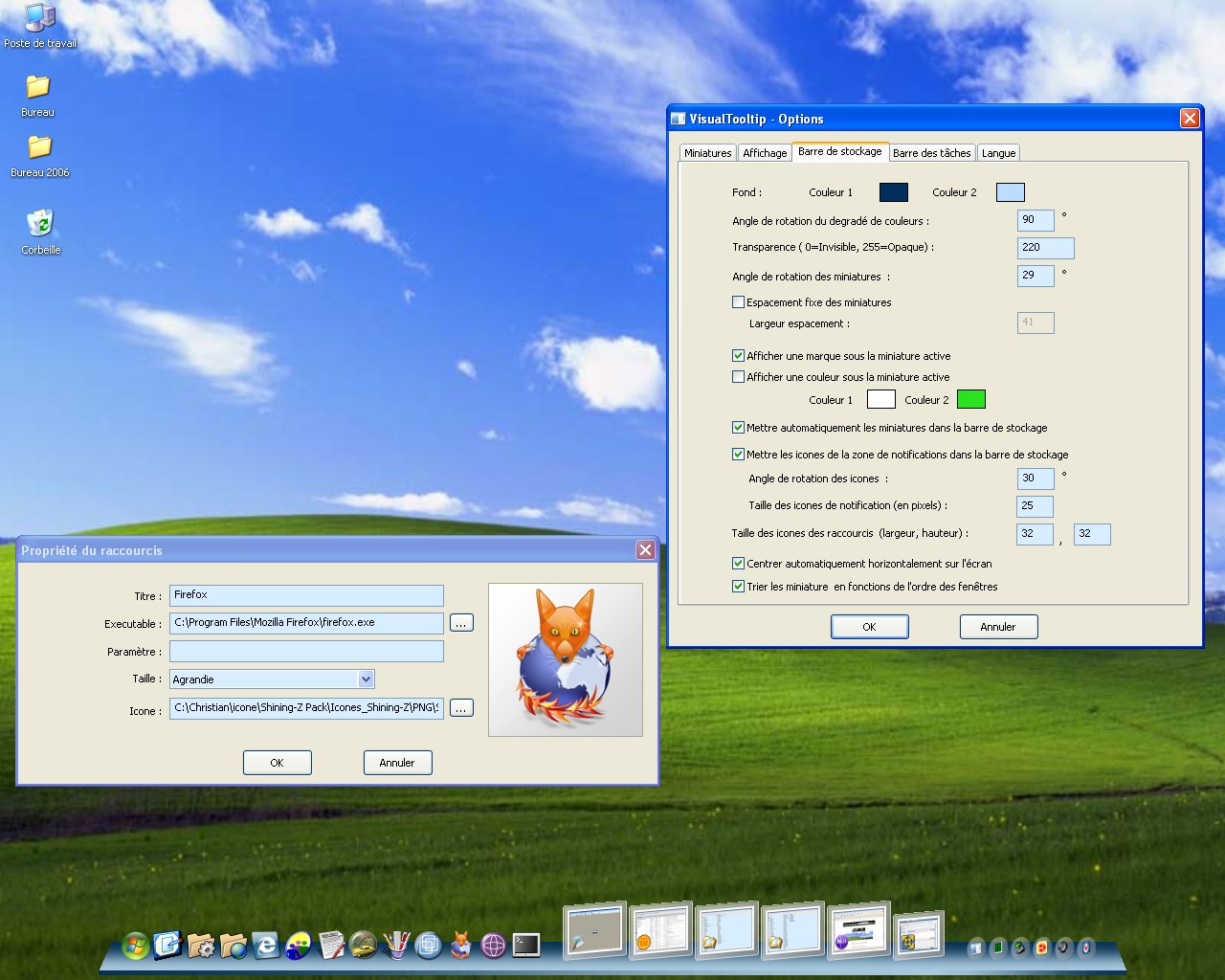 Even though Windows Vista has a lot of flaws in terms of functions and features, the graphics are undoubtedly a sight to behold. If you have a very powerful processor, you’ll be able to experience the Microsoft’s “Aero” enabled interface. Among the simple yet stunning changes in Vista is the desktop experience of a thumbnail view of the tabbed function that is running in your computer. Even though Windows Vista has a lot of flaws in terms of functions and features, the graphics are undoubtedly a sight to behold. If you have a very powerful processor, you’ll be able to experience the Microsoft’s “Aero” enabled interface. Among the simple yet stunning changes in Vista is the desktop experience of a thumbnail view of the tabbed function that is running in your computer.
But you don’t have to switch to Vista just to experience that cool thumbnail view. Visual ToolTip is a free application developed by Chris’n’Soft that could be easily installed in your computer. Basically, this provides thumbnail previews of the running application. This application is lightweight but it does provide a Vista-like experience in your desktop or more specifically, in your taskbar. Once installed, the settings will pop-up which will give you the chance the change the preview settings.
Since XP doesn’t have the configurations of Vista, the application does have limitations. Visual ToolTip will not show the status of the application in real time. Instead it will create a snap shot of the current state of the application every time your pointer runs through it.
Aside from the thumbnail preview, Visual ToolTip also has a program launcher which could change your standard windows program launcher.
Check it out http://www.chrisnsoft.com/visual-tooltip/
Posted in Main | No Comments »
Thursday, May 8th, 2008
 We used to have USB flash drives for portable file storage only. Today, our flash drives could be installed with a bunch of portable applications that could be launched right from the flash drives. These applications offer security and customization so that you don’t need to scrutinize other persons desktop. All of these could be done from a lightweight application…until we found Tiny USB Office. We used to have USB flash drives for portable file storage only. Today, our flash drives could be installed with a bunch of portable applications that could be launched right from the flash drives. These applications offer security and customization so that you don’t need to scrutinize other persons desktop. All of these could be done from a lightweight application…until we found Tiny USB Office.
Tiny USB Office is a set of office productivity applications that could be launched right out of the USB flash drives. Sure you already have that but get this: the whole office suite will only take up to 2.4MB in storage. That’s smaller than the 3-minute song released in MP3.
At 2.4MB, don’t expect it would have the same whoopla with MS Office applications or OpenOffice.org set of office applications, but still offers a good set of productivity applications. The closest thing that you could create to an office document is the application called Kpad wherein .rtf files are created and the Spread32 is a small application that’s fully compatible with MS Excel. Along with these useful applications, Tiny USB Office has an MSN Messenger clone (PixaMSN), PDF creator (PDF Producer), FTP client (FTP Wanderer) and other useful applications. All of these applications could be launched from Qsel program launcher which is also part of the office suite.
So don’t throw away your 128MB USB Flash Drives yet, this free office suite will really help the traveler in you.
Check it out here – http://www.xtort.net/office-and-productivity/floppy-office/
Posted in Main | No Comments »
|
|
|




