Author Archive
Monday, April 14th, 2008
 If you are looking for a personal information manager that is free and at the same time does exactly what it says it will do, then EssentialPIM is exactly the program that you want to download. This freeware will work on any Windows platform that is used commonly in today’s world and it can handle everything that you need vis-à-vis scheduling, keeping contact lists, creating and maintaining to do lists and even taking notes in post it format for things that you would like to remember. All in all, this is one of the better free personal information managers currently available on the internet. If you are looking for a personal information manager that is free and at the same time does exactly what it says it will do, then EssentialPIM is exactly the program that you want to download. This freeware will work on any Windows platform that is used commonly in today’s world and it can handle everything that you need vis-à-vis scheduling, keeping contact lists, creating and maintaining to do lists and even taking notes in post it format for things that you would like to remember. All in all, this is one of the better free personal information managers currently available on the internet.
It can also allow you to store and encrypt all of your personal data, which is something that many free pieces of software are not really able to accomplish that well. With that in mind, it is perhaps not that surprising that there are rave reviews regarding this piece of software as many people have been able to use it in order to complete turn their lives around vis-à-vis the level of control they feel they have over their events. No more forgetting to do something or be somewhere because with the EssentialPIM software as your guide you will know exactly what is going on at all times.
More information is available at http://www.essentialpim.com/
Posted in Main | No Comments »
Monday, April 14th, 2008
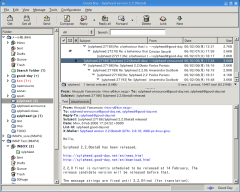 Open source software is always going to be popular for the simple reason that if you happen to be a programmer and don’t like something about the software, all you have to do is open that software up and change what you don’t like. Considering most people that regularly check out free software have at least some facility with the computer programming side of things, the popularity of open source software is not something that is particularly confusing. Open source software is always going to be popular for the simple reason that if you happen to be a programmer and don’t like something about the software, all you have to do is open that software up and change what you don’t like. Considering most people that regularly check out free software have at least some facility with the computer programming side of things, the popularity of open source software is not something that is particularly confusing.
Sylpheed is an open source piece of software that allows you to read your e-mails and your news items. It is based on a GTK toolkit with GUI elements included as well and for that reason is actually relatively easy to edit if you wanted to change the source code to include advanced functions for your e-mail client (this is not to say that they will not be included at some future date, since the current open source software is still in beta stages of development). The way in which the program was created also allows you to run the client on any Windows system, making it even friendlier to the large majority of computer users around.
More information regarding Sylpheed can be found at http://sylpheed.sraoss.jp/en/
Posted in Main | No Comments »
Friday, April 11th, 2008
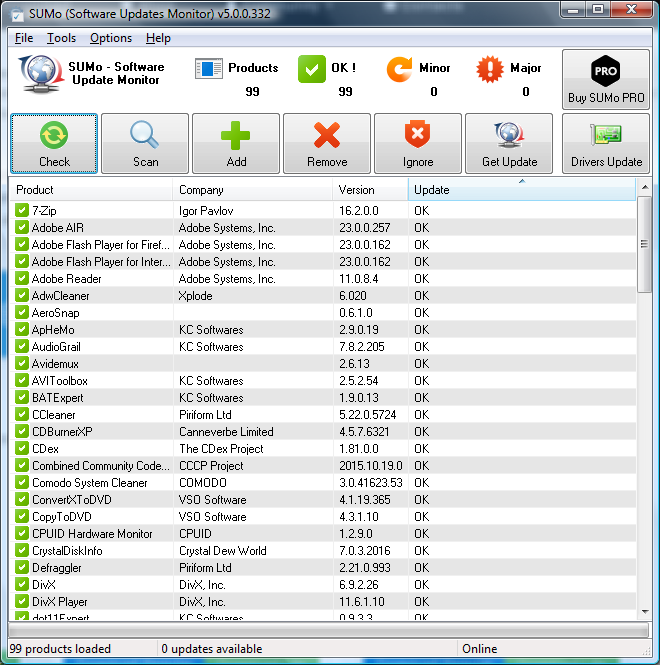 Surprisingly, there are a number of different tools that are useful in terms of software tracking. When someone tracks software, they can look for running software that got running without your permission, they can track the resource usage of particular pieces of software and they can use software trackers to ensure that certain processes never see the light of day (something the normal Windows Task Manager is not capable of doing). However, while all of these different methods of software monitoring are quite essential to the everyday running of your computer, there is a much more basic use for software monitoring that SUMo fills quite nicely. Surprisingly, there are a number of different tools that are useful in terms of software tracking. When someone tracks software, they can look for running software that got running without your permission, they can track the resource usage of particular pieces of software and they can use software trackers to ensure that certain processes never see the light of day (something the normal Windows Task Manager is not capable of doing). However, while all of these different methods of software monitoring are quite essential to the everyday running of your computer, there is a much more basic use for software monitoring that SUMo fills quite nicely.
That use is the use vis-à-vis updating the software. Whenever a particular piece of software that you’re running has a particular update available for it, you usually only find out about it much later and then end up having to download the software manually and waste time at some point down the road. If you use SUMo, not only will those updates be detected by the software, but the updates will also be installed in the background without you having to worry too much about it. SUMo is a way for you to keep track of your updates for free and also it is a way for you to automate the process of ensuring that all of your software is kept up to date.
More information on SUMo is available at http://www.kcsoftwares.com/?sumo.
Posted in Main | No Comments »
Thursday, April 10th, 2008
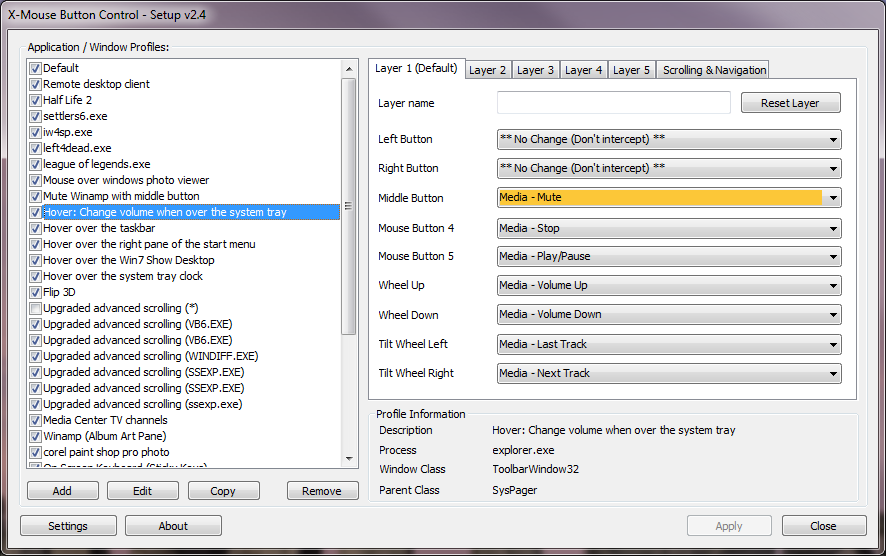 The mouse is perhaps the most underutilized resource that a person has vis-à-vis their computer. While the keyboard is used in many different ways and other input devices are used for specialty purposes, the mouse can be used on any program but the current paradigm of how clicking works prevents the full unlocking of the mouse’s potential. Programs like X-Mouse Button Control allow you to reverse that trend and with the latest version of this software having been released not too long ago, the software is stronger than ever. The mouse is perhaps the most underutilized resource that a person has vis-à-vis their computer. While the keyboard is used in many different ways and other input devices are used for specialty purposes, the mouse can be used on any program but the current paradigm of how clicking works prevents the full unlocking of the mouse’s potential. Programs like X-Mouse Button Control allow you to reverse that trend and with the latest version of this software having been released not too long ago, the software is stronger than ever.
Simply put, the X-Mouse Button Control allows you to specifically define what the various buttons on your mouse will do. For example, while most people want the left mouse button to do what it always does, wouldn’t it be better if your right mouse button didn’t always bring up that menu? Well, with this piece of software, you can define what each button does and you can make those definitions different for different programs. For example, you can keep your configuration steady for use on the desktop or in any of the Windows screens, but in Microsoft word you can change your right mouse button to become a button that allows you to paste. If you have a middle button and a right button, you can set one to copy and one to paste, allowing you the chance to powerfully control programs with just the use of your mouse.
For more information, please visit http://www.highrez.co.uk/downloads/XMouseButtonControl.htm.
Posted in Main | 1 Comment »
Thursday, April 10th, 2008
Quick Time is one of the best known media programs currently in existence. It can be used to play Quick Time files, which are frequently in file formats that other players such as Real Player do not really understand. For this reason, Quick Time has been able to cordon off a portion of the media market for themselves and because of this there have been many points of stagnation in Quick Time’s software development. Chief amongst these points are the fact that Quick Time software is bulky and on many systems and browsers has many problems in terms of smooth running, even with ridiculous hardware specifications in place.
For this reason, many people would look kindly upon an alternative to the Quick Time software and the Quick Time Alternative is that piece of software. The latest version, version 2.5.1, was released on April 4th and has already been downloaded millions of times. It has the same file format support as Quick Time and has the ability to play files of .mov, .qt, .3gp and many of the other file formats that are most frequently associated with the Quick Time Player. However, the software itself is streamlined and presents a valid alternative to Quick Time, fulfilling the dreams of many that need support for those file formats but don’t like the way that Quick Time operates.
This software package is also free and it can be downloaded at http://www.codecguide.com/about_qt.htm.
Posted in Main | No Comments »
Wednesday, April 9th, 2008
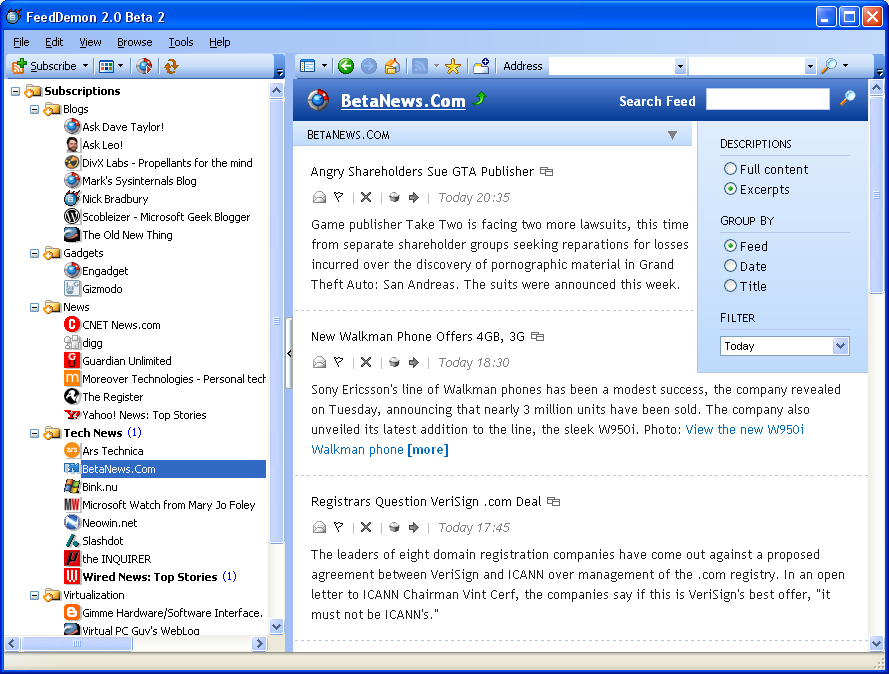 There are a number of different things that make Feed Demon an excellent piece of software. First and foremost is the fact that it is a free piece of software and when that is compared to many of the proprietary feed reader programs currently out on the market, it is quite impressive that the creators of Feed Demon were able to include as much functionality as they have while still being able to maintain the free marker on the actual piece of software. There are a number of different things that make Feed Demon an excellent piece of software. First and foremost is the fact that it is a free piece of software and when that is compared to many of the proprietary feed reader programs currently out on the market, it is quite impressive that the creators of Feed Demon were able to include as much functionality as they have while still being able to maintain the free marker on the actual piece of software.
One of the great things that Feed Demon does is it allows you to centralize all of your RSS feeds. Rather than visiting dozens or even hundreds of websites and reading all of the different pieces that you’re interested in, you can use the Feed Demon software to have them all in one place. Feed Demon turns an online trip around the internet into something akin to reading an e-book online.
In addition to this great way of saving time and increasing convenience, Feed Demon also allows you to categorize different feeds as well as organize feeds by the ones that have the most recent updates. There are a number of different ways that this can be helpful, but in general when you use Feed Demon the full power of RSS feeds is placed in your hands.
A new version of this cool softwrae has just been released and it is really worth checking out- Feed Demon 2.6.1.2 Beta 3.
More information on this software is available at http://www.newsgator.com/Individuals/FeedDemon/Default.aspx.
Posted in Main | No Comments »
Wednesday, April 9th, 2008
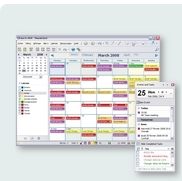 The Mozilla Lightning Project is a project that has been rumoured to be going on for some time but only recently did Mozilla release the newest version of the project. The new version includes a number of different solutions to the project, all of which work very well with the actual software package. Mozilla Lightning is free to download as well like all of the other Mozilla products and this in turn goes a long way towards piquing the interest of many people into exactly what the project is. The Mozilla Lightning Project is a project that has been rumoured to be going on for some time but only recently did Mozilla release the newest version of the project. The new version includes a number of different solutions to the project, all of which work very well with the actual software package. Mozilla Lightning is free to download as well like all of the other Mozilla products and this in turn goes a long way towards piquing the interest of many people into exactly what the project is.
Quite simply put, Mozilla Lightning is a redesign of the calendar component that can be seen in e-mail clients such as Microsoft Outlook. The purpose of Lightning is to integrate that same type of calendar functionality into Mozilla Thunderbird, which happens to be the e-mail client that was created by Mozilla some time back. When completed and installed, Lightning brings this functionality to Thunderbird and allows it to be more competitive with other e-mail clients of its kind.
More information on this piece of software is available at http://www.mozilla.org/projects/calendar/lightning/index.html.
Posted in Main | No Comments »
Tuesday, April 8th, 2008
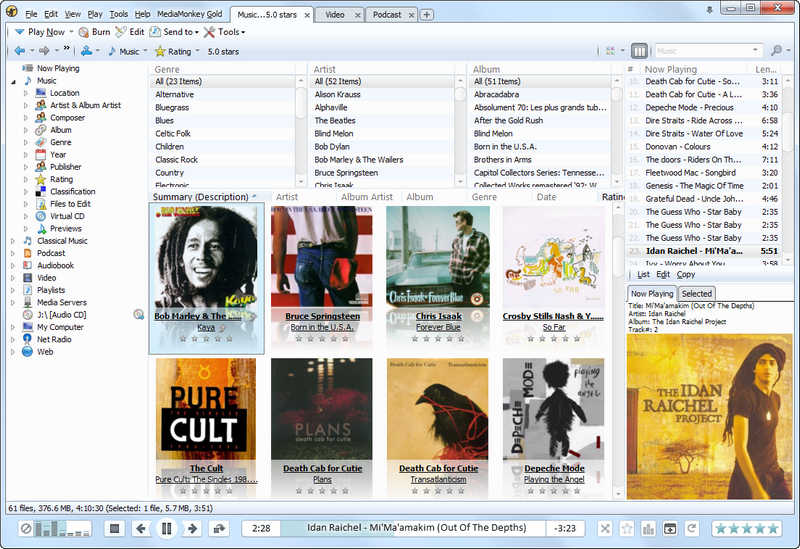 Windows Media Player is an excellent piece of software, but for someone that is a hardcore and avid listener of music, something more is usually required. While you can certainly purchase software packages that function well for people that consider themselves music junkies, wouldn’t it just end up being a lot better for you to be able to take a look at free software packages that can do just as much? Well, that’s what Ventis Media Incorporated thought and that is the main reason as to why Media Monkey is in existence today. Windows Media Player is an excellent piece of software, but for someone that is a hardcore and avid listener of music, something more is usually required. While you can certainly purchase software packages that function well for people that consider themselves music junkies, wouldn’t it just end up being a lot better for you to be able to take a look at free software packages that can do just as much? Well, that’s what Ventis Media Incorporated thought and that is the main reason as to why Media Monkey is in existence today.
Simply put, Media Monkey is a piece of music playing software that is not for the weak hearted. As a piece of software, it can play dozens of different music file formats and it disqualifies the need for any other music program because all of the major and several minor music formats are covered. In addition to that, it allows a level of record keeping and file tagging that is not seen in very many of the other music programs that are around. Simply put, Media Monkey is the piece of software to get if you are a big music listener and have hundreds or even thousands of music files to listen to.
Media Monkey has been around for a while but the latest version was released a couple of days ago with lots of added features and fixed errors from previous versions. Want to check it out? It’s free as usual.
More information is available at http://www.mediamonkey.com/.
Posted in Main | No Comments »
Monday, April 7th, 2008
 XYplorer is a highly innovative portable file manager for windows, which has a user friendly interface that makes working on it easy and intuitive. There are a lot of features which makes XYplorer fast, light and fun to use. These features include a multi-tabbed interface, a powerful high-end file search, user-defined commands, versatile preview facilities, customized keyboard shortcuts and a large array of unique ways to efficiently automate frequently recurring tasks. XYplorer 7.00.0000 is the latest version of XYplorer which was released a couple of days ago and it has the following changes: XYplorer is a highly innovative portable file manager for windows, which has a user friendly interface that makes working on it easy and intuitive. There are a lot of features which makes XYplorer fast, light and fun to use. These features include a multi-tabbed interface, a powerful high-end file search, user-defined commands, versatile preview facilities, customized keyboard shortcuts and a large array of unique ways to efficiently automate frequently recurring tasks. XYplorer 7.00.0000 is the latest version of XYplorer which was released a couple of days ago and it has the following changes:
- Scripting. Ultimate file management efficiency. Roll your own custom commands, wrap them in an XYplorer Script file (XYS), or a User- defined Command, and trigger them by just a click or a keystroke.
- Tabs can be iconized and shrunk to the size of an icon which helps to save space.
- You can now freely determine XYplorer’s application data path and thus banish any UAC (User Account Control) issues.
- Folders can be searched by size.
- Text or image can be turned from clipboard directly into a new file.
- It now has a secondary sorting. Simply hold shift while you click on a column header to sub-sort the file list by this column.
Check out XPlorer on http://www.xyplorer.com/
Posted in Main | No Comments »
Wednesday, April 2nd, 2008
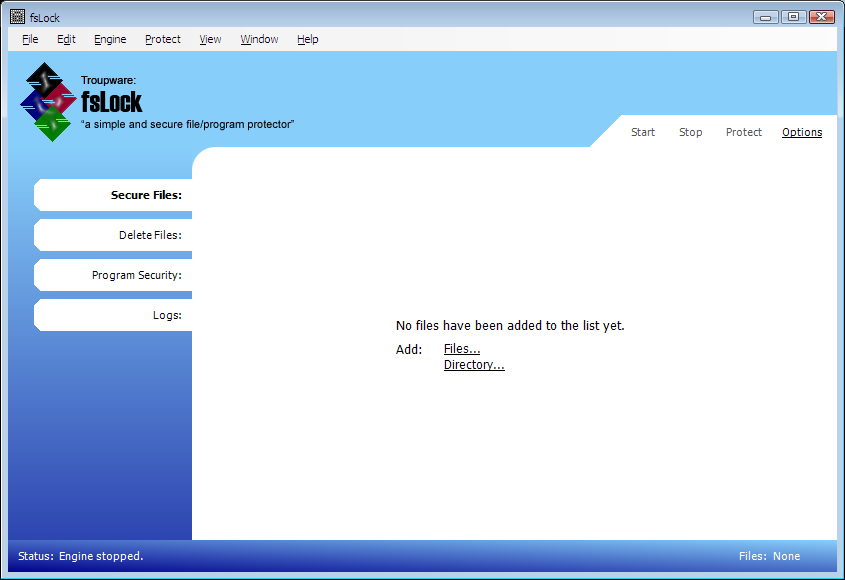 Security is a big thing in today’s world and with the increase in the level and sophistication of technology, security has become ever more important as time goes on. Many of the operating systems and software packages released today from the biggest companies have an obsession with security and for the average computer user, making sure that people are not able to hack into their most important files and uncover things they want to keep secret is definitely a big deal. Security is a big thing in today’s world and with the increase in the level and sophistication of technology, security has become ever more important as time goes on. Many of the operating systems and software packages released today from the biggest companies have an obsession with security and for the average computer user, making sure that people are not able to hack into their most important files and uncover things they want to keep secret is definitely a big deal.
And this is exactly where FSLock comes in. FSLock is a program that allows you to put all of your different files into a list, thereby locking those files and protecting them against renamed, moved, deleted or modified in any other way. The placement of these files into a list precludes anything from being done to them so no matter how smart a person gets with the hacking, they will not be able to circumvent the security protocols that you have put into place. Any file type except for .exe and .dll files can be locked in this way, allowing you to secure as many of your most precious files as you want to.
It is rare for a free file to have this level of functionality, but FSLock is definitely a very special piece of software. It is getting better too as the different versions get released and this latest beta version has support for encrypted and secured files in addition to its base functionality that was explained above.
More information is available at http://www.troupware.com/software/main/fslock.htm
Posted in Main | 1 Comment »
|
|
|




