Archive for the 'Main' Category
Wednesday, February 11th, 2015
 Despite the high number of antivirus and malware removal tools being released online every day, a lot still needs to be done to deal with the high rate of privacy invasion by malware and other malicious programs. The Microsoft Malicious Software Removal Tool is a tool that checks your system for infection and other threats. The program can also do a lot of things on your system especially when it comes to dealing with some unwanted programs, which could render your system vulnerable. Despite the high number of antivirus and malware removal tools being released online every day, a lot still needs to be done to deal with the high rate of privacy invasion by malware and other malicious programs. The Microsoft Malicious Software Removal Tool is a tool that checks your system for infection and other threats. The program can also do a lot of things on your system especially when it comes to dealing with some unwanted programs, which could render your system vulnerable.
What is Microsoft Malicious Software Removal Tool?
Microsoft Malicious Software Removal Tool checks your computer for infection by specific, prevalent malicious software (including Blaster, Sasser, and Mydoom) and helps to remove the infection if it is found.
This tool will help to remove specific, prevalent malicious software from infected systems. Because computers can appear to function normally when infected, Microsoft advises you to run this tool even if your computer seems to be fine. In addition to using this tool, you should use an up-to-date antivirus product to help protect your computer from other malicious software.
Does it have any downside?
Microsoft Malicious Software Removal Tool oftentimes lay dormant on your system.
Want to check it out? Visit Microsoft.com.
Posted in Main | No Comments »
Tuesday, February 10th, 2015
Do you want to archive your music collection with a program that also accepts all kinds of musical media? With Music Collection, you can add or edit any kind of information concerning the albums in the collection.
Music Collection is an easy program that allows you to archive your music collection. Using it you can enter in a collection all the music media that you own or you intend to. The program accepts all kinds of musical media (cd, lp, dvd-a, etc.) You can add or edit any kind of information concerning the albums in the collection and it is specially customized for entering classical music albums.
Version 1.9.8.0 of Music Collection has been updated to include a number of features such as: added support for compilation album artists; added multiple artist images; added search artist on list; added Progressbar on tracklist loading; changed program data management; and changed album rating setting.
The software is very easy to use, and all you have to do is to manually enter the album info via the Internet. After saving the albums, you can browse, filter albums by all possible criteria and search for particular album tracks you are interested.
Want to check it out? Visit gsoft4u.com.
Posted in Main | No Comments »
Tuesday, February 10th, 2015
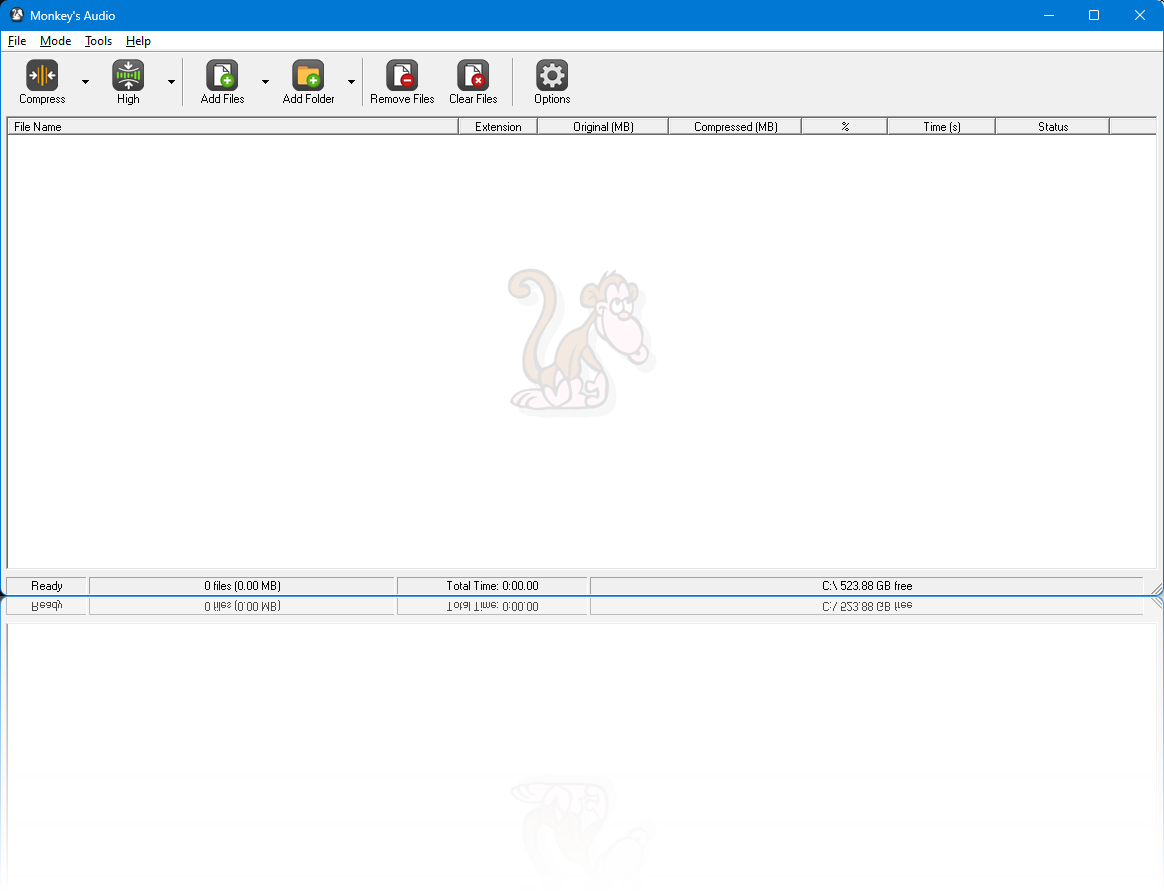 Achieving better compression when it comes to digital music depends on the quality of software used. If you want to compress your digital music while also retaining the quality of your work, then Monkey’s Audio sounds like a program that can help you to achieve that. Achieving better compression when it comes to digital music depends on the quality of software used. If you want to compress your digital music while also retaining the quality of your work, then Monkey’s Audio sounds like a program that can help you to achieve that.
Monkey’s Audio is a fast and easy way to compress digital music. Unlike traditional methods such as mp3, ogg, or lqt that permanently discard quality to save space, Monkey’s Audio only makes perfect, bit-for-bit copies of your music. Even though the sound is perfect, it still saves a lot of space.
This version now has an improved support for files greater than 2GB. Despite this support, it doesn’t affect the quality of your work. As a matter of fact, the program is now more effective than it used to be despite not being a freeware. Monkey’s Audio also retained some of its great features including the fact that it is highly optimized and efficient, supported by most popular players and rippers, its Windows environment interface is both powerful and easy to use, uses its own extremely flexible APE Tags so you can easily manage and catalogue your Monkey’s Audio collection, and is completely free.
Want to check it out? Visit MonkeysAudio.
Posted in Main | No Comments »
Tuesday, February 10th, 2015
 Do you want an easy-to-use alternative to the popular Windows Media Player especially in terms of features? Do you want a media player that is compatible with a lot of features including AVI, DIVX, DVD, MP3, ASF, WAV and other multimedia formats? Light Alloy is a media player that supports some popular file formats. Do you want an easy-to-use alternative to the popular Windows Media Player especially in terms of features? Do you want a media player that is compatible with a lot of features including AVI, DIVX, DVD, MP3, ASF, WAV and other multimedia formats? Light Alloy is a media player that supports some popular file formats.
What is the big deal about Light Alloy?
Light Alloy is a small but powerful alternative to Windows Media Player. Play AVI, DIVX, DVD, MP3, ASF, WAV and other multimedia formats with ease. Light Alloy is very light on resources and memory, which is great for systems with low memory or space.
Light Alloy supports a lot of features, and not just that as it also comes with a lot of new features and fixes including the following: it allows seeking during buffering process; optimizations in skin loading and timeline drawing; fixed some memory leaks; fixed player crash on malformed skins; preferences->Interface: choice LADub in skins list lead main player window to popup; and many more.
Light Alloy also retains some of its old features such as: live preview; IPTV support that allows you to watch tv over the internet and online videos like YouTube; contains an expandable list of online radio; and many more.
All in all it is an open source program that will surpass your expectation.
Want to check it out? Visit Light-Alloy
Posted in Main | No Comments »
Monday, February 9th, 2015
 These days a lot of people want to do their image editing with software that offers them the opportunity to access or use a lot of features. There are some nice programs out there as well as a couple of others that are not worth the pain. Pixopedia is an image editing software that has some features that won’t give an amateur user much problem when it comes to using it for the very first time. These days a lot of people want to do their image editing with software that offers them the opportunity to access or use a lot of features. There are some nice programs out there as well as a couple of others that are not worth the pain. Pixopedia is an image editing software that has some features that won’t give an amateur user much problem when it comes to using it for the very first time.
Pixopedia will help you discover new ways to digitally paint works of art, as well as edit your image and video files. It gives you the option of using two different types of working modes; the standard and the menu modes. Pixopedia may not have all the features of a pro image editor, but it does have some tools you will find very useful when working on an image.
With Pixopedia, you can access a lot of features including the following: 9 predefined brushes visible in bottom panel and collected in one set. Brushes are accessible by mouse click or by keyboard shortcut (1-9); brush can be changed while drawing (on the fly), by clicking appropriate keyboard shortcut; every brush has it’s own settings, color, texture, background tile and other parameters; and lots of others.
Pixopedia may not have all or some of the features of some pro image editors; it does provide enough for an amateur user.
Want to check it out? Visit Sigmapi-Design.
Posted in Main | No Comments »
Monday, February 9th, 2015
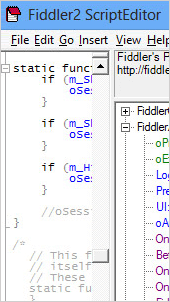 Did you know you can inspect and also set breakpoints and fiddle with all your incoming and outgoing data? All these are possible including so many more with Fiddler, which is a HTTP Debugging Proxy that simply allows you to monitor all HTTP traffic. Did you know you can inspect and also set breakpoints and fiddle with all your incoming and outgoing data? All these are possible including so many more with Fiddler, which is a HTTP Debugging Proxy that simply allows you to monitor all HTTP traffic.
Fiddler is a HTTP Debugging Proxy which logs all HTTP traffic between your computer and the Internet. Fiddler allows you to inspect all HTTP Traffic, set breakpoints, and “fiddle” with incoming or outgoing data. Fiddler includes a powerful event-based scripting subsystem, and can be extended using any .NET language.
Fiddler is compatible with most major browsers, and also comes with some powerful features such as: web debugging, which allows you to debug traffic from PC, Mac or Linux systems and mobile devices; performance testing, which lets you see the “total page weight,” HTTP caching and compression at a glance; security testing, which can be used for testing your web applications — decrypt HTTPS traffic, and display and modify requests using a man-in-the-middle decryption technique; web session manipulation, which enables you to easily manipulate and edit web sessions; and many more.
Does it have any downside?
Fiddler is an advanced program that requires some experience on the part of the user.
Want to check it out? Visit Telerik.com.
Posted in Main | No Comments »
Sunday, February 8th, 2015
 Sometimes our computers are left with some unwanted footprints of websites we have been too while surfing the Internet. Some of these traces could leave the system vulnerable to attacks by malware, thereby exposing our privacy. To keep your system safe and free from attacks, you can safely erase traces of your activities with a privacy program like PrivaZer. Sometimes our computers are left with some unwanted footprints of websites we have been too while surfing the Internet. Some of these traces could leave the system vulnerable to attacks by malware, thereby exposing our privacy. To keep your system safe and free from attacks, you can safely erase traces of your activities with a privacy program like PrivaZer.
What is PrivaZer?
PrivaZer cleans your PC in-depth and removes unwanted traces of your activities at home or at work. You can see what can be recovered of your past activities and securely clean traces to get PC and your external devices free from unwanted vulnerability issues. PrivaZer is a smart cleaning tool that helps you master your security and freedom, free up disk space and keep your PC fit and secure.
PrivaZer is a freeware with a lot of nice features including: allows for in-depth clean-up of your PC and storage devices as it automatically recognizes your storage device type and adapts its overwriting algorithms to the storage medium (magnetic disk, SSD, etc); prevents recovery of your activities; irreversible clean-ups by overwriting techniques; and a couple of other features.
Does it have a downside?
PrivaZer is a good program, but instructions should be followed before deleting anything on the system (and consider making a full backup of the system).
Want to check it out? Visit Privazer.com.
Posted in Main | No Comments »
Tuesday, February 3rd, 2015
 Did you know you can transform your USB drive into a security key for your PC and lock it down by removing the USB device from the port? USB Raptor is an easy to use program that can be configured easily. Did you know you can transform your USB drive into a security key for your PC and lock it down by removing the USB device from the port? USB Raptor is an easy to use program that can be configured easily.
What’s the big deal about USB Raptor?
USB Raptor can lock the system once a specific USB drive is removed from the computer and unlock when the drive is plugged in again to any USB port. The utility constantly checks the USB drives for the presence of a specific unlock file with encrypted content. If this specific file is found the computer stays unlocked otherwise the computer locks. To release the system lock user must plug the USB with the file in any USB port. Alternative the user can enable (or disable) two additional ways to unlock the system such is network messaging or password.
USB Raptor is very easy to use, and you can start by assigning a password to the USB device and creating a lock file that will be stored on your removable drive.
Does it have any downside?
USB Raptor does not have any significant downside, and is very easy to configure and use even for the not-so tech savvy.
Want to check it out? Visit: SourceForge.net.
Posted in Main | No Comments »
Tuesday, February 3rd, 2015
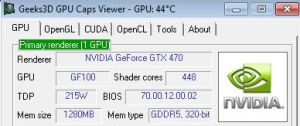 Want to have a quick view of your graphics card? GPU Caps Viewer gives you such opportunity and also allows you to do much more. The software displays the GPU temperature, and offers convenient OpenGL extensions database and OpenGL API support. Want to have a quick view of your graphics card? GPU Caps Viewer gives you such opportunity and also allows you to do much more. The software displays the GPU temperature, and offers convenient OpenGL extensions database and OpenGL API support.
What is GPU Caps Viewer?
GPU Caps Viewer is a graphics card utility that allows to quickly see the capabilities of your graphics card / GPU, displays the GPU temperature, offers a convenient OpenGL extensions database and OpenGL API support, provides a GPU-burner facility as well as an online validation.
It also provides you with full report in text and XML format. Such a report is useful for developers who need an outline of the customer graphics system (for support purposes for example). It also helps when it comes to graphics card validation. Your graphics card data is sent to oZone3D.Net server and in return you receive a link on the validation web page. You can use that validation in benchmarks or to help graphics applications developers to solve specific problems.
Does GPU Caps Viewer have any downside?
GPU Caps Viewer is a bit buggy, but still gets the work done especially for those who are used to a program like this.
Want to check it out? Visit Ozone3D.net.
Posted in Main | No Comments »
Sunday, February 1st, 2015
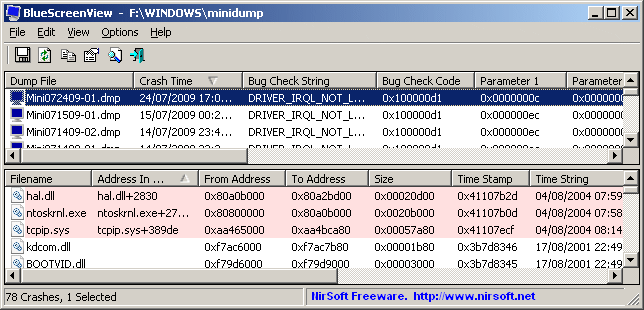 Want a program that can scan your minidump files created during blue screen of death crashes? BlueScreenView has some nice features that will not only scan, but display information about all crashed in a single table. Want a program that can scan your minidump files created during blue screen of death crashes? BlueScreenView has some nice features that will not only scan, but display information about all crashed in a single table.
What’s BlueScreenView?
BlueScreenView scans all your minidump files created during ‘blue screen of death’ crashes, and displays the information about all crashes in one table. For each crash, the software also displays the minidump filename, the date/time of the crash, the basic crash information displayed in the blue screen (Bug Check Code and 4 parameters), and the details of the driver or module that possibly caused the crash (filename, product name, file description, and file version). For each crash displayed in the upper pane, you can view the details of the device drivers loaded during the crash in the lower pane.
BlueScreenView also mark the drivers of the addresses found in the crash stack, so you can easily locate the suspected drivers that possibly caused the crash.
A couple of changes and fixes have been made to BlueScreenView including adding Drag & Drop support, which means you can now drag a single MiniDump file from Explorer into the main window of BlueScreenView, and fixing of bug where the software failed to remember the last size/position of the main window if it was not located in the primary monitor.
Want to check it out? Visit: Nirsoft.net.
Posted in Main | No Comments »
|
|
|





