Archive for the 'Main' Category
Monday, November 2nd, 2009
 Often important official documents are often converted into in PDF format for sending and receiving purposes as it’s secure and prevents others from making unauthorized changes or copy/print/edit content by application of additional security. Considering its benefits and content safety it offers, if you’re also willing to convert your documents into PDF format then you must try Nemo All to PDF 3.0. It’s a skilled PDF creator tool that expertly converts any printable document such as doc, xls, ppt, rtf, txt, html, jpg, tiff, giff, and several others, into PDF format files. While converting the files, the program accurately retains all its attributes like content, images, page layout, columns, links, color, font, etc. In addition, you needn’t put in efforts in selecting the files individually as the application supports batch file conversion, thus saving huge amount of time. Not only this, you can even add title, properties, password, restrict actions, and use other features to derive desired output. Often important official documents are often converted into in PDF format for sending and receiving purposes as it’s secure and prevents others from making unauthorized changes or copy/print/edit content by application of additional security. Considering its benefits and content safety it offers, if you’re also willing to convert your documents into PDF format then you must try Nemo All to PDF 3.0. It’s a skilled PDF creator tool that expertly converts any printable document such as doc, xls, ppt, rtf, txt, html, jpg, tiff, giff, and several others, into PDF format files. While converting the files, the program accurately retains all its attributes like content, images, page layout, columns, links, color, font, etc. In addition, you needn’t put in efforts in selecting the files individually as the application supports batch file conversion, thus saving huge amount of time. Not only this, you can even add title, properties, password, restrict actions, and use other features to derive desired output.
To proceed with the Nemo All to PDF 3.0 firstly you can choose the files you want to convert using the Add File(s) button. The program allows you to add more then one file for batch conversion process. After you’ve chosen the necessary files, you’d require selecting the destination where the resulting files would be stored when the process completes. Now, either you can hit Convert button or else further move to define Advanced Options. Using the advanced options panel, you can set the Title, author, subject, keyword, password protection, along with applying restrictions to specific actions like editing, printing, etc, to obtain a protected PDF file. As you click over ‘Convert’ the program would commence the process while displaying progress in Status bar.
Using the Nemo All to PDF 3.0 application facilitates you in converting the different format files to PDF format documents, without compromising the content or attributes.
{More Info and Download}
Posted in Main | No Comments »
Monday, November 2nd, 2009
 Keeping an appropriate and effective track of your routine tasks helps reducing stress, performing important works on time, and easily taking out more free time to enjoy with family. But keeping manual records and later on finding them at required time consumes lots of your valuable time. However, in order to reduce the frustration, and organize and analyze your entire day-to-day tasks skillfully, you’re offered the expertise assistance of the Weekly Planner 1 application. The software facilitates you in recording and analyzing your entire for the week ahead, and also provides you with daily fitness goals to help you maintain your health. It imparts to-do list, calendar, time tracker, and different other functions to help you manage your projects and perform all important tasks on time. Further, it lets you print index cards for each day to aid you in viewing existing tasks and recording new ones when you’re far from your PC. Keeping an appropriate and effective track of your routine tasks helps reducing stress, performing important works on time, and easily taking out more free time to enjoy with family. But keeping manual records and later on finding them at required time consumes lots of your valuable time. However, in order to reduce the frustration, and organize and analyze your entire day-to-day tasks skillfully, you’re offered the expertise assistance of the Weekly Planner 1 application. The software facilitates you in recording and analyzing your entire for the week ahead, and also provides you with daily fitness goals to help you maintain your health. It imparts to-do list, calendar, time tracker, and different other functions to help you manage your projects and perform all important tasks on time. Further, it lets you print index cards for each day to aid you in viewing existing tasks and recording new ones when you’re far from your PC.
By using the Weekly Planner 1 utility you stop worrying about managing and tracking several tasks, as you easily can differentiate between completed and uncompleted ones. With left pane you can create different categories like money, work, fitness, birthdays, projects, etc and associate individual calendar with each of them, to avoid confusion. The right side area is where the calendar is displayed along with tasks set for each day. After completing a task you simply require checking it that draws a line over it marking it as done. Not just this, you can create and manage details or tasks related any project by adding to do list, calendar, Balance Sheet, and time tracker tools. In addition, the ‘Diet and Exercise’ feature supports you in planning and tracking your calories with 5000+ food database, exercises, and other health related aspects such as sleeping patterns, blood pressure, along with doctor appointments.
With the Weekly Planner 1 application you can effectively record and track your daily tasks, to-do list, track time while you work, in order to help you get stress-free life.
{More Info and Download}
Posted in Main | No Comments »
Monday, November 2nd, 2009
 While trying to configure different system settings such PC identification, TCP/IP settings, default printer, system services, system volume, desktop dimensions, etc, you often end up wasting lots of time and even may get frustrated. It’s because you’d have to find and access several utilities and system directories to make necessary changes. Nevertheless, you needn’t spend hours filled of monotony and frustration in altering such configurations as you can opt to try Quick Config 1.1.6.55 assistance. The utility has been aimed to help you in effectively changing your computer’s settings, while saving considerable amount of time. It skillfully supports in modifying Network, System, Internet Browser, and Applications related configurations. Using the application, you can define shared recourses, network connections, mapped network drives, system sound, default browser, homepage, display screen color depth, applications to be launched after applying a profile, and even more. This tool comes compatible with both Windows Vista and XP. While trying to configure different system settings such PC identification, TCP/IP settings, default printer, system services, system volume, desktop dimensions, etc, you often end up wasting lots of time and even may get frustrated. It’s because you’d have to find and access several utilities and system directories to make necessary changes. Nevertheless, you needn’t spend hours filled of monotony and frustration in altering such configurations as you can opt to try Quick Config 1.1.6.55 assistance. The utility has been aimed to help you in effectively changing your computer’s settings, while saving considerable amount of time. It skillfully supports in modifying Network, System, Internet Browser, and Applications related configurations. Using the application, you can define shared recourses, network connections, mapped network drives, system sound, default browser, homepage, display screen color depth, applications to be launched after applying a profile, and even more. This tool comes compatible with both Windows Vista and XP.
The main screen of Quick Config program is simple and pleasing in its appearance with Profile, Settings, and Help tabs integrated at left and created profiles like Office, Home, and Internet Café options being shown with right side screen area. You can start with Create New option for adding a new profile, for which you’d be shown Profile Settings dialog box. Now, within the provided dialog box you’d be shown General tab for settings profile name, description, hot key, and profile icon. The next tab ‘Network’ allows you to define Network Connections settings, Computer name, Hosts, Routing, Shared Folders, and Network Drives settings. Moving on you get ‘System’ tab for configuring Sound, Printer, and Services; whereas Browsers tabs supports modifying settings of your installed web browsers. The last tab deals with Display enabling you to change color and dimensions of the screen. After making desired changes you can apply the profile and it would be included in the Profile list.
Using Quick Config it becomes a cake-walk for you to configure your system settings without browsing numerous panels and directories within your computer.
{More Info and Download}
Posted in Main | No Comments »
Friday, October 30th, 2009
 Not a bad media player in my view. Why look else where if you have a media that can provide you with an efficient way to gather, arrange, and even play music with other media files on your computer? J.River Media Center 14.0.0.88 is an all in one player and organizer for your digital music, internet radio and video. Not a bad media player in my view. Why look else where if you have a media that can provide you with an efficient way to gather, arrange, and even play music with other media files on your computer? J.River Media Center 14.0.0.88 is an all in one player and organizer for your digital music, internet radio and video.
You can copy music with ease from it to your portable digital audio player or even move your digital camera photos into your powerful image library, record all your favourite songs and music and shows and watch them on your TV with superb quality and clarity.
What are those changes that differentiate this version from the older ones? J.River Media Center 14.0.88 now has the following additions: EPG is now in standard view to enable viewing further into the future, switched sliders on output plug-in configuration dialogs to jriver sliders without series name, addition of files to the library now runs on a one-time during background and problems connected to 3D has been fixed.
J. River Media simplifies all your all your digital works and, and one aspect I noticed is that it can also stream your video and music straight into your PC even while you are at work. This is sure another way to get to relax when your work begin to get the better of you.
For more info and download, you can visit Jrmediacenter
Posted in Main | No Comments »
Friday, October 30th, 2009
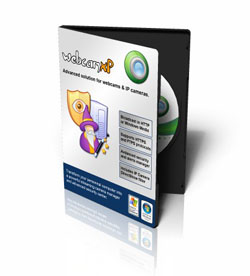 A brand new program based on webcamxp. Beautiful user interface, wonderful and enhanced Flash video(FLV), both Audio and Video streaming without prejudice to your bandwidth and MPJEG recording with full Audio support. A brand new program based on webcamxp. Beautiful user interface, wonderful and enhanced Flash video(FLV), both Audio and Video streaming without prejudice to your bandwidth and MPJEG recording with full Audio support.
The webserever of WebcamXP 7.0.9.9.7 Beta is integrated to the software and only requires minor configuration parameters like local directory and the server port.Even the newbie to a software of this category will not find it difficult to get familiar installation, configuration and general usage. This version allows you to share your webcam with everyone without having to worry yourself about setting the web server on your computer.
WebcamXP 7.0.9.9.7 has both free and pro versions. While the pro version like every other softwares come with complete user features, the free version of this version comes with limited features like been limited to just a camera which is still Ok as long as it serves its purpose. Personally, it is not about the number of cameras that matters but that I can ac?tally get satisfaction from the one I am limited to.
On the other hand, if I have to be compelled by a free software to buy its pro version by annoying and consistent appearance of Windows 7 at the bottom left, and if removing it can only be done when I buy the full version, then I think the publishers could take a second look at this.
Want to give it a try? Why not visit Webcamxp
Posted in Main | No Comments »
Friday, October 30th, 2009
 A software that gives you opportunity to look for any advertisement under or above forty different categories all for free. PVN 0.09 also allows you to create your own advertisement for free and usage is very simple. This software comes with a very small data base and update is simple and very fast and automatic. It also has a network where one can fill in basic information of one’s CV and put on line. A software that gives you opportunity to look for any advertisement under or above forty different categories all for free. PVN 0.09 also allows you to create your own advertisement for free and usage is very simple. This software comes with a very small data base and update is simple and very fast and automatic. It also has a network where one can fill in basic information of one’s CV and put on line.
PVN 0.09 doesn’t have an encryption which to me is not encouraging. I have come across a lot of other similar software where you get to use for free and still have encryption included. The publishers should have taking into consideration password and data protection since it concerns sending information over the net.
During updates, especially when you have to create an advert, your user name and passwords are sent in clear text format exposing your privacy in the process and making you vulnerable to password theft which is very common these days on the internet.
The publishers can certainly improve on the weaknesses noticed in this version and come up with something much better in future versions of the software.
Want to give them a try? Visit them at: PVNnetwork
Posted in Main | No Comments »
Thursday, October 29th, 2009
 One of industries leading software used for diagnosis and benchmark solution for pc zealous computer users all over the world. Everest Ultimate Edition 5.30.1924 is based on the popularly acclaimed Everest technology that has made a name for itself over the years. One of industries leading software used for diagnosis and benchmark solution for pc zealous computer users all over the world. Everest Ultimate Edition 5.30.1924 is based on the popularly acclaimed Everest technology that has made a name for itself over the years.
This software provides important system and over lock information, advanced adware monitoring and diagnostics capabilities to check the effects of of the applied settings during tweaking and optimization. Also available are: FPU, CPU and memory benchmarks to measure the real system performance and compare it to former states.
This version comes with a lot of changes from the older ones which makes it one software that can be relied upon when you need a benchmark solution for your computer. Some of these changes are: you now have an accurate low-level information about your computer’s motherboard, CPU and FPU memory which was not available in previous versions; detailed information about your video adapter, video drivers and monitor.
Want to pay them a visit? Why not go to Lavalys.com
Posted in Main | No Comments »
Thursday, October 29th, 2009
 Network administrators can now specify which user can gain access to each device on a computer’s ports, floppies etc. Once you install device lock on your computer, permissions can be assigned to CD-ROMS, COM PORTS and LPT ports and as many device you want, it is your choice to make with the Devicelock 6.4.1 version. Network administrators can now specify which user can gain access to each device on a computer’s ports, floppies etc. Once you install device lock on your computer, permissions can be assigned to CD-ROMS, COM PORTS and LPT ports and as many device you want, it is your choice to make with the Devicelock 6.4.1 version.
Devicelok 6.4.1 also enables you to do a system flush of your storage devices’ buffers and provides comprehensive information about installed devices in your computer and NTFS pertitions. You are on the driver’s seat with this program as it gives you total information about your systems storage capacity so you do not have to worry your self any more.
This version comes with access control and auditing for all Blackberry Devices which means you can now control who or who does not connect a Blackberry to your computer and the time it can be connected. Another good thing is that you can now have an audit of user activities involving your blackberry device.
Worries about root kits and other security treats have also been looked into in this version because your system now gets protection from any techniques used by root kits to disable device lock services. All you have to do is enable unhook protection by checking it when you are configuring your software in the device lock administrators dialog.
Visit the site at Devicelock
Posted in Main | No Comments »
Thursday, October 29th, 2009
 Do you love downloading files from the internet? Then you have yourself a lovely and well built software. Mass Downloader 3.8.835 is one of those software that gives you value for your time and money. I love it and it is a software that I am going to keep for a long time to come. Do you love downloading files from the internet? Then you have yourself a lovely and well built software. Mass Downloader 3.8.835 is one of those software that gives you value for your time and money. I love it and it is a software that I am going to keep for a long time to come.
The features of Mass Downloader 3.8.835 include: ability to download at a very high speed from the web and FTP sites. The multiple download channels inbuilt technology increases your download speed and ensures that the time you take in downloading your files from the web is decreased significantly. You can also use this software to browse zip archives before you load them and what is more, you get to choose only files that you want for downloads. The interface is also built like the Internet explorer.
I have tried some other downloaders before, but Mass Downloader 3.8.835 appears to be the best I have seen so far. You could almost certainly download from very difficult sites that otherwise would not have been possible with others similar software.
Among the changes the publishers have introduced to into this version are: Introduction of trash can, Tor Proxy support and an improvement in the system notification area.
For more on this, you can visit: Metaproducts
Posted in Main | No Comments »
Tuesday, October 27th, 2009
 Once you start using Avant, you get stuck on it. It’s a wonderful browser that has works like the IE but only that it works just like a good browser should. It is a custom built web browser with a multi window support allowing users to browse multiple web sites almost at the same time and best of all is that it blocks those annoying pop-ups. You can refresh opened pages or even close or arrange with a single click from your mouse. Once you start using Avant, you get stuck on it. It’s a wonderful browser that has works like the IE but only that it works just like a good browser should. It is a custom built web browser with a multi window support allowing users to browse multiple web sites almost at the same time and best of all is that it blocks those annoying pop-ups. You can refresh opened pages or even close or arrange with a single click from your mouse.
Avant Browser also traces all traces about your online visits and does not expose you to risk if you are the type that takes interest in online privacy especially in this world when computers continues to become more vulnerable to attacks and invasion. This browser also has Google built in it to enable you search with ease for web pages and other things online.
What is new in this version? The Avant 11.7 has been able to fix problems that have to do bugs that proxy options keep turning back to IE and also the publishers have at least been able to fix problems that have to do with downloading, processes no longer ends along with closing then Avant browser.
You may visit the site at Avantbrowser.com
Posted in Main | 1 Comment »
|
|
|




