Archive for the 'Main' Category
Tuesday, April 15th, 2008
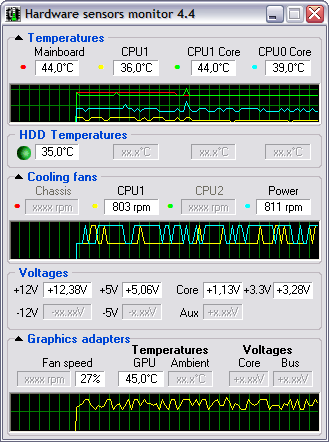 Hmonitor has a censor which checks the temperature of any component on your computer. It has built in software cooling and it alarms that set off when temperature gets too high. Hmonitor has a censor which checks the temperature of any component on your computer. It has built in software cooling and it alarms that set off when temperature gets too high.
Hmonitor was designed as a light weight alternative to Intel LANDesk Client manager. The program icon can be found in system-tray area of Windows desktop. An added advantage of this program is that it consumes less memory space. Hmonitor only monitors those parameters that are collected by various sensor chips installed on modern motherboards.
The latest version was released recently, Changes in features include:
- MS Vista x64: self-signed driver is released;
- MS Vista: Nvidia GPU temperature monitoring enhanced;
- AMD/ATi Graphics cards: Crossfire support added;
- Andigilog ASC7621 sensor chip: fans reading bug corrected;
- Intel D975XBX2 mainboard support verified;
- HP Compaq nc6320/nc6400 notebooks support verified;
- Gigabyte MA78GM mainboard support verified;
- Gigabyte X38-DS4 mainboard support verified;
- HP Pavilion dv9750 notebook support verified;
- HP Pavilion dv9500 family of notebooks support verified;
- MSI P6N Diamond mainboard support verified;
- Intel D102GGC2 mainboard support verified
and lots more…
Need to see for yourself? Go to http://www.hmonitor.net/
Posted in Main | No Comments »
Tuesday, April 15th, 2008
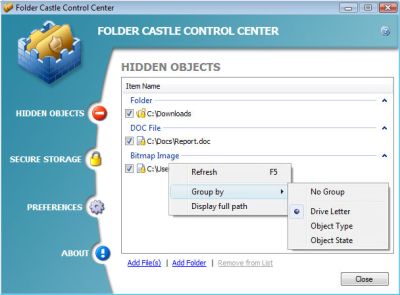 Folder Castle is a tool that provides you with security to prevent unauthorized access into your files and folders by using a password. The way it works is by hiding and encrypting your confidential and sensitive file and folders so that it becomes impossible for unauthorized seeing, reading, copying, moving and deleting of your files and folders. Encrypting your data by putting them onto a secure storage provides you with improved security. Folder Castle is a tool that provides you with security to prevent unauthorized access into your files and folders by using a password. The way it works is by hiding and encrypting your confidential and sensitive file and folders so that it becomes impossible for unauthorized seeing, reading, copying, moving and deleting of your files and folders. Encrypting your data by putting them onto a secure storage provides you with improved security.
New version of Folder Castle was released on April 11 with some cool changes to the features of the previous version, the changes include:
- Creating Secure Storage on USB flash drives;
- Windows Safe Mode support;
- Moving Secure Storage to another drive;
- Also some problems with User Account Control (UAC) under Vista have been detected and fixed.
You can check it out on http://www.magneticsoft.com/FolderCastle.shtml
Posted in Main | No Comments »
Tuesday, April 15th, 2008
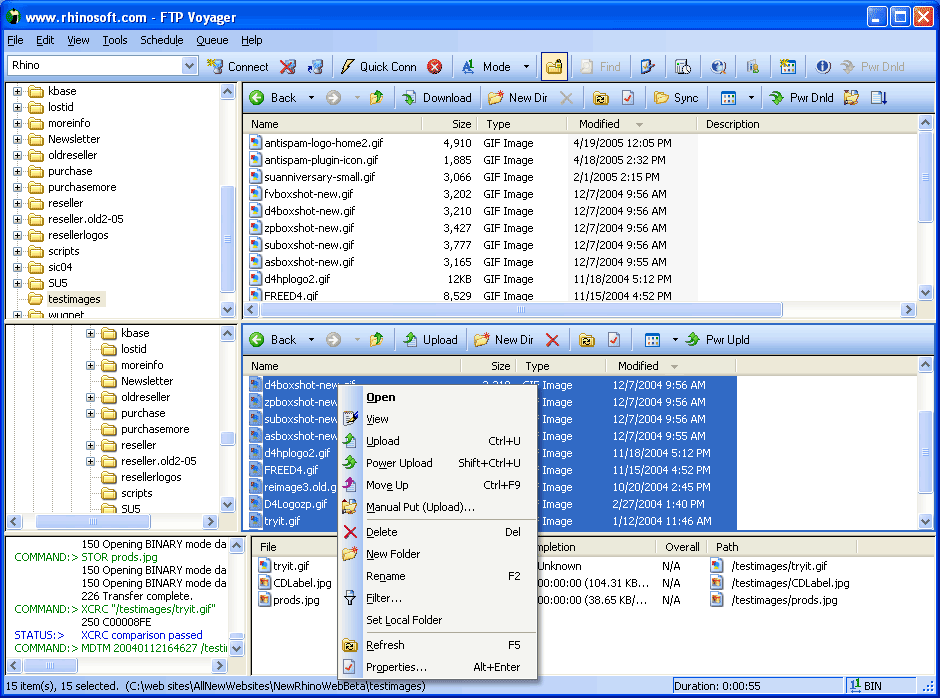 FTP Voyager is a very powerful FTP client for windows. This tool is very beneficial for web developers or anyone that moves files on the internet because of functions such as, an intuitive drag-and-drop interface, updating a web site with a single click, transferring files directly between FTP servers, resume interrupted downloads and advanced file searches while doing other FTP tasks. FTP Voyager is a very powerful FTP client for windows. This tool is very beneficial for web developers or anyone that moves files on the internet because of functions such as, an intuitive drag-and-drop interface, updating a web site with a single click, transferring files directly between FTP servers, resume interrupted downloads and advanced file searches while doing other FTP tasks.
FTP site profile easily allows you to add your own FTP sites. FTP Voyager supports secure connections using SSL and SSH and you can also import your FTP sites from many other FTP applications for use in the tool. The tool can also queue your downloads for later, helping you to continue with your FTP tasks and start the download queue when you’re through.
There are a lot of other features this tools has which include auto ASCII/Binary transfer selection, advanced file filtering, folder shortcuts, clipboard URL monitoring and dial on demand.
The latest version of this tool was released a couple of days ago, FTP Voyager 15.0.0.1.
Want to check it out sometime? Go to http://www.ftpvoyager.com/
Posted in Main | No Comments »
Monday, April 14th, 2008
 If you are looking for a personal information manager that is free and at the same time does exactly what it says it will do, then EssentialPIM is exactly the program that you want to download. This freeware will work on any Windows platform that is used commonly in today’s world and it can handle everything that you need vis-à-vis scheduling, keeping contact lists, creating and maintaining to do lists and even taking notes in post it format for things that you would like to remember. All in all, this is one of the better free personal information managers currently available on the internet. If you are looking for a personal information manager that is free and at the same time does exactly what it says it will do, then EssentialPIM is exactly the program that you want to download. This freeware will work on any Windows platform that is used commonly in today’s world and it can handle everything that you need vis-à-vis scheduling, keeping contact lists, creating and maintaining to do lists and even taking notes in post it format for things that you would like to remember. All in all, this is one of the better free personal information managers currently available on the internet.
It can also allow you to store and encrypt all of your personal data, which is something that many free pieces of software are not really able to accomplish that well. With that in mind, it is perhaps not that surprising that there are rave reviews regarding this piece of software as many people have been able to use it in order to complete turn their lives around vis-à-vis the level of control they feel they have over their events. No more forgetting to do something or be somewhere because with the EssentialPIM software as your guide you will know exactly what is going on at all times.
More information is available at http://www.essentialpim.com/
Posted in Main | No Comments »
Monday, April 14th, 2008
 Open source software is always going to be popular for the simple reason that if you happen to be a programmer and don’t like something about the software, all you have to do is open that software up and change what you don’t like. Considering most people that regularly check out free software have at least some facility with the computer programming side of things, the popularity of open source software is not something that is particularly confusing. Open source software is always going to be popular for the simple reason that if you happen to be a programmer and don’t like something about the software, all you have to do is open that software up and change what you don’t like. Considering most people that regularly check out free software have at least some facility with the computer programming side of things, the popularity of open source software is not something that is particularly confusing.
Sylpheed is an open source piece of software that allows you to read your e-mails and your news items. It is based on a GTK toolkit with GUI elements included as well and for that reason is actually relatively easy to edit if you wanted to change the source code to include advanced functions for your e-mail client (this is not to say that they will not be included at some future date, since the current open source software is still in beta stages of development). The way in which the program was created also allows you to run the client on any Windows system, making it even friendlier to the large majority of computer users around.
More information regarding Sylpheed can be found at http://sylpheed.sraoss.jp/en/
Posted in Main | No Comments »
Friday, April 11th, 2008
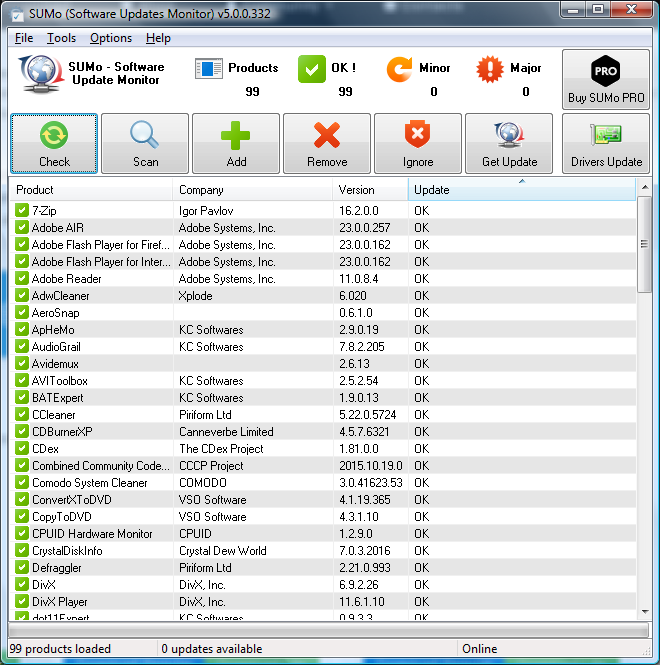 Surprisingly, there are a number of different tools that are useful in terms of software tracking. When someone tracks software, they can look for running software that got running without your permission, they can track the resource usage of particular pieces of software and they can use software trackers to ensure that certain processes never see the light of day (something the normal Windows Task Manager is not capable of doing). However, while all of these different methods of software monitoring are quite essential to the everyday running of your computer, there is a much more basic use for software monitoring that SUMo fills quite nicely. Surprisingly, there are a number of different tools that are useful in terms of software tracking. When someone tracks software, they can look for running software that got running without your permission, they can track the resource usage of particular pieces of software and they can use software trackers to ensure that certain processes never see the light of day (something the normal Windows Task Manager is not capable of doing). However, while all of these different methods of software monitoring are quite essential to the everyday running of your computer, there is a much more basic use for software monitoring that SUMo fills quite nicely.
That use is the use vis-à-vis updating the software. Whenever a particular piece of software that you’re running has a particular update available for it, you usually only find out about it much later and then end up having to download the software manually and waste time at some point down the road. If you use SUMo, not only will those updates be detected by the software, but the updates will also be installed in the background without you having to worry too much about it. SUMo is a way for you to keep track of your updates for free and also it is a way for you to automate the process of ensuring that all of your software is kept up to date.
More information on SUMo is available at http://www.kcsoftwares.com/?sumo.
Posted in Main | No Comments »
Thursday, April 10th, 2008
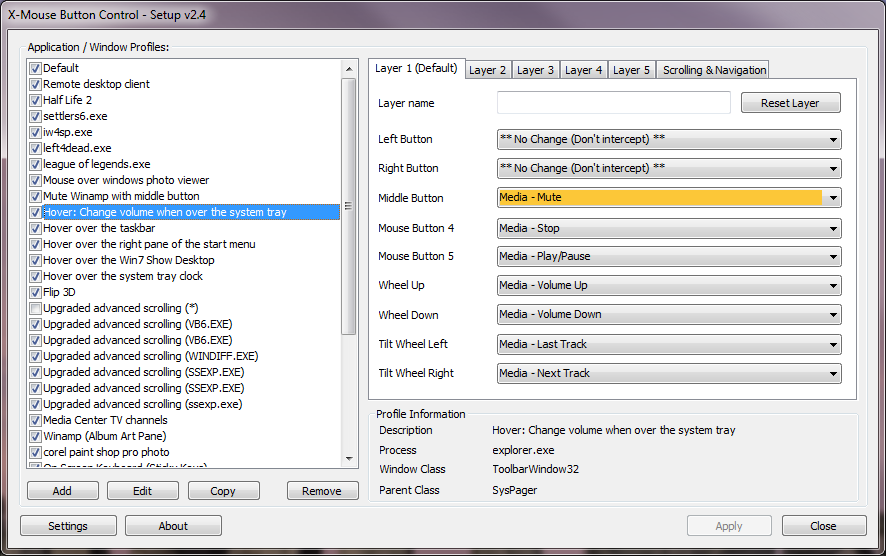 The mouse is perhaps the most underutilized resource that a person has vis-à-vis their computer. While the keyboard is used in many different ways and other input devices are used for specialty purposes, the mouse can be used on any program but the current paradigm of how clicking works prevents the full unlocking of the mouse’s potential. Programs like X-Mouse Button Control allow you to reverse that trend and with the latest version of this software having been released not too long ago, the software is stronger than ever. The mouse is perhaps the most underutilized resource that a person has vis-à-vis their computer. While the keyboard is used in many different ways and other input devices are used for specialty purposes, the mouse can be used on any program but the current paradigm of how clicking works prevents the full unlocking of the mouse’s potential. Programs like X-Mouse Button Control allow you to reverse that trend and with the latest version of this software having been released not too long ago, the software is stronger than ever.
Simply put, the X-Mouse Button Control allows you to specifically define what the various buttons on your mouse will do. For example, while most people want the left mouse button to do what it always does, wouldn’t it be better if your right mouse button didn’t always bring up that menu? Well, with this piece of software, you can define what each button does and you can make those definitions different for different programs. For example, you can keep your configuration steady for use on the desktop or in any of the Windows screens, but in Microsoft word you can change your right mouse button to become a button that allows you to paste. If you have a middle button and a right button, you can set one to copy and one to paste, allowing you the chance to powerfully control programs with just the use of your mouse.
For more information, please visit http://www.highrez.co.uk/downloads/XMouseButtonControl.htm.
Posted in Main | 1 Comment »
Thursday, April 10th, 2008
Quick Time is one of the best known media programs currently in existence. It can be used to play Quick Time files, which are frequently in file formats that other players such as Real Player do not really understand. For this reason, Quick Time has been able to cordon off a portion of the media market for themselves and because of this there have been many points of stagnation in Quick Time’s software development. Chief amongst these points are the fact that Quick Time software is bulky and on many systems and browsers has many problems in terms of smooth running, even with ridiculous hardware specifications in place.
For this reason, many people would look kindly upon an alternative to the Quick Time software and the Quick Time Alternative is that piece of software. The latest version, version 2.5.1, was released on April 4th and has already been downloaded millions of times. It has the same file format support as Quick Time and has the ability to play files of .mov, .qt, .3gp and many of the other file formats that are most frequently associated with the Quick Time Player. However, the software itself is streamlined and presents a valid alternative to Quick Time, fulfilling the dreams of many that need support for those file formats but don’t like the way that Quick Time operates.
This software package is also free and it can be downloaded at http://www.codecguide.com/about_qt.htm.
Posted in Main | No Comments »
Wednesday, April 9th, 2008
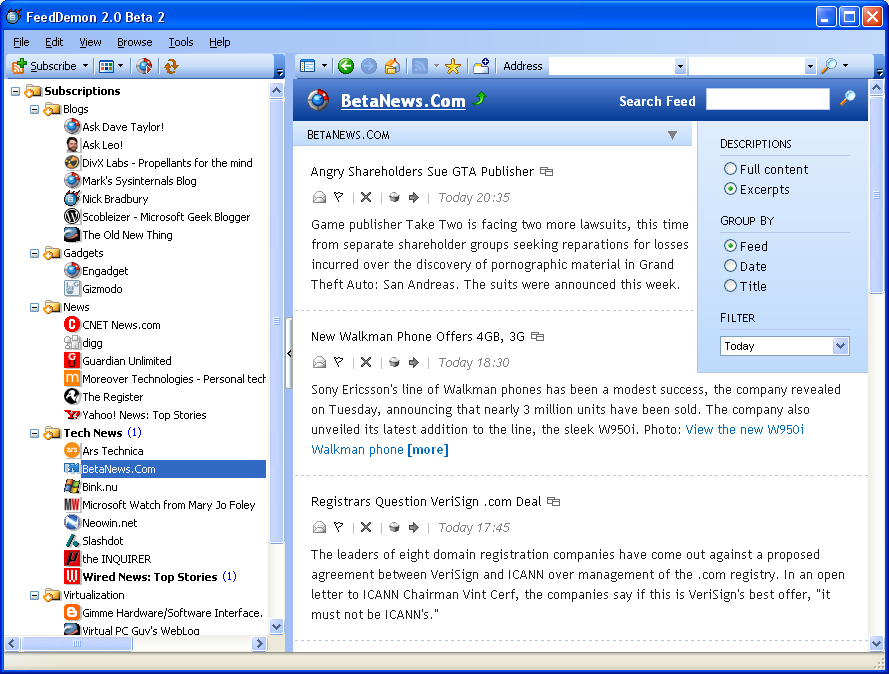 There are a number of different things that make Feed Demon an excellent piece of software. First and foremost is the fact that it is a free piece of software and when that is compared to many of the proprietary feed reader programs currently out on the market, it is quite impressive that the creators of Feed Demon were able to include as much functionality as they have while still being able to maintain the free marker on the actual piece of software. There are a number of different things that make Feed Demon an excellent piece of software. First and foremost is the fact that it is a free piece of software and when that is compared to many of the proprietary feed reader programs currently out on the market, it is quite impressive that the creators of Feed Demon were able to include as much functionality as they have while still being able to maintain the free marker on the actual piece of software.
One of the great things that Feed Demon does is it allows you to centralize all of your RSS feeds. Rather than visiting dozens or even hundreds of websites and reading all of the different pieces that you’re interested in, you can use the Feed Demon software to have them all in one place. Feed Demon turns an online trip around the internet into something akin to reading an e-book online.
In addition to this great way of saving time and increasing convenience, Feed Demon also allows you to categorize different feeds as well as organize feeds by the ones that have the most recent updates. There are a number of different ways that this can be helpful, but in general when you use Feed Demon the full power of RSS feeds is placed in your hands.
A new version of this cool softwrae has just been released and it is really worth checking out- Feed Demon 2.6.1.2 Beta 3.
More information on this software is available at http://www.newsgator.com/Individuals/FeedDemon/Default.aspx.
Posted in Main | No Comments »
Wednesday, April 9th, 2008
 The Mozilla Lightning Project is a project that has been rumoured to be going on for some time but only recently did Mozilla release the newest version of the project. The new version includes a number of different solutions to the project, all of which work very well with the actual software package. Mozilla Lightning is free to download as well like all of the other Mozilla products and this in turn goes a long way towards piquing the interest of many people into exactly what the project is. The Mozilla Lightning Project is a project that has been rumoured to be going on for some time but only recently did Mozilla release the newest version of the project. The new version includes a number of different solutions to the project, all of which work very well with the actual software package. Mozilla Lightning is free to download as well like all of the other Mozilla products and this in turn goes a long way towards piquing the interest of many people into exactly what the project is.
Quite simply put, Mozilla Lightning is a redesign of the calendar component that can be seen in e-mail clients such as Microsoft Outlook. The purpose of Lightning is to integrate that same type of calendar functionality into Mozilla Thunderbird, which happens to be the e-mail client that was created by Mozilla some time back. When completed and installed, Lightning brings this functionality to Thunderbird and allows it to be more competitive with other e-mail clients of its kind.
More information on this piece of software is available at http://www.mozilla.org/projects/calendar/lightning/index.html.
Posted in Main | No Comments »
|
|
|




