O. James Samson - September 19, 2008
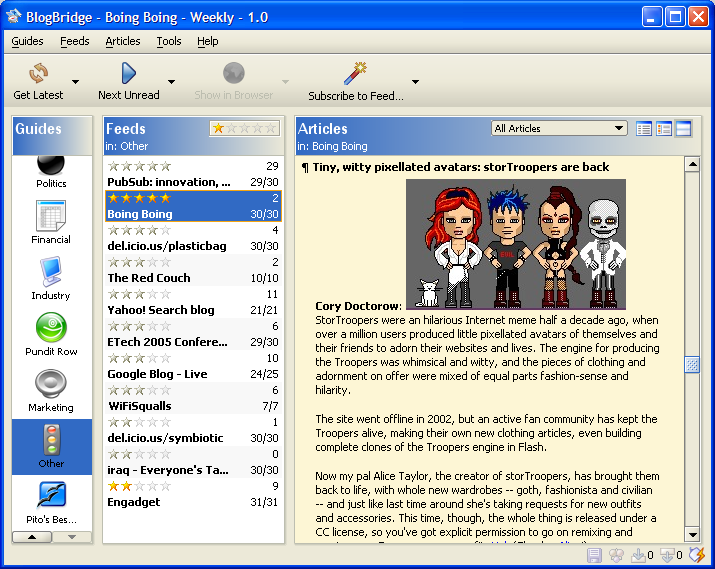 BlogBridge is for the information freak who wants a better way to wrangle information such as those from blogs and news into an organizer. It’s also for people who need to learn things on the fly and want to stay current on select topics — from internet security to product innovation to wine. BlogBridge is for the information freak who wants a better way to wrangle information such as those from blogs and news into an organizer. It’s also for people who need to learn things on the fly and want to stay current on select topics — from internet security to product innovation to wine.
BlogBridge allows you to in an instant get to enjoy the latest, best, and most relevant stuff without the distraction and blind alleys that dominate most Internet searches. BlogBridge is also free and open source.
BlogBridge provides a large, comprehensive, human-edited collection of blogs and feeds. This library is available from right inside BlogBridge or directly from the web site, even for non-BlogBridge users: BlogBridge Topic Guides
The collection is always updated sometimes with objective topical collections, and sometimes with opinionated collections. For example, what follows are pointers to some great collections developed by the great magazine Vanity Fair: They exist in the spirit of “Best Of”:
- Vanity Fair’s Best “Serious” News Blogs
- Vanity Fair’s Best “Scurrilous” News Blogs
- Vanity Fair’s Best “Serious” Opinion Blogs
- Vanity Fair’s Best “Scurrilous” Opinion Blogs
For more information visit, www.blogbridge.com
Rating:  Loading... No Comments »
O. James Samson - September 19, 2008
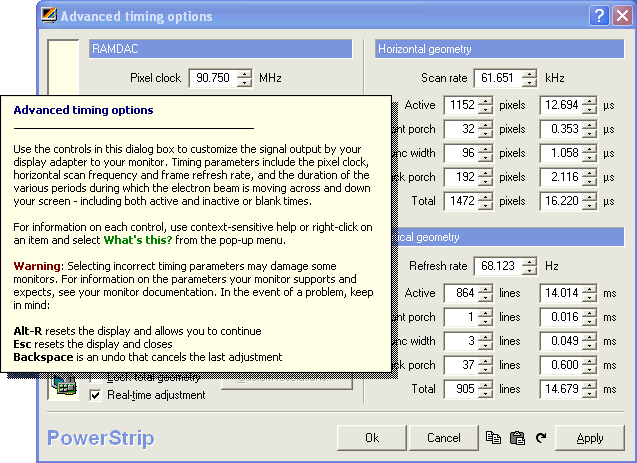 PowerStrip is software that provides advanced, multi-monitor, programmable hardware support to a wide range of graphics cards like the venerable Matrox Millennium I and ATI Radeon HD3800 series. PowerStrip is software that provides advanced, multi-monitor, programmable hardware support to a wide range of graphics cards like the venerable Matrox Millennium I and ATI Radeon HD3800 series.
PowerStrip is the one of the few programs in its category to support multiple graphics cards from multiple chipset vendors, simultaneously, under every Windows operating system from Windows 95 to the x64-bit edition of Vista
Menu from the system tray gives access to some 500 controls over your display hardware which comprise of period level adjustments over screen geometry, sophisticated color correction tools and driver independent clock controls. Good application profiler can know when programs are launched and respond by activating specific display settings, gamma adjustments, performance switches and even clock speeds – returning everything to normal when the program closes.
In conclusion, an assortment of system and productivity tools – among them, extensive diagnostics, physical memory optimization, an on screen display, PCIe and AGP device configuration, EDID decoding, desktop icon management, a system idle thread, Windows resource monitoring, an anti-burn-in orbiting option and the most advanced monitor support in the industry – round out the compact 1MB package.
PowerStrip 3 is designed for use with newer display cards, but to protect your investment in older hardware a large number of otherwise orphaned display adapters are supported,without exempting those based on chips from 3dfx, Number Nine, Cirrus Logic, Rendition, S3, and Tseng Labs.
For more details, visit http://www.entechtaiwan.net/util/ps.shtm
Rating: Loading... No Comments »
O. James Samson - September 19, 2008
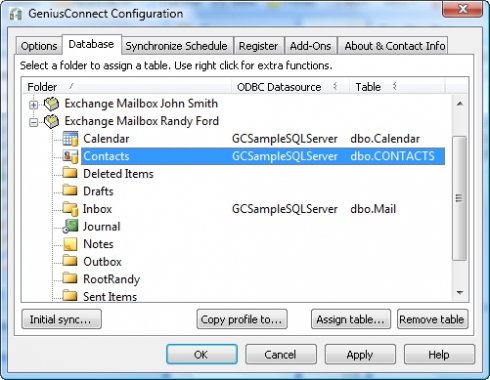 GeniusConnect makes Outlook a useful information management tool as a result of database connectivity.it fives the following services: GeniusConnect makes Outlook a useful information management tool as a result of database connectivity.it fives the following services:
- Gives room for the updating and backing up of information.
- Profound efficiency while working in Outlook by immediate access to current database information.
- Gives total flexibility by allowing connectivity to any standard SQL database.
- Allows easy access to contact, calendar and customer information, stored in your database.
- Create Tasks in Outlook® based on events in your database.
- Provides a 2-way sync and attachment support
GeniusConnect has an advantage over many other applications because it can be used with any of the most commonly used database systems.
It also will synchronize Outlook data with any relational database that supports ODBC (MS Access, mySQL, MS SQL Server, Oracle etc.). An Outlook folder (Calendar, Contacts, Mail, Journal, Notes and Tasks) can be linked to a database table. You can use your own table structure and define conversions for columns with data type’s that are not compatible with an Outlook field.
GeniusConnect can be used on multiple Outlook or Exchange folders and multiple databases. It supports synchronization of the following Folder types:
- Microsoft Outlook 2002/2003/2007
- Calendar, task, journal, note, mail and Microsoft Outlook 2000
- Contact
For more information, check http://www.geniusconnect.com/geniusconnect.asp
Rating: Loading... No Comments »
O. James Samson - September 18, 2008
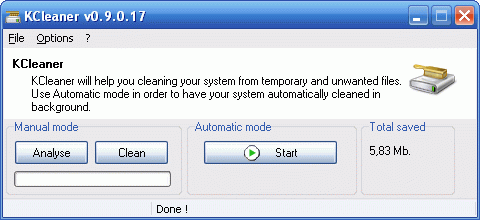 Here is a hard disk cleaner worth checking out! KCleaner, according to its creator is designed to be the most efficient Hard Disk cleaner. But how true is this? Here is a hard disk cleaner worth checking out! KCleaner, according to its creator is designed to be the most efficient Hard Disk cleaner. But how true is this?
To be fair to the tool and its publisher, KCleaner really does its work by tracking every useless byte in order to give you all the resources you may need for your documents, music, pictures, movies, etc.
Useful features include a full automatic mode, which works in background so that you don’t have to care about when to launch it. If total data security is a top concern for you then the secured file deletion methods proposed by KCleaner which makes deletd files unrecoverable may be perfect for you.
Want to see if it’s what you need? Check it out at http://www.kcsoftwares.com/?kcleaner
Rating: Loading... No Comments »
O. James Samson - September 17, 2008
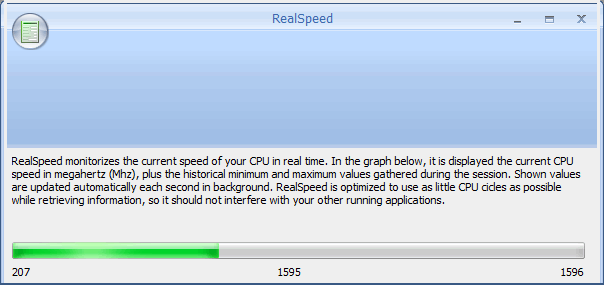 Looking to keep an eye on system performance in real time? RealSpeed could be just what you need. Looking to keep an eye on system performance in real time? RealSpeed could be just what you need.
RealSpeed monitors the current speed of your CPU in real time. The cool thing is shown values are updated automatically each second in background. The good news is that it is optimized to use as little CPU cycles as possible while retrieving information, so it should not interfere with your other running applications.
A new updated version has just been released, RealSpeed 0.60.25. Latest changes in the new version include- some optimizations, minor fixings, and cleanups.
Did I mention that it is FREE!!! Go check it out for yourself at
http://guti.webcindario.com/static.php?page=RealSpeed
Rating: Loading... No Comments »
Tilgore Kraut - September 17, 2008
 This program plays songs in the specified folder randomly. The program starts in the My Music folder but the user can navigate to a different folder of their choosing. The user can pause/ resume the song as well as navigate to the next or previous. This program plays songs in the specified folder randomly. The program starts in the My Music folder but the user can navigate to a different folder of their choosing. The user can pause/ resume the song as well as navigate to the next or previous.
Pros: The application plays music files randomly from the “My Music” folder which is the default. This can be pointed to any other folder too. Other functionality of a regular music player is available, except may be the randomization is not turned off any time. Next or previous track can be selecting too. With internet access available the player can show the album related information. The interface is simple and straight forward and very easy to use.
Cons: It is difficult to understand the motivation for creating just such a program. No music player without a shuffle functionality will be acceptable to any user. So that functionality as the main reason for being is not very attractive. This really is a yet another music player. Besides, being version 1.0 you’d expect problems.
{More info and Download}
Rating: Loading... 1 Comment »
Tilgore Kraut - September 17, 2008
 PDF to HTML is an easy-to-use software for converting PDF into HTML. The software supports all Adobe PDF modifications. The PDF to HTML converter retains the layout, images, text and formatting of the original PDF file. PDF to HTML is an easy-to-use software for converting PDF into HTML. The software supports all Adobe PDF modifications. The PDF to HTML converter retains the layout, images, text and formatting of the original PDF file.
Pros: PDF to HTML is an easy-to-use software converter for PDF files into HTML format. The application retains all the formatting, images, layout and text of the original document. The user interface is a wizard that takes care of everything. You start by selecting the input file. Initially the application starts with an example file specified in this field. Browsing tab is provided to ease of locating the required file easily. You can drag & drop the file into this text window too.
Then it is time to specify the output file/folder. By default the output file overwrites the input file specified. However, you could opt to have a different folder. for converting PDF into HTML. If you uncheck that option another text box is enabled that also has a file browsing tab. Start conversion button starts the process and helps the initial file converted. There’s a quit button that can abort the process. The software supports all Adobe PDF modifications. The application does not require Adobe Acrobat or Adobe Acrobat reader on the machine you are using.
You do not need any special skills to operate the software.
Cons: The software is version one. But more importantly since everything is automatic, should there be any problem there’s no control or tweak available to get around in any particular type of PDF document.
{More Info and Download}
Rating: Loading... No Comments »
Tilgore Kraut - September 17, 2008
 Free Image Editor is a bitmap image-editing application that lets you retouch existing photos or create original graphics. Free Image Editor gives you the tools and supplies of a professional graphic design studio. Free Image Editor is a bitmap image-editing application that lets you retouch existing photos or create original graphics. Free Image Editor gives you the tools and supplies of a professional graphic design studio.
Pros: Free Image Editor is a image editing tool that lets you retouch existing images. If you need to create fresh graphics. It has the necessary tools for a professional graphics design facility. Scanner interfaces including TWAIN compatibility is available for importing existing images and graphics. The toolset available in the application makes it suitable as a nice toolset for photo post production for web design and print production. It has view, raster, effects, capture and toolbar controls. File options that start all the action has controls for image loading and inputting via the scanner. View option has zoom and pan controls for images. Raster controls allowing correcting various raster issues like skew, color issues, re-sampling, color adjustments, color separation and corrections. Effects include art set, distortions, noise, contours and color filters.
Capture options provide the means to capture desktop screens as also video from different sources from devices as well as files. Then you have toolbars for paint tools, raster tools and layer controls. Input/ output formats JPEG (RGB, GrayScale etc.), JPEG2000: JP2, J2K and JPC code stream formats (JPEG-2000 Part-1 standard, ISO/IEC 15444-1) are supported. Image loading and saving are supported for TIFF (rev.6.0, Packbits, CCITT G.3 and G.4) with RGB, CMYK, B/W, CIELab color spaces as also FAX (CCITT3) format. PNG, BMP and PCX in compressed and uncompressed formats are handled too. Range of other formats handled by the application include DIB, RLE, TGA (TARGA, VDA, ICB, VST, PIX) as well as Portable Bitmap PBM, PGM and PPM loading and saving and WBMP (Wireless Bitmap) uncompressed and black/white. RAW formats are supported too, PhotoShop PSD format are included.
{More Info and Download}
Rating: Loading... No Comments »
O. James Samson - September 16, 2008
 Need a simple but effective tool to analyze media files? You should check out MediaInfo Lite. Need a simple but effective tool to analyze media files? You should check out MediaInfo Lite.
MediaInfo Lite is a simple tool for analyzing media files. It can give you information about the audio and video format, video resolution, duration, etc. It optionally includes a shell extension for Windows Explorer. When you install it, it will show you information when you move your mouse pointer over the media file.
A new version was released recently, MediaInfo Lite 0.7.7.5. The new version works well with Vista. It actually works well with Windows 2000 and above.
Want to check it out? CLICK HERE
Rating: Loading... No Comments »
O. James Samson - September 16, 2008
 The Personal Biorhythm Forecast 1.2.14 is Softcab’s latest software for examining your personal biorhythm curve. Many biorhythm programs use random information or probability formulas to figure out your biorhythm curve. However, Softcab has gone beyond random numbers and only uses the information you give it, and 100% legitimate mathematical equations to figure out your biorhythm curve. The Personal Biorhythm Forecast 1.2.14 is Softcab’s latest software for examining your personal biorhythm curve. Many biorhythm programs use random information or probability formulas to figure out your biorhythm curve. However, Softcab has gone beyond random numbers and only uses the information you give it, and 100% legitimate mathematical equations to figure out your biorhythm curve.
Personal Biorhythm Forecast uses astrology to search for important planetary configurations and how they affect your life. This program can also be used in reverse to help astrologers do research on specific planetary orbits.
The latest version of this software is available for download directly from the Softcab site, and is free to try. It is one of the only biorhythm forecast programs designed for use with the new Windows Vista OS. There have also been multiple improvements made since the last installation of this program including a few more equations for the program to use, as well as more astrology background added.
Check it out at http://www.softcab.com/forecast/index.php
Rating: Loading... No Comments »
|
|
|





