O. James Samson - July 24, 2008
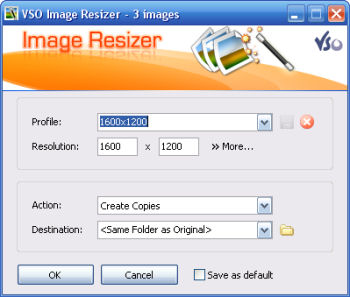 If you store your digital pictures and images on your PC and you want to resize, compress, convert, create copies, create thumbnails, import or organize your files, this is a perfect tool that helps in shrinking your resolutions. If you store your digital pictures and images on your PC and you want to resize, compress, convert, create copies, create thumbnails, import or organize your files, this is a perfect tool that helps in shrinking your resolutions.
With this free resize image software, you can create e-mail friendly versions of your images, load them faster, move them easily from folder to folder, change their format, edit large numbers of image files/batch image resize and thus save space on your hard drive.
It does a couple of things and comes with features that make it easy to work with; you can add your own watermark with transparency support. It allows customizable templates for renaming files: Iphone wallpaper, PAL, NTSC, Ipod etc. it can Integrate in windows explorer or work as a stand-alone application, and even Import directly from your memory cards. You’ll get to see more features when you visit
http://www.vso-software.fr/products/image_resizer/image_resizer.php
Rating:  Loading... No Comments »
O. James Samson - July 23, 2008
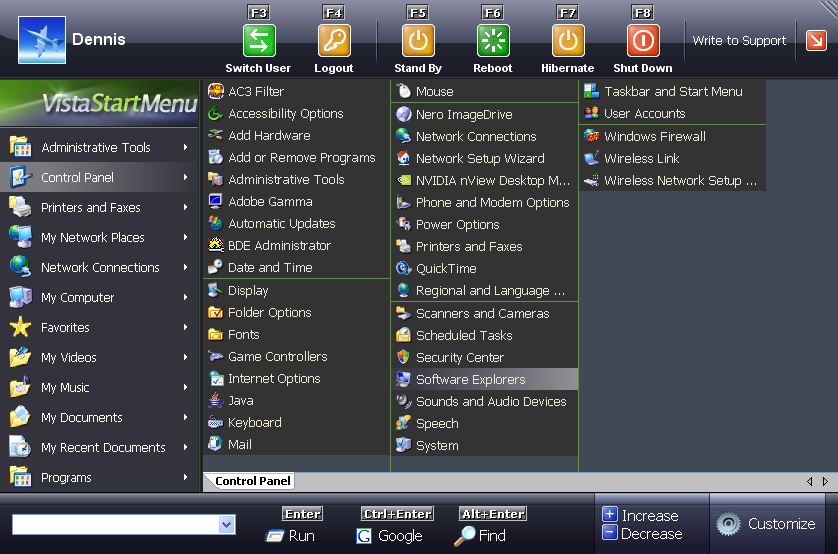 For those who love to have the Vista experience but due one limitation or another, system configuration and the rest can’t have it, here is an opportunity for you. For those who love to have the Vista experience but due one limitation or another, system configuration and the rest can’t have it, here is an opportunity for you.
The Vista Start menu is a convenient alternative to the normal Start menu. It is much easier to find and run the program you need. The fact that with this tool, everything is visual and extremely easy to use, gives it an extra edge. It doesn’t matter whether you are running Windows 2000/2003/ XP/ Vista as OS; you can enjoy this Vista Start Menu on any of them.
Want to give it a try, maybe this will even change you mind about updating your OS.
Ready to try it? Check out http://www.vistastartmenu.com/index.html
It doesn’t matter whether you already have Vista running as OS or not, it is a real cool way to pimp your Vista a little.
Rating: Loading... 2 Comments »
O. James Samson - July 23, 2008
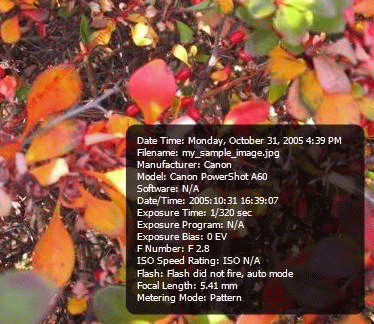 Have there been times when you see your pictures somewhere and you wonder how it got there. Now you don’t have to worry any more with Bytescout Watermarking Pro. It’s a tool that allows you protect you protect your images from unauthorised usages with features like, ability to use stamps: DO NOT COPY, PROTECTED and other stamps, and symbols like ©, ® to your images. Have there been times when you see your pictures somewhere and you wonder how it got there. Now you don’t have to worry any more with Bytescout Watermarking Pro. It’s a tool that allows you protect you protect your images from unauthorised usages with features like, ability to use stamps: DO NOT COPY, PROTECTED and other stamps, and symbols like ©, ® to your images.
It not only protects your images but can also convert images to other image file format, and ability to change the output JPEG quality.
It’s got an easy to use interface and preview functionality and lots more features you should look up for yourself. Visit http://bytescout.com/watermarkingpro.html
Rating: Loading... No Comments »
O. James Samson - July 21, 2008
 If you’ve used previous version, you won’t be surprised at the improvement on this version. As before, it supports a lot of formats like (MP3, OGG, AAC, WAV, MOD, XM, S3M, IT, MIDI, etc.) and video types, like (AVI, ASF, MPEG, NSV). The skins I tell you will blow your mind, you need to check it out. Its library is more advanced with Internet radio and TV support, CD ripping, and CD burning. If you’ve used previous version, you won’t be surprised at the improvement on this version. As before, it supports a lot of formats like (MP3, OGG, AAC, WAV, MOD, XM, S3M, IT, MIDI, etc.) and video types, like (AVI, ASF, MPEG, NSV). The skins I tell you will blow your mind, you need to check it out. Its library is more advanced with Internet radio and TV support, CD ripping, and CD burning.
I’ll just run down couple of changes in this version.
- Chinese, Japanese & Korean installer translations and language packs
- New: [in_swf] Adobe Shockwave Flash (SWF, RTMP) playback support
- New: [gen_dropbox] Winamp DropBox alpha (use: Ctrl-Shift-D)
- New: [Online Services] AOL Radio featuring CBS Radio (requires in_flv)
- Improved: Background reading option for playlist metadata
- Improved: Classic song ticker scrolling for Winamp Modern skin pledit winshade
- Improved: Vista elevation (fixes: installing skins, filetype reg, Pro reg)
- Improved: Zero padding option for play list item numbers
- Improved: [in_flv] Better streaming support and other improvements
- Improved: [in_mp3] Optional retention of existing APEv2 headers
- Improved: [ml_disc] Improved start times if ml_disc view is active
- Improved: [ml_local] Redesigned ‘Show Info’ panel
There are a couple more you should look up. Visit http://www.winamp.com
Rating: Loading... No Comments »
O. James Samson - July 21, 2008
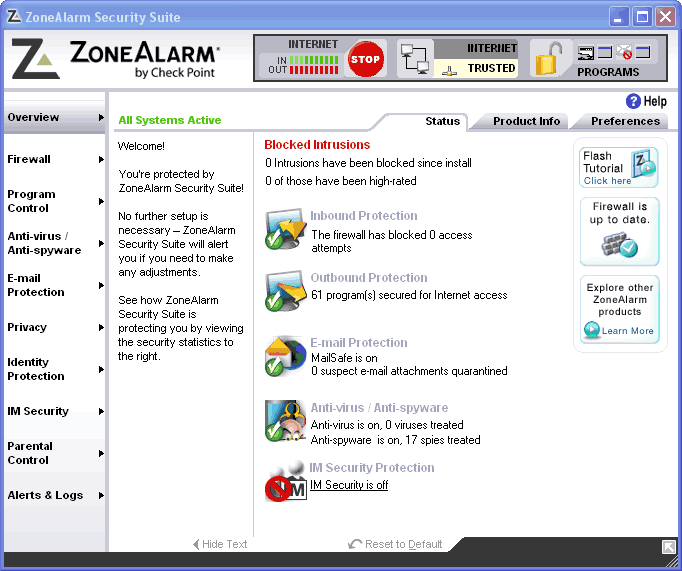 Getting your PC totally secured, you’ll need to get a couple of software from firewalls to antivirus and all sorts. But here is a program that does all the security watch your computer needs. ZoneAlarm internet security provides complete protection for your PC in a single, comprehensive program. It banishes viruses, block spam, and remove spywares from your PC for good. Getting your PC totally secured, you’ll need to get a couple of software from firewalls to antivirus and all sorts. But here is a program that does all the security watch your computer needs. ZoneAlarm internet security provides complete protection for your PC in a single, comprehensive program. It banishes viruses, block spam, and remove spywares from your PC for good.
Working as an antivirus, it has the ability to remove even the most persistent, hard-to-find spyware that infiltrate your PC at the core level. It also protects your PC identity from identity theft. Working as a firewall you may rest assured that your system well protect from all other unauthorized computers (or hackers), with 100% stealth mode operation and also protects your programs from Malwares.
ZoneAlarm Internet Security Suite not only eradicates threats but also prevents them from ever entering in the first place. Comprehensive protection defends your PC with robust firewall technology and stops identity thieves and spammers in a single, easy-to-use application.
Visit http://www.zonealarm.com
Rating: Loading... No Comments »
O. James Samson - July 18, 2008
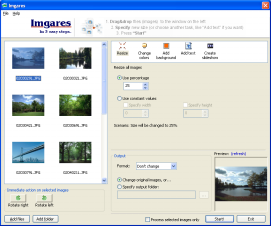 I need to work with some pictures on the net and indeed had a couple of hitches largely a function of the sizes of the images. Discovered imagres, and I must say it works just the way it is described. In three clicks image files (from your camera) are quite large to send over the Internet, become smaller with best quality output. I need to work with some pictures on the net and indeed had a couple of hitches largely a function of the sizes of the images. Discovered imagres, and I must say it works just the way it is described. In three clicks image files (from your camera) are quite large to send over the Internet, become smaller with best quality output.
With Imgares, in a few clicks you can shrink batch of photos, and reduce transfer times. All you need to do is to simply drag and drop your photos to the application’s window, change the size and press “Start”. As simple, as that.
Imgares also enables you to rotate photos, add text to them and make a slideshow (as a movie) and add your voice comment on it. All of these in “batch” mode, that is – you can process many of images at once and even send your slide shows on the internet.
Want to see if it may be useful to you? Visit http://www.konradp.com/products/imgares
Rating: Loading... No Comments »
O. James Samson - July 17, 2008
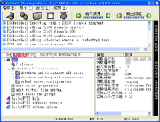 RaidenFTPD is an easy-to-use FTP daemon. With this tool I share files with my friends and as many users as I want. Raiden provides file download services to customers or even setup your own home network FTP server. Not only are all the basic FTP features built-in; it also features various advanced features such as SSL/TLS, UTF8 (Unicode), UPnP NAT traversal and more. RaidenFTPD is an easy-to-use FTP daemon. With this tool I share files with my friends and as many users as I want. Raiden provides file download services to customers or even setup your own home network FTP server. Not only are all the basic FTP features built-in; it also features various advanced features such as SSL/TLS, UTF8 (Unicode), UPnP NAT traversal and more.
I’ll recommend this for home use, it has a couple of hitches when it comes to professional use though, but I’ll rate it high. It has a lot of cool features, check it out yourself and be the judge.
Visit http://www.raidenftpd/en/download.html
Rating: Loading... No Comments »
O. James Samson - July 17, 2008
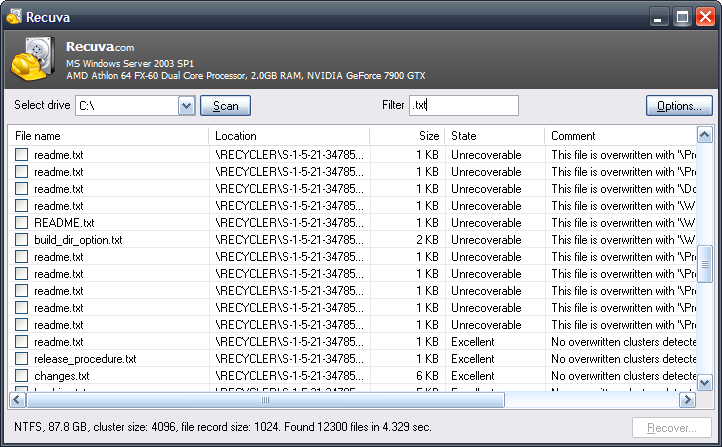 There are times you lose very important files, sometimes without your knowing. These files could be irrecoverable. I used Recuva and my once irrecoverable files were right at my reach. There are times you lose very important files, sometimes without your knowing. These files could be irrecoverable. I used Recuva and my once irrecoverable files were right at my reach.
Recuva restores files that have been accidentally deleted from your computer including files emptied from your recycle bin and files from media devices (digital camera, iPods, memory cards, flash drives, etc). Whatever way the files might have been deleted whether by bugs, virus infection or improper shutdown due to power outage. Recuva brings back your files in shortest time. Isn’t that cool?
There are a couple of changes to the new version, which was released some days ago, Recuva 1.16.333.
The changes include:
Added
- Ability to search for non-deleted files (for recovery from damaged or reformatted disks only)
- Support for .rtf, .pdf, .mp3 and .tif files to deep scan
Fixed
- Bug that would limit file size of .avi files to 1GB after deep scan
- Various UI tweaks
- etc
Recuva restores files in their actual formats, no conversion whatsoever. You get back your files just the way you left them.
Check it out and see if it’s what you need, http://www.recuva.com/
Rating: Loading... No Comments »
O. James Samson - July 17, 2008
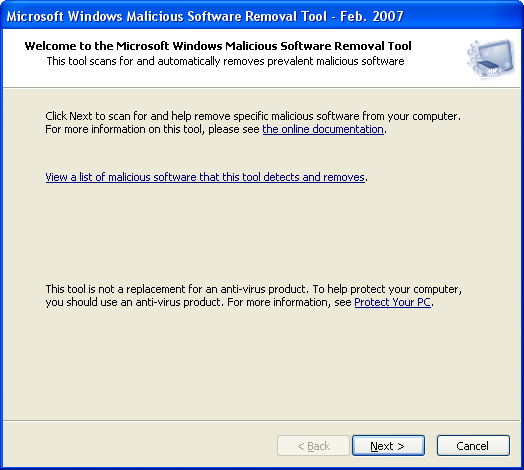 Computers sometimes appear to work and function effectively even whilst being infected. Microsoft’s Malicious Software Remover is designed to check your computer for infections by specific prevalent malicious software including Blaster, mydoom and sasser and if an infection is found it removes it. So it also works like an anti-virus but it isn’t one. So if you are always online, you can rest assured that your computer is free of malware infection. Computers sometimes appear to work and function effectively even whilst being infected. Microsoft’s Malicious Software Remover is designed to check your computer for infections by specific prevalent malicious software including Blaster, mydoom and sasser and if an infection is found it removes it. So it also works like an anti-virus but it isn’t one. So if you are always online, you can rest assured that your computer is free of malware infection.
Because computers can appear to function normally when infected, Microsoft advises you to run this tool even if your computer seems to be fine. In addition to using this tool, you should use an up-to-date antivirus product to help protect your computer from other malicious software.
Guess what? Rumor has it that, this Malicious Software Removal tool removed game password-stealing software from more than 2 million PCs in the first week after the updated version was released , So it’s already living to it name.
Want to try it? The new version was just released last week- Microsoft Malicious Software Removal Tool 2.0
Check it out
http://www.microsoft.com/downloads/details.aspx?familyid=ad724ae0-e72d-4f54-9ab3-75b8eb148356&displaylang=en
Rating: Loading... No Comments »
Tilgore Kraut - July 16, 2008
 Broadcast real time text news over the company network to all connected receivers. Also display notes locally as known from previous versions. Sophisticated time control included! Broadcast real time text news over the company network to all connected receivers. Also display notes locally as known from previous versions. Sophisticated time control included!
Pros: MemoTicker has developed from a handy note tool to a powerful news system for a company network. Important news and information can spread at high speed and in real-time. This is push-communication as an instrument, without using the Intranet, and without the necessity to act yourself in order to receive the information (pull-communication, like with browsers, email, etc.). Using memoticker3, you display or broadcast your notes and memos in a ticker on top or bottom of the screen – similar to the known stock exchange or news tickers in TV.
As a special feature, a sophisticated time control turns your ticker-line into a powerful time management system. You can display your notes permanently or on selected dates. A powerful and easy to use timing control assists you with creating date-controlled notes. News broadcast then can be controlled to such logic as “Broadcast this message (show this note) on every last Tuesday of the month, and also on two days before”. News created on a computer defined as the transmitter will be displayed on all computers defined as receivers. A company network can hold one ore more transmitters, but a receiver can only be connected to one transmitter at a time.
Switching to another transmitter can easily be done by entering a new network path. MemoTicker may, but does not have to run permanently on the broadcast computer in order to maintain the broadcast mode. You can close MemoTicker after creating, editing or deleting news on the broadcast computer. It is merely essential to keep the broadcast computer itself running. The sysop can individually activate the broadcast mode and set the network path to the broadcast computer on each computer designated as receiver. He creates his password on the broadcast computer administrated by him. It is not necessary to explicitly define a computer as transmitter. Each computer not set as a MemoTicker receiver can be a transmitter.
{More Info and Download}
Rating: Loading... No Comments »
|
|
|





