Author Archive
Thursday, March 12th, 2009
 Finding a hotspot in a city you’re not familiar with is very difficult. Although your mobile phone and laptops that could connect to an available Wifi hotspot is there, you still need to know the actual location so that you can connect without any problem. Finding a hotspot in a city you’re not familiar with is very difficult. Although your mobile phone and laptops that could connect to an available Wifi hotspot is there, you still need to know the actual location so that you can connect without any problem.
That’s where WeFi comes to help you. WeFi is a combination of a hotspot finder and a social networking application. This application will not only inform you that a hotspot is available, it will also inform you that someone that you know is also connected to that hotspot.
The application is also a data gathering tool in terms of hotspots. As soon as you log-in and connect to a network via WeFi, the application will automatically log the hotspot based on location. This information will then be shared to all the members of the WeFi community. That is why WeFi will also inform you the nearest hotspots in your area as long as the hotspot has been profiled by one of the members of the community.
This software has many implications. WeFi will help you connect to secured hotspots as they are highly recommended by the fellow members of WeFi network. It also checks surrounding hotspots so that you can transfer to the faster network. The software is also fully integrated with Twitter and Facebook. Any changes in your WeFi activity could be broadcasted through these online tools depending on your preferences.
What’s even remarkable is the automatic transfer from GRPS to Wifi by this application. If you’re using your mobile phone to connect online with GPRS, WeFi will automatically disconnect the GPRS connection so that it could use Wifi. This will greatly cut costs in your mobile phone use. This software is a must for those who are constantly on the road.
More info at Wefi.com
Posted in Main | No Comments »
Thursday, March 12th, 2009
 The notepad is one of the simplest yet highly useful applications in Windows OS. It is used by developers to properly write their coding and even consumers when they want to write something without having to go through a lot of functions in WordPad or MS Word. The application is lightweight and interface is very simplified. The notepad is one of the simplest yet highly useful applications in Windows OS. It is used by developers to properly write their coding and even consumers when they want to write something without having to go through a lot of functions in WordPad or MS Word. The application is lightweight and interface is very simplified.
But if you want more functions in your notepad, consider downloading the application named Text Viewer. As the name suggests, the application could be used to view text (.txt) files. But instead of simplified view that is already available in notepad, users can also use the application to view .rtf files – a feature that can’t be found in notepad. Although technically, notepad could open .rtf file but the rendering is not as expected.
Aside from rich text file support, the application has more distinct features when compared to notepad. The use of Tab is available in this application. Users can have as many tabs as they can and jumping from one tab to another is very easy. Instead of having multiple windows when using notepad, the tabbed format of opening and editing files is a welcoming change. There is also a word count feature which is also available in MS Office 2007 tools. Unlike the notepad, the application could also be used to line up the paragraphs.
Text Viewer is basically an upgraded version of notepad but a simpler version of WordPad. Its ability to read .rtf files is remarkable and they can be opened in different tabs for easier navigation.
Want to download it? Go to http://semagsoft.site50.net/?page_id=27
Posted in Text | 1 Comment »
Thursday, March 5th, 2009
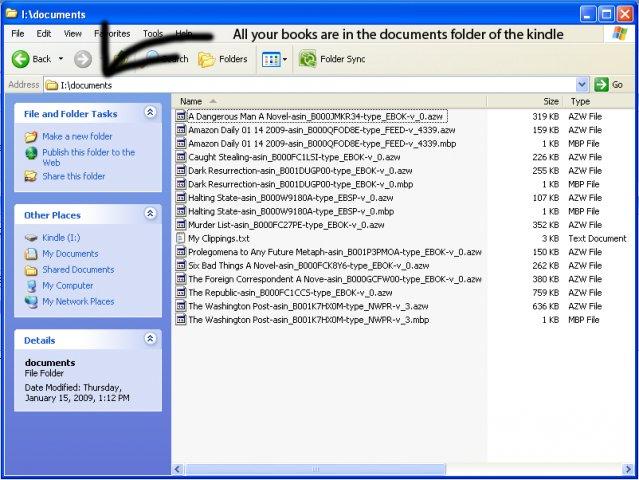 Kindle is one of the most popular eBook readers today. This gadget from Amazon.com has been the favorite for those who wanted to read books without having to deal with heavy books. The books could be purchased electronically from Amazon and could be easily read in Kindle. Kindle is one of the most popular eBook readers today. This gadget from Amazon.com has been the favorite for those who wanted to read books without having to deal with heavy books. The books could be purchased electronically from Amazon and could be easily read in Kindle.
But there are documents in your computer that you need to transfer in your Kindle. Since Kindle is limited in compatibility with different file formats, you need to covert them into something readable. That’s where Auto Kindle eBook Converter comes in. As the name suggests, the application could easily convert common document file formats into .mobi – the file format for Kindle.
This application is not only limited to Kindle, since it’s output is in .mobi, the converted file could become available in other gadgets as well. The said file format is recognizable by different eBook readers and small applications could even be installed in computers and SmartPhones so that it could read files in .mobi formats. With the eBook converter, the possibility of having a library in your mobile phones is now possible.
But the application is still in its early stages. The software is still buggy especially when the application deals with .lit file formats. The output file may not also be the same as expected if the application deals with the said file format.
A great feature of this converter is the support for images in PDF files. Photos in other file formats may not be converted properly but the application is a work in progress so more updates are coming which will enhance the features of the converter.
More info and download at http://sourceforge.net/projects/autokindle
Posted in Main | 7 Comments »
Thursday, March 5th, 2009
 Most operating systems (OS) have a built in functionality to slideshow the pictures in a specific folder. Through the slideshow, users can easily look at different photos without an additional demand. But when you don’t have a computer or a gadget that has the ability to render photos in slideshow, you need to look for options so that you can have a good presentation of photos. Most operating systems (OS) have a built in functionality to slideshow the pictures in a specific folder. Through the slideshow, users can easily look at different photos without an additional demand. But when you don’t have a computer or a gadget that has the ability to render photos in slideshow, you need to look for options so that you can have a good presentation of photos.
One of the options is to create a movie out of your photos. That could be easily done in a software called Picture2avi pro. Basically this software will enable the user to collect the photos of their choice and render them into movie with a .avi file format. The .avi format can be read by almost any software with video playing capabilities. There are even standalone video players who have the ability to read .avi files. You won’t need to have a computer to watch the slideshow. You can burn the .avi file into a CD and play it to a compatible player and show it to everyone.
But the end product of the movie is not just your regular changes in the photos. Users can add effects to the presentation. Although the additional effects are very simple such as simple slides, the ease of operation is always assured. The application also detects the codec in your local gadget so that the files will automatically become compatible with your local gadget.
Last but not the least, the acceptable file formats for photos are very impressive. Almost all major file formats will be automatically converted into a .avi file format.
More info avalable at http://easytornado.com/
Posted in Main | No Comments »
Sunday, March 1st, 2009
MS Project is a simple application developed by Microsoft which works as a tool for project managers to properly implement a task. It’s a very simple application but could be greatly used for business purposes since it will be used as a measurement on how the project is being handled.
Although MS Project is a great application, it has something that pushes away users from using the application – it’s not free. The application comes as a bundle with other office products or could be purchased as a stand alone for various purposes. Since project management is a relatively easy task, purchasing a software may not necessarily be worth it.
If you’re looking for an alternative to MS Project, consider using the free tool named SimpleProject. Developed by Danish developers from Adept.dk, the application is fully compatible to MS Project files from 2003 to 2007 (the latest) version. The usual tools of MS Project are also available in this software and files from MS Project (MPP) don’t need to be converted to be opened.
But you can still work with SimpleProject even though you don’t have an MS Project file. You can use the application and save the project you created with their unique file extension (.prj). Unfortunately, this file type cannot be read by MS Project. But still, the application is a remarkable alternative to MS Project and could be easily shared to different users – as long as they have the same application. SimpleProject will make you realize you don’t have to spend extra money to get a good project management tool.
For more info and download, check – http://www.adept.dk/ProjectSimpleDownload/tabid/121/Default.aspx
Posted in Main | No Comments »
Friday, February 27th, 2009
 The latest version of Easy Image Modifier came out on February 21, 2009 and it has reinforced the excellence that people had come to expect from the original release of this software package. Quite simply put, the Easy Image Modifier is freeware that will allow you to do anything basic to a photo that you would like to do as well as a number of advanced functions to boot (no pun intended). The latest version of Easy Image Modifier came out on February 21, 2009 and it has reinforced the excellence that people had come to expect from the original release of this software package. Quite simply put, the Easy Image Modifier is freeware that will allow you to do anything basic to a photo that you would like to do as well as a number of advanced functions to boot (no pun intended).
Under the category of basic functions is the ability to change the resolution of a particular photo file or the format in which that picture will be stored. You can also change the filename in a non-damaging way and in addition to that you can change all of these parameters for multiple files at a time. Want to create a collection of complete square JPEG images? It only takes a few seconds to do when you have the Easy Image Modifier.
Under the advanced aspects of the software, there are features such as the ability to enumerate and sort your entire collection with a few clicks of a mouse. Combine that with an exceptionally user-friendly drag and drop selection method and it is easy to see why this software package is popular already.
More information can be found at http://www.inspire-soft.net/.
Posted in Main | No Comments »
Friday, February 27th, 2009
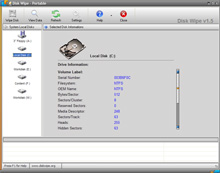 There are many times when people would like to erase data and make sure that such data is not recoverable in the slightest. These times include things like business transactions, personal letters that someone would like to forget or anything else that you can think of for a person wanting to make sure that their data is beyond recovery. Too often however, a person that has deleted the file from their hard drive will find it recovered and them feeling embarrassed as a result of the material and the fact that people then know that they tried to delete it at first. In order to prevent this type of unfortunate circumstance from happening, a program like Disk Wipe 1.5 should be utilized. There are many times when people would like to erase data and make sure that such data is not recoverable in the slightest. These times include things like business transactions, personal letters that someone would like to forget or anything else that you can think of for a person wanting to make sure that their data is beyond recovery. Too often however, a person that has deleted the file from their hard drive will find it recovered and them feeling embarrassed as a result of the material and the fact that people then know that they tried to delete it at first. In order to prevent this type of unfortunate circumstance from happening, a program like Disk Wipe 1.5 should be utilized.
The latest version of Disk Wipe 1.5 was released on the 20th of February and has support for hard drives, USB keys, portable SD memory and just about anything else that is portable and can store files in today’s world. It is a program that specializes in the permanent destruction of large volumes of data, with the word permanent being the key word for you to take into account. Data destroyed through Disk Wipe cannot be recovered through any technological means currently available and as new versions continue to be released, they will take into account any new advances that occur in hardware functionality.
More information can be found about Disk Wipe 1.5 at http://www.diskwipe.org/
Posted in Main | No Comments »
Friday, February 27th, 2009
 Clicky Gone is a software package that falls into the category of cosmetic software packages. Such development has been very popular in the modern era of computer dynamics, with people that are at work, dealing with poorly coded software or running long tasks in minimized windows all looking for ways to change the appearance of their desktop for convenience purposes. Clicky Gone offers a way to do just that and in the most recent version of the software that was released on February 22, 2009, it brings some heavy hitting potential to the forefront in this particular respect. Clicky Gone is a software package that falls into the category of cosmetic software packages. Such development has been very popular in the modern era of computer dynamics, with people that are at work, dealing with poorly coded software or running long tasks in minimized windows all looking for ways to change the appearance of their desktop for convenience purposes. Clicky Gone offers a way to do just that and in the most recent version of the software that was released on February 22, 2009, it brings some heavy hitting potential to the forefront in this particular respect.
Clicky Gone is a piece of software that you can use to hide windows. You can hide windows by clicking on those windows with Clicky Gone enabled and essentially making them disappear from the taskbar. You can always bring them back later, but if you want them gone for now you can click on them and they will be removed from the taskbar, freeing up space for other windows that you might need to refer to at the current moment in time more. This is important and anyone that has ever had many windows open at once can likely already see the myriad applications that this particular software package can have.
More information is available at http://clickygone.sourceforge.net/
Posted in Main | No Comments »
Thursday, February 26th, 2009
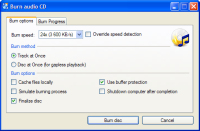 CDBurnerXP Pro is a popular software package that has likely been featured here before and the new release that has come out on February 22, 2009, has taken this fantastic piece of software and made it into something that is even better. First and foremost, additional operating software functionality has been added to this software package to make it compatible with Windows 2000, XP, 2003, Vista and even Windows 7 in advance of the release of that software package. In addition to that, a number of cosmetic and convenience changes have been made to the software package that allows it to be utilized in a way that is more convenient than many of the proprietary packages available on the market today. CDBurnerXP Pro is a popular software package that has likely been featured here before and the new release that has come out on February 22, 2009, has taken this fantastic piece of software and made it into something that is even better. First and foremost, additional operating software functionality has been added to this software package to make it compatible with Windows 2000, XP, 2003, Vista and even Windows 7 in advance of the release of that software package. In addition to that, a number of cosmetic and convenience changes have been made to the software package that allows it to be utilized in a way that is more convenient than many of the proprietary packages available on the market today.
CDBurnerXP Pro 4.2.4.1235 has also gained a large amount of functionality in terms of the options that are available when the manipulation of image files or other CD files is concerned. A number of functions that did not work before have also been improved to increase functionality and this software package that started off as a freeware file and remains a freeware file is now starting to gain some very impressive user friendliness that are smoothing out the rough edges it used to have.
More information is available at http://www.cdburnerxp.se
Posted in Main | No Comments »
Thursday, February 26th, 2009
 XMedia Recode is one of the most important software packages that a multimedia aficionado could have. The reason for this is that through a large amount of pioneering work, the author of this software package was able to create a freeware version of software packages that would cost hundreds or even thousands of dollars if they had to be purchased through the proprietary software market. XMedia Recode is one of the most important software packages that a multimedia aficionado could have. The reason for this is that through a large amount of pioneering work, the author of this software package was able to create a freeware version of software packages that would cost hundreds or even thousands of dollars if they had to be purchased through the proprietary software market.
The latest release of XMedia Recode, which was put into the freeware marketplace on February 22, 2009, has the ability to convert any audio or video file format you can think of. No matter how ridiculous the format of the file might be, it will be able to convert it to one of the commonly used file formats that you would expect to be associated with either the audio or the video milieu of the present day.
There are many improvements that have been made to XMedia Recode in the most recent release, most of which are designed to either expand the list of file formats supported or alternatively to increase the functionality of the software through making the interface more convenient to utilize.
More information is available at http://www.xmedia-recode.de/index.html
Posted in Main | 2 Comments »
|
|
|




