Author Archive
Wednesday, August 13th, 2008
 Task Tome is a piece of software that people might recognize from earlier. It was not a very reliable piece of software, but the creator has changed many things in an update released earlier today and the software seems to be working much better now. All of the different coding errors have been removed and the functionality of the software has been improved immeasurably over the old version. There were also problems with missing dates in the older version and these problems are now a thing of the past. Task Tome is a piece of software that people might recognize from earlier. It was not a very reliable piece of software, but the creator has changed many things in an update released earlier today and the software seems to be working much better now. All of the different coding errors have been removed and the functionality of the software has been improved immeasurably over the old version. There were also problems with missing dates in the older version and these problems are now a thing of the past.
Task Tome has transformed itself into a very useful piece of software that can be used by anyone to help plan out their day. It allows you to view and create different time events on a screen that represents a monthly calendar, commenting on the different tasks so that you remember exactly what they are all about. You can also create a to-do task list in addition to that with comments on each task and rich text editing to allow you to make the task list look good in the window. You can even use it to do basic financial management, looking at balances on credit card and banking statements and then projecting future cash flow and creating statements to that effect.
All of this is available in a handy little software package about which more information can be found at http://tasktome.shanemca.com/
Posted in Main | No Comments »
Wednesday, August 13th, 2008
 Free Eject is the newest program to come on the freeware market in the area of ejection sub-routines. There are many other programs out there that perform ejection functions, but Free Eject does have some special aspects to it that really set it apart from the other programs in this area. It is similar to the other programs in that it is a utility that you can use to eject any type of media in your computer that might be removable. This includes CD and DVD drives as well as disk drives for people that might have older computers. It is also very resource friendly, but that in itself is not something that is particularly new to freeware ejection utilities. Free Eject is the newest program to come on the freeware market in the area of ejection sub-routines. There are many other programs out there that perform ejection functions, but Free Eject does have some special aspects to it that really set it apart from the other programs in this area. It is similar to the other programs in that it is a utility that you can use to eject any type of media in your computer that might be removable. This includes CD and DVD drives as well as disk drives for people that might have older computers. It is also very resource friendly, but that in itself is not something that is particularly new to freeware ejection utilities.
Instead, where this program really sets itself apart from the majority of other programs available is that you can use it in the command line, allowing you to use it in many places that other utilities would be useless. Free Eject will work in scripts, coded programs that you write and even in batch files where other pieces of software would be useless. The command line interface is the key as far as this program is concerned and that same interface can give you a multitude of different choices when you are dealing with ejection problems on your computer.
More information about Free Eject can be found at http://www.freeeject.com/.
Posted in Main | No Comments »
Tuesday, August 12th, 2008
 Ok here is a cool tool worth having – Clone DVD Mobile. Ok here is a cool tool worth having – Clone DVD Mobile.
Why is it so cool?
Well CloneDVD Mobile makes it possible for you to carry your favorite movies and videos around with you. It converts your DVD movies quickly and easily into a format that your mobile devices (Sony PSP, Apple iPod Video, iAudio X5, Creative Labs ZEN Vision, etc) can play. But that’s not all you can also convert your DVDs to other file formats, such as DivX, XviD, MP4, AVI, etc.
An updated version was released a couple of days ago, CloneDVD Mobile 1.5.0.1 Beta, in this version a couple of upgrades were made in its features. These include:
New
- Switched from mencoder to ffmpeg for transcoding to resolve numerous issues. Transcoding speed should be greatly improved especially on multi-core systems now
Fixed
- Previously selected multi-pass encoding could cause another “multipass” encoding when selecting passthrough mode, where it made no sense and only took up extra time
- Selecting all angles from a multi-angle title would cause no output to be generated. Transcoding of multiple angles into a single video file is pointless, so now selection of multiple angles is disabled
Change
- After initial installation of CloneDVD mobile the default output folder is now changed to the user’s “My Documents” directory to ensure write privileges are available
And lots more.
For more info and download, go to http://www.slysoft.com/en/clonedvd-mobile.html
Posted in Main | No Comments »
Tuesday, August 12th, 2008
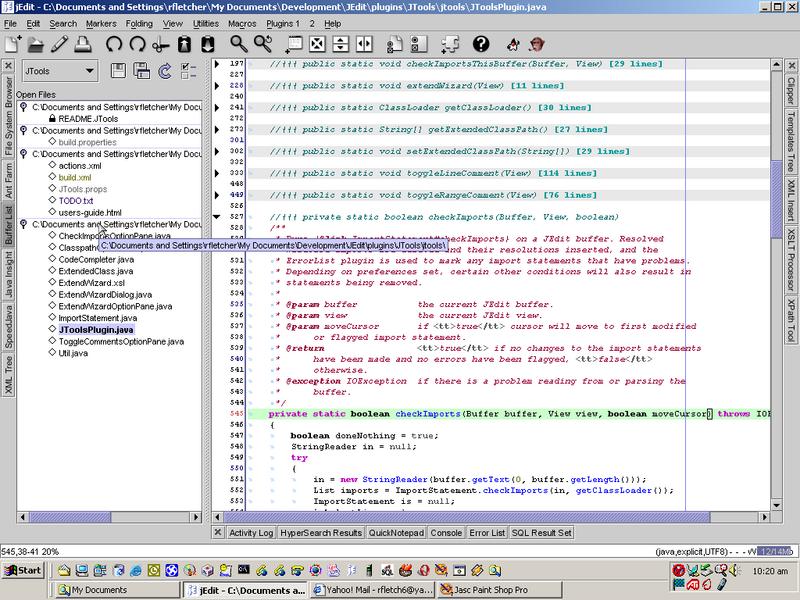 jEdit is a programmer’s text editor written in java, so it runs on Mac OS X, OS/2, Unix, VMS and Windows. The cool thing about this application is that it is better than some of expensive development tools out there yet it is released as free software with full source code. jEdit is a programmer’s text editor written in java, so it runs on Mac OS X, OS/2, Unix, VMS and Windows. The cool thing about this application is that it is better than some of expensive development tools out there yet it is released as free software with full source code.
Some of its cool features include:
- Built-in macro language; extensible plugin architecture. Dozens of macros and plugins available.
- Auto indent, and syntax highlighting for more than 130 languages.
- Supports a large number of character encodings including UTF8 and Unicode.
- Folding for selectively hiding regions of text.
- Highly configurable and customizable.
- Every other feature, both basic and advanced, you would expect to find in a text editor.
- And many more.
For more features and download check out www.jedit.org
Posted in Main | No Comments »
Tuesday, August 12th, 2008
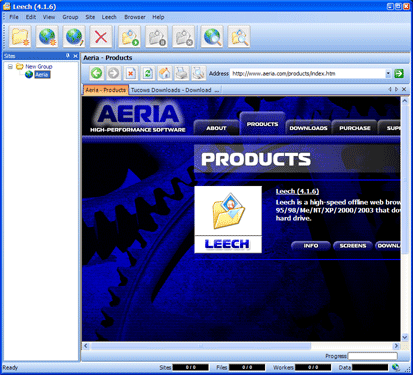 If you want an application that can help you view your favourite files easily without spending too much time on the internet, Leech may be just what you need. If you want an application that can help you view your favourite files easily without spending too much time on the internet, Leech may be just what you need.
What is Leech?
Leech is a high-speed offline Web browser for Windows that downloads web site content to your hard drive. The good thing about it is that it is a multi-threaded application, so it allows you to simultaneously “leech” multiple files from a server, hence the reason for its name – Leech.
And like offline web browsers work, with Leech the files are stored on your hard drive and can be viewed later without having to access the Internet. I love the fact that files can be filtered by file type and size, you can also filter links by directory, server, and levels. That’s not all there are also other options which enable you to restrict the amount of time and disk space used to save a site.
Want to check it out? A new updated version was released recently – Leech 4.4.1, if you have the previous version I’ll advise you to update, if you don’t have it before you may want to try it out, it may help reduce your internet bills.
Check it out at http://www.aeria.com/products_leech.aspx
Posted in Main | 1 Comment »
Monday, August 11th, 2008
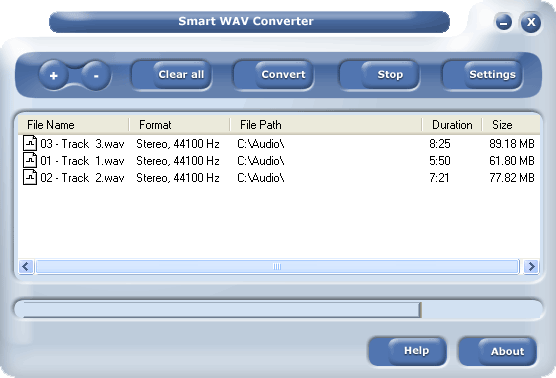 If you work with Cakewalk, Seria or Cooledit and probably have a problem converting your WAV files, I’m pretty sure this is a good software for you. If you work with Cakewalk, Seria or Cooledit and probably have a problem converting your WAV files, I’m pretty sure this is a good software for you.
Where other converters convert a file at a time, this one could convert a group of files at a time… I think that’s awesome cos it saves me a lot of stress. It also has some sort of player that allows you play your files so you know exactly what files to convert. It also converts other formats like WAV (compressed and uncompressed), WMA (Windows Media Audio 9), OGG, MP2, MPC, RAW audio, VOX, MPC, G.726, G.723, G.721, AIFF and AU files to MP3, WAV (compressed and uncompressed), WMA (Windows Media Audio 9), OGG, MP2, MPC, RAW audio, VOX, MPC, G.726, G.723, G.721, AIFF and AU files. (more…)
Posted in Main | No Comments »
Monday, August 4th, 2008
 Computers sometimes create copies of files automatically, maybe as back-up or other. And in doing this take up hard disk space. It could pose a couple of problems for you. Clonespy helps delete such unwanted duplicates which could have exactly the same contents regardless of their name, date, time and location. Perhaps you have different versions of a file and you want to find all of them and remove the older versions. It can also find zero length files, which are files that have no content. Computers sometimes create copies of files automatically, maybe as back-up or other. And in doing this take up hard disk space. It could pose a couple of problems for you. Clonespy helps delete such unwanted duplicates which could have exactly the same contents regardless of their name, date, time and location. Perhaps you have different versions of a file and you want to find all of them and remove the older versions. It can also find zero length files, which are files that have no content.
Here are a couple of features that I think gives a pass to the recently released version, CloneSpy 2.33:
- Added: A new check box in the scan progress windows makes CloneSpy close after a scan if results are exported or deleted automatically
- Added: If a log file is generated, it can now be viewed after a scan by pressing the corresponding button in the scan progress window
- Added: The date can now be displayed in different formats (see Time + Size tab of the Options window)
- Added: Folders entered manually in the Add folder window can now be added to a pool by pressing the return key
- Added: If a pool cannot be scanned because of restrictions in the Options window, CloneSpy now provides a better explanation about the cause
- Modified: The command line option -e is now ignored if results are to be handled by the user (see the Action frame of the Main window)
- Fixed: Solved some display problems when using large fonts
It a handy tool for deleting duplicates. Visit http://www.clonespy.com
Posted in Main | No Comments »
Monday, August 4th, 2008
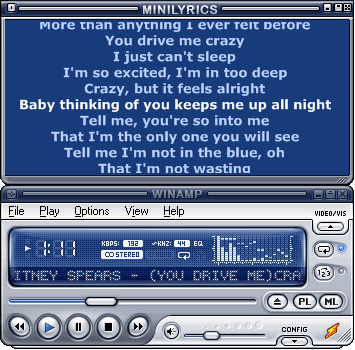 There are songs I love so much and when I hear it being played, I like to sing along but end up “chewing my mouth” sometimes I even get injured [laughs]. I stumbled on minilyrics and well I have reduced on my mouth-sores. Minilyrics actually displays lyrics of your favourite songs. It also allows you to save the lyrics and synchronize to devices. There are songs I love so much and when I hear it being played, I like to sing along but end up “chewing my mouth” sometimes I even get injured [laughs]. I stumbled on minilyrics and well I have reduced on my mouth-sores. Minilyrics actually displays lyrics of your favourite songs. It also allows you to save the lyrics and synchronize to devices.
Minilyrics Supports a whole lot of media players like Winamp, Windows Media Player, itunes, MusicMatch Jukebox, Quintessential Player, footbar2000, and RealOne, MediaMonkey and a lot more even yahoo music engine.
I have a problem with the limitations in its search and languages and I think the company should look into that. Other than that well it works well for me.
http://www.crintsoft.com/minilyrics.htm
Posted in Main | No Comments »
Wednesday, July 30th, 2008
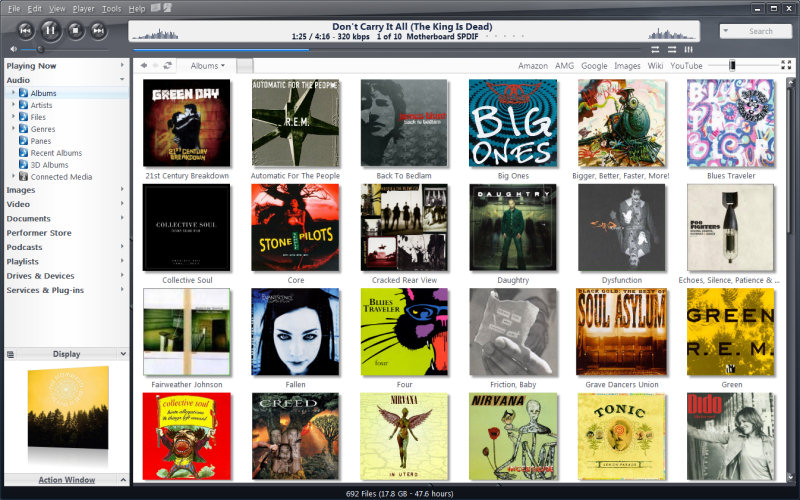 This software helps organize your media files irrespective of whatever format they are, from music, pictures, videos and all. It’s actually an all-in-one player and an organizer. This software helps organize your media files irrespective of whatever format they are, from music, pictures, videos and all. It’s actually an all-in-one player and an organizer.
One could copy files from portable digital devices into a well organized library. One could also create your favorite media collection….
Its skins are quite beautiful with full screen modes that are customizable and optional pages that show details of files.
You should try it out yourself, go to http://www.jrmediacenter.com
Posted in Codec, Developer, Main, Social Software, Windows | 1 Comment »
Wednesday, July 30th, 2008
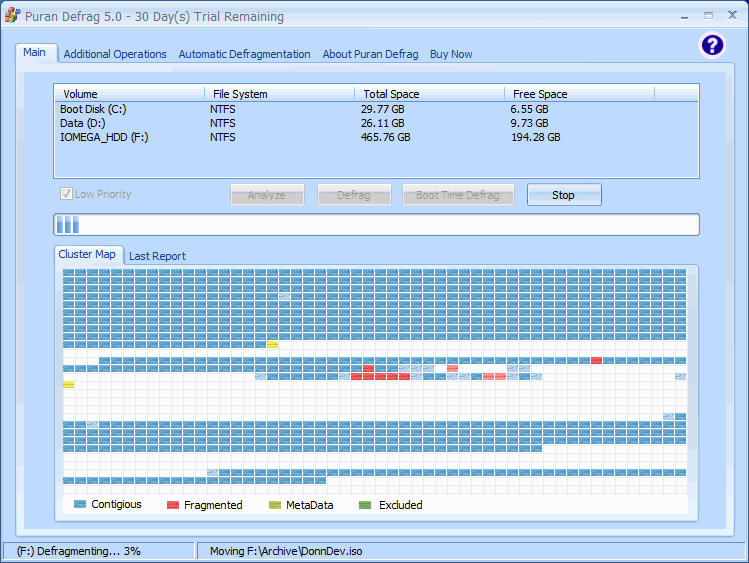 Files saved on hard disks may get fragmented due to various reasons. Sometimes getting back the file might slow down the system and pose some really terrible problems especially when you work with time. I tried Puran defrag, I can say it’s good. It has some really good features; it could automatically defrag your hard disk when it notices some hitches. Files saved on hard disks may get fragmented due to various reasons. Sometimes getting back the file might slow down the system and pose some really terrible problems especially when you work with time. I tried Puran defrag, I can say it’s good. It has some really good features; it could automatically defrag your hard disk when it notices some hitches.
Generally, Puran Defrag is a very simple defrag software which defrag the files and optimize your system, which means it collect all the fragments of a file and put them together, also it moves some frequently used files and all directories to faster disk area, this upgrade your hard disk performance and thus overall system speed and creates lots of space. In addition it results in low wear and tear of hard disk, hence increases the lifespan. It just ok for me, though I think there’s room for some improvement.
Check out http://www.puransoftware.com/
Posted in Main, Utilities | 1 Comment »
|
|
|




