Author Archive
Thursday, June 27th, 2013
 With Database File Explorer, you can now achieve a lot of things with much ease. It allows you to easily access some of your files with minimal effort; and is absolutely free for download. With Database File Explorer, you can now achieve a lot of things with much ease. It allows you to easily access some of your files with minimal effort; and is absolutely free for download.
What is Database File Explorer?
Database File Explorer is a simple, yet powerful solution for exploring your files and file groups and quickly understanding their locations and disk-space usage. With lots of fixes, changes, and updates; Database File Explorer is better positioned to perform even better than the last version.
Some of the latest fixes and updates include the following; addition of extended database properties, addition of multiple selection support to shared repository (wide),fixing of double-click on non-server on shared repository, and a couple of other minor fixes carried out during the update.
Database File Explorer enables you to understand file locations and disks-usage, how much space is used, per file, per file group, per hard-drive or per database. These are usually very difficult tasks without a quality program that enables you to find your way through. Database File Explorer is not just a quality application; it is also available for free.
Downside
The application currently has no downside; and is about one of the most useful programs you need to have on your system.
Want to check it out? Visit DoccoLabs.
Posted in Main | No Comments »
Wednesday, June 26th, 2013
.png) Most of us could just do with any program that contains a selection of very useful tools like Sysinternals Suite Build. It is a program that contains over seventy different trouble-shooting tools that could do you a lot of good. Most of us could just do with any program that contains a selection of very useful tools like Sysinternals Suite Build. It is a program that contains over seventy different trouble-shooting tools that could do you a lot of good.
What’s Sysinternals Suite Build?
Sysinternals Suite Build is a collection of trouble-shooting applications that combines a lot of features. The application contains individual trouble-shooting tools as well as help files. However, the file does not contain non-trouble-shooting tools such as BSOD Screen Saver or NotMyFault.
Products inside the suite were originally co-designed and are currently maintained by Mark Russinovich, who is a popular technical fellow of Microsoft. Sysinternals Suite Build contains seventy utilities aimed at trouble-shooting matters related to files and disk management, networking and security issues, as well as process and system information.
Analyzing each of trouble-shooting tool in the file may not be practically easy; but there are some very popular ones that attract more download than others. Some of these very popular ones include the following: Process Explorer, which retrieves detailed information about all running processes and produces memory statistics, allowing you to track down services to their original sources; Autorun, which allows you to manage startup items; PsTools helps to achieve fast process execution and to retrieve information regarding processes; RootkitRevealer, which detects kernel-mode rootkits; TCPView, which shows TCP and UDP endpoints; and many more.
Downside
Sysinternals Suite Build contains a lot of advanced tools that may not necessarily allow in-experienced users to understand.
Want to check it out? Visit Microsoft.com
Posted in Main | No Comments »
Tuesday, June 25th, 2013
 Are you searching for cool application that can help you customize your desktop, joystick, and mouse with ease? Then you might want to check out AutoHotkey since it has some cool features that even a newbie can understand within a couple of minutes or hours. Are you searching for cool application that can help you customize your desktop, joystick, and mouse with ease? Then you might want to check out AutoHotkey since it has some cool features that even a newbie can understand within a couple of minutes or hours.
What is AutoHotkey?
AutoHotkey is an application that helps you to customize your desktop, joystick, and mouse; and is compatible with Autolt.The application includes a quick-start tutorial, an automatic script writer that records and plays back your keystrokes and mouse clicks, and a comprehensive help file. The application can remap keys and buttons, and make almost any key, joystick button, mouse button, or combination into hotkey.
AutoHotkey also allows you to define abbreviations that expand as you type them (auto-replace); create custom GUI windows and menu bars; retrieve or change the volume, mute, and other settings of any soundcard; hide/close/resize any window; use joystick as a mouse; retrieve and change clipboard’s contents; display dialog boxes, tooltips, balloon tips, and popup menus; and create your own stand-alone EXE files that can be run on any computer.
Latest changes made to AutoHotkey include the following;added support for %A_ LineFile% in #include, reduced the file size of AutoHotkeySC.bin by reducing the resolution of the (rarely used) filetype icon, and a couple of other fixes.
Want to check it out? Visit Autohotkey.
Posted in Main | No Comments »
Tuesday, June 25th, 2013
 Not too many great archival programs out there; but at least you can try one that close to what you have in mind. PeaZip may not be up there with WinRar; but it sure has some cool features that can help you achieve a lot of things. Not too many great archival programs out there; but at least you can try one that close to what you have in mind. PeaZip may not be up there with WinRar; but it sure has some cool features that can help you achieve a lot of things.
What’s Peazip?
PeaZip is a free, open source, cross-platform, portable archiving and compression utility, with encryption and volume-split features. PeaZip has full for support for 7Z, 7Z-sfx, ARC/WRC, BZ2/TBZ2, GZ/TGZ, PAQ/LPAQ, PEA, QUAD/BALZ, split, TAR, UPX, and ZIP. With PeaZip, you can open, browse, extract, test: ACE, ARJ, CAB, CHM, COMPOUND (MSI, DOC, XLS, PPT), CPIO, ISO, Java(JAR, EAR, WAR), Linux, (DEB, PET/PUP, RPM, SLP),LHA/LZH, NSIS, OOo, PAK/PK3/PK4, RAR, WIM, XPI, Z/TZ. Other features of PeaZip include; split/join files, wipe files (secure deletion), byte to byte compare files, checksum/hash files, system benchmark, bookmark files, and folders among others.
PeaZip also includes some new features and updates including the following: UPX 3.09; PEA 0.44; Bookmarks branch in navigation tree moved on first position, starts like default maximized, and containing common useful locations;improved breadcrumb context menu, unified with refresh menu; features history menu; and a host of others.
Downsides
The only drawback in this great freeware is the unavailability of support for Unicode. This is however, not a big issue for some users.
Want to check it out? Visit Peazip.
Posted in Main | No Comments »
Tuesday, June 25th, 2013
 Do you need an advanced, and easy-to-use application for video monitoring using your webcam? Then you might want to check out Netcam Studio as it is one of those quality programs that does exactly what it was designed for. Do you need an advanced, and easy-to-use application for video monitoring using your webcam? Then you might want to check out Netcam Studio as it is one of those quality programs that does exactly what it was designed for.
What’s Netcam Studio?
Netcam Studios is a Client / Server based Network Cameras and Webcams Servers. On top of the basic functionalities of modern video surveillance application, it also offers the following: Runs as Windows service; 100% controlled by web services (JSON, Soap); Motion, Speed and Audio Detection; Synchronization of alerts (Nas, FTP, Cloud); Retrieve external values (JSON, File); Trigger external systems based on rules (HTTP, File, Command); and Stream to HTML 5 Video tag or VLC. Netcam Studio is intended to replace webcamXP and webcam 7 by Moonware Studios.
Netcam Studio comes with two components; a server as well as a client. The server supports up to four video sources, so anyone can easily monitor activities going on at home or office. It is also a great way to monitor activities of your kids just by making use of a single utility.
Latest changes in this application include the following; added support for 1,500+ Network Cameras, improved and added support for Motion Detection, and several other fixes.
Downsides
Netcam Studio is a freeware that has a lot of wonderful features. There are no issues concerning how the program works; and its features are also easy to understand.
Want to check it out? Visit netcamstudio.com/.
Posted in Main | No Comments »
Sunday, June 23rd, 2013
 One of the most difficult things to do is installing an Apache web server; and this becomes even more difficult when you are trying to add MySQL, PHP, and Perl. With XAMPP, all your worries will become things of the past because it’s one easy to use application that contains MySQL, PHP, and Perl. One of the most difficult things to do is installing an Apache web server; and this becomes even more difficult when you are trying to add MySQL, PHP, and Perl. With XAMPP, all your worries will become things of the past because it’s one easy to use application that contains MySQL, PHP, and Perl.
What’s XAMPP?
XAMPP is an easy-to-use, and easy to install Apache distributor that contains MySQL, PHP and Perl. The program is absolutely very easy to install, and is even easier when it comes to use. All you need to do is download extract, and you can start using it from then on.
Virtually everything about installing and using this application is absolutely easy. It enables you to configure virtually everything just the way you want. XAMPP is also a great program when it comes to testing projects.
The Windows version is available in the installer version, which is probably the most comfortable in terms of installation. XAMPP is also available in ZIP, and 7zip for purists with low bandwidth.
Downside
The application has been described by a lot of people as very easy; but it is also important to warn that inexperienced users should stay away from changing the ports if they have no idea of how it works.
Want to check it out? Visit ApacheFriends.
Posted in Main | No Comments »
Saturday, June 22nd, 2013
 Do you want an application that can help you process individual or entire folders all at once? Then you should check out Multiple Image Resizer .NET. Do you want an application that can help you process individual or entire folders all at once? Then you should check out Multiple Image Resizer .NET.
What’s Multiple Image Resizer?
Multiple Image Resizer .NET is an easy to use and attractive image processing tool that allows you to process individual images or entire folders of images at once. You can resize, add borders, overlay text and/or rotate and flip images and dynamically preview the results for each. The processed files are saved to a new, user-specified directory and can optionally be renamed to a combination of the original name and/or numbers.
Multiple Image Resizer is also an application that handles a variety of input and output image formats including BMP, JPG, GIF, TIFF, EXIF, PNG, EMF, ICO, and WMF; and allows you to convert the images at the same time they are processed.
A couple of changes, fixes, and updates have been made to this application. These changes and fixes include the following; fixed a problem on Windows 8 when using the add border feature, fixed a problem on Windows 8 when using the Resize within dimensions, and a couple of other fixes that have been included by the publisher.
Downside:
Multiple Image Resizer is not a bad program; but surely the publisher can make the program a bit faster.
Want to check it out? Visit: MultipleImageResizer.net.
Posted in Main | No Comments »
Friday, June 21st, 2013
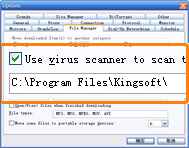 FlashGet is for you if you are constantly being cut off from different download sites when download is going on. You also enjoy a lot of other amazing benefits once you install and understand how this application works. FlashGet is for you if you are constantly being cut off from different download sites when download is going on. You also enjoy a lot of other amazing benefits once you install and understand how this application works.
What’s FlashGet?
FlashGet is specifically designed to address two of the biggest problems when it comes to downloading files. The program is also designed for speed and management of downloaded files. This program is for you if all you have always suffered or waited patiently for your files to be downloaded or your; and especially when you are downloading from a site or connection that is very slow. Sometimes too, it can be highly frustrating when it comes to downloading files from a site that always cuts off almost every minute or after a few seconds.
The application is capable of keeping track of your ever-growing downloads. It is capable of splitting your downloaded files into sections simultaneously for an increase in download speed for up to 100% to 500%. FlashGet has a lot of useful built-in features that are capable of making all downloads fast, and easy.
Downside
FlashGet is a bit slow, and this could be as a result of the fact that a couple of people have complained about being an adware.
Want to check it out? Visit FlashGet.com.
Posted in Main | No Comments »
Thursday, June 20th, 2013
 Dead links and duplicates on a browser can affect the overall performance of your online experience; and that is where a program like AM-DeadLink comes in handy. AM-DeadLink is capable of locating those dead links and duplicate on browsers; thereby speeding up a lot of things. Dead links and duplicates on a browser can affect the overall performance of your online experience; and that is where a program like AM-DeadLink comes in handy. AM-DeadLink is capable of locating those dead links and duplicate on browsers; thereby speeding up a lot of things.
What is AM-DeadLink?
AM-DeadLink detects dead links and duplicates in browser bookmarks and text files. If a bookmark has become unavailable you can verify and delete it permanently. In addition, you can download FavIcon for all your favorites and bookmarks.
Among latest changes you can expect to find in this latest version of AM-DeadLink include the following: Firefox 2.x format re-introduced (it’s now possible as before to check “bookmark.html” files with old Firefox 2.x and Mozilla format); Firefox-bookmarks are now read-only and can no longer be changed or deleted within AM-DeadLink (this step was required to avoid conflicts due to changes in the Firefox database; (AM-DeadLink can however, still be used to open and check Firefox bookmark); delete *.URL files: *.URL files are now deleted to the recycle bin; and a couple of other smaller fixes and improvements.
AM-DeadLink is capable of checking the following resources; Internet Explorer favorites, Firefox bookmarks, Opera bookmarks, Chrome bookmarks, HTML files, URLs from tab delimited text files, and URLs from comma separated text files.
The application keeps improving; and there is no reason why it won’t be rated highly by thousands of users that install in on their system.
Want to check it out? Visit Aignes.com.
Posted in Main | No Comments »
Thursday, June 20th, 2013
 Are you searching for a freeware program that you can use for your web coding assignments? PHP does a lot of things for you in ways that will bring smiles to your face; and the best part of it is that it is a freeware. Are you searching for a freeware program that you can use for your web coding assignments? PHP does a lot of things for you in ways that will bring smiles to your face; and the best part of it is that it is a freeware.
What is PHP?
PHP is a widely-used general-purpose scripting language that is especially suited for web development and can be embedded into HTML. Much of its syntax is borrowed from C, Java and Perl with a couple of unique PHP-specific features thrown in. The goal of the language is to allow web developers to write dynamically generated pages quickly. PHP is a project of the Apache Software Foundation.
PHP has a lot of advanced features including the following;syntax highlighting, auto-complete, code validation checker, debugger, breakpoints, unit testing, templates, spell checker, snippets, page preview, built-in browser, code clean up, custom key bindings, addon and plugins, CVS, task managers, profiling, and many more features.
PHP is a popular program that is being used by millions of web developers. New users are however, provided with an online tutorial that will help them understand how it works.
Want to check it out? Visit PHP.net.
Posted in Main | No Comments »
|
|
|




