Archive for the 'Main' Category
Thursday, September 18th, 2014
 Stickies is a PC utility to cut down on the number of Post-It notes. It stores all information in a single text-based ini file. They are yellow rectangular windows onto which you can put some text notes. Once created, they will stay on screen until you take them away. Just like a real sticky piece of paper. Stickies is a PC utility to cut down on the number of Post-It notes. It stores all information in a single text-based ini file. They are yellow rectangular windows onto which you can put some text notes. Once created, they will stay on screen until you take them away. Just like a real sticky piece of paper.
Quite a number of important changes and updates have been made to this version to include the following: changing pen color in image stickies also sets the text color; performing data file a restore now includes more files; in the Sleep dialog, the ampersand has been moved back from until to until; rating a DC with “DISPLAY” checked for success to try to avoid a possible crash; .sti files are attached to SMTP emails again as in v7, rather than .rtf file; 2 new API commands: set desktop utext , get desktop utext; and many more.
Perhaps, one of the highlights of this software is that it doesn’t mess your system up as it is lightweight. It does not write the system registry, and stores information in a single text-based ini file.
Want to check it out? Visit ZhornSoftware.co.uk.
Posted in Main | No Comments »
Wednesday, September 17th, 2014
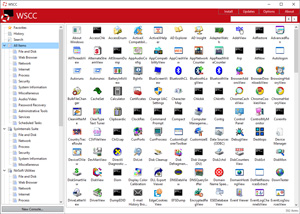 Do you want flexibility in terms of installing updates, executing, and organizing utilities from different system utility suite? With WSSC, you have a program that comes with an Update Manager that can check for latest versions of the utilities you have installed already. Do you want flexibility in terms of installing updates, executing, and organizing utilities from different system utility suite? With WSSC, you have a program that comes with an Update Manager that can check for latest versions of the utilities you have installed already.
What is WSSC?
WSCC is a free, portable program that allows you to install, update, execute and organize the utilities from various system utility suites. The included Update Manager can check for newer versions of the utilities already installed and can download and install the missing items. Alternatively, WSCC can use the http protocol to download and run the programs.
WSSC is one of the best programs you can have on your system. It has very impressive fonts, and it makes all your diagnostic tasks easier than anything else. As a matter of fact, you won’t need any other program or tool aside from WSSC for some of the things you do on your computer. The program is very useful for a lot of technical utilities. You may put into a specific sub-folder, and define the location, and carry it along in a portable drive to use it in other computers as well.
Want to check it out? Visit KLS-Soft.com.
Posted in Main | No Comments »
Tuesday, September 16th, 2014
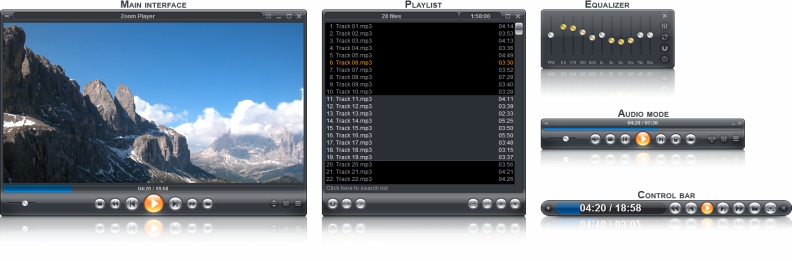 Are you looking for a robust and easy to use media player with all the features you have always wanted? Well I think you have found one with Zoom Player Max because it has some very nice features DVD mode, DirectShow, and many more. Are you looking for a robust and easy to use media player with all the features you have always wanted? Well I think you have found one with Zoom Player Max because it has some very nice features DVD mode, DirectShow, and many more.
What is Zoom Player Max?
Zoom Player is a robust media and DVD front-end player. It was designed to be simple at first glance while being remarkably dynamic and flexible when used to its full potential. The player works in two different modes; a Media mode which can play any file supported by DirectShow (any file which plays in MediaPlayer) and a DVD mode which uses pre-installed DirectShow DVD filters to play DVD content.
Zoom Player Max supersedes media player in all its functions and provides several important functions that media player lacks. It provides special zooming functions to improve TV-output quality by eliminating overscan.
A couple of changes have been made to this version to include the following: Zoom Player now has support for GXF, MXF, Motion JPEG2000 and DVCPro formats & codecs; enhanced fullscreen navigation for mouse and touch (tablet) interfaces; support for qBittorrent file-tracking integration (see download percentage within Zoom Player); 200% speed optimization when using the Advanced Playlist Control; fixed a vulnerability with specially crafted BMP files; and a lot of bug fixes.
Does it have any downside?
The interface needs to be improved upon a bit.
Want to check it out? Visit Inmatrix.com.
Posted in Main | No Comments »
Tuesday, September 16th, 2014
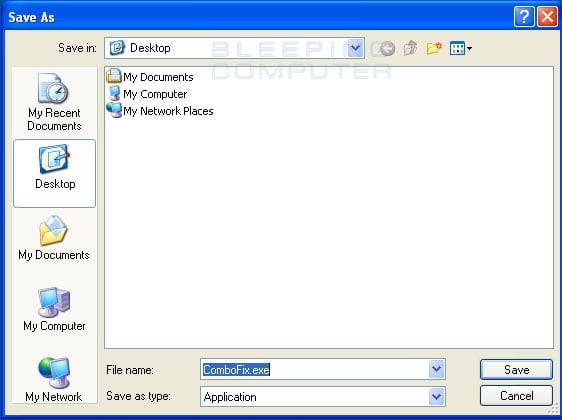 One of the problems you have to deal with when working on the internet is malware invasion. When it comes to malware, the truth is that everyone needs to do some extra work to keep them at bay as they could turn your computer into something else. However, this problem can be dealt with, though not sufficiently most of the time. ComboFix is designed for that reason because it helps to scan and locate known malware on your system. One of the problems you have to deal with when working on the internet is malware invasion. When it comes to malware, the truth is that everyone needs to do some extra work to keep them at bay as they could turn your computer into something else. However, this problem can be dealt with, though not sufficiently most of the time. ComboFix is designed for that reason because it helps to scan and locate known malware on your system.
What’s the big deal about ComboFix?
ComboFix is a program that scans your computer for known malware, and when found, attempts to clean these infections automatically. In addition to being able to remove a large amount of the most common and current malware, ComboFix also displays a report that can be used by trained helpers to remove malware that is not automatically removed by the program.
The program is advanced, and may require the assistance of someone who has some technical ability when it comes to using it. This information has also been provided on the publisher’s home page.
Does it have a downside?
ComboFix is an advanced malware scanner that may require the help of someone who has some technical abilities in terms of installation and usage.
Want to check it out? Visit BleepingComputer.com.
Posted in Main | No Comments »
Saturday, September 13th, 2014
 Some of the big problems affecting businesses online every day include security and communications. However, such problems can now be easily resolved with a couple of highly advanced applications. One of such applications is WinGate. It has a lot of features that can simplify your internet access control among other things. Some of the big problems affecting businesses online every day include security and communications. However, such problems can now be easily resolved with a couple of highly advanced applications. One of such applications is WinGate. It has a lot of features that can simplify your internet access control among other things.
WinGate is a sophisticated internet access control gateway and communications server designed to meet the control, security and communications needs of today’s Internet-connected businesses. The program’s comprehensive range of license options provides you the flexibility to choose the features and capabilities that are quite suitable to your needs and budget, whether you need to manage an enterprise, small business, or home network.
Though, it could take a long time to set up its interface, WinGate’s features are simply great for your business. One you have set it up, it won’t take time to get used to the program as it offers a lot of easy-to-use features. However, it may take some time for a newbie to understand how it works.
WinGate is a great program with some nice features that can take your business to the next level; however it has a 30 day trial limit.
Want to check it out? Visit WinGate.com.
Posted in Main | No Comments »
Thursday, September 11th, 2014
 Did you know you can create a database where all your collected items can be kept? Data Crow offers you an excellent opportunity to do that through an online service. No need to keep track of location of your items, and no need to stress yourself about maintaining your items. Did you know you can create a database where all your collected items can be kept? Data Crow offers you an excellent opportunity to do that through an online service. No need to keep track of location of your items, and no need to stress yourself about maintaining your items.
What is Data Crow?
Data Crow allows you to create a huge database containing all your collected items. You can use the excellent online services to retrieve the information instead of typing all the information yourself. Don’t strain yourself in maintaining your items and trying to keep track of their location, start using Data Crow today.
It offers a lot of features including the following: a loan administration that enables you can track who has borrowed your items and when they should return them; create your own collection modules, straight from within the software; (export your modules to share them with your friends, and even modify the existing modules); import information from AVI, DIVX, XVID, MP3, MP4, OGG, JPG, PNG and many other formats.
A couple of issues have been fixed in this version. Some of the changes and fixes made include: fixed an upgrade issues for the Audio CD and Music Album merge; fixed an upgrade issue for the Audio CD and Music Album merge; etc.
Want to check it out? Visit DataCrow.net.
Posted in Main | No Comments »
Thursday, September 11th, 2014
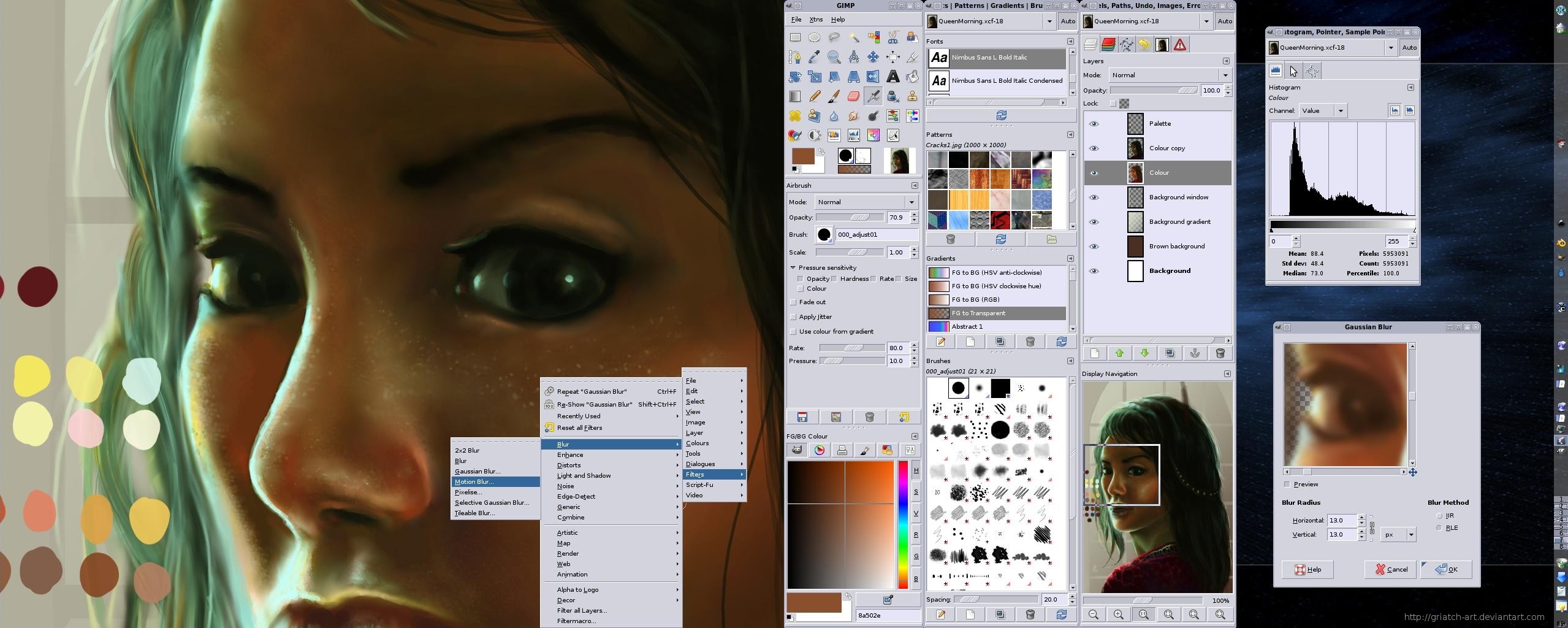 There are quite a number of image manipulation applications out there with some great features. Your choice could depend on a lot of factors including ease of use, license, size, and many others. Size for instance is a very important condition for downloading a lot of programs as it could affect the performance of your system. However, you won’t have to worry about size and being a newbie to install and start using GIMP. There are quite a number of image manipulation applications out there with some great features. Your choice could depend on a lot of factors including ease of use, license, size, and many others. Size for instance is a very important condition for downloading a lot of programs as it could affect the performance of your system. However, you won’t have to worry about size and being a newbie to install and start using GIMP.
What is GIMP?
The GIMP is the GNU Image Manipulation Program that is freely distributed. The software is suitable for such tasks as photo retouching, image composition and image authoring.
The features in this beautiful software will certainly wow you as they are the type you will usually find in some premium software out there. GIMP is almost 100% compatible with a lot of systems, and on several other operating systems. Though, it is an easy to use program, it can take a longer time for some amateur users to understand. The result is always very impressive, and works just like a premium software.
GIMP does not have any significant downsides, and is indeed a tool you need to have among your collection.
Want to check it out? Visit Gimp.org.
Posted in Main | No Comments »
Sunday, September 7th, 2014
 It is normal for any user looking for a text and source code editor to always look out for one that has a lot of important features. This is always the first condition before downloading such application. Ease of use is also a factor to be considered, and that is why SynWrite might just be worth a try. It is normal for any user looking for a text and source code editor to always look out for one that has a lot of important features. This is always the first condition before downloading such application. Ease of use is also a factor to be considered, and that is why SynWrite might just be worth a try.
What’s SynWrite?
SynWrite is a powerful text and source code editor with many features like syntax highlighting, code folding, tree structure, auto-completion, code templates, string extraction and clipboard history. The software supports virtually all kinds of encodings, which makes it a more attractive option when looking for a source code editor.
With the use of external tools, it is possible to check your code and navigate to errors. As “Notepad replacement” SynWrite gives you a lightweight and full-featured alternative for windows text editing. Also runs as portable app or plugin for file manager “Total Commander”.
This version in review comes with a lot of additions and updates including the following: tabs “modified” colour; tabs colours save to history file; tabs option “Show entire tab coloured”; tabs dbl-click adds tab; and Tweaks: don’t add ftp tabs to project/sess; wider tab colour line; “ruble sign” in clips; confirm binary files with Open dlg.
SynWrite is a great application that has a lot of useful features.
Want to check it out? Visit Uvviewsoft.com.
Posted in Main | No Comments »
Thursday, August 28th, 2014
 Are you looking for an FTP Server which has all RFC-959 features plus many other options, such as resuming upload / download, viewing server activity in real time, ban, kick, and many more? Have you checked out BPFTP Server is an FTP Server? It is a program that has a lot of features to meet most of your needs. Are you looking for an FTP Server which has all RFC-959 features plus many other options, such as resuming upload / download, viewing server activity in real time, ban, kick, and many more? Have you checked out BPFTP Server is an FTP Server? It is a program that has a lot of features to meet most of your needs.
What’s the big deal about BPFTP Server is an FTP Server?
BPFTP Server is an FTP Server which has all RFC-959 features plus many other options, such as resuming upload / download, viewing server activity in real time, ban, kick, anti hammering, ratio, quota groups management, event manager, real time statistics generator, top 10 user, virtual directories, and Chat.
The publisher has fixed a lot of problem features including the following: Management -> Auto|Manal-Import: Resolved a problem in Auto/Manual Import of previous version Settings, Users/Groups; and fixing of STARTUP: On new installation and first-start, fixed a problem that crept up in 2014.1.0.18, in which the “Auto Import Migrate Settings, Users/Groups” wasn’t being triggered if there were no current files found.
Does it have any downside?
This still ranks as one of the best available. It doesn’t have any noticeable downside.
Want to check it out? Visit Bpftpserver.com.
Posted in Main | No Comments »
Wednesday, August 27th, 2014
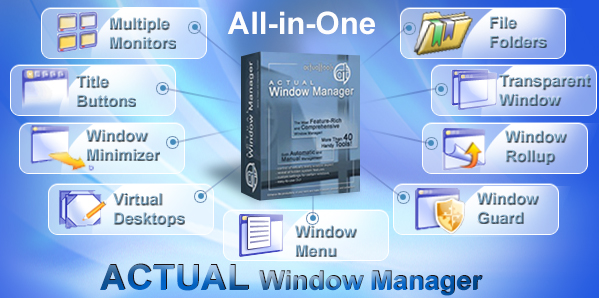 Are you looking for an advanced desktop organization application that introduces unconventional window controls and also automatic general window operations making your work more productive, and many more? Then you can take a look at Actual Window Manager. Are you looking for an advanced desktop organization application that introduces unconventional window controls and also automatic general window operations making your work more productive, and many more? Then you can take a look at Actual Window Manager.
What is Actual Window Manager?
Actual Window Manager is an innovative desktop organization application which introduces unconventional window controls and also automatic general window operations making your work more productive, convenient and enjoyable. It has more than 50 handy tools to help you in daily routine window manipulations.
It is a program that allows you to create the desired number on virtual desktops and increase your workspace, unlimited number of additional desktops, etc. Installing the program will also enable you will have a fully-functional taskbar for each monitor and many other features to improve the multiple monitors’ desktop environment, and fully-functional taskbar for each display.
Some of the changes that have been made to this version include the following: actual taskbar always displayed on top of Firefox windows, even if they were full screen; Windows 8/8.1: Actual Task Switcher did not activate the Aero Peek after the first press of Alt-Tab; and many more.
The Actual Window Manager has a 60 day trial limitation. Full version goes for $50.
Want to check it out? Visit: ActualTools.com.
Posted in Main | No Comments »
|
|
|




