O. James Samson - August 18, 2011
 WinOrganizer is a full-scale personal information manager, designed to help you in organizing, tracking, and planning your business and private life. This shareware program works as a planner, notebook, and address book all in one. Computer version of the organizer comprises all features of its paper prototype in a more comfortable way, which makes working with it quicker and easier. WinOrganizer has an intuitive interface that combines all your notes, bookmark lists, holidays, reminders, appointments, task lists, and contacts into a coherent tree outline form that can be customized according to your requirements. WinOrganizer is a full-scale personal information manager, designed to help you in organizing, tracking, and planning your business and private life. This shareware program works as a planner, notebook, and address book all in one. Computer version of the organizer comprises all features of its paper prototype in a more comfortable way, which makes working with it quicker and easier. WinOrganizer has an intuitive interface that combines all your notes, bookmark lists, holidays, reminders, appointments, task lists, and contacts into a coherent tree outline form that can be customized according to your requirements.
WinOrganizer has changed over the years with the publishers introducing a lot of changes; thereby giving users opportunities to enjoy more features than before. Actually, past versions of WinOrganizer didn’t impress users that much in terms of features, and price. WinOrganizer is now equipped with flexible sorting and filtering options, HTML-printing, automatic phone dialing, as well as integration with the installed e-mail client and Web browser. Users can even enjoy additions that include; all traditional holidays dialing, and opportunity that allows you add your own vital dates.
For $55.00 per download, you can have WinOrganizer on your computer and start enjoying some of its features.
Want to check it out? Visit Tgslabs.
Rating:  Loading... No Comments »
O. James Samson - August 17, 2011
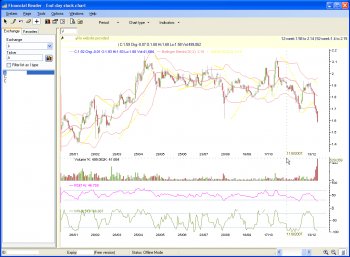 N Financial Reader is an integrated end-day financial application with a lot of features and it also comes with many financial functions like charting, (fast) stock scanning, indicator builder, financial updates. N Financial Reader also allows you access to unlimited import of folders (exchanges), free built-in technical indicators, like SAR, MACD, RSI, etc, support for chart profiling, chart above 30 years of data, and a host of others. This version of N Financial Reader comes with additional features and updates that include the following; allow selection of install folder (implies where local data will be stored), ENH ticker view (allows disable start-up ticker view loading in settings/view), and a lot more. N Financial Reader is an integrated end-day financial application with a lot of features and it also comes with many financial functions like charting, (fast) stock scanning, indicator builder, financial updates. N Financial Reader also allows you access to unlimited import of folders (exchanges), free built-in technical indicators, like SAR, MACD, RSI, etc, support for chart profiling, chart above 30 years of data, and a host of others. This version of N Financial Reader comes with additional features and updates that include the following; allow selection of install folder (implies where local data will be stored), ENH ticker view (allows disable start-up ticker view loading in settings/view), and a lot more.
Though, this version is a freeware, the publisher has nonetheless being able to create a program that provides you a lot of great features that enable you to professionally carry out stock investment in a way that will assist you to better manage your day-to-day investment activities. Some of these day-to-day activities include; market risks, stock charting, analysis, tracking, profiling and many others, leading to investment profitability.
Users who wish to download and install N Financial Reader on their systems must have Microsoft .NET framework pre-installed on their systems. It is a nice piece of tool that you will find very useful if you have the time to get familiar with its features.
Want to check it out? Visit Gi-services.
Rating: Loading... No Comments »
O. James Samson - August 17, 2011
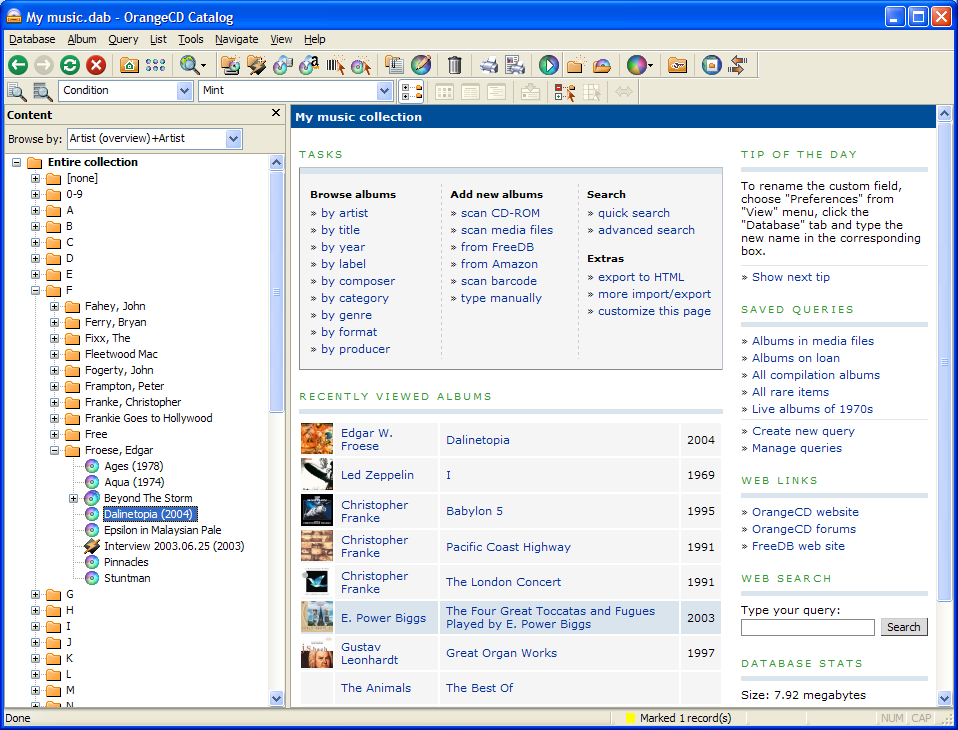 OrangeCD Catalog is an advanced music database program for cataloging your music in any format. The program handles physical media (such as CD, DVD, vinyl records, or tapes) as well as electronic media (such as MP3, Windows Media, iTunes or FLAC songs). OrangeCD Suite also handles classical music collections as easily and conveniently as pop music. OrangeCD Catalog is an advanced music database program for cataloging your music in any format. The program handles physical media (such as CD, DVD, vinyl records, or tapes) as well as electronic media (such as MP3, Windows Media, iTunes or FLAC songs). OrangeCD Suite also handles classical music collections as easily and conveniently as pop music.
In order to add a new CD to the database, all you need to do is to insert the CD in your computer, and OrangeCD will download all information from Internet. There is no need to type a single word since it filling your music CD database becomes quick and easy. Now you can find out if you own a specific album or song, print CD changer index sheet, put your album reviews on the web or calculate your total collection value.
OrangeCD Suite has a lot of useful features that makes it a bit advanced than a few freeware programs out there. It comes with its own database where everything is kept separately thereby avoiding ID3. This version includes a lot of features, and comes with a few bug fixes; including improving compatibility with parallel desktop on Mac operating system X.
Want to check it out? Visit Firetongue.
Rating: Loading... No Comments »
O. James Samson - August 17, 2011
 Effective Address Book is a program that has the ability to setup tasks and reminders against people (Note activities). This can then show popup reminders or show sticky notes. With Effective Address Book, you can create rich text notes against people, instantly send emails and view websites of your contacts. The publisher has also included a new printing dialog, which means printing is now so much more customizable and easier to change so, wasted paper. Searching has never been so easy with an instant tree of contacts based on your criteria. Effective Address Book is a program that has the ability to setup tasks and reminders against people (Note activities). This can then show popup reminders or show sticky notes. With Effective Address Book, you can create rich text notes against people, instantly send emails and view websites of your contacts. The publisher has also included a new printing dialog, which means printing is now so much more customizable and easier to change so, wasted paper. Searching has never been so easy with an instant tree of contacts based on your criteria.
Effective Address Book has a lot of key features that include the following; you can click buttons to open either an email or browse a website from your contacts instantly, the data you can enter ranges from your own personal details with family names and dates as well as addresses and contact numbers, you can also create contacts and set notes against them, it helps you deal with computer data without stress, create rich text notes against your address book contacts to store memos quotes, instant tree view of contacts shown based on your criteria, and a host of others. Effective Address Book is a shareware program that has a 30 day trial period.
Want to check it out? Visit Effectiveaspects.
Rating: Loading... No Comments »
O. James Samson - August 16, 2011
 PopChar is a utility tool that lets you insert special characters, accented letters, umlauts, and a host of others. With PopChar, there is no longer need to search for or remember complex keystrokes again. All you need to do is pop up the PopChar window, click the desired character and the character is inserted into your current document. PopChar Win is the Windows sibling of the famous PopChar utility that has been available on the Macintosh for many years. Now you can enjoy the ease of use of these award-wining Macintosh utilities on the Windows platforms. If a font contains Unicode characters, you can check “Unicode” in the Settings menu to see all of them, neatly arranged in the standard Unicode categories. PopChar is a utility tool that lets you insert special characters, accented letters, umlauts, and a host of others. With PopChar, there is no longer need to search for or remember complex keystrokes again. All you need to do is pop up the PopChar window, click the desired character and the character is inserted into your current document. PopChar Win is the Windows sibling of the famous PopChar utility that has been available on the Macintosh for many years. Now you can enjoy the ease of use of these award-wining Macintosh utilities on the Windows platforms. If a font contains Unicode characters, you can check “Unicode” in the Settings menu to see all of them, neatly arranged in the standard Unicode categories.
PopChar is one program that has a lot of very useful features that include the following; ease of use, just click and select, inserts accented characters, foreign letters and any other characters from all installed fonts, supports full Unicode, inserts HTML symbols, remembers and highlights the most recently selected characters, exclude common characters (letters, digits and accents), inserts characters in “styled” or “unstyled” mode, displays the keystrokes needed to create selected characters, hot key activation, automatically starts at login and a host of others.
Want to check it out? Visit Ergonis.
Rating: Loading... No Comments »
O. James Samson - August 16, 2011
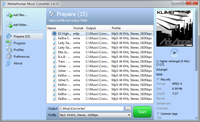 MediaHuman YouTube to MP3 Converter is an application is simple to use and allows you to extract audio track from your favorite videos and music clips. You can download and use MediaHuman YouTube to MP3 Converter for free; and is available for Mac and Windows users. With a couple of changes that have been made to this program, users can now enjoy MediaHuman YouTube to MP3 Converter better than they used to. Some of these new additions include the following; fixing of problem with changes on YouTube site, download process is now more stable (program will resume downloading on connection interrupt), compatible with Mac OSX Lion, and other minor fixed improvement. MediaHuman YouTube to MP3 Converter is an application is simple to use and allows you to extract audio track from your favorite videos and music clips. You can download and use MediaHuman YouTube to MP3 Converter for free; and is available for Mac and Windows users. With a couple of changes that have been made to this program, users can now enjoy MediaHuman YouTube to MP3 Converter better than they used to. Some of these new additions include the following; fixing of problem with changes on YouTube site, download process is now more stable (program will resume downloading on connection interrupt), compatible with Mac OSX Lion, and other minor fixed improvement.
Some of its main features include the following; conversion process of your music is very simple, supports conversion of purchased music tracks, converts most of widespread audio formats (List of supported audio formats includes WMA, MP3, M4P, M4B, M4A, MP4, AAC, OGG and WAV formats. So you can convert M4P to MP3 or WMA to MP3 easily), batch conversion support (in case you have a big music library and want to convert it), most recent version of audio codecs is implemented (for quality of converted music the latest versions of audio codecs are implemented), and many more.
Want to check it out? Visit Mediahuman.com.
Rating: Loading... No Comments »
O. James Samson - August 15, 2011
 BonAView is one of the most innovative digital photo management software which has no analogs in its class. BonAview provides an ultimate image management and organization tools that helps you to categorize and rate your image files, and manage photo collections of any size – from a few hundred to a few millions. BonAview runs on Windows Vista and XP. The publisher has also introduced a few changes that include the following; addition of importing tool, users can now import from camera, scanner and a host of other removable devices that include CD/DVD Card reader, USB Flash drive etc, supports all WIA, TWAIN compatible devices, addition of frames mask tool into edit window, improved some interface elements, and fixing of some bugs while copying. BonAView is one of the most innovative digital photo management software which has no analogs in its class. BonAview provides an ultimate image management and organization tools that helps you to categorize and rate your image files, and manage photo collections of any size – from a few hundred to a few millions. BonAview runs on Windows Vista and XP. The publisher has also introduced a few changes that include the following; addition of importing tool, users can now import from camera, scanner and a host of other removable devices that include CD/DVD Card reader, USB Flash drive etc, supports all WIA, TWAIN compatible devices, addition of frames mask tool into edit window, improved some interface elements, and fixing of some bugs while copying.
BonAview has a lot of features that allow you do the following; instant image filtering, filtering images in current folder category or search result, automatic image quality improvement, removing red eyes, supports common image filters, adjusting colour or brightness/contrast for your photos, sharpening or blurring your photos, easy access to main image info, supporting EXIF data of your photos, easy creating of labels and captions for your images, edit/add/delete almost any IPTC or EXIF information, that embedded into your photos, and many more.
Want to check it out? Visit Highmotionsoftware.
Rating: Loading... No Comments »
O. James Samson - August 15, 2011
 Task Coach is a simple open source to-do manager that helps users keep track of personal tasks and to-do lists. Task Coach was designed out of a frustration that most task managers do not provide facilities for composite tasks. Often, tasks and other things to-do consist of several activities. This open source software is designed to deal with composite tasks, as well as offering effort tracking, categories, and notes. Task Coach is available for Windows, Mac OS X, Linux, and iPhone and iPod Touch. Task Coach is a simple open source to-do manager that helps users keep track of personal tasks and to-do lists. Task Coach was designed out of a frustration that most task managers do not provide facilities for composite tasks. Often, tasks and other things to-do consist of several activities. This open source software is designed to deal with composite tasks, as well as offering effort tracking, categories, and notes. Task Coach is available for Windows, Mac OS X, Linux, and iPhone and iPod Touch.
Task Coach is licensed under the General Public License version (GNL) 3 or any later version; and is open for both private and company use. Among its features include the following; creating, editing, and deleting tasks and subtasks, tasks can be viewed as a list or as a tree, tasks can be created by dragging an email message from a mail user agent (Outlook, Thunderbird, Claws Mail, Apple mail), tasks have a subject, description, priority, start date, due date, a completion date and an optional reminder, attachments can be added to tasks, notes, and categories by dragging and dropping files, e-mail messages, or URL’s onto a task, note or category, the Task Coach file format (.tsk) is XML, and many more.
Want to check it out? Visit Taskcoach.
Rating: Loading... No Comments »
O. James Samson - August 15, 2011
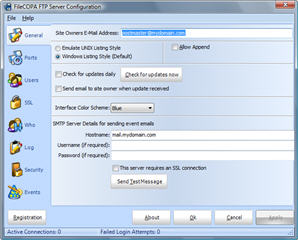 FileCOPA FTP Server is ideal for business users that require a powerful and flexible FTP Server. The program is built with a user-friendly interface making managing an FTP server an absolute doddle. A few of its features include full passive FTP support, unlimited connections, anonymous FTP support, and Live WHO Lookup and W3C Log File compliance. This version of FileCOPA introduces SSH Public Key authentication, adds more SSL and SSH ciphers, support for .pfx file certificates, TLS1.1 and TLS1.2 support and the ability to import and export the user database. FileCOPA FTP Server is ideal for business users that require a powerful and flexible FTP Server. The program is built with a user-friendly interface making managing an FTP server an absolute doddle. A few of its features include full passive FTP support, unlimited connections, anonymous FTP support, and Live WHO Lookup and W3C Log File compliance. This version of FileCOPA introduces SSH Public Key authentication, adds more SSL and SSH ciphers, support for .pfx file certificates, TLS1.1 and TLS1.2 support and the ability to import and export the user database.
FileCOPA’s active control panel enables users to see who is online, and what they are doing, and as FileCOPA will produce W3C, industry standard, Log Files users can analyze your logs with any commercially available log file tools. FileCOPA FTP Server installs on any version of the Microsoft Windows operating system with just a few clicks of the mouse and automatically configures itself for anonymous operation.
FileCOPA FTP Server has a 30 day trial period for users who want to try it out before going for the unlimited version. The program is available for download at $39.95; and runs on most Microsoft Windows operating systems such as, Windows 7, 2000, XP, Vista, etc.
Want to check it out? Visit Filecopa.
Rating: Loading... No Comments »
O. James Samson - August 14, 2011
 Internet Download Accelerator is an application that lets you to noticeably increase the speed of file download from the Internet using HTTP, HTTPS and FTP protocols. The acceleration is achieved by splitting a file being downloaded into several parts and downloading these parts at the same time. Internet Download Accelerator is also built with ability to resume broken downloads from where they left off from HTTP, HTTPS and FTP servers. Internet Download Accelerator is an application that lets you to noticeably increase the speed of file download from the Internet using HTTP, HTTPS and FTP protocols. The acceleration is achieved by splitting a file being downloaded into several parts and downloading these parts at the same time. Internet Download Accelerator is also built with ability to resume broken downloads from where they left off from HTTP, HTTPS and FTP servers.
Internet Download Accelerator contains the following features; site manager for password and download folders management, scheduler, download speed control, automatic mode for the most comfortable browsing on the Web, dial for dial-up connection, – search for files, programs, games, and music, – IDA Bar – a toolbar for Internet Explorer, and a host of others.
Internet Download Accelerator 5.11.1.1277 has a couple of news features and additions that include the following; added ability to download huge videos from YouTube (4k resolution), corrected recognition of short YouTube addresses, improved add download group mode, added quick search in the download section window, restored ability to download from YouTube and play .ukr.net, IDA Bar and IDA plug-in for Firefox updated to support Firefox 6 and Firefox 7, and a few others.
Want to check it out? Visit Westbyte.
Rating: Loading... No Comments »
|
|
|





