O. James Samson - January 8, 2010
 I like to start my review of MP3Producer 2.61 with a look at the price the publishers have placed on this program. I like to say that there are other good programs that go for less and still guarantees user satisfaction same as this one. This might be the only thing I find un-impressive about this program. I don’t believe every one can afford to pay that much for an MP3 program. I like to start my review of MP3Producer 2.61 with a look at the price the publishers have placed on this program. I like to say that there are other good programs that go for less and still guarantees user satisfaction same as this one. This might be the only thing I find un-impressive about this program. I don’t believe every one can afford to pay that much for an MP3 program.
MP3Producer 2.61 works by extracting tracks from audio CD and converts them into MP3 Files. It works in three modes: CD to WAV; WAV to MP3 and CD to MP3 supporting various MP3 Formats (both MPEG1 and MPEG2) as well as all bitrates.
MP3Producer 2.61 is simple to use. Its interface consists of four tabs, accomplishing the actions on each of them in series. The user is at liberty to fill the ID3 Tag fields, choose the requisite filenames format and define the audio format settings. The user interface supports thirty three languages, with the Help File in English, French and German.
Want to check it out? Visit Mp3developments.com
Rating:  Loading... 1 Comment »
O. James Samson - January 7, 2010
 Adobe has a reputation that has lasted over the years. They have done virtually well in most programs they have published. The Adobe Flash Player for Windows 10.1 Beta is not in anyway different from the ones they have released in the past. Rather, it is an improvement. Adobe has a reputation that has lasted over the years. They have done virtually well in most programs they have published. The Adobe Flash Player for Windows 10.1 Beta is not in anyway different from the ones they have released in the past. Rather, it is an improvement.
Adobe Flash Player, formerly named Macromedia Flash Player lets you view the best animation and entertainment on the internet. Some of the features include: Web application font-ends, interactive online advertising, short-form to long-form animation, and website interface. One of the many functions of this program is that it can be used to clearly express brands and company identity.
Adobe Flash Player for Windows 10.1 Beta 2 is a free ware program that is still in Beta stage. The implication of this is that the publishers are still testing the program and observations and comments are being noted. So far, it is a nice program.
If you want to check it out, you could visit Flashplayer
Rating: Loading... No Comments »
O. James Samson - January 6, 2010
 When your system becomes infested with spyware, it does a lot of damages and you run the risk of loosing a lot of valuable information to privacy invaders like hackers. The activities of hackers over the years have constituted great problem for individuals who go online all the time. There is need for a good Antispyware and even Antivirus program if you must work securely online. Let us consider SUPERAntiSpyware Free Edition 4.32.1000 and the features it has to prevent attacks and privacy invasions by these Spyware. When your system becomes infested with spyware, it does a lot of damages and you run the risk of loosing a lot of valuable information to privacy invaders like hackers. The activities of hackers over the years have constituted great problem for individuals who go online all the time. There is need for a good Antispyware and even Antivirus program if you must work securely online. Let us consider SUPERAntiSpyware Free Edition 4.32.1000 and the features it has to prevent attacks and privacy invasions by these Spyware.
SUPERAntiSpyware Free Edition 4.32.1000 is a free program built to do a thorough scan of your computer. In the process of scanning, it detects unwanted programs on your computer and helps to disable and even heal broken Internet connections, Desktop and edit Registry. Some of the unwanted programs it removes include: SpyAxe; SpyFalcon and WinFixer. All these are dangerous and unwanted pest that could cause serious threats to your system if not checked on time.
The only problem I have discovered with SUPERAntiSpyware Free Edition 4.32.1000 is that when set to Autorun on start up of your computer, it slows it down a bit. It does not aid the start up of your system in any way. You do have to wait a little much longer for the Splash Screen to come up before you can use your system.
Want to check it out? Visit Superantispyware
Rating: Loading... No Comments »
O. James Samson - January 6, 2010
 Need a music organizer? TagScanner 5.1.555 is a software developed for that purpose. If you have a lot of music collection on your computer and managing it is becoming increasingly difficult; then you should try it out. Need a music organizer? TagScanner 5.1.555 is a software developed for that purpose. If you have a lot of music collection on your computer and managing it is becoming increasingly difficult; then you should try it out.
The features include Tags Editing, ability to rename files based on Tag information, generate Tag information based from File name and others. This absolutely free program gives you Album information via online data bases like Amazon and Freedb, can export playlists to HTML or EXCEL, and easily understandable user interface.
TagScanner 5.1.555 is an indispensable program, easy to download and understand. This version has some updates added by the publishers making it a vastly improved program from the older version. Take the Tag processor for instance; the publishers have been able to improve on it because it can now highlight changed fields. On the whole, I think its worth all the effort put into it.
Want to check it out? Visit Xdlab
Rating: Loading... No Comments »
O. James Samson - January 5, 2010
 For $19.95 you could be on your way to a thrilling and fulfilling song experience with Minilyrics 6.7.390 program. When a price is set for a program, one of the better ways of giving an unbiased assessment are to review what the publishers built it for, what it does, the effort put into it and many other parameters. At the above price, I can not but agree with them. For $19.95 you could be on your way to a thrilling and fulfilling song experience with Minilyrics 6.7.390 program. When a price is set for a program, one of the better ways of giving an unbiased assessment are to review what the publishers built it for, what it does, the effort put into it and many other parameters. At the above price, I can not but agree with them.
This program is designed to function as a lyrics viewer for synchronizing and for the display of songs that are currently played. This can be done in many types of Media Players like: Winamp; Jukebox; foobar2000; RealOne; Windows Media Player and a host of others. With Minilyrics 6.7.390, Streaming is supported and this means that your music is made livelier with streaming lyrics that are timed with each song you play.
Good job done by the publishers. It is one of those well packaged program with little or no fault. I could hardly fault its packaging and design. To make it all the more interesting, the publishers have added some few features to this version. Some of them are: support for Zune Software; an improved new user Interface, and some minor fixes that have been carried out to make it work better.
Want to check out the program? Visit Crintsoft
Rating: Loading... 1 Comment »
O. James Samson - January 4, 2010
 Comodo Internet security is a program that integrates all other security programs on the stable of the publishers. It is a one-stop security software that provides a defense for your computer, ensuring that your computer stays secured and uncompromised when you go online. Comodo Internet security is a program that integrates all other security programs on the stable of the publishers. It is a one-stop security software that provides a defense for your computer, ensuring that your computer stays secured and uncompromised when you go online.
This version just released [Comodo Internet Security (64-bit) 3.13.121240.574] has some few updates and other bugs related issues fixed by the publishers. For example, the publishers have fixed the Defense+ which users reported as not being able to handle object names properly, the publishers have improved Windows XP 64 Registry protection, the AV Engine now include more advanced detection techniques and other minor bug fixes.
The installation of this program also comes with a Toolbar that users may choose to uninstall should they wish to do so. I think the publishers may have included it because it is a free program, and though not all users may wish to have it as part of the installation, the publishers have made provision for uninstallation all the same.
Want to check it out? Visit Comodo.com
Rating: Loading... No Comments »
O. James Samson - January 4, 2010
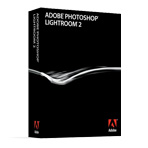 I have no doubt in my mind that Adobe has once again put up a wonderful performance with the release of Adobe Photoshop Lightroom for Windows. Like in my past reviews, I remember giving kudos to Adobe for the high standard of their releases. The name, Adobe always sells itself. This can be attributed to performances of the past and even the present. I have no doubt in my mind that Adobe has once again put up a wonderful performance with the release of Adobe Photoshop Lightroom for Windows. Like in my past reviews, I remember giving kudos to Adobe for the high standard of their releases. The name, Adobe always sells itself. This can be attributed to performances of the past and even the present.
The Adobe Photoshop Lightroom for Windows is built mainly for the professional photographer to enable him import, select, develop, and display a wide variety of volumes of digital images. It is believed that when some of the above mentioned tasks are taken off the workload of a Photographer, his work becomes easier and lighter. He is now able to spend less time sorting and refining photographs, and more time actually shooting them.
Taking a closer look at the price placed on this program, I wish to say that as great as the Adobe Photoshop Lightroom is, the price is on the high side. I have no problem with its features and user interface; but the publishers could go a long way in establishing the statement they are trying to make with this software by lowering the price. It must however be noted that it is a well packaged program all the same.
Want to check it out? Visit Photoshoplightroom
Rating: Loading... 1 Comment »
O. James Samson - January 3, 2010
 One of the best I have come across in its category. CCleaner is a program that can compete favorably with some other programs that are not freeware. It is exactly built to optimize your Computer, ensure your privacy and clean up your Computer, freeing it from unwanted files slows it down and makes it to perform much slower. One of the best I have come across in its category. CCleaner is a program that can compete favorably with some other programs that are not freeware. It is exactly built to optimize your Computer, ensure your privacy and clean up your Computer, freeing it from unwanted files slows it down and makes it to perform much slower.
CCleaner removes from your Computer, thereby enabling Widows to run much faster because more valuable hard disk space have been freed from useless files. The other good thing about CCleaner is that it helps you to erase all traces of your online activities such as Internet history, and places you have visited online. CCleaner also has a fully featured registry cleaner.
Version 2.27.1070 has some new added features and update added to it by the publishers to make it perform better than the last version released. Some of these new updates and features include: Opera users can now rejoice because the new CCleaner now has a version for them, a menu option to registry cleaner to add key to exclude list, improved support for SeaMonkey 2.0, cleaning for Windows Explorer breadcrumb bar and other newly features added by the publishers.
To check it out, visit Ccleaner
Rating: Loading... No Comments »
Tilgore Kraut - December 29, 2009
 Auto Screenshot Maker is a program useful to take screenshots for entire screen, active window and selection. The application stays in your system tray after installation. This program gives flexibility to take screenshot and simplify process to get screen capture. It captures a series of screens automatically and also removes duplicate screen. Auto Screenshot Maker is a program useful to take screenshots for entire screen, active window and selection. The application stays in your system tray after installation. This program gives flexibility to take screenshot and simplify process to get screen capture. It captures a series of screens automatically and also removes duplicate screen.
Features: As a professional, you need to take screenshots several times in your daily work. To take screenshot, you need to follow numerous steps like press print screen, open image editor and then save on the hard disc. Using Auto Screenshot maker program you can take screenshot in a single step.
The application allows you to set preferences for your screenshots. It has three tabs namely General, Output and Hotkey. In General tab you can perform settings for single capture and auto capture. In auto capture mode select capture type from the supported list as entire screen or active window, set time interval in second for screen capture. With remove duplicates option, you can set parameters as acceptable area count and acceptable area size to identify. You can also set open the latest capture option and define the path to open the captured file. With output option you can set path to save captured file, define prefixed for file, define file type as JPEG, BMP and PNG. You can also capture images in MS word document. Define hotkeys for capture entire screen, capture active window, capture selection, open the last capture and email the latest capture. Once all the settings are done, you can perform the action as capture, start auto capture, email latest capture etc.
Overall: This is a good utility to take screen capture of your screen, application or windows.
{More Info and Download}
Rating: Loading... No Comments »
Tilgore Kraut - December 29, 2009
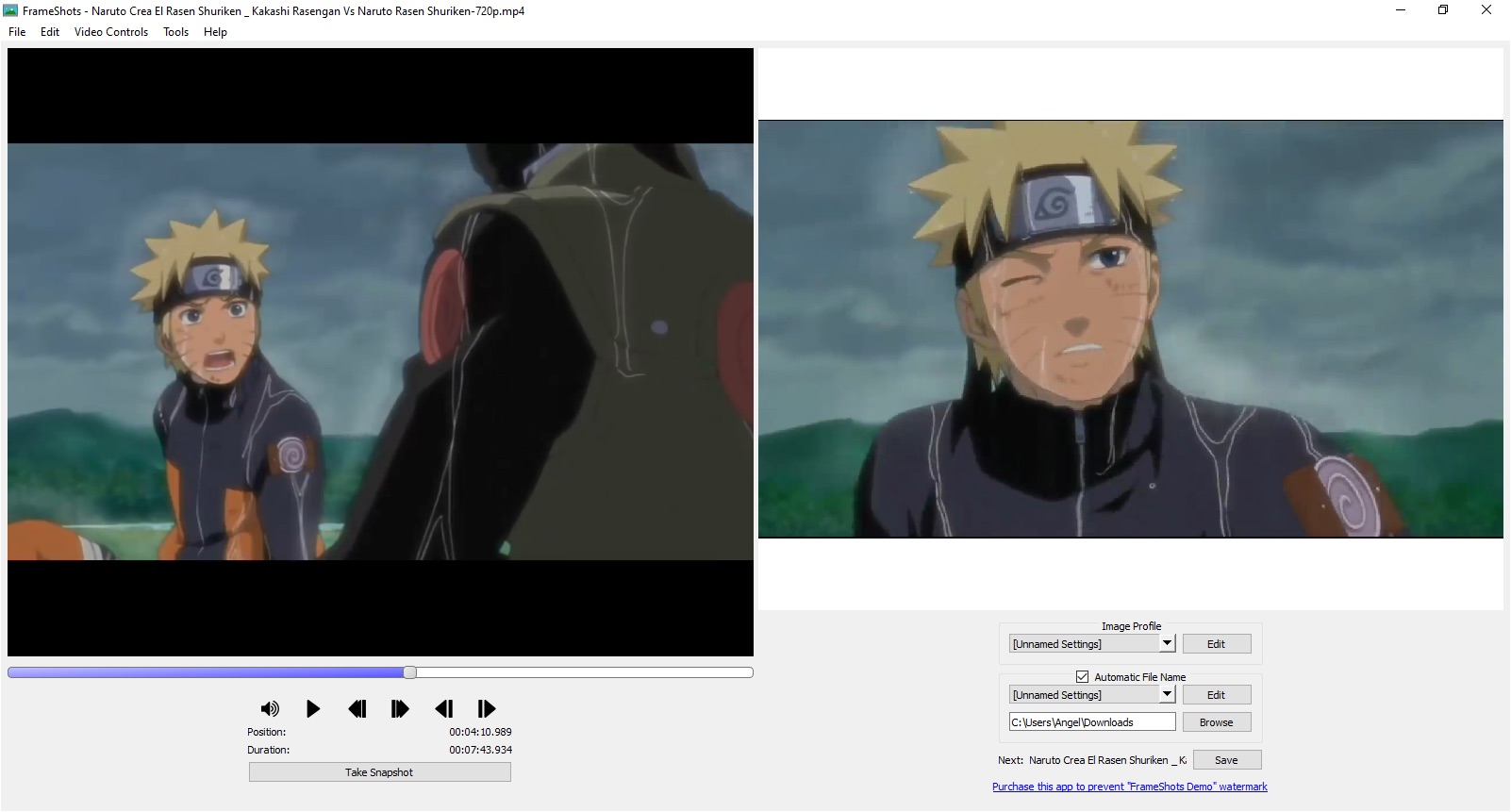 You would like to capture image from the video file or prepare a clip from video files and save to video format. Using FrameShots program, you can easily and quickly perform these actions. Apart from these basic features, application also supports batch conversion and watermark features. You would like to capture image from the video file or prepare a clip from video files and save to video format. Using FrameShots program, you can easily and quickly perform these actions. Apart from these basic features, application also supports batch conversion and watermark features.
Features: The application has a nice user interface, you can perform all the operations from a single user screen. This application has a built-in video player to view your video files. To create frame shots you need to follow simple steps.
Open video file from which you want to extract frames. On screen you can see the video file with details like duration, width and height. To capture image frame define image width and height, set brightness, contrast and sharpen. Click on “take snapshot” button to take snapshot for the video file frame displayed on the screen. You can check / uncheck trim black border to remove black border from the video file. Define output file format and naming convention for the files and folder where you would like to store the converted image file. You can save image in popular formats like JPG, JPEG, GIF, BMP, TIF and PNG format. With Batch mode operation, you can create image for specified interval of time for your video file. Watermark features allow you to add text watermark or image watermark to your image file. You can also extract screenshots of video file using command line interface supported by the application.
Overall: This is a very nice and feature rich utility to create screenshots from your video file in popular image formats.
{More Info and Download}
Rating: Loading... No Comments »
|
|
|





