Phil South - December 17, 2006
 WinAMP is one of those must have programs. Some people swear by Windows Media Player but I’ve always found it to be a little bit dull. WinAMP has way better skins and visualizations. WinAMP is one of those must have programs. Some people swear by Windows Media Player but I’ve always found it to be a little bit dull. WinAMP has way better skins and visualizations.
With it you have access to their own Digital Music Store containing over 2,500,000 songs,and a thing called In2TV which is free episodes of classic TV streamed direct to your player. Also you have portable device support for iPod®, PlaysForSure®, and Creative® Devices. The player supports SHOUTcasts and also rips CDs to disc.
WinAMP is the cool audio player of choice. The pro version will cost you $20, but the free version is still available so check it out at http://www.winamp.com/player.
Rating:  Loading... No Comments »
Ciaran Moore - December 17, 2006
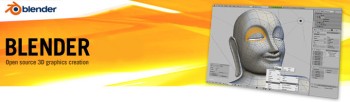 Blender is an open source, cross platform suite of tools for 3D creation. It’s a 3D image and animation creation program that is very impressive for something that’s free. Just check out some of the example pictures and videos! It’s very capable of making the kind of 3D graphics and animations that are very popular nowadays in cartoons, advertising, etc. No doubt there’s even more powerful programs than this, but they come at a high price! Blender is an open source, cross platform suite of tools for 3D creation. It’s a 3D image and animation creation program that is very impressive for something that’s free. Just check out some of the example pictures and videos! It’s very capable of making the kind of 3D graphics and animations that are very popular nowadays in cartoons, advertising, etc. No doubt there’s even more powerful programs than this, but they come at a high price!
It takes a while to figure out, so this isn’t something you can learn overnight, but no doubt if you have the patience to stick with it, the results can be really impressive. So for anyone into this kinda thing, on a low budget or a no budget. This is definitely worth checking out and very powerful for something that doesn’t cost a penny!
Lots more info and the free download here.
Rating: Loading... 1 Comment »
O. James Samson - December 17, 2006
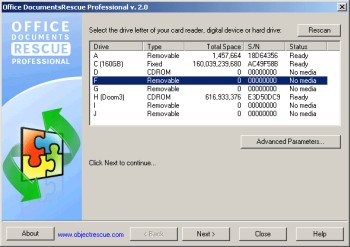 It could be really distressing not being able to find a valuable document you could have sworn was supposed to be there. Yeah! Believe me I Know that feeling. That’s why a software like Office DocumentsRescue Professional whose purpose is to retrieve your lost documents can really be a life saver. It could be really distressing not being able to find a valuable document you could have sworn was supposed to be there. Yeah! Believe me I Know that feeling. That’s why a software like Office DocumentsRescue Professional whose purpose is to retrieve your lost documents can really be a life saver.
Office DocumentsRescue Professional helps recover lost data from Hard Drives, CompactFlash cards (type I/II), IBM Microdrives, SmartMedia cards, MultiMedia cards (MMCs), Secure Digital (SD) cards, Memory Sticks, CD/DVD disks and any other storage device with the addition of wide range file format support: DOC, XLS, PPT, RTF, LIT, etc. It is an effective document recovery tool for Microsoft Word, Excel, PowerPoint, Project, Publisher, Visio etc
The real beauty of this software is that it doesn’t matter what caused your loss of document; PC crashes, accidental deletions, formatting of hard drive etc, Office Documents Rescue Pro gets it back for you. Isn’t it great?
Do you know how many jobs have been lost to lost documents? This might be your job saver, Check it out HERE.
Rating: Loading... No Comments »
Phil South - December 16, 2006
 If you have an attention problem, like ADD or ADHD, two things are possible. 1) you have trouble concentrating on the task in hand, and 2) you have probably stopped reading this by now so who cares? Maybe you don’t have ADHD, but you are just VERY busy. How do you manage your time? If you have an attention problem, like ADD or ADHD, two things are possible. 1) you have trouble concentrating on the task in hand, and 2) you have probably stopped reading this by now so who cares? Maybe you don’t have ADHD, but you are just VERY busy. How do you manage your time?
It helps to manage something you can quantify or measure. The MapleXp application gives you the ability to track a number of projects at a time and analyze how much time went into each of the tasks. After processing a project can be divided into a hierarchy of tasks, a structure, which allows for very precise tracking of working time and also if you think about it planning future projects based on the data.
Really boring looking but very powerful. Get it here and start managing your projects with class.
Rating: Loading... 1 Comment »
Ciaran Moore - December 15, 2006
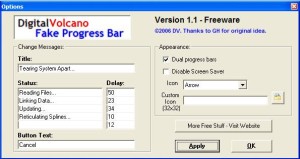 Fake Progress Bar is an application which creates a fake progress bar! With this “tool” you will be able to look busy when in fact you are just being lazy. Fake Progress Bar is an application which creates a fake progress bar! With this “tool” you will be able to look busy when in fact you are just being lazy.
This is by far the most useful program for anyone who wants to take a little break at work while the boss thinks you are being really busy! You will be able to create all kind of actions. If the predefined ones aren’t enough then you can create your own custom action for the progress bar.
Also it has a setting so your computer won’t go into screensaver mode keeping your computer looking really busy! ; )
You can grab it here, when ya get time outta your busy schedule of course!
Rating: Loading... No Comments »
Tilgore Kraut - December 15, 2006
 Adobe just have released the first beta version of new Photoshop (CS3). One of the biggest (or can we say greatest) update in new version is that it will now run natively on Intel Macs. Adobe just have released the first beta version of new Photoshop (CS3). One of the biggest (or can we say greatest) update in new version is that it will now run natively on Intel Macs.
The official FAQ also mentions non-destructive Smart Filters, Quick Selection tool, Reine Edge, Automatic layer alignment and blending, Vanishing Point with multiple, adjustable angle perspective planes, and Black and White conversion.
The beta version of CS3 will be available for everybody here. If you want to find out more information on this topic visit blogs at Adobe’s website.
Rating: Loading... 3 Comments »
Ciaran Moore - December 15, 2006
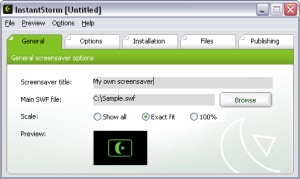 InstantStorm is a free program for creating professional Flash screensavers. InstantStorm is a free program for creating professional Flash screensavers.
How it works is, it allows you to use any SWF (Flash) file as a screensaver. This could be more useful than it sounds, for a variety of reasons. You could create a customized screensaver consisting of your friends or families pictures and distribute it to them, or you could make a screensaver for your company or product.
InstantStorm includes advanced features such as allowing you to fully customize your screensaver’s about box, installer and uninstaller including all texts. it’s 100% free with no nag screens or other annoying stuff. You can download it at the homepage here.
Rating: Loading... No Comments »
Phil South - December 15, 2006
 MB Free Tarot Dictionary is exactly that, a cross referenced dictionary of Tarot terms. But it’s a little more than that too. You get the meanings of different spreads, the layouts you do with the cards, plus you get information about decks, individual cards, and symbolism and other meanings. MB Free Tarot Dictionary is exactly that, a cross referenced dictionary of Tarot terms. But it’s a little more than that too. You get the meanings of different spreads, the layouts you do with the cards, plus you get information about decks, individual cards, and symbolism and other meanings.
It’s all very clearly explained, but I suspect you have to have an interest in Tarot to begin with or not much of it will make sense. This is not a beginners tool, although as a supplement to other tools like a really good book on the subject,it will be very helpful.
It’s more of a glossary that a reference guide, but will be of use to experts and intermediate users alike. Get it from the author’s web site.
Rating: Loading... 2 Comments »
Phil South - December 15, 2006
 Okay, so you may not think that having a beautiful picture of the moon on your desktop is a good thing. And yeah the fact that it just happens to be the exact phase of the moon at the time may not sway you. But it is kind of cool. And what if you are a Wiccan or something like that? It could be essential that you know stuff like this. Okay, so you may not think that having a beautiful picture of the moon on your desktop is a good thing. And yeah the fact that it just happens to be the exact phase of the moon at the time may not sway you. But it is kind of cool. And what if you are a Wiccan or something like that? It could be essential that you know stuff like this.
The program is basically one of those that changes the computer’s desktop based on the clock. Except in this case, the calender days are tied into some kind of moon calendar and puts the right slice of the moon on your screen. I think they call those things sidereal calendars, but I may be wrong. In any case, the pictures are really nicely done, and according to my daughter’s moon phase wallchart the slices are pretty accurate.
Cosmic.
Get the moon phase wallpaper program from the author’s web site.
Rating: Loading... No Comments »
Ciaran Moore - December 15, 2006
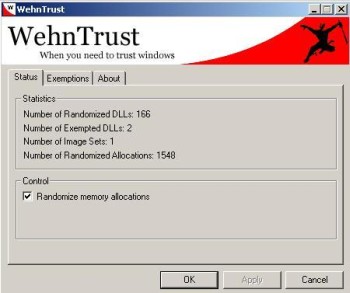 WehnTrust is a Host-based Intrusion Prevention System (HIPS) that provides secure buffer overflow exploitation countermeasures. It helps protect Windows-based computers against worms and malware that spread through software vulnerabilities. WehnTrust is a Host-based Intrusion Prevention System (HIPS) that provides secure buffer overflow exploitation countermeasures. It helps protect Windows-based computers against worms and malware that spread through software vulnerabilities.
In simpler terms, it’s added protection for your computer against mailicious software being used against it, such as hacking attempts. Once WehnTrust is installed, all applications on the computer are automatically protected against nearly all forms of vulnerability exploitation. It isn’t a replacement for antivirus and antispyware products. It’s meant to be used in along with antivirus and antispyware products to help protect a computer from all of the various ways in which it could be compromised.
It’s a useful layer of protection for those concerned about the security of there computer. But the downside is it doesn’t really offer much feedback if it should actually manage to prevent something.
It’s available in a pay-for ‘Commercial’ version and a ‘Home user’ version which is free. You can get more information by reading the faq and download it from here.
Rating: Loading... No Comments »
|
|
|


 (3 votes, average: 4.67 out of 5)


