Author Archive
Wednesday, April 30th, 2008
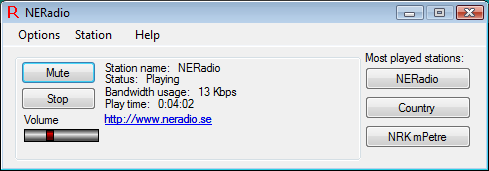 Radio Stream Player helps you to stream/listen to online radio stations from the internet without having to open an internet browser or run a bloated player. It has a language translation system which makes you access station list in English, Norwegian, Dutch, Danish, French, German and Portuguese languages. It has a small and easy to use GUI and a minimal CPU and RAM footprint. Radio Stream Player helps you to stream/listen to online radio stations from the internet without having to open an internet browser or run a bloated player. It has a language translation system which makes you access station list in English, Norwegian, Dutch, Danish, French, German and Portuguese languages. It has a small and easy to use GUI and a minimal CPU and RAM footprint.
The latest version was released on April 22, 2008 and it has the following changes:
Added:
- Much better support for importing old station files;
- Automatic detection of missing translation / station files will not automatically download the missing files
Changed:
- More improvements to scaling of Windows;
- Automatic updates will now only check once per day
Fixed:
- Issues related to parsing .pls files
Want to see for yourself? Go to http://www.thexsoft.com/index.php?page=radio-stream-player
Posted in Main | No Comments »
Wednesday, April 30th, 2008
 If you’ve been looking for a powerful tool that can enable you to watch your Internet Tv shows and videos easily, then this might be the thing for you. It’s called Micro. If you’ve been looking for a powerful tool that can enable you to watch your Internet Tv shows and videos easily, then this might be the thing for you. It’s called Micro.
Micro allows you to download and watch your internet TV shows and Videos in one powerful application just like you watch your TV. It lets you watch big, high resolution videos one after another. It helps you to avoid tedious web videos and it’s so easy to use. Micro has a built-in Channel Guide in which new channels arrive daily. The latest version of Micro for Windows was released last week.
Interested? Go to http://www.getmiro.com/
Posted in Main, Movies, Multimedia, TV, Video | 2 Comments »
Friday, April 25th, 2008
 History Sweeper helps to ensure that the history of activities you performed on your PC is automatically wiped off after you are done. It is not just enough to delete files and cookies after working on your PC because your activity remains on the PC unseen. Also, while on the internet, you may have downloaded intrusive devices like cookies, bugs and spyware, which may strike at anytime on your PC. These bring up privacy and security questions. History Sweeper helps to ensure that the history of activities you performed on your PC is automatically wiped off after you are done. It is not just enough to delete files and cookies after working on your PC because your activity remains on the PC unseen. Also, while on the internet, you may have downloaded intrusive devices like cookies, bugs and spyware, which may strike at anytime on your PC. These bring up privacy and security questions.
History sweeper protects your activities, remove intrusive devices and save your storage spaces, thereby increasing your privacy and security online. The latest version of this software was released on April 22, 2008.
Want to know more? Visit http://www.itcompany.com/sweeper.htm
Posted in Main | 1 Comment »
Thursday, April 24th, 2008
 Want to keep your digital photos safe? Hide Photos provide a secure container which is protected by a password. It is easily accessible with an Explorer-like interface. It displays thumbnail preview of protected photos in full color and it arranges your collection in such a way which facilitates quick search by using tags and comments. Want to keep your digital photos safe? Hide Photos provide a secure container which is protected by a password. It is easily accessible with an Explorer-like interface. It displays thumbnail preview of protected photos in full color and it arranges your collection in such a way which facilitates quick search by using tags and comments.
The latest version, Hide Photos 1.3 Build 805 was released on April 21, 2008 and it has the following changes:
- Added: ability to deny access to the storage when some idle time passed
- Added: menu item “Tools-Hide to tray” with the F12 shortcut key to quickly hide program to tray
- Fixed: RAW files adding/viewing/loading accelerated
Want to know more? Visit http://hidephotos.com/
Posted in Design, Encryption software, Main, Photo, Security, Shareware, Windows | 1 Comment »
Thursday, April 24th, 2008
 Clip Plus as your Windows companion is an accessible and easy to use system. It automatically grabs and save text, images and objects as they are copied to the Windows Clipboard, working alongside with regular Windows Clipboard. This allows the text, images and objects available for saving, reuse and printing. A tray icon provides quick access to the program and an indicator which indicates whether you are in capture or pause modes. Clip Plus as your Windows companion is an accessible and easy to use system. It automatically grabs and save text, images and objects as they are copied to the Windows Clipboard, working alongside with regular Windows Clipboard. This allows the text, images and objects available for saving, reuse and printing. A tray icon provides quick access to the program and an indicator which indicates whether you are in capture or pause modes.
Clip Plus enables you to open the main display where your clipped items are stored and to create and save group items and save individual items. Text and graphics can be printed.
This latest version of this program was released on April 21, 2008 and it has the following changes:
- Clip Plus now compatible with Vista Aero visual improvements
- Added Office 2007 themes support
- Added fully-customizable toolbars and menus
- Removed panes flickering
You can check it out for yourself on http://www.crystaloffice.com/clipplus
Posted in Main | No Comments »
Wednesday, April 23rd, 2008
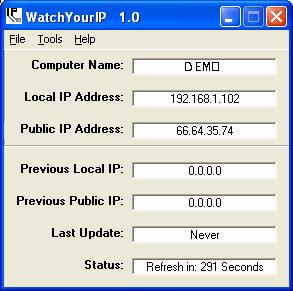 If you’ve been looking for an IP monitoring software that can do the job and do it really well, you may not have to look any further, thanks to WatchYourIP. If you’ve been looking for an IP monitoring software that can do the job and do it really well, you may not have to look any further, thanks to WatchYourIP.
WatchYourIP as the name implies is a tool for watching your IP, monitoring changes with ease. It is the IP monitoring software that will watch your Local and Public IP addresses and monitor them for changes. The cool thing about this software is that it can be configured to email a list of users in the event of a change. So you can send out custom email messages to provide your users the correct and accurate info.
Still not sure if this is what you need, check out its features:
- Monitors Local and Public IP addresses
- Customizable timer
- Customizable color interface
- Customizable email – make it say exactly what you want
- Start up when Windows starts up
- Minimize to system tray – to better keep your taskbar organized and clean
Want to try it out? Go to http://www.capp-ware.com/watchyourip/
Posted in Main | No Comments »
Tuesday, April 15th, 2008
 One of the biggest popularity crazes of modern existence is the concept of the computer telephone call. Utilizing the powerful hardware available inside your computer, you can now make phone calls to other computers and therefore chat with family and friends that are all over the world at a quality that is usually much higher than you would expect from a normal phone call (especially when you are speaking with them over a long distance). When you consider a number of different factors, this is a common sense solution to a problem that has existed for some time and Gizmo is one of the leading freeware software packages to provide this solution. One of the biggest popularity crazes of modern existence is the concept of the computer telephone call. Utilizing the powerful hardware available inside your computer, you can now make phone calls to other computers and therefore chat with family and friends that are all over the world at a quality that is usually much higher than you would expect from a normal phone call (especially when you are speaking with them over a long distance). When you consider a number of different factors, this is a common sense solution to a problem that has existed for some time and Gizmo is one of the leading freeware software packages to provide this solution.
Gizmo is a simple point and click piece of software that allows you to make use of any connection to the Internet to make those telephone calls. You can talk for as long as you want at the high quality reception of the computer and you can do all of this for free, something that is very different from the way conventional telephone link ups work in the present. The base software is free and even the extra features that do cost money are quite a bit cheaper than a monthly phone plan would cost. However, all of the functionality you need to make calls is available in the freeware version of Gizmo.
More information is available at http://gizmo5.com/pc/products/desktop/
Posted in Main | No Comments »
Tuesday, April 15th, 2008
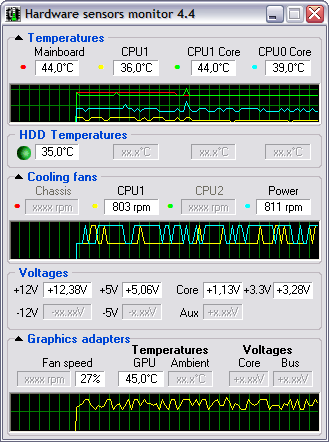 Hmonitor has a censor which checks the temperature of any component on your computer. It has built in software cooling and it alarms that set off when temperature gets too high. Hmonitor has a censor which checks the temperature of any component on your computer. It has built in software cooling and it alarms that set off when temperature gets too high.
Hmonitor was designed as a light weight alternative to Intel LANDesk Client manager. The program icon can be found in system-tray area of Windows desktop. An added advantage of this program is that it consumes less memory space. Hmonitor only monitors those parameters that are collected by various sensor chips installed on modern motherboards.
The latest version was released recently, Changes in features include:
- MS Vista x64: self-signed driver is released;
- MS Vista: Nvidia GPU temperature monitoring enhanced;
- AMD/ATi Graphics cards: Crossfire support added;
- Andigilog ASC7621 sensor chip: fans reading bug corrected;
- Intel D975XBX2 mainboard support verified;
- HP Compaq nc6320/nc6400 notebooks support verified;
- Gigabyte MA78GM mainboard support verified;
- Gigabyte X38-DS4 mainboard support verified;
- HP Pavilion dv9750 notebook support verified;
- HP Pavilion dv9500 family of notebooks support verified;
- MSI P6N Diamond mainboard support verified;
- Intel D102GGC2 mainboard support verified
and lots more…
Need to see for yourself? Go to http://www.hmonitor.net/
Posted in Main | No Comments »
Tuesday, April 15th, 2008
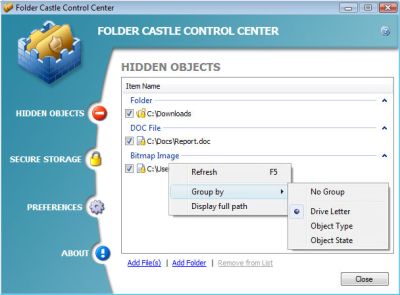 Folder Castle is a tool that provides you with security to prevent unauthorized access into your files and folders by using a password. The way it works is by hiding and encrypting your confidential and sensitive file and folders so that it becomes impossible for unauthorized seeing, reading, copying, moving and deleting of your files and folders. Encrypting your data by putting them onto a secure storage provides you with improved security. Folder Castle is a tool that provides you with security to prevent unauthorized access into your files and folders by using a password. The way it works is by hiding and encrypting your confidential and sensitive file and folders so that it becomes impossible for unauthorized seeing, reading, copying, moving and deleting of your files and folders. Encrypting your data by putting them onto a secure storage provides you with improved security.
New version of Folder Castle was released on April 11 with some cool changes to the features of the previous version, the changes include:
- Creating Secure Storage on USB flash drives;
- Windows Safe Mode support;
- Moving Secure Storage to another drive;
- Also some problems with User Account Control (UAC) under Vista have been detected and fixed.
You can check it out on http://www.magneticsoft.com/FolderCastle.shtml
Posted in Main | No Comments »
Tuesday, April 15th, 2008
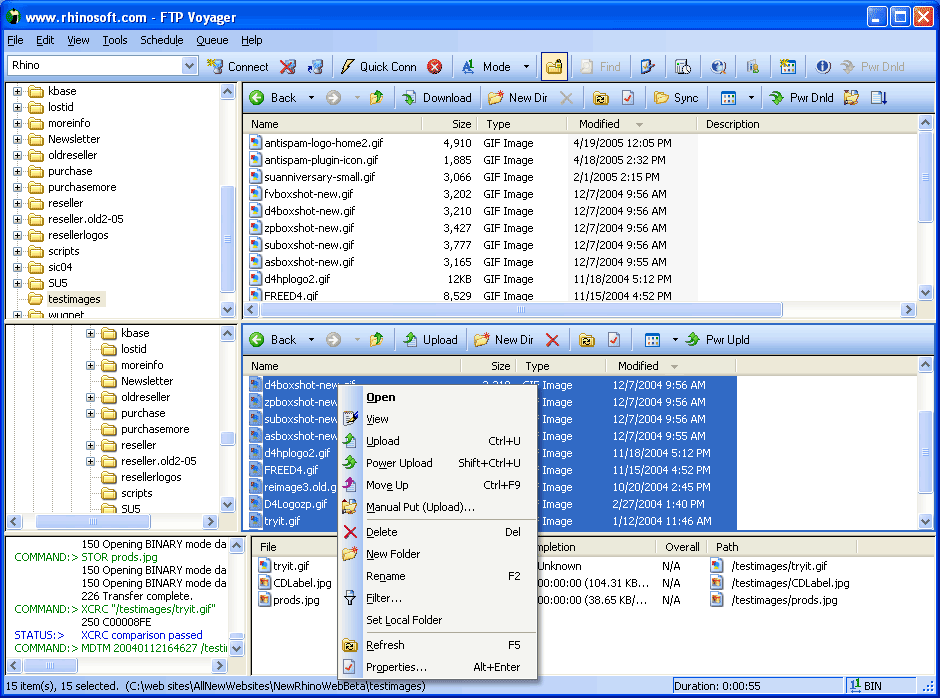 FTP Voyager is a very powerful FTP client for windows. This tool is very beneficial for web developers or anyone that moves files on the internet because of functions such as, an intuitive drag-and-drop interface, updating a web site with a single click, transferring files directly between FTP servers, resume interrupted downloads and advanced file searches while doing other FTP tasks. FTP Voyager is a very powerful FTP client for windows. This tool is very beneficial for web developers or anyone that moves files on the internet because of functions such as, an intuitive drag-and-drop interface, updating a web site with a single click, transferring files directly between FTP servers, resume interrupted downloads and advanced file searches while doing other FTP tasks.
FTP site profile easily allows you to add your own FTP sites. FTP Voyager supports secure connections using SSL and SSH and you can also import your FTP sites from many other FTP applications for use in the tool. The tool can also queue your downloads for later, helping you to continue with your FTP tasks and start the download queue when you’re through.
There are a lot of other features this tools has which include auto ASCII/Binary transfer selection, advanced file filtering, folder shortcuts, clipboard URL monitoring and dial on demand.
The latest version of this tool was released a couple of days ago, FTP Voyager 15.0.0.1.
Want to check it out sometime? Go to http://www.ftpvoyager.com/
Posted in Main | No Comments »
|
|
|




