
Take a GreenShot
Thursday, July 8th, 2010For those whose jobs demands capturing images of any means; a blogger that needs to capture a website used as a reference for quotation purposes or a system programmer needs an update of the user interface for the clients, recording screenshots demands a clearer and high quality screenshot output. Windows utilities such as print screen command, though can solve the job, it is not enough to provide the best screenshots output. Well why settle for the weak utilities when GreenShot screen can give you quality screenshots just when you need it the most.
Interface wise, its working environment is very informative and easy to understand. Capturing and saving screenshots is very easy, in fact navigating away from the program is not necessary. All menus are easy to find.
There’s more to this program than just screen capturing software. There are a lot of options on how to capture images from your screen to help you increase your productivity. First, you you can create a complete screen capture or just capture a portion of it or partial capture. This shows greater flexibility that the program offers to users. With complete capture, you can record the entire screen the way you need it say for your blog post or your portfolio. In partial capture, you can freely adjust what portion of the screen you want to record. This feature will surely save you from editing and cropping your image.
Second feature is the annotation and highlighting both important and unnecessary portions of the screenshot. This is very important when quality and reliability of image is of utmost concern. Also by using the settings menu you can customize on how to save the output file etc. Lastly, you can directly send the screenshots you’ve created directly to a file, to the clipboard, directly print it or send it to your friends or bosses as an e-mail attachment.
Recommended for users that needs screenshots either for their work or just for fun. And as an added bonus, the software is free.
You can download GreenShot software at Sourceforge.net
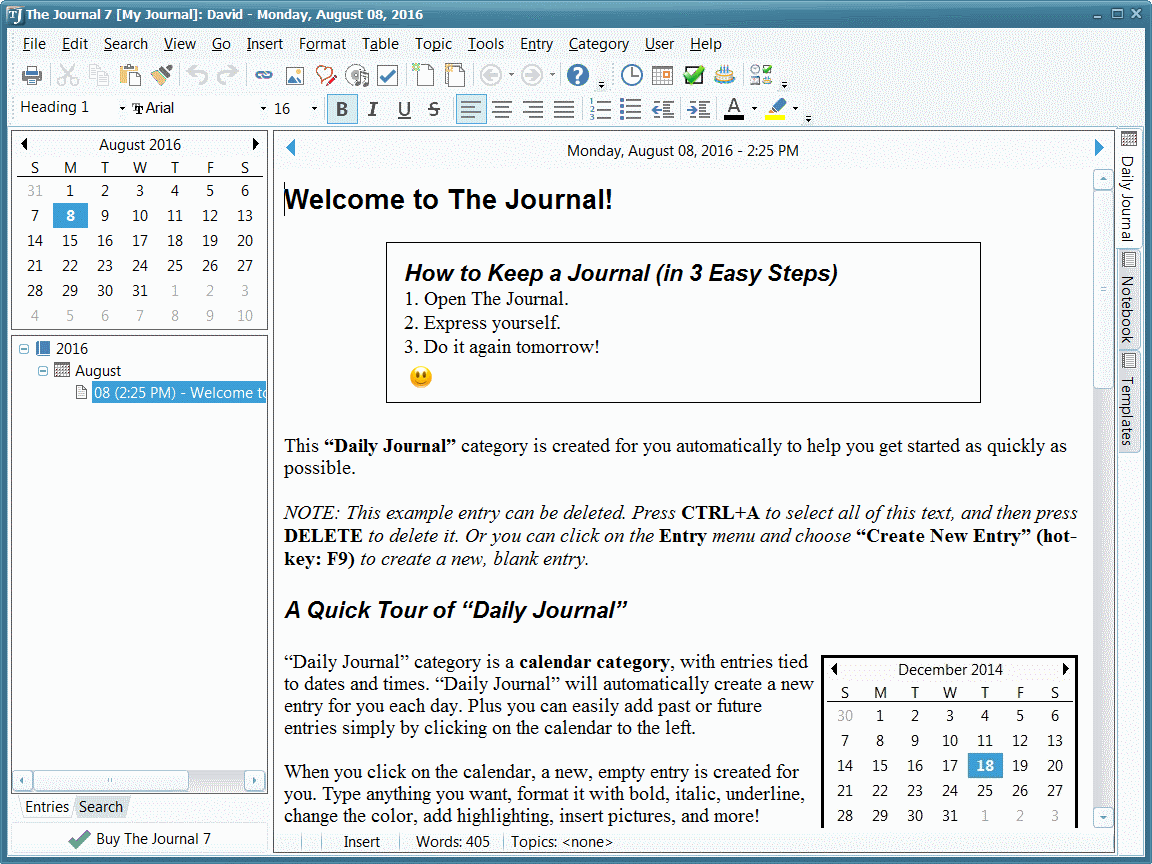 The Journal provides an easy-to-use mix of convenience, flexibility, and security to write, organize, remember, find things from a journal, whatever may be the journaling and writing needs.
 Humans by nature love to communicate and share their thoughts and feelings. With the advent of blogs, sharing of our thoughts has become convenient for many. Now if you are looking for publishing daily on your blog then you should check out something like WinJournal. It is an interesting piece of software that allows you cherish each and every moment of your precious life and effortlessly share it.


