Author Archive
Wednesday, July 30th, 2008
 This is one good IM. I never thought I could design my images, pictures and graphics and communicate with those on IMs. It’s just easy to use. This is one good IM. I never thought I could design my images, pictures and graphics and communicate with those on IMs. It’s just easy to use.
The widow doesn’t command so much in terms of beauty, just like Microsoft paint. But it works well for me and it’s quite reliable.
I should give the company thumbs-up for this ingenious creation. Its properties are also one to get acquainted with. It is also Multi-lingual and internationalized. I like it and I am sure you will.
Look it up yourself at http://coccinella.im
Posted in Developer, Freeware, IM, Main, Social Software, Windows | No Comments »
Tuesday, July 29th, 2008
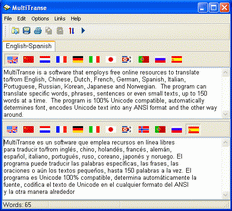 If you ever want to learn to speak a couple of languages, I am sure that this is indeed a good tool for you. If you need to know the meaning of a foreign text or get your words translated into some language, both quickly and without a dictionary, then MultiTranse is the right choice for you. it also translates a wide range of symbols. It takes advantage of the Internet and it’s free resources to provide you with adequate translation into desired language. If you ever want to learn to speak a couple of languages, I am sure that this is indeed a good tool for you. If you need to know the meaning of a foreign text or get your words translated into some language, both quickly and without a dictionary, then MultiTranse is the right choice for you. it also translates a wide range of symbols. It takes advantage of the Internet and it’s free resources to provide you with adequate translation into desired language.
It translates from the following languages: English, Chinese (both traditional and simplified), Arabic, Dutch, French, Greek, German, Spanish, Italian, Portuguese, Russian, Korean, Japanese. And that’s where I have a slight problem with it.
It would have been a lot better if it catered for a lot more languages. Languages like Urhobo, ishan, Swahili, Yoruba, Hausa, and a couple of African languages. I’m sure the company will look into that soon enough seeing that they have come this far since 2004. you don’t have to worry about fonts, MultiTranse connects to Microsoft and downloads the necessary fonts needed that your system don’t have installed.
If you are looking for a convenient way of rendering your words into a number of languages or understanding foreign texts, then MultiTranse is about the only tool you need.
Check it out here – http://www.tialsoft.com/multitranse
Posted in Main | No Comments »
Monday, July 28th, 2008
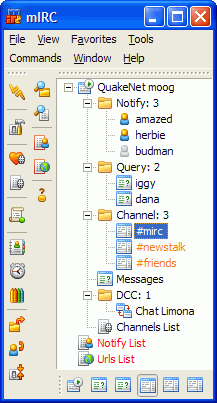 This is really worth checking out, a cool Internet Relay Chat. You get to communicate well with others on the IRC network and even share pictures, your favourite music, and files on the network. mIRC could be in multi-user interface or one-on-one private channel discussions. Its interface is clean, practical and Is highly configurable and supports a couple of features like as buddy lists, file transfers, multi-server connections, SSL encryption, proxy support, UTF-8 display, customizable sounds, spoken messages, tray notifications, message logging, and more. You could also play games on this network (that’s awesome). This is really worth checking out, a cool Internet Relay Chat. You get to communicate well with others on the IRC network and even share pictures, your favourite music, and files on the network. mIRC could be in multi-user interface or one-on-one private channel discussions. Its interface is clean, practical and Is highly configurable and supports a couple of features like as buddy lists, file transfers, multi-server connections, SSL encryption, proxy support, UTF-8 display, customizable sounds, spoken messages, tray notifications, message logging, and more. You could also play games on this network (that’s awesome).
There are some new changes, in the latest verion, mIRC 6.33, which was just recently released
New
- Editbox “automatic” lines option has been added that dynamically changes the size of the editbox in a window to show the whole of your typed message, up to half the size of the window
Added
- Support for the transfer of files larger than four gigabytes
- /var -g switch to allow you to set global variable values
- $input() identifier combobox support
Fixed
- UTF-8 text-wrapping display bug
- switchbar display button-sorting display bug
- window positions not being saved correctly for some windows
It works well, I think the company should look into the vista compatibility because there are hitches here and there when working with it and vista is here to stay.
Check it out at http://www.mirc.com
Posted in Main | No Comments »
Thursday, July 24th, 2008
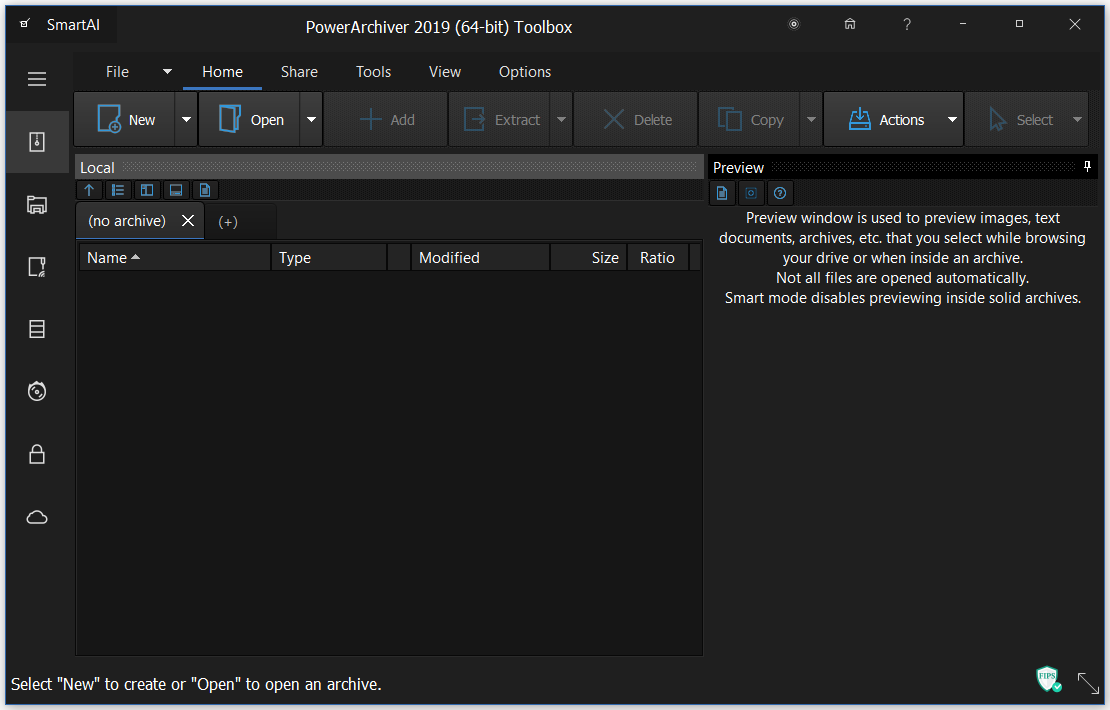 With this one, you do not need to worry about compatibility problems if you are using or considering upgrading to Vista. PowerArchiver supports ZIP, 7-ZIP, CAB, LHA (LZH), TAR, TAR.GZ, TAR.BZ2, BH, RAR, ARJ, ARC, ACE, ZOO, GZ, BZIP2, XXE, MIME, UUE and yENC file formats. An internal viewer displays TXT, RTF, and more than 18 image formats. With this one, you do not need to worry about compatibility problems if you are using or considering upgrading to Vista. PowerArchiver supports ZIP, 7-ZIP, CAB, LHA (LZH), TAR, TAR.GZ, TAR.BZ2, BH, RAR, ARJ, ARC, ACE, ZOO, GZ, BZIP2, XXE, MIME, UUE and yENC file formats. An internal viewer displays TXT, RTF, and more than 18 image formats.
PowerArchiver comes with an unprecedented level of security features. Not only does it fully support the new ZIP AES standard, PowerArchiver also offers its proprietary PAE standard for additional security with five different encryption methods. For ease of use, the PowerArchiver Password Manager will save your frequently used passwords so you do not need to remember them.
For ease of use, PowerArchiver has Compression Profiles that store frequently used compression settings. You can select a compression profile when performing operations in PowerArchiver and save considerable time.
Check it out at http://www.powerarchiver.com
Posted in Main | No Comments »
Thursday, July 24th, 2008
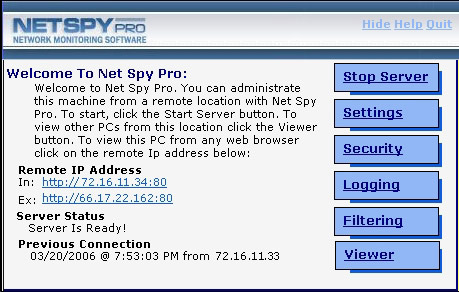 If you want to keep a leash on employee PC activity, NetSpy Pro is the way to go. If you want to keep a leash on employee PC activity, NetSpy Pro is the way to go.
Net Spy Pro gives a network supervisor or administrator the tools they need to monitor and filter employee PC activity. It also comes with network administration tools allowing them to perform various tasks on remote PCs all from the comfort of their own workstation.
The cool thing about this tool is that, it runs in total stealth and is hidden within the Application Task List in
Windows Task Manager. The network administrator gets to access the hidden control panel from anywhere within the network or from one central location.
Just recently a new version was released into the market, Net Spy Pro 4.5, with these cool changes in its features:
- New separate admin and client installers
- Real Time Keystroke Viewer
- View processes, services, shared files
- Newly designed web panel interface
- Import/Export NSP settings in web panel
- Change Password/Settings in web panel
For more info and download, check out http://www.net-monitoring-software.com/
Posted in Main | No Comments »
Thursday, July 24th, 2008
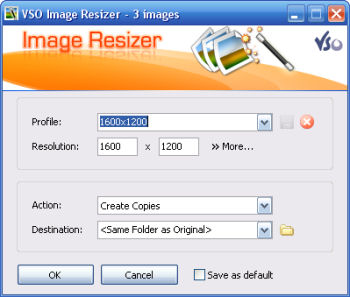 If you store your digital pictures and images on your PC and you want to resize, compress, convert, create copies, create thumbnails, import or organize your files, this is a perfect tool that helps in shrinking your resolutions. If you store your digital pictures and images on your PC and you want to resize, compress, convert, create copies, create thumbnails, import or organize your files, this is a perfect tool that helps in shrinking your resolutions.
With this free resize image software, you can create e-mail friendly versions of your images, load them faster, move them easily from folder to folder, change their format, edit large numbers of image files/batch image resize and thus save space on your hard drive.
It does a couple of things and comes with features that make it easy to work with; you can add your own watermark with transparency support. It allows customizable templates for renaming files: Iphone wallpaper, PAL, NTSC, Ipod etc. it can Integrate in windows explorer or work as a stand-alone application, and even Import directly from your memory cards. You’ll get to see more features when you visit
http://www.vso-software.fr/products/image_resizer/image_resizer.php
Posted in Main | No Comments »
Wednesday, July 23rd, 2008
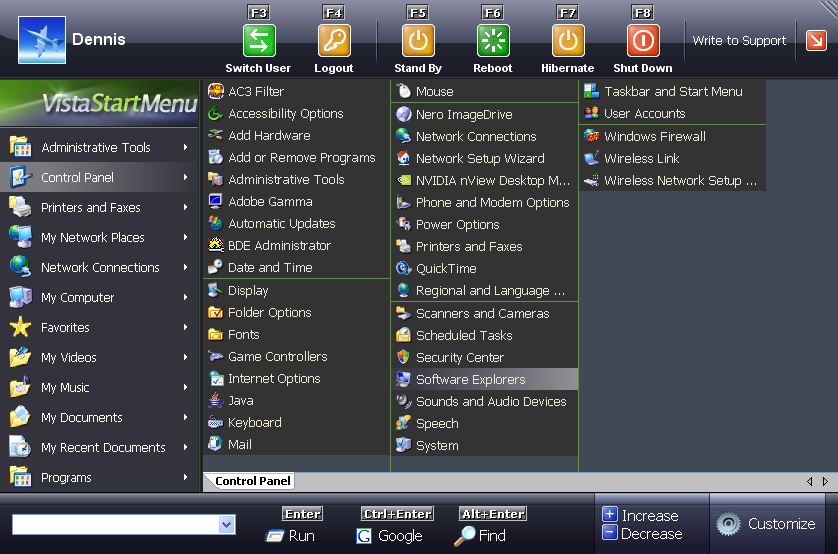 For those who love to have the Vista experience but due one limitation or another, system configuration and the rest can’t have it, here is an opportunity for you. For those who love to have the Vista experience but due one limitation or another, system configuration and the rest can’t have it, here is an opportunity for you.
The Vista Start menu is a convenient alternative to the normal Start menu. It is much easier to find and run the program you need. The fact that with this tool, everything is visual and extremely easy to use, gives it an extra edge. It doesn’t matter whether you are running Windows 2000/2003/ XP/ Vista as OS; you can enjoy this Vista Start Menu on any of them.
Want to give it a try, maybe this will even change you mind about updating your OS.
Ready to try it? Check out http://www.vistastartmenu.com/index.html
It doesn’t matter whether you already have Vista running as OS or not, it is a real cool way to pimp your Vista a little.
Posted in Main | 2 Comments »
Wednesday, July 23rd, 2008
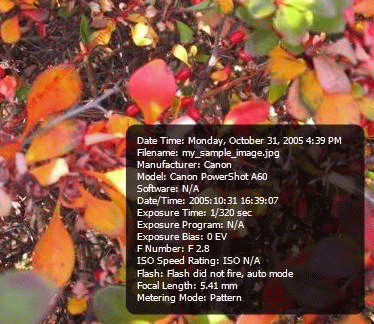 Have there been times when you see your pictures somewhere and you wonder how it got there. Now you don’t have to worry any more with Bytescout Watermarking Pro. It’s a tool that allows you protect you protect your images from unauthorised usages with features like, ability to use stamps: DO NOT COPY, PROTECTED and other stamps, and symbols like ©, ® to your images. Have there been times when you see your pictures somewhere and you wonder how it got there. Now you don’t have to worry any more with Bytescout Watermarking Pro. It’s a tool that allows you protect you protect your images from unauthorised usages with features like, ability to use stamps: DO NOT COPY, PROTECTED and other stamps, and symbols like ©, ® to your images.
It not only protects your images but can also convert images to other image file format, and ability to change the output JPEG quality.
It’s got an easy to use interface and preview functionality and lots more features you should look up for yourself. Visit http://bytescout.com/watermarkingpro.html
Posted in Main | No Comments »
Monday, July 21st, 2008
 If you’ve used previous version, you won’t be surprised at the improvement on this version. As before, it supports a lot of formats like (MP3, OGG, AAC, WAV, MOD, XM, S3M, IT, MIDI, etc.) and video types, like (AVI, ASF, MPEG, NSV). The skins I tell you will blow your mind, you need to check it out. Its library is more advanced with Internet radio and TV support, CD ripping, and CD burning. If you’ve used previous version, you won’t be surprised at the improvement on this version. As before, it supports a lot of formats like (MP3, OGG, AAC, WAV, MOD, XM, S3M, IT, MIDI, etc.) and video types, like (AVI, ASF, MPEG, NSV). The skins I tell you will blow your mind, you need to check it out. Its library is more advanced with Internet radio and TV support, CD ripping, and CD burning.
I’ll just run down couple of changes in this version.
- Chinese, Japanese & Korean installer translations and language packs
- New: [in_swf] Adobe Shockwave Flash (SWF, RTMP) playback support
- New: [gen_dropbox] Winamp DropBox alpha (use: Ctrl-Shift-D)
- New: [Online Services] AOL Radio featuring CBS Radio (requires in_flv)
- Improved: Background reading option for playlist metadata
- Improved: Classic song ticker scrolling for Winamp Modern skin pledit winshade
- Improved: Vista elevation (fixes: installing skins, filetype reg, Pro reg)
- Improved: Zero padding option for play list item numbers
- Improved: [in_flv] Better streaming support and other improvements
- Improved: [in_mp3] Optional retention of existing APEv2 headers
- Improved: [ml_disc] Improved start times if ml_disc view is active
- Improved: [ml_local] Redesigned ‘Show Info’ panel
There are a couple more you should look up. Visit http://www.winamp.com
Posted in Main | No Comments »
Monday, July 21st, 2008
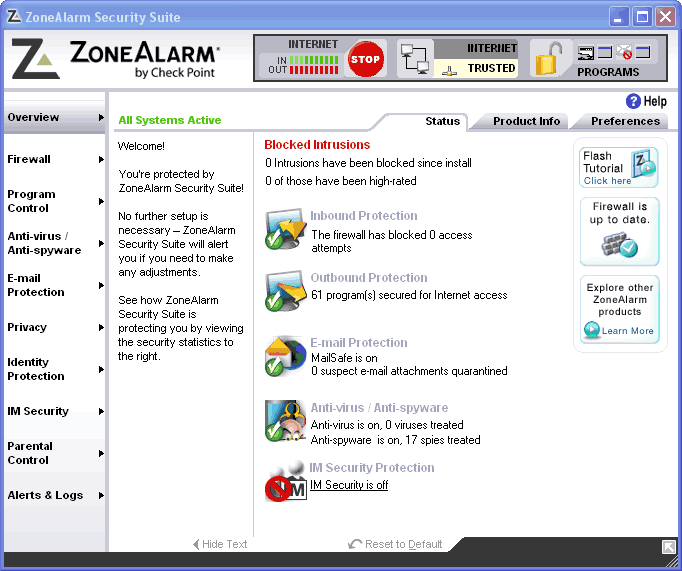 Getting your PC totally secured, you’ll need to get a couple of software from firewalls to antivirus and all sorts. But here is a program that does all the security watch your computer needs. ZoneAlarm internet security provides complete protection for your PC in a single, comprehensive program. It banishes viruses, block spam, and remove spywares from your PC for good. Getting your PC totally secured, you’ll need to get a couple of software from firewalls to antivirus and all sorts. But here is a program that does all the security watch your computer needs. ZoneAlarm internet security provides complete protection for your PC in a single, comprehensive program. It banishes viruses, block spam, and remove spywares from your PC for good.
Working as an antivirus, it has the ability to remove even the most persistent, hard-to-find spyware that infiltrate your PC at the core level. It also protects your PC identity from identity theft. Working as a firewall you may rest assured that your system well protect from all other unauthorized computers (or hackers), with 100% stealth mode operation and also protects your programs from Malwares.
ZoneAlarm Internet Security Suite not only eradicates threats but also prevents them from ever entering in the first place. Comprehensive protection defends your PC with robust firewall technology and stops identity thieves and spammers in a single, easy-to-use application.
Visit http://www.zonealarm.com
Posted in Main | No Comments »
|
|
|




