Author Archive
Friday, July 11th, 2008
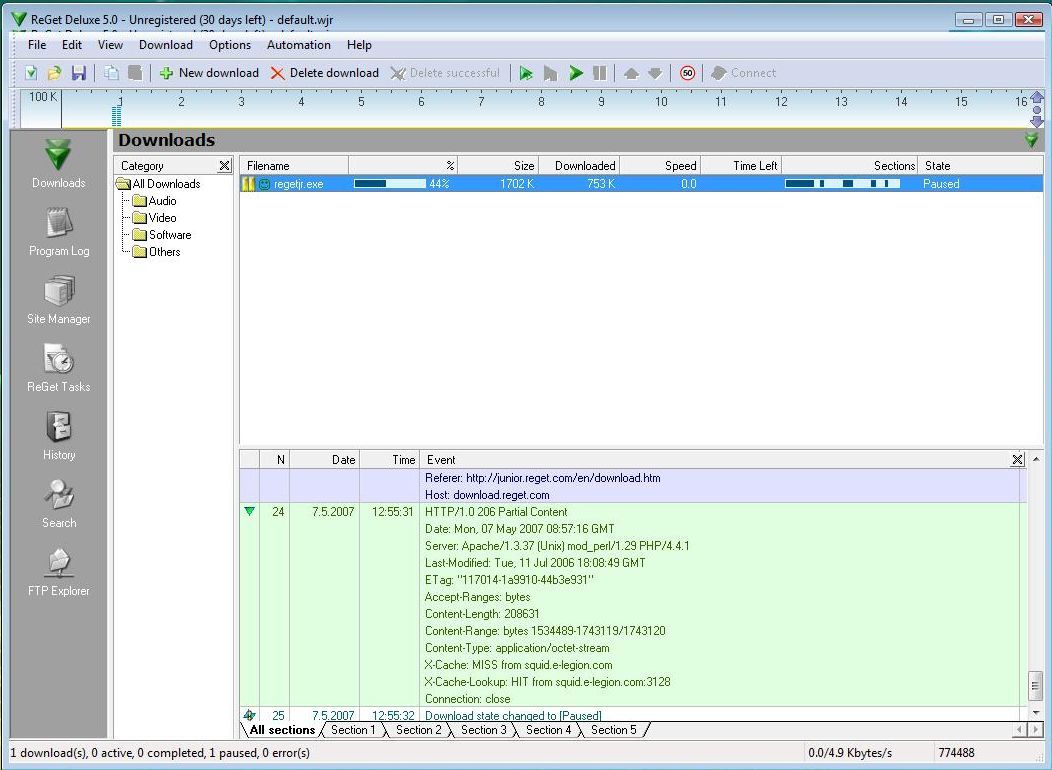 I totally hate it when i try to download and there are itches here and there. I tried ReGe Deluxe and found download so much fun as opposed to most of the other download managers. It’s really fast and easy to download and to use. Even when you have problems downloading files, it will make sure your download is successful. I totally hate it when i try to download and there are itches here and there. I tried ReGe Deluxe and found download so much fun as opposed to most of the other download managers. It’s really fast and easy to download and to use. Even when you have problems downloading files, it will make sure your download is successful.
One other cool thing is, Reget Deluxe shares your files into fragments and then downloads the fragments simultaneously and then regroups the fragments together so you have it as one file, hence making downloading not only faster but so much fun.
What do you think of that?
ReGet Deluxe integrates well into most of the popular browsers so the downloads are transferred to ReGet Deluxe automatically. Wherever you have a dial-up (modem) connection to the Internet or super-fast cable or ADSL, ReGet Deluxe will fully utilize the bandwidth of your connection and download files in a blast!
It’s got some advance features but I’ll leave that for you to find out yourself .
Visit http://deluxe.reget.com
Posted in Main | No Comments »
Thursday, July 10th, 2008
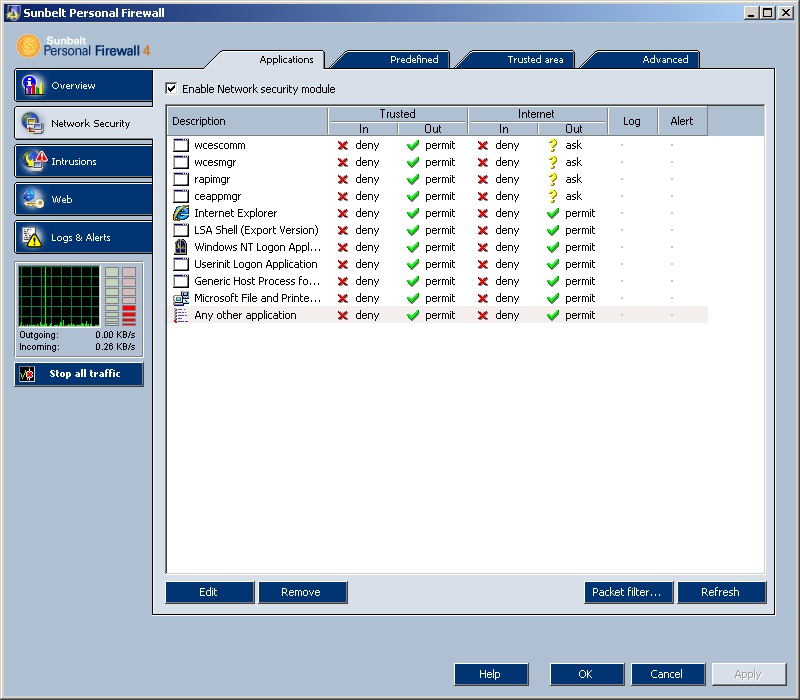 There are some really annoying unauthorized accesses to files on my system. i get real mad at these access. well a friend told me about this firewall, i tried it and it worked quite well but i had a slight with it when i tried it on my Vista and well it dint work quite as effective as it worked on Xp. I think the company should work on the vista compatibility. There are some really annoying unauthorized accesses to files on my system. i get real mad at these access. well a friend told me about this firewall, i tried it and it worked quite well but i had a slight with it when i tried it on my Vista and well it dint work quite as effective as it worked on Xp. I think the company should work on the vista compatibility.
There are however a couple of features I discovered, it protects your PC against attacks from both the Internet and other computers in the local network. It controls all data flow in both directions from the Internet to your computer and vice versa, it can block all attempted communication allowing only what you choose to permit. It is really very good, well except for the Vista compatibility which I think the company should work on cos everybody is going for vista these days.
Want to try it out? Go to http://www.sunbelt-software.com/Home-Home-Office/Sunbelt-Personal-Firewall/
Posted in Main | No Comments »
Thursday, July 10th, 2008
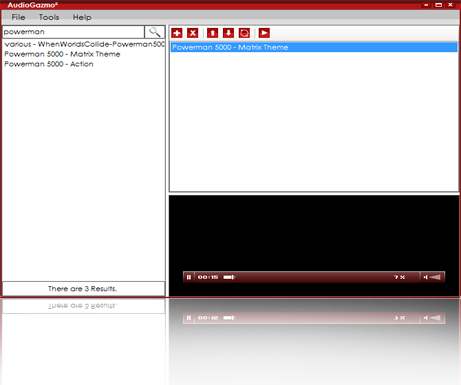 The idea of having an online media library that contains your favorite songs and genres of music is fascinating. AudioGazmo provides a forum where you play all your songs on line without downloading the songs. The idea of having an online media library that contains your favorite songs and genres of music is fascinating. AudioGazmo provides a forum where you play all your songs on line without downloading the songs.
This new version was released on July 1 2008 and contains a couple of changes I noticed from the previous version like an increased speed level in playing loading and searching songs. And a beautifully spiced up user interface and a new media player, oh I love the new look.
To listen to songs, all you need do is specify the song or songs, or specify the genre of music(rock, jazz, hip pop, etc) and then search, so easy.
Visit http://www.audiogazmo.com and get your version.
Posted in Main | No Comments »
Wednesday, July 9th, 2008
 Microsoft Remote Desktop Connection Client for Mac 2 features a redesigned user interface, improved customization options, and the ability to connect to multiple Windows-based computers at the same time. Microsoft Remote Desktop Connection Client for Mac 2 features a redesigned user interface, improved customization options, and the ability to connect to multiple Windows-based computers at the same time.
There a couple of improvements which I indeed looked up myself on this version like a universal binary coding structure that enables me work with both Mac and Window based systems, remote desktop protocol eases working with vista systems. One could have multiple sessions i.e. be connected to several computers and be able to manage those connections so none is lost. I found out that even when I sometimes lose my connections, they are automatically reestablished; now that’s so cool.
Just incase your aren’t sure of your connection a Network Level Authentication enables you verify the identity of the windows based computer before establishing Remote Desktop Connection. Network Level Authentication is a lot more reliable and more secure than the authentication options in the previous versions.
There are a lot more improvements on this version that would enhance it workability and I strongly recommend that you look it up right here.
Posted in Main | No Comments »
Wednesday, July 9th, 2008
 OMG! When I first came across Pidgin for Windows, I thought it was a nice concept for free styling language usage… but the ability to simultaneously chat with users of other IM networks freely without the seeming limitations in sharing files like pictures, music and videos,was what really got me. That is a whole lot of free-styling. OMG! When I first came across Pidgin for Windows, I thought it was a nice concept for free styling language usage… but the ability to simultaneously chat with users of other IM networks freely without the seeming limitations in sharing files like pictures, music and videos,was what really got me. That is a whole lot of free-styling.
Pidgin allows you chat with friends on MSN, MyspaceIM, or Gadu-Gadu or even more while sitting at yahoo messenger all at the same time. Giving you the feel that you are all on the same network. That’s so cool.
Pidgin supports many features of the various networks, such as file transfer, away messages, and typing notification. It also goes beyond that and provides many unique features. send a message, play a sound, or run a program when a specific buddy goes away, signs online, or returns from idle; and plugins, consisting of text replacement, extended message notification, spell checking and more. And works well with Windows, UNIX operating systems and Linux.
I could go on and on but I think its best to check it out and see for yourself. Visit http://www.pidgin.im
Posted in Main | No Comments »
Friday, July 4th, 2008
 There are many reasons that people use browsers. They use them to download files, visit websites and generally improve their lives in ways that could not be accomplished online. While the internet is an absolutely fantastic resource, at the same time it can be a dangerous place. Files can contain viruses and cookies can launch programs that can ruin your computer at worst and cause you a lot of headache at best. Because of all of these problems, people have avoided places that are likely candidates for spyware, viruses or other harmful pieces of software, even if those places could have helped them in some way. There are many reasons that people use browsers. They use them to download files, visit websites and generally improve their lives in ways that could not be accomplished online. While the internet is an absolutely fantastic resource, at the same time it can be a dangerous place. Files can contain viruses and cookies can launch programs that can ruin your computer at worst and cause you a lot of headache at best. Because of all of these problems, people have avoided places that are likely candidates for spyware, viruses or other harmful pieces of software, even if those places could have helped them in some way.
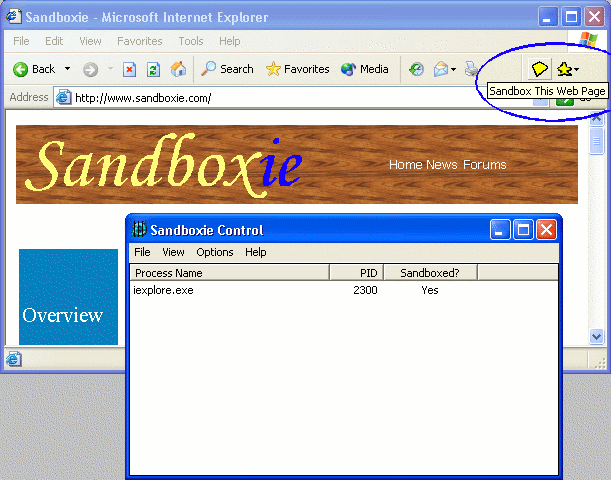
Well, one way to get around this is to run your browser in a virtual sandbox and that is exactly what Sandboxie allows you to do. The latest version that was released on July 1, 2008, is actually a version that allows you to do this with any program, not just the browser. You keep everything you do within the virtual sandbox and then when you delete the sandbox, everything you did in the session disappears. This allows you to make sure that changes are safe before you actually make them and the peace of mind that results from that ability is so immeasurable that the fact this piece of software is free is almost unbelievable.
More information is available at http://www.sandboxie.com
Posted in Main | No Comments »
Thursday, July 3rd, 2008
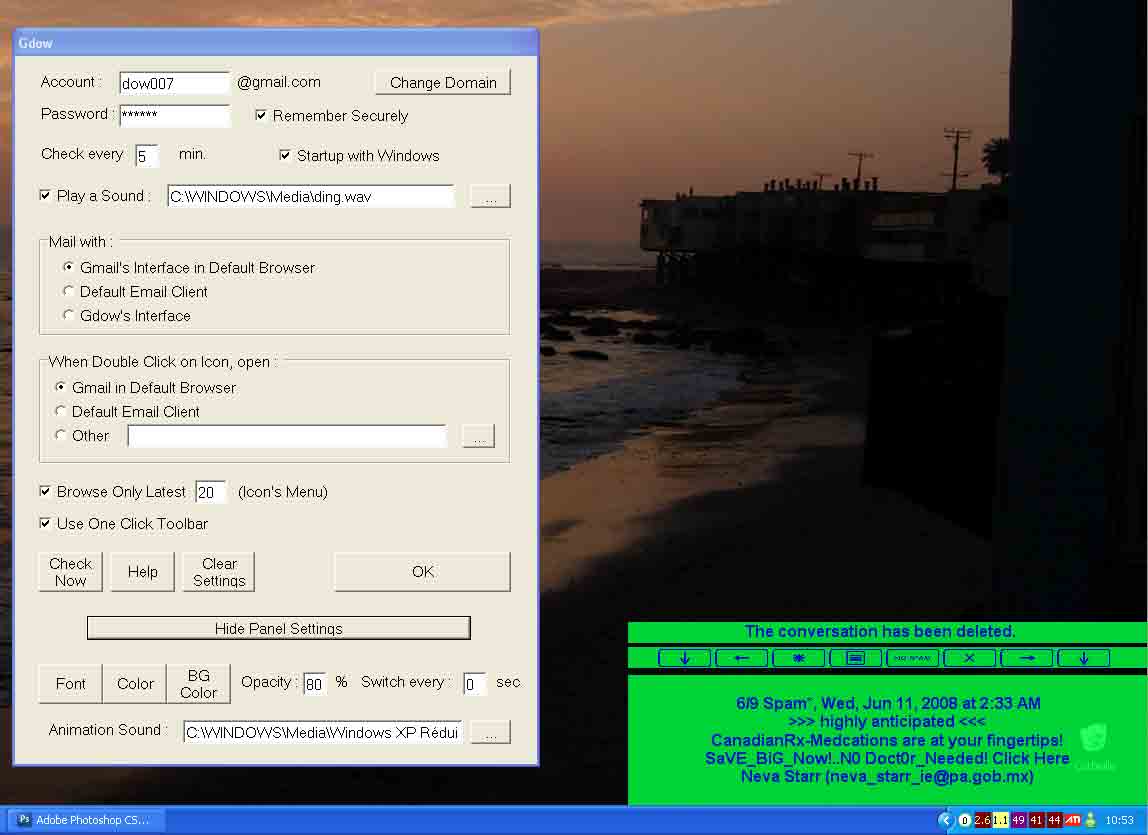 The latest version of Gdow has just been released and with it there are a number of interesting new changes. Many of these changes are minor in fashion, but one particular change of note is that the connection problems with Gdow have been fixed. Where some people had slow connections or even timeouts through the use of the software after the changes that were made to gmail at the end of June, now all of those problems have been fixed so that people can once again go ahead with their business. The latest version of Gdow has just been released and with it there are a number of interesting new changes. Many of these changes are minor in fashion, but one particular change of note is that the connection problems with Gdow have been fixed. Where some people had slow connections or even timeouts through the use of the software after the changes that were made to gmail at the end of June, now all of those problems have been fixed so that people can once again go ahead with their business.
Gdow acts as a piece of software to notify people when they have new mail in their gmail account. All of the capabilities of a gmail account in terms of notification are given on Gdow so that you can know what goes on with your gmail account within a few moments of it actually happening. To make things even better and sweeten the pot a little bit, Gdow can be used through a one-click graphical user interface or through a right click menu from its location on the system tray.
More information about this excellent piece of freeware is available from the publisher’s homepage at http://dowdow.free.fr/gdow2007.php.
Posted in Main | No Comments »
Thursday, July 3rd, 2008
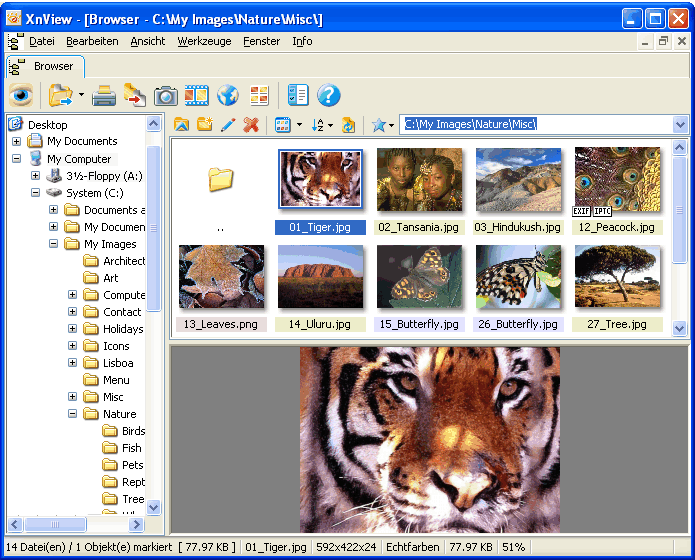 XnView is a piece of software that continues to be mentioned in the highest circles of good online freeware for the simple reason that it continues to amaze. The latest version of XnView was released on July 1 and it contains a number of interesting changes. Perhaps the most important change is the fact that the number of graphics formats that the software contains keeps on growing and in the latest incarnation of the software now standards at over 400. It is very unlikely that there is a graphics format out there that this program does not support and if you find one, be sure to send it to the creator so that he can make it compatible for the next release of XnView. XnView is a piece of software that continues to be mentioned in the highest circles of good online freeware for the simple reason that it continues to amaze. The latest version of XnView was released on July 1 and it contains a number of interesting changes. Perhaps the most important change is the fact that the number of graphics formats that the software contains keeps on growing and in the latest incarnation of the software now standards at over 400. It is very unlikely that there is a graphics format out there that this program does not support and if you find one, be sure to send it to the creator so that he can make it compatible for the next release of XnView.
Why is the support of so many graphics important? It is important because when you find that special image that you want to keep and use, you also want to make sure that you don’t reach a dead end if that image happens to be in a file format that a typical computer program would not be able to read. XnView allows for the changing of file formats as well as their viewing, capturing and editing in terms of the attributes of the electronic file. All of these aspects are important when converting a file from some little used graphical interface to a JPG or GIF and having a high quality program like XnView that is free to download is invaluable in this area.
More information is available at http://www.xnview.com/
Posted in Main | No Comments »
Wednesday, July 2nd, 2008
 Do you have problems backing up your documents and files? Here is something worth checking out. It is called Tame. Tame was designed to perform backup operations on areas you would consider least important, for example your messenger conversation logs,with Tame, are no longer lost when the application is close. Do you have problems backing up your documents and files? Here is something worth checking out. It is called Tame. Tame was designed to perform backup operations on areas you would consider least important, for example your messenger conversation logs,with Tame, are no longer lost when the application is close.
Here is how it works, Tame creates a full conversation folder and saves all your conversations therein. The folder is then saved in a customizable folder (my documents or my computer).Backups can also be set to run at specific system times,(i.e Tame doesn’t have to backup everything you are working on, like those documents you are sure you don’t need) while running silently in the background. Each backup that is made is time and date stamped so that you are fully aware of when each backup was made.
Each backup that is performed is controlled from its own window, which can be easily customised on the main window if you do not wish to see them running. Advanced options are also available to start each backup section on start-up and to start TAME when the Windows session is started. All of these features are available in an easy to understand environment that blends easily with Windows 2000/XP/2003/VISTA.
You can check it out at http://www.troupware.com/software/main/tame.htm
Posted in Main | No Comments »
Saturday, June 28th, 2008
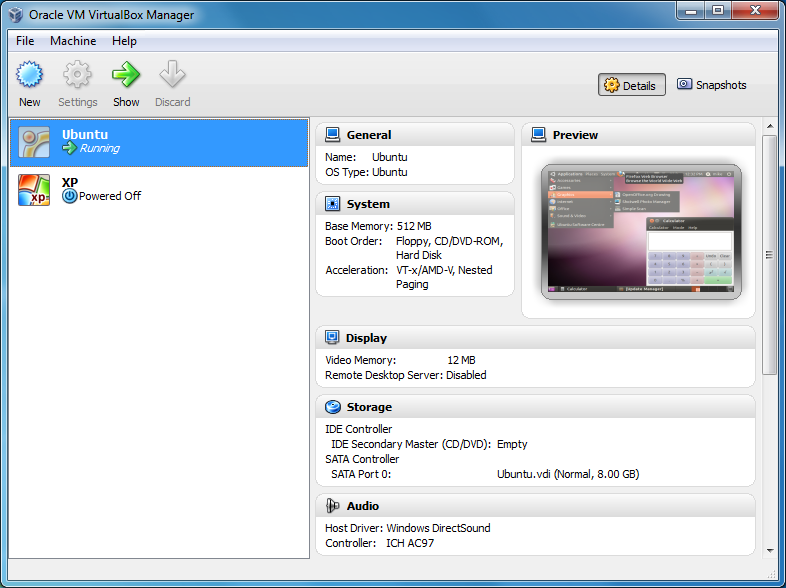 Open source software generally comes with quality downgrades, because in a Capitalist society the biggest correlation that you will find is between money and quality. However, there are always exceptions to the rule and VirtualBox is definitely one of those exceptions. It is a general purpose software that you can use for full virtualization for hardware that is x86 in nature. It can be used in servers, desktops and embedded technologies. Open source software generally comes with quality downgrades, because in a Capitalist society the biggest correlation that you will find is between money and quality. However, there are always exceptions to the rule and VirtualBox is definitely one of those exceptions. It is a general purpose software that you can use for full virtualization for hardware that is x86 in nature. It can be used in servers, desktops and embedded technologies.
The latest version of the software was released on recently and contains over a dozen fixes to problems that were reported with the previous versions. In addition to these fixes, improvements to the graphical user interface were created along with the addition of compatibility with systems that were not previously compatible to be used with this particular piece of software.
Overall, the VirtualBox software concept is one that has risen to the point where the virtualization potential of the software really has it on par with many of the proprietary and professional software packages on sale that do the same thing. The difference, of course, is that this software is free, open source and will remain so for a very long time.
More information on it can be found at http://www.virtualbox.org/.
Posted in Main | No Comments »
|
|
|




