Author Archive
Wednesday, October 17th, 2007
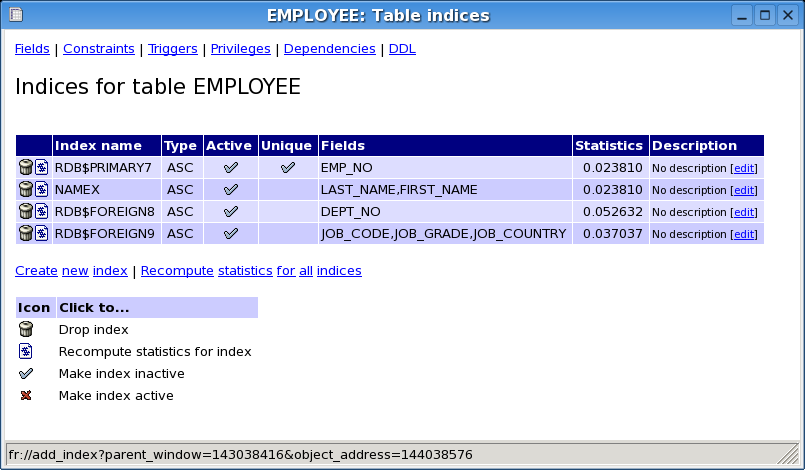 With the average knowledge of the average internet user getting higher and higher as time goes on, what many people are starting to realize is that the concept of database management is getting bigger and bigger and in many ways is already too big to control. So many of the proprietary software programs available today have a number of options that are unusable to the vast majority of the DBMS users of the world today and therefore something new and better is needed. For Firebird DBMS, it is quite possible that the tool of the future is FlameRobin. With the average knowledge of the average internet user getting higher and higher as time goes on, what many people are starting to realize is that the concept of database management is getting bigger and bigger and in many ways is already too big to control. So many of the proprietary software programs available today have a number of options that are unusable to the vast majority of the DBMS users of the world today and therefore something new and better is needed. For Firebird DBMS, it is quite possible that the tool of the future is FlameRobin.
The goals of FlameRobin are actually three-fold in nature. Firstly, the goal is to create a tool that is lightweight in the sense that it has a small electronic footprint while at the same time having a fast execution. Secondly, the goal is to create a tool that can be used across different platforms starting with Windows and Linux and then moving on to other platforms as well. Finally, the goal is also to create a tool that is dependent only on other open source software for its running. With all of these three goals in mind, what you are going to find is that FlameRobin is well on the way to achieving all three. But don’t take my word for it, go ahead and download it to see for yourself.
More information can be found at http://www.flamerobin.org/
Posted in Main, Shareware, Shell and Desktop, Utilities, Windows | 1 Comment »
Wednesday, October 17th, 2007
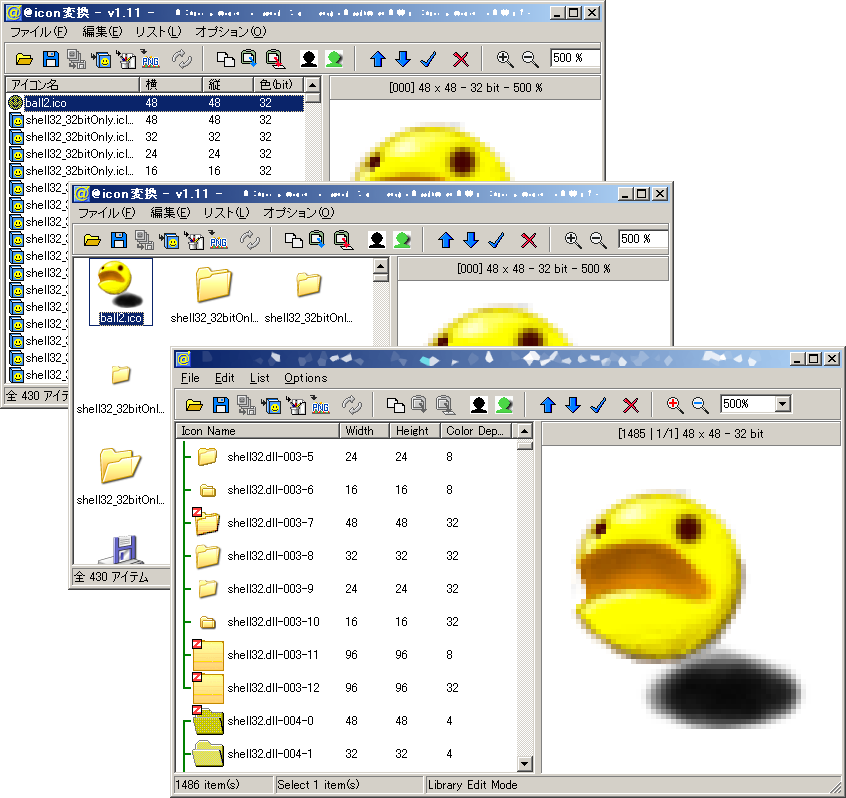 There are a number of different types of programs and @icon sushi belongs squarely in the category of programs that are there to serve one useful purpose and serve that one useful purpose well. This is perhaps a specialist program in that case and really that would be an appropriate term to use because this program only does one thing, but boy does it do that one thing well. As the name of the program might imply, the one thing that @icon sushi does is it takes images that are in various different formats and converts them to icons that you can use with your various software programs. There are a number of different types of programs and @icon sushi belongs squarely in the category of programs that are there to serve one useful purpose and serve that one useful purpose well. This is perhaps a specialist program in that case and really that would be an appropriate term to use because this program only does one thing, but boy does it do that one thing well. As the name of the program might imply, the one thing that @icon sushi does is it takes images that are in various different formats and converts them to icons that you can use with your various software programs.
Anyone that has a lot of software installed knows firsthand just how annoying it is to get a lot of software on your computer with the same icon; it becomes impossible sometimes to tell them apart with a quick glance! Therefore, the use of different icons for different software packages is essential for some computer users and if you have this program behind you then you will most definitely never run out of new icons as long as you’ve got different pictures that you don’t mind using as icons for your different software programs.
More information can be found at http://www.towofu.net/soft/e-aicon.php
Posted in Design, Developer, Main, Windows | No Comments »
Wednesday, October 17th, 2007
 There are a number of different software programs required in today’s world for a good computer experience and of course arguably the most important piece of software that you need on your computer is an operating system. Operating systems not only help you organize and distribute your computer resources in an optimal fashion, but they also allow you to use them as a base from which to run other software programs such as applications, games and internet-related software packages. All in all, it would be much harder to use your computer in certain tasks without the use of an operating system. There are a number of different software programs required in today’s world for a good computer experience and of course arguably the most important piece of software that you need on your computer is an operating system. Operating systems not only help you organize and distribute your computer resources in an optimal fashion, but they also allow you to use them as a base from which to run other software programs such as applications, games and internet-related software packages. All in all, it would be much harder to use your computer in certain tasks without the use of an operating system.
The main problem with operating systems however is that they are very expensive to purchase. Whether you go for Windows, Linux or anything in between, you are going to end up paying a lot of money for the privilege of using their operating system software. Well, if you don’t have that money but you still need an operating system, why not give ReactOS a try? ReactOS is an operating system that is commonly referred to as open source; meaning that it is completely free to use. As it becomes more functional and is able to challenge the big boys, we can expect to see more and more people turning over and using ReactOS.
More information can be found at http://www.reactos.com/
Posted in Developer, Freeware, Linux, Main, Open Source, OS Updates, Windows | No Comments »
Monday, October 15th, 2007
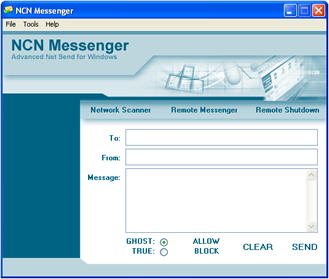
There are a number of messaging programs in the world today and therefore it would be quite reasonably for someone to wonder why a new one would be worth anything different from any of the previous ones. Well, NCN Messenger first of all is not a personal messaging program but rather is an internal messaging program that people can use for schools, workplaces and other group-orientated places where internal messaging might be necessary at certain times. In this sense, it is an excellent program and NCN Messenger has all of the tools that a school or other group could need and also happens to be free; definitely a good deal.
In addition to being a reliable messaging program, NCN is also a program that has two different modes. The TRUE mode is the mode that people will use most of the time and it is the mode that shows which computer the message actually came from. If, however, people look for some more security and privacy then they can opt to use the GHOST mode which can actually result in a fake or an anonymous computer signature that is basically impossible to trace. You can send a message to another computer and they can have no idea where it came from; pretty cool!
More information can be found at http://www.ncn-software.com/
Posted in Chat, Developer, Freeware, Internet, Main, Programming, Social Software, Windows | No Comments »
Monday, October 15th, 2007
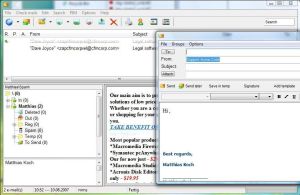 One of the things that people love nowadays is their e-mail client. I have an e-mail client and I have to admit that I would not be able to survive without it. The client allows me to collate the information that comes in from multiple e-mail addresses instantaneously and indeed allows me to understand everything that is going on in my world. There are a lot of people that rely on their e-mail client for everything and while these people might not like it, up until recently they have had to put up with the client installing itself on their hard drive and sprawling outwards. One of the things that people love nowadays is their e-mail client. I have an e-mail client and I have to admit that I would not be able to survive without it. The client allows me to collate the information that comes in from multiple e-mail addresses instantaneously and indeed allows me to understand everything that is going on in my world. There are a lot of people that rely on their e-mail client for everything and while these people might not like it, up until recently they have had to put up with the client installing itself on their hard drive and sprawling outwards.
However, Koma-Mail 3.621 allows this to change immensely. You can actually run this program directly from a USB stick or other removable storage piece and therefore you do not have to install it to your hard drive at all. It has all of the functionality of a typical e-mail client and setting it up is an absolute breeze. The latest updates have added more keyboard shortcuts to allow you to accomplish the tasks that you need to finish faster and ultimately the free status of this software package is perhaps the best selling point towards getting you to give it a try.
More information can be found at http://www.koma-code.de/
Posted in Developer, E-mail, Internet, Main, Shareware, Social Software, Windows | No Comments »
Monday, October 15th, 2007
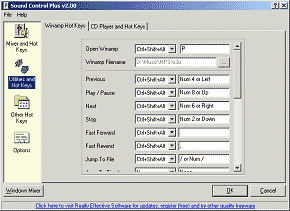 For people that are interested in getting the most out of their sound card, the typical sound programs that come with Windows might not be good enough. This old guard is represented most obviously by the Windows Sound Mixer, which is a program that does not have a lot of functionality. People have been looking high and wide for a better option and it is quite possible if you are one of these people that Sound Control 2.15 might be just the option that you’re looking for. For people that are interested in getting the most out of their sound card, the typical sound programs that come with Windows might not be good enough. This old guard is represented most obviously by the Windows Sound Mixer, which is a program that does not have a lot of functionality. People have been looking high and wide for a better option and it is quite possible if you are one of these people that Sound Control 2.15 might be just the option that you’re looking for.
The first thing that has a lot of people interested in the program is that it is a free replacement for the Windows Sound Mixer program. This means that it includes all of the important features of that program, but does not have the resource-intensive drain that most Windows applets seem to have. In addition to this however, the Sound Control 2.15 program allows you to set hotkeys for your sound control and therefore you can use those keys to manually adjust sound mixer volumes from your keyboard without having to bring up the dialogue box to do so. It is a specialized program that is loads of fun to use and exceptionally time-saving for people that are keyboard-orientated.
For more information, check out http://www.reallyeffective.co.uk/sc_moreinformation.php
Posted in Audio, Developer, Main, Shareware, Utilities, Windows | No Comments »
Friday, October 12th, 2007
 If you’ve e been searching for free but cool tool for your video downloads, look no further, save2pc will do the job perfectly. If you’ve e been searching for free but cool tool for your video downloads, look no further, save2pc will do the job perfectly.
Save2pc which was formerly known as YouTube Downloader is a free tool that downloads videos from YouTube or Google Video and saves it as Avi or Mpeg or Flv file to your local computer.
One really cool thing about this tool is that it allows you to easily grab and save desired YouTube or Google video. The simplicity of the user interface is an added advantage as you can easily make use of it without any technical expertise whatsoever.
Want to try it out? I said it’s free, didn’t I? Go to Save2PC.
Posted in Developer, Freeware, Internet, Main, Multimedia, Utilities, Video, Windows | 5 Comments »
Monday, October 8th, 2007
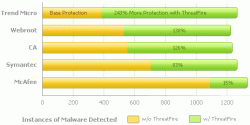 If you’ve had issues with malware and malicious applications destroying the flow data on your PC then this will definitely be good news for you, ThreatFire. If you’ve had issues with malware and malicious applications destroying the flow data on your PC then this will definitely be good news for you, ThreatFire.
ThreatFire is an application designed to protect your computer against malware such as trojans, spyware, rootkits, keyloggers, and buffer overflows by intelligently detecting and blocking behavior consistent with that of malware.
What I love about this software is that it does its great work by constantly monitoring your system, and analyzing programs and process activity.
Another good thing about this tool is that it automatically quarantines the malware [if it is a known threat] detected requiring no further action is required on your part. If the threat is unknown, or new, then ThreatFire will display an alert and prompt you to Allow or Quarantine the process. All alerts provide detailed information to help you make an informed decision.
Want to give it a shot? This is really worth checking out, believe me it works wonders.
http://www.threatfire.com/
Posted in Business, Commercial, Developer, Internet, Main, Security, Shareware, Windows | 1 Comment »
Friday, September 28th, 2007
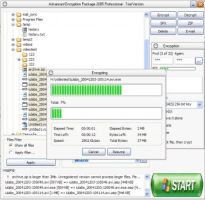 No matter what you need to protect, the Advanced Encryption Package is the way to go. This package is designed to allow you the flexibility of protecting your files from home while still getting the best protection available. No matter what you need to protect, the Advanced Encryption Package is the way to go. This package is designed to allow you the flexibility of protecting your files from home while still getting the best protection available.
Comparable with military style encryption, this program can save you tons of time and money by allowing you the capability to choose your style of protection. Not only does this program allow you to protect yourself, but it also gives you the unique option of creating automatically de-crypting copies of your files to share with families and friends. This way they do not need to have a decryption program, but you are still protected from the general public. Another great feature of the Advanced Encryption Package is that it will automatically remove the original files once they have been encrypted so there will be no risk of anyone accessing the original files without being stopped by the encryption device.
While this program is currently only available for Windows operating systems, it still has a lot of potential.
Released in both the standard and professional level packages, there are tons of ways to keep your information safe, and it will only cost you $30 to get your own copy of this program.
To purchase your own Advanced Encryption Package, check out: http://www.secureaction.com/encryption
Posted in Business, Commercial, Developer, Information Management, Main, Programming, Security, Shareware, Windows | 1 Comment »
Friday, September 28th, 2007
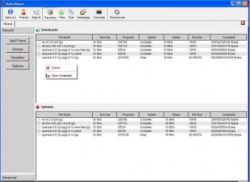 These days it is often easier to get hold of someone through instant messaging than even calling their phone. If you are looking for a good way to get into the instant messaging ring, but you want something more advanced than the standard email clients, RetroShare has a ton of potential. These days it is often easier to get hold of someone through instant messaging than even calling their phone. If you are looking for a good way to get into the instant messaging ring, but you want something more advanced than the standard email clients, RetroShare has a ton of potential.
Not only can you talk to your friends, but you can also open different channels for chats, and you can share files securely. This saves a lot of time and effort, and also allows you the ability to group chat, which many of the most common instant messaging clients do not allow.
Released in September of 2007, this version of RetroShare has been updated and repaired with a faster start up, and extra data for the GUI. This program is becoming more and more versatile as time goes by, and it may just be the best way to stay in touch and share files and information with one another.
To get your copy, go to: http://retroshare.sf.net/
Posted in Developer, Freeware, Information Management, Internet, Main, Windows | No Comments »
|
|
|




