Author Archive
Friday, April 20th, 2007
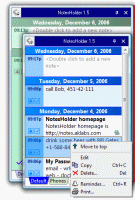 If you need something to keep your info in so that you can find it easily when needed, you should consider using NotesHolder. If you need something to keep your info in so that you can find it easily when needed, you should consider using NotesHolder.
NotesHolder lets you quickly type in any piece of information so that you can easily find it when you need, read it or print it out for your convenience. Using NotesHolder provides you with a very effective way to store all your notes without cluttering up your desk with PostIt and sticky notes. The cool thing about this tool is that when you compare it to other similar applications, you will discover that NotesHolder is very thrifty with your screen space.
The latest version which was just released on April 10 has these changes:
- The Windows Vista support has been improved a little
- Dutch and Ukrainian language files has been updated
- Access Violation error on multi-monitor systems has been fixed
- Some other minor bugs have been fixed.
Want to check it out? Go to http://notes.aklabs.com/
Posted in Business, Main, Shareware, Task Manager, Text, Utilities | No Comments »
Wednesday, April 18th, 2007
 Check out this free and feature rich calendar application. Check out this free and feature rich calendar application.
Rainlendar is a feature rich calendar application that is easy to use and doesn’t take much space on your desktop. The great thing about the application is that it is platform independent so you can run it both on Windows and on Linux.
You’ll love the fact that the appearance can be customized with skins and you can even mix different skins together to reflect your taste or preference.
One really cool thing about Rainlendar is that, all the coming events are shown in a separate list where you can see the week’s events at one glance. You can decide how many days in advance you want to see in the list. Different events can have a different appearance in the list so you can easily spot the important events from the others. The icons in the calendar are also available in the event list and other windows to make it easier to separate the events.
The latest version, Rainlendar Lite for Windows 2.1 Build 38, has these changes:
Fixed:
- Weekly recurring events were sometimes shown in incorrect day
- Start time for Outlook tasks wasn’t read correctly
- Due time was shown incorrectly for Outlook Tasks
- All buttons were missing from ini-format skins.
Want to check it out? Go to http://www.rainlendar.net/cms/index.php
Posted in Design, Freeware, Linux, Main, Shell and Desktop, Task Manager, Utilities | No Comments »
Tuesday, April 17th, 2007
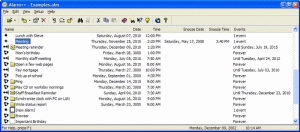 Need a tool for your reminder and scheduling needs? You need to check out Alarm++. Need a tool for your reminder and scheduling needs? You need to check out Alarm++.
Alarm++ solves your reminder and scheduling needs. With this tool, you can create multiple alarms which can repeat at various intervals, from simple to complex, from one to forever or until a specific date. It is powerful, flexible, and most of all stable. With Alarm++ you don’t need to think about your schedule any longer as you can rest assured that the alarms won’t disappoint you.
The major change in the latest version, Alarm++ 7.05 is that it now saves the alarm file after shutting down Windows when an event window is open.
Still not sure if Alarm++ is for you? Check out what it can do for you:
- Remind you of meetings, birthdays, or deadlines
- Wake up to your favorite mp3 files, videos, or cds
- Visit your favorite web sites every morning
- Send e-mail to a phone or pager and remind anyone anywhere
- Send messages over the network to remind others
- Check your stocks weekly
- Run scripts and batch files to perform complex tasks
- Send e-mail reminders to anyone
- Use animated characters for speech and gestures
And much more…
Check out http://www.12noon.com/alarm.htm for more info and trial download.
Posted in Business, Commercial, Information Management, Main, Shareware, Shell and Desktop, Task Manager | No Comments »
Tuesday, April 17th, 2007
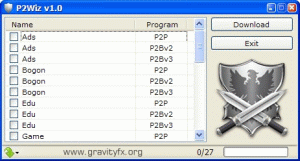 If you are looking for a free but cool block lists downloader, you should check out P2Wiz. If you are looking for a free but cool block lists downloader, you should check out P2Wiz.
P2Wiz is p2p block lists downloader which supports PeerGuardian (PhoenixLabs) block lists, OpenMedia block lists and BlueTack block lists. It is worthy of note that P2Wiz is not an ip blocker but a block lists downloader so before complaining about this tool not doing what you want it to do, make sure you get things right. P2Wiz only downloads block lists.
The latest version fast becoming popular these days has these changes:
- PeerGuardian menu
- Duplicated gov lists from PG (from PhoenixLabs)
- List Items to more explanatory names
- BlueTack block lists support
- Shortcuts to block lists menu
- Different directory for each categories of block lists
- Window and Columns is now resizable and bigger font
- Description panel, can be disabled in config file
Want to check it out? Go to http://gravityfx.org/p2w
Posted in Business, Developer, Freeware, Internet, Main, P2P, Security, Utilities | 1 Comment »
Monday, April 16th, 2007
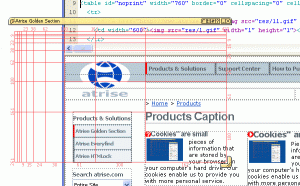 Here is a software worth checking out, Atrise Golden Section 2.1.0 Here is a software worth checking out, Atrise Golden Section 2.1.0
Atrise Golden Section is an adjustable transparent screen grid for the web, graphic and UI design. It allows you to control and correct the sizes and proportions in your design project using the golden section proportion.
Atrise Golden Section is a unique design tool for artists, designers, programmers, photographers that will help you see harmonious dimensions and forms. It will assist you in creating elegant items, while staying away from calculators and numbers.
All you have to do is simply launch the program, adjust the dimensions for your design and create!
Atrise Golden Section 2.1.0, the latest version in the market has these changes:
§ Performance improvement. Now resizing is clean § New Windows Vista-compatible icon § Minor user interface changes § Bug fix: Windows Vista Aero-compatible § Bug fix: Aspect ratio unlock mode is now controllable from settings window § Bug fix: Cursor-related changes
Want to try it? Go to http://www.atrise.com/golden-section/ for more info and trial download.
Posted in Design, Developer, Internet, Main, Multimedia, Shareware | No Comments »
Monday, April 16th, 2007
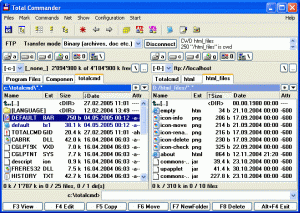 When it comes to having a file manager that is beyond compare, Total Commander is the way to go. The truth is other file managers may have better looking Interfaces but none have the all around power and flexibility of Total Commander. When it comes to having a file manager that is beyond compare, Total Commander is the way to go. The truth is other file managers may have better looking Interfaces but none have the all around power and flexibility of Total Commander.
Total Commander is a file manager replacement that offers multiple language support, search, file comparison, directory synchronization, quick view panel with bitmap display, ZIP, ARJ, LZH, RAR, UC2, TAR, GZ, CAB, ACE archive handling plus plugins, built-in FTP client with FXP, HTTP proxy support, and more.
Total Commander Beta 7.0 Release Candidate 2 is the latest release which hit the software market on April 13. It is a test release of Total Commander and is not recommended for production systems.
This beta is Shareware but has no time or functional limit except for the order dialog at startup.
Want to check it out? Go to http://www.ghisler.com/
Posted in Browsers, Business, Developer, FTP, Main, Shareware, Shell and Desktop, Windows | No Comments »
Monday, April 16th, 2007
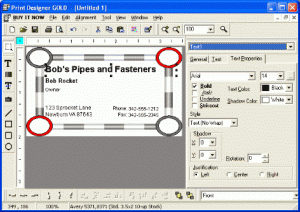 If you’ve tried different software for printing your business cards and labels but you’ve not really found the thing for you, then you may need to check out Print Designer GOLD. If you’ve tried different software for printing your business cards and labels but you’ve not really found the thing for you, then you may need to check out Print Designer GOLD.
Print Designer GOLD allows you to create great looking Business Cards, Address and Shipping Labels, CD/DVD Labels and Inserts, Envelopes, Post Cards, Name Badges, Signs, and other media labels. The cool thing about this tool is its ease of use. It is easy to use for beginners, yet powerful enough for experts.
The latest version, Print Designer GOLD 9.0.1.0, which was released on April 10 has these latest changes:
- Added Copies of each option on Print Options screen even when no database is used (for counters)
- Show selected color when clicking color buttons
- Install automatically adds EXE file to DEP exclusion list so it will run on XP and
Vista with DEP turned on for all processes (the default with many computer makers)
- Fixed: Problem with print command line /p;q=20;s=1;x=1;p=printer filetoprint
- Fixed: Create My Documents/Databases folder on program run in case PDB is never used
- Fixed: Save as Graphic only enabled when an object is selected; should be at least one object in design
- Fixed: Finish button never enabled in Linked Database Wizard when linking to outlook contacts
- Fixed: Problem running a second time without a reboot in very rare cases
Check out http://www.camdevelopment.com/designer/gold/ for more info.
You have 15 days to make up your mind with the trial version and see if this is exactly what you need or a waste of money.
Posted in Business, Design, Developer, Main, Shareware, Utilities, Windows | No Comments »
Friday, April 13th, 2007
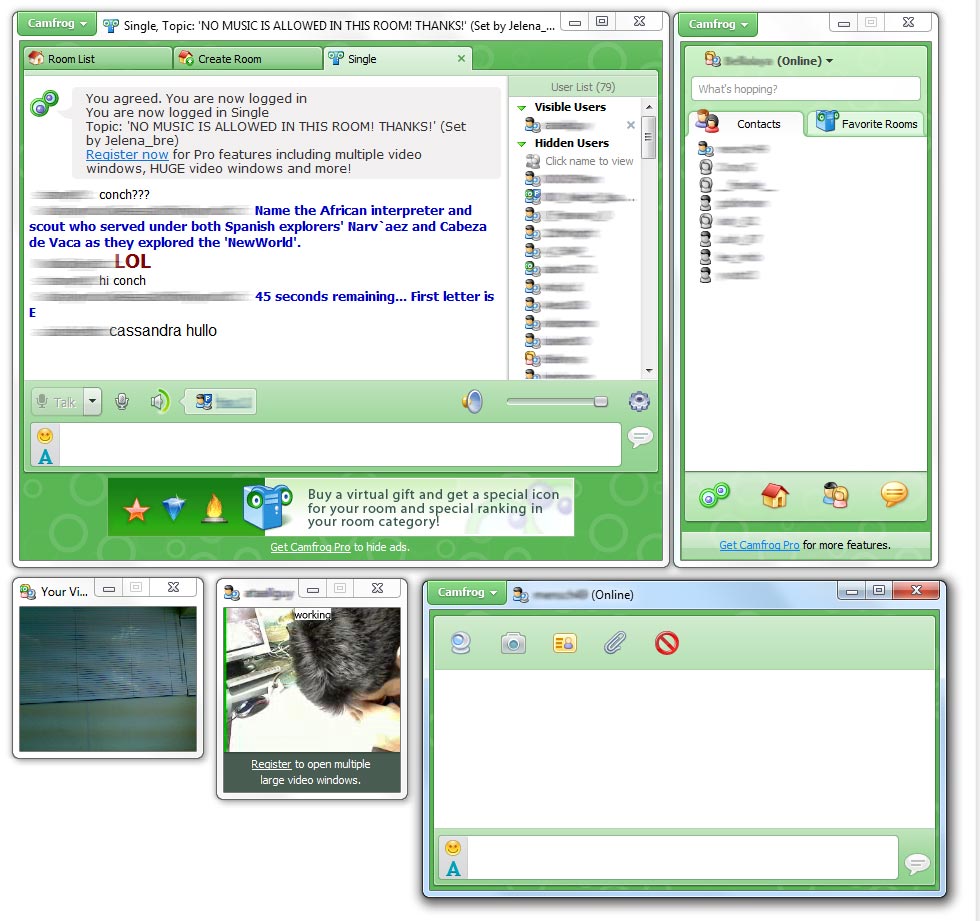 Here is a video chat tool worth checking out, Camfrog Video Chat. Here is a video chat tool worth checking out, Camfrog Video Chat.
Camfrog Video Chat has real video chat rooms where you can see and hear many users on webcam at a time. What are the cool features you will enjoy with Camfrog Video Chat? A live directory of users with photos, a live video chat room directory, instant messaging, a contact list, and an extremely easy to use UI.
The cool thing about is that no webcam is required to hear or see people, but it is recommended.
The latest version, Camfrog Video Chat 3.91.22594 which was just recently released has these changes:
- Multimedia upgraded to maximize compatibility with all systems
- Some usability upgrades
- Parental controls now turned on by default for users 13-15 years of age
- Users 13-15 do not have user profiles
Want to give it a shot? Go to http://www.camfrog.com/
Posted in Commercial, Developer, Fun, Internet, Main, Multimedia, Shareware, Social Software, Voice, Windows | 3 Comments »
Thursday, April 12th, 2007
 If you need a nice, lightweight tool that can help simulate keystrokes, mouse movements etc, then you have to check out AutoIt. If you need a nice, lightweight tool that can help simulate keystrokes, mouse movements etc, then you have to check out AutoIt.
AutoIt is a freeware BASIC-like scripting language designed for automating the Windows GUI and general scripting. It is a simple tool that can simulate keystrokes, mouse movements and window commands (maximize, minimize, wait for, etc.) in order to automate any windows based task (or even windowed DOS tasks).
It was primarily designed to assist in automatically installing software that cannot be automatically installed by other means. This is most useful during a PC rollout where hundreds or thousands of client machines need to be automatically installed. However, it is not limited to software installation and can be used to automate most simple windows tasks.
Still not sure if this tool is really what you want, Check out what AutoIt can do for you. This tool can:
- Provide a general-purpose scripting language for all Windows versions
- Simulate mouse movements and clicks
- Interact directly with “controls” on a window (set/get text from edit controls, check boxes and radio buttons, select items in drop-down lists, etc.)
- Create complex user interfaces (GUIs)
- Provide a scriptable RunAs function for Windows 2000/XP/2003
And Lots More!
Want to check it out? Go to http://www.autoitscript.com/autoit3/index.php
Posted in Developer, Freeware, Main, Programming, Shell and Desktop, Task Manager, Utilities, Windows | 2 Comments »
Thursday, April 12th, 2007
 If you are in need of a free and easy to use media cataloguing tool, you need to check out Cathy. If you are in need of a free and easy to use media cataloguing tool, you need to check out Cathy.
Cathy is a simple media cataloging tool. Files stored on removable media can be found quickly and easy. Duplicates can be found. Searching capabilities are based on file name, date, and size. You get customizable date format. Found files can be opened or deleted directly.
You can use it to index files stored on removable media (CD’s, DVD’s or even diskettes), hard disks or net drives, and create searchable catalogues that can be used without having access to original media.
The major change in the latest version, Cathy 2.25, which was released a couple of days ago [April 9th to be precise], is:
– Drop target implemented – drag a single drive or folder and drop it to Cathy to create a catalogue.
Go to http://www.mtg.sk/rva/ for more information and download.
Posted in Developer, Information Management, Main, Shareware, Themes, Utilities, Windows | 1 Comment »
|
|
|





