Ciaran Moore - March 4, 2009
 WeFi is an application that enables you to find WiFi spots around you. WeFi is an application that enables you to find WiFi spots around you.
But apart from letting you find nearby open WiFi hotspots (or add your own), it has some more interesting features. These include being able to find other nearby WeFi users, which you can then communicate with, or add your friends who are also using WeFi and it will alert you when your friend is nearby and show their location and vice versa, alerting them about you too.
It also has Facebook and Twitter integration.
The WeFi hotspot directory helps you get a wireless network to connect to any place worldwide. It’s available for Windows, Mac, and also Windows Mobile.
For a more comprehensive list of features and to download it free. Check out http://www.wefi.com/
Rating:  Loading... 2 Comments »
Ciaran Moore - March 3, 2009
 CyPics is a photo album manager and slideshow program. It contains many useful features besides the standard ability to browse folders of pictures as thumbnails. The inbuilt photo viewer is instantly usable via right click menu for easy use at any time. It also has a digital photo album database which can categorize your pictures with descriptions, keywords and various attributes such as size, date, etc. CyPics is a photo album manager and slideshow program. It contains many useful features besides the standard ability to browse folders of pictures as thumbnails. The inbuilt photo viewer is instantly usable via right click menu for easy use at any time. It also has a digital photo album database which can categorize your pictures with descriptions, keywords and various attributes such as size, date, etc.
Find your photos fast with its inbuilt search feature with some advanced search options such as “and” “or” and “not” to help you find photos fast, very handy if you have a large collection. It can also read EXIF viewer (Camera), IPTC viewer (Press) and Photoshop file Info.
You can also easily create slideshows which can be played back in sequential or random order, but also with many more advanced features, including even being able to update incorrect catalog details during slideshow playback.
A useful program worth checking out if you have an extensive photo collection or work with pictures a lot.
More info at the homepage here.
Rating: Loading... No Comments »
Ciaran Moore - March 3, 2009
 Do you ever get bored with the same old boring desktop wallpaper? Wouldnt it be nice if you could have it changed automatically now and then? Wouldn’t it be even nicer if you could do this automatically, from a variety of image sources such as your own local files or folders, FTP remote folders, Flickr, Yahoo, Panoramio, Pikeo, Ipernity, and Photobucket images? Do you ever get bored with the same old boring desktop wallpaper? Wouldnt it be nice if you could have it changed automatically now and then? Wouldn’t it be even nicer if you could do this automatically, from a variety of image sources such as your own local files or folders, FTP remote folders, Flickr, Yahoo, Panoramio, Pikeo, Ipernity, and Photobucket images?
If you’re answering yes to all this, then you might like to check out this little freeware program called Wally which does all the above. It also supports various wallpaper layouts and has the ability to save downloaded photos. It’s cross platform, running on Windows, Linux and Mac.
So if you want to liven up the look of your desktop, its worth checking out and it’s totally free.
You can get it over at the Wally homepage here.
Rating: Loading... No Comments »
Tilgore Kraut - March 2, 2009
 CHM Decoder may decompile your CHM file (Compiled Windows HTML Help) or e-book and extract all source files. This tool free for use and work easily and quickly. This tool free for use and work easily and quickly. CHM Decoder may decompile your CHM file (Compiled Windows HTML Help) or e-book and extract all source files. This tool free for use and work easily and quickly. This tool free for use and work easily and quickly.
Features: CHM Decoder can help you decompile CHM files. Any of the compiled Windows HTML file or e-books can be decompiled into the component items. This could be an easy means of converting the CHM content into HTML and viewing in Pocket PC or in web pages. This is free to use. The program supports command line. Using batch mode, you can convert several documents simultaneously.
The interface is simple and takes you step by step through the process. Initial screen is a tabbed Interface. It lets you load the file to be decompiled and then actually decode it. When a file is loaded and ready for de-compilation you can view the relevant statistics on screen. When decompiling you get to see the progress bar.
Overall: Nice and simple application for a niche use. Dealing with content one should be aware of copyright issues and be careful about infringements.
{More Info and Download}
Rating: Loading... No Comments »
Tilgore Kraut - March 2, 2009
 Web Video Machine is a powerful, robust and easy-to-use Internet video batch converter. When installed in a website, it converts virtually any video format to FLV and F4V (AVC/H.264) Flash video. Web Video Machine is a powerful, robust and easy-to-use Internet video batch converter. When installed in a website, it converts virtually any video format to FLV and F4V (AVC/H.264) Flash video.
Features: The Video Machine is a complete, ready to use solution to build a web video site, no programming skills are required. It can run completely unattended. The architecture used is configurable. Users upload videos to your website .mpg, .mov, .wmv, .avi, etc. The Machine converts the files, handles queuing, encoding, errors and creates the Flash movies (FLV and F4V-AVC/H.264 and SWF) that can be requested to be played by visitors.
The machine converts videos in most of the popular formats. These include Windows Media (AVI, WMV, ASF, WMA, WAV, using any AVI/WM codecs like DIVX, XDIV, etc.); QuickTime (MOV, QT, DV, AAC, AIF/AIFF, using any QuickTime codecs); MPEG (MPEG-1, MPEG-2, MPEG-4, MP3); Mobile phone formats (3GP, 3G2) and several image formats (PNG, JPG, BMP, animated GIF). Settings are available that can optimize the CPU usage taking into account all the new twists in CPU architecture such as the multi core, multithreading, encoding priority and so on. You can arrange it so that the video can be delivered to a remote URL after encoding is complete or it can send an email if there’s a problem. No programming skills are required on the part of the user and you can control everything from a dashboard. Protect your videos by a visible or an invisible watermark with a logo. Facilities are available for creating a thumbnail. Full Control is provided over Video Quality and Parameters Video filtering (brightness, contrast, gamma, white and black restore, etc.), deinterlace, Video Noise reduction and deblocking.
Overall: A nice and quick way for setting up a video site, whether for video sharing or for showing off products. Intuitive and easy to use procedures exist.
{More Info and Download}
Rating: Loading... No Comments »
Tilgore Kraut - March 2, 2009
 BurnAware will show you that CD/DVD burning can be easy and enjoyable. Use it for free and get access to a full range of major burning operations without obligations – no ads, no limitations, no spyware – wrapped into an attractive modern package. BurnAware will show you that CD/DVD burning can be easy and enjoyable. Use it for free and get access to a full range of major burning operations without obligations – no ads, no limitations, no spyware – wrapped into an attractive modern package.
Features: BurnAware Free Edition is essentially a disc burner. It can burn all CD/DVD media types including the Blu-ray media. You can create data, bootable and multisession CD/DVD/Blu-ray discs. Creating DVD video is part of the agenda of course. But there are various other things this application can do otherwise. Creating a boot disc image, creating and recording just disc images are part of the functionalities. It can create audio CDs and MP3 collections on CD, DVD and Blu-ray discs. The writing is on the fly for all image copying, no staging required. Written files are verified automatically.
UDF/ISO9660 and Joliet Bridged file systems or any combination of those can be handled. The burner is able to operate through a range of hardware interfaces that include IDE/ SCSI/ USB/ 1394/ SATA. CD-text and Unicode characters are supported. It can work in Windows NT/2000/XP/Vista/7 (32 and 64 Bit) environments.
Overall: The interface is nice and clean. Options are grouped together quite well. You can choose image burning, multimedia burning that include creating MP3 discs, utility tasks such a erasing a disc and so on. Integrated with explorer like interface when picking the files for burning.
{More info and download}
Rating: Loading... 2 Comments »
O. James Samson - March 1, 2009
MS Project is a simple application developed by Microsoft which works as a tool for project managers to properly implement a task. It’s a very simple application but could be greatly used for business purposes since it will be used as a measurement on how the project is being handled.
Although MS Project is a great application, it has something that pushes away users from using the application – it’s not free. The application comes as a bundle with other office products or could be purchased as a stand alone for various purposes. Since project management is a relatively easy task, purchasing a software may not necessarily be worth it.
If you’re looking for an alternative to MS Project, consider using the free tool named SimpleProject. Developed by Danish developers from Adept.dk, the application is fully compatible to MS Project files from 2003 to 2007 (the latest) version. The usual tools of MS Project are also available in this software and files from MS Project (MPP) don’t need to be converted to be opened.
But you can still work with SimpleProject even though you don’t have an MS Project file. You can use the application and save the project you created with their unique file extension (.prj). Unfortunately, this file type cannot be read by MS Project. But still, the application is a remarkable alternative to MS Project and could be easily shared to different users – as long as they have the same application. SimpleProject will make you realize you don’t have to spend extra money to get a good project management tool.
For more info and download, check – http://www.adept.dk/ProjectSimpleDownload/tabid/121/Default.aspx
Rating: Loading... No Comments »
O. James Samson - February 27, 2009
 The latest version of Easy Image Modifier came out on February 21, 2009 and it has reinforced the excellence that people had come to expect from the original release of this software package. Quite simply put, the Easy Image Modifier is freeware that will allow you to do anything basic to a photo that you would like to do as well as a number of advanced functions to boot (no pun intended). The latest version of Easy Image Modifier came out on February 21, 2009 and it has reinforced the excellence that people had come to expect from the original release of this software package. Quite simply put, the Easy Image Modifier is freeware that will allow you to do anything basic to a photo that you would like to do as well as a number of advanced functions to boot (no pun intended).
Under the category of basic functions is the ability to change the resolution of a particular photo file or the format in which that picture will be stored. You can also change the filename in a non-damaging way and in addition to that you can change all of these parameters for multiple files at a time. Want to create a collection of complete square JPEG images? It only takes a few seconds to do when you have the Easy Image Modifier.
Under the advanced aspects of the software, there are features such as the ability to enumerate and sort your entire collection with a few clicks of a mouse. Combine that with an exceptionally user-friendly drag and drop selection method and it is easy to see why this software package is popular already.
More information can be found at http://www.inspire-soft.net/.
Rating: Loading... No Comments »
O. James Samson - February 27, 2009
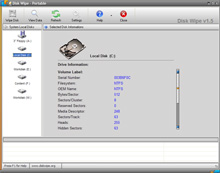 There are many times when people would like to erase data and make sure that such data is not recoverable in the slightest. These times include things like business transactions, personal letters that someone would like to forget or anything else that you can think of for a person wanting to make sure that their data is beyond recovery. Too often however, a person that has deleted the file from their hard drive will find it recovered and them feeling embarrassed as a result of the material and the fact that people then know that they tried to delete it at first. In order to prevent this type of unfortunate circumstance from happening, a program like Disk Wipe 1.5 should be utilized. There are many times when people would like to erase data and make sure that such data is not recoverable in the slightest. These times include things like business transactions, personal letters that someone would like to forget or anything else that you can think of for a person wanting to make sure that their data is beyond recovery. Too often however, a person that has deleted the file from their hard drive will find it recovered and them feeling embarrassed as a result of the material and the fact that people then know that they tried to delete it at first. In order to prevent this type of unfortunate circumstance from happening, a program like Disk Wipe 1.5 should be utilized.
The latest version of Disk Wipe 1.5 was released on the 20th of February and has support for hard drives, USB keys, portable SD memory and just about anything else that is portable and can store files in today’s world. It is a program that specializes in the permanent destruction of large volumes of data, with the word permanent being the key word for you to take into account. Data destroyed through Disk Wipe cannot be recovered through any technological means currently available and as new versions continue to be released, they will take into account any new advances that occur in hardware functionality.
More information can be found about Disk Wipe 1.5 at http://www.diskwipe.org/
Rating: Loading... No Comments »
O. James Samson - February 27, 2009
 Clicky Gone is a software package that falls into the category of cosmetic software packages. Such development has been very popular in the modern era of computer dynamics, with people that are at work, dealing with poorly coded software or running long tasks in minimized windows all looking for ways to change the appearance of their desktop for convenience purposes. Clicky Gone offers a way to do just that and in the most recent version of the software that was released on February 22, 2009, it brings some heavy hitting potential to the forefront in this particular respect. Clicky Gone is a software package that falls into the category of cosmetic software packages. Such development has been very popular in the modern era of computer dynamics, with people that are at work, dealing with poorly coded software or running long tasks in minimized windows all looking for ways to change the appearance of their desktop for convenience purposes. Clicky Gone offers a way to do just that and in the most recent version of the software that was released on February 22, 2009, it brings some heavy hitting potential to the forefront in this particular respect.
Clicky Gone is a piece of software that you can use to hide windows. You can hide windows by clicking on those windows with Clicky Gone enabled and essentially making them disappear from the taskbar. You can always bring them back later, but if you want them gone for now you can click on them and they will be removed from the taskbar, freeing up space for other windows that you might need to refer to at the current moment in time more. This is important and anyone that has ever had many windows open at once can likely already see the myriad applications that this particular software package can have.
More information is available at http://clickygone.sourceforge.net/
Rating: Loading... No Comments »
|
|
|



 (5 votes, average: 3.60 out of 5)

