Author Archive
Tuesday, September 9th, 2008
 If you’ve been searching for a viable alternative to the common download managers, this may be what you need. It’s called lightning Download. Lightning Download is a download manager which helps you download files from the Internet. One of the good things about this tool is that it contains absolutely no extra advertising add-ons or advertising systems. If you’ve been searching for a viable alternative to the common download managers, this may be what you need. It’s called lightning Download. Lightning Download is a download manager which helps you download files from the Internet. One of the good things about this tool is that it contains absolutely no extra advertising add-ons or advertising systems.
The really cool thing about Lightning Download is that it does more than helping you download files, it lets you accelerate your downloads, schedule downloads, manage your downloads, and anything else you would expect from a good download manager.
Check it out here- http://www.lightningdownload.com/index.shtml
Posted in Main | No Comments »
Tuesday, September 9th, 2008
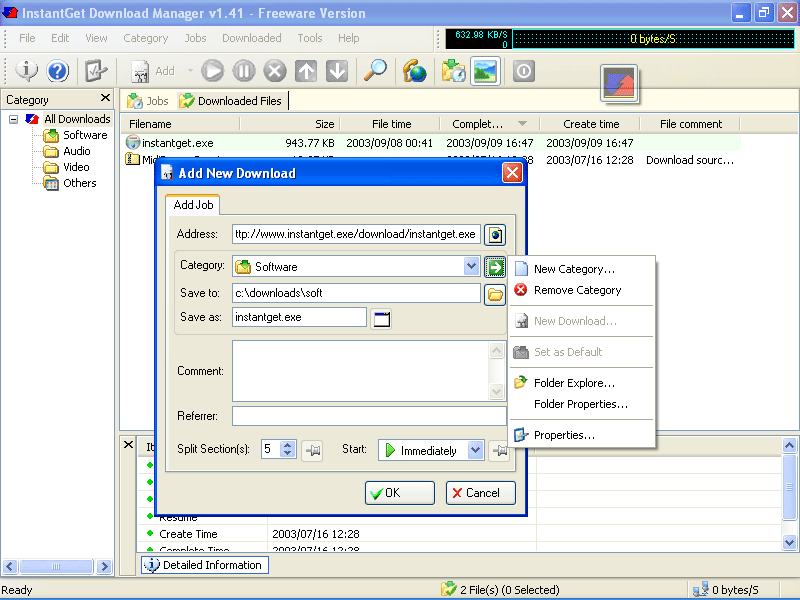 Today I thought it would be a good idea to give you different options of software in the same category, just talked about Lightning Download, here is another download manager worth checking out- InstantGet, the new updated version InstantGet 2.06 just hit the market. Today I thought it would be a good idea to give you different options of software in the same category, just talked about Lightning Download, here is another download manager worth checking out- InstantGet, the new updated version InstantGet 2.06 just hit the market.
InstantGet is a powerful and efficient download manager and accelerator. It’s effectiveness is due to the fact that it splits downloading files into multiple sections, downloading each section simultaneously to increase downloading speed up to 5 times faster. InstantGet comes with some cool management features which include:
- Ability to manage downloads, sites, proxies, dial up connections conveniently.
- Ability to search downloaded files by URL, filename or comment.
- Integration of shell context menu on downloaded files, etc.
In the new updated version, InstantGet 2.06, some changes have been made:
Changed
- “YouTube video downloads” into integrated FLV video downloads, support for YouTube, Metacafe.com, break.com, current.com, liveleak.com these major video websites
Fixed
- The bug that when the name of URL you need to download is too long, it can not get the correct “Save As” name from the URL
- Small enhancements and a few bugs fixed
Want to check it out? Go to http://www.instantget.com/
Posted in Main | No Comments »
Monday, September 8th, 2008
If you want to burn data CDs, audio CDs, video CDs, data DVDs, audio DVDs or video DVDs, CDRTFE 1.3.2 is definitely the software program for you. This handy piece of software is actually open source, allowing those among you with programming experience and knowledge to change anything about the software you don’t like. There are many software packages out there that come with this type of ultimate freedom, but few are as functional in a specialized setting as CDRTFE 1.3.2 happens to be.
You can use this software program to burn just about anything onto anything and that is because of all of the updates the program has undergone over time. You can easily integrate it into your Windows Explorer while at the same time bringing up the command line if you want more direct coding control over what happens with the software. You can also change languages on it and even add new language support using the open source software if you would like it to come in a different package. With all of these different options available to you when you use CDRTFE 1.3.2, it’s no wonder whatsoever that the program is as good as it is.
More information can be found through the publisher’s website at http://cdrtfe.sourceforge.net/
Posted in Main | No Comments »
Monday, September 8th, 2008
 There are very few programs on the market right now that have a scope as limited as Show My IP. In fact, the Show My IP software package will only do one simple thing for you and that is display your external internet protocol address when you bring up the software. It is absolutely true to its name, but the fact that functionality is so limited on this software package brings up the question as to why it deserves to be showcased on this blog. There are very few programs on the market right now that have a scope as limited as Show My IP. In fact, the Show My IP software package will only do one simple thing for you and that is display your external internet protocol address when you bring up the software. It is absolutely true to its name, but the fact that functionality is so limited on this software package brings up the question as to why it deserves to be showcased on this blog.
Well, if you have been around the internet for awhile you know that IP addresses are very important. They determine your interaction with the internet and they also determine how other people can track you if they want to. Many people also have dynamic IP addresses which change whenever they log onto the internet. For this reason, tracking your IP address for your own purposes can be very difficult to do.
Up until the current moment in time the only help that you had was to visit websites and go through time-consuming processes to get information that could change over the course of just a few hours. Show My IP Software will give you that same information inside a minute and that is really why this one-function piece of software is so important. It will come in handy many times and that is why it deserves a spot on a blog highlighting the great freeware programs of the web.
More information is available at http://teamroots.co.cc/projects/smisoft/
Posted in Main | 1 Comment »
Tuesday, September 2nd, 2008
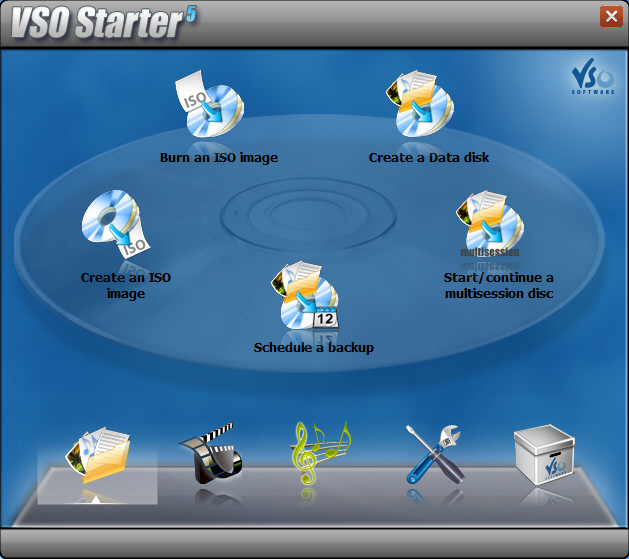 Looking for a new tool to back up your music and data files? You may want to check out CopyToDVD. Looking for a new tool to back up your music and data files? You may want to check out CopyToDVD.
CopyToDVD is a new generation tool to backup all your music and data files. It contains several methods to build your CDs or DVDs, such as integration to shell, user friendly frontend or FileDepot technology.
What you will love about this tool is that with just a few clicks you can burn files, folders, pictures, and music (MP3/Ogg Vorbis/WMA) to CD/DVD. Also worthy of note is the fact that it uses a smart data analyzer which suggests the best output format (audio CD, DVD Video).
In the recently released updated version – CopyToDVD 4.0.14 which just hit the market a couple of changes in features were made to make the tool better.
Want to check it out? Go to http://www.vso-software.fr/products/copytodvd/copytodvd.php
Posted in Main | No Comments »
Tuesday, September 2nd, 2008
 Agenda At Once is a Windows to-do and schedule software that could be just what you need. Agenda At Once is a simple but powerful organizer that’s easy to learn and intuitive to use. Agenda At Once is a Windows to-do and schedule software that could be just what you need. Agenda At Once is a simple but powerful organizer that’s easy to learn and intuitive to use.
I love the fact that it can be installed on your portable flash drive for accessing your to-do lists on the move easily.
Integrating all your PIM needs in the same interface: to-do list management, time planning, contacts, reminders, recurring options and notes; makes this software a really cool tool worth having.
The software costs $39.95 but you can enjoy the trail version first to see if it can serve your needs. The publisher also claim to have a money back guarantee but it is bets to tray it out first before committing your cash to it.
Check it out at http://www.agendaatonce.com/
Posted in Main | No Comments »
Thursday, August 28th, 2008
 Here is useful freeware worth checking out! Here is useful freeware worth checking out!
Spamihilator simply annihilates spam, hence the name spam annihilator. It simply examines your Emails while downloading from the server and deletes unwanted advertising messages. You will love the fact that it works between your Email-Client-Software and the Internet. Such that every time you receive messages, they will be checked. Useless spam mails will be filtered out.
One thing I like about this software is that it runs virtually with almost every Email-Software such as Outlook 2000/XP/Express, Eudora, Pegasus Mail, Phoenix Mail, Opera, Mozilla, Netscape, etc.
A new version hit the software market just yesterday- Spamihilator 0.9.9.42. The latest changes in the new version include:
- New Link Filter
- The performance of the Training Area and the Recycle Bin has been increased (especially when displaying more than 1000 messages)
- The usability of the Training Area and the Recycle Bin has been improved. In particular it is now possible to switch between these two windows by a small button in the menu bar, even under Windows Vista
- A bug in the HTML mail parser has been fixed. This increases the recognition rate of all filters
- Fixed IMAP SEARCH command
- Two bugs in the mail date parser have been fixed
And lots more.
For more info on the new version and download check http://www.spamihilator.com/
Posted in Main | No Comments »
Wednesday, August 27th, 2008
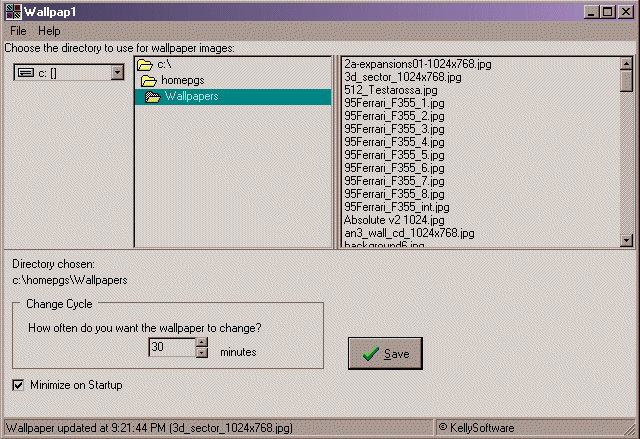 If you need a tool that will automatically change your wallpaper every now and then to give your pc a fresh look, you may want to check this out. It is called Wallpap1. If you need a tool that will automatically change your wallpaper every now and then to give your pc a fresh look, you may want to check this out. It is called Wallpap1.
Wallpap1 allows you to choose a directory of images you want to use as wallpaper, and l automatically update/change your wallpaper using the images in the directory you specify, at the cycle/interval you specify.
Wallpap1 supports GIF, JPG, and BMP.
A new version has just been released- Wallpap1 vs 2.00 with these latest changes:
- You can set the style of the wallpaper updates – Tile, Centered, Size to Fit
- It remembers the last directory used for wallpaper images
- Improvements to the interface
Wallpap1 works well with Windows 95 upwards but for best performance minimum OS I recommend is Windows 2000.
Want to check it out? Visit http://www.kellysoftware.com/software/Wallpap1.asp
Posted in Main | No Comments »
Wednesday, August 27th, 2008
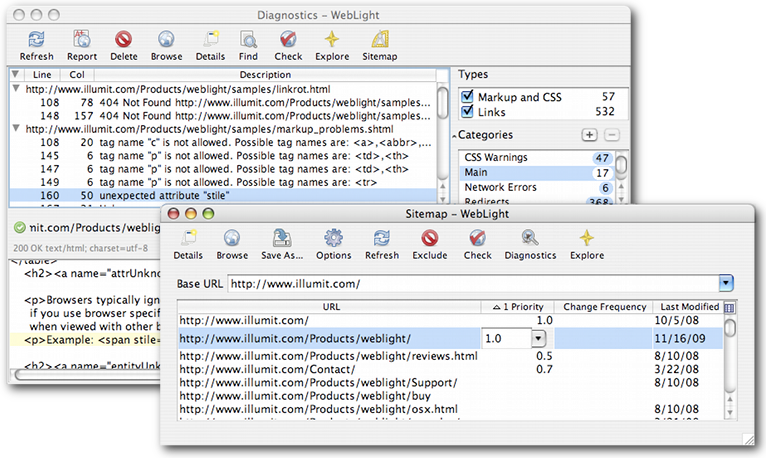 If you’ve been having problems with broken links and the likes, this tool may just be what you need. It is called WebLight. WebLight is a good web testing tool that scans sites for non-standard HTML and broken links. It is designed to help web developers deliver reliable web sites on time and it fulfils this purpose very well. If you’ve been having problems with broken links and the likes, this tool may just be what you need. It is called WebLight. WebLight is a good web testing tool that scans sites for non-standard HTML and broken links. It is designed to help web developers deliver reliable web sites on time and it fulfils this purpose very well.
In the latest version which has just been released- WebLight for Windows 5.0.2 Beta, certain changes were made to the features to help make the tool better. These changes include:
Added
- Compressed sitemap support
- Siteindex and multiple sitemap support
- Sitemap priority, changefreq, and lastmod import/export
Fixed
- Bugs reported by Alex and Charly
In case you are not one of us [windows fans], no worries, WebLight also comes in other editions. These include WebLight for Unix and WebLight for Mac OS X.
Check it out at http://www.illumit.com/Products/weblight/
Posted in Mac Stuff, Main | No Comments »
Monday, August 25th, 2008
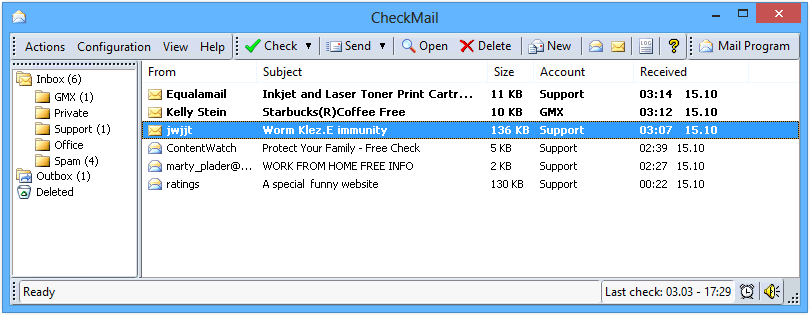 If you are tired of the usual way of checking your mail or you want to stay on top of new developments in your mailbox, this may be just what you need. If you are tired of the usual way of checking your mail or you want to stay on top of new developments in your mailbox, this may be just what you need.
CheckMail is a powerful POP3 email checking program which notifies you when you have received new email. What I really love about this tool is the fact that it allows you to check all your email accounts for new messages and preview or delete them before downloading to your computer.
You will love some of the features that comes with this tool:
- Supports custom notifications;
- Supports multiple email accounts;
- Supports sorting and filtering, etc.
That’s not all it is safe to use as it is completely secure and protected against viruses and other harmful email content.
Want to give it a try? Go to http://www.desksoft.com/CheckMail.htm
Posted in Main | No Comments »
|
|
|




