Archive for the 'Developer' Category
Thursday, March 29th, 2007
 Check out this free utility that can help you recover accidentally deleted files. Check out this free utility that can help you recover accidentally deleted files.
Recuva (pronounced “recover”) is a freeware Windows utility to restore files that have been accidentally deleted from your computer. This includes files emptied from the Recycle bin as well as images and other files that have been deleted by user error from digital camera memory cards or MP3 players.
One thing I really love about Recuva is it’s ability to bring back files that have been deleted by bugs, crashes and viruses.
The latest version, Recuva 1.01.048 Beta which was just recently released has these changes:
Fixed:
- Issue with slow response when using Ctrl-A on a large number of files
- Issue that caused improper entries in drive list
Improved:
- Searching of MFT mirror entries
- Handling of removable drives
Etc.
Want to check it out? CLICK HERE! Or Visit http://www.recuva.com/
Posted in Backup, Developer, Main, Shareware, Utilities, Windows | 1 Comment »
Wednesday, March 28th, 2007
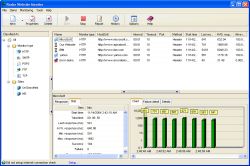 Radar Website Monitor is an automated multithreaded tool that keeps a close and constant watch over your website. Radar Website Monitor is an automated multithreaded tool that keeps a close and constant watch over your website.
You will love the fact that it can monitor different types of Internet services, including Website, Secure Website (HTTPS), Mail server and FTP server. The cool thing about this program is that when your website is detected inaccessible, loads improperly or responds excessively slow, Radar Website Monitor will send an immediate notification to you.
That’s not all; it can even run previously specified applications automatically. You will also appreciate the fact that you are the one ion control as you define the interval of time that it provides you with real-time reports and charts, allowing you to easily understand and evaluate your website’s performance.
Want to check it out? It’s a shareware, you can check out the trial version first and see if it meets your needs.
GO TO http://www.apicalsoft.com/ for trial download and more info.
Posted in Business, Developer, Information Management, Internet, Main, Programming, Security, Shareware, Utilities, Windows | 3 Comments »
Wednesday, March 28th, 2007
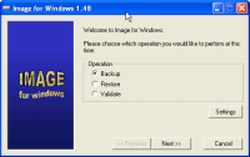 Image for Windows is a backup and restore utility that creates a snapshot of an entire partition or volume to a set of files or directly to most DVD+RW or CD-R/RW drives. If something should ever happen to that partition or volume, you’ll be able to simply restore the snapshot image. Image for Windows is a backup and restore utility that creates a snapshot of an entire partition or volume to a set of files or directly to most DVD+RW or CD-R/RW drives. If something should ever happen to that partition or volume, you’ll be able to simply restore the snapshot image.
The program uses the technology available in the free PHYLock™ add-on utility. PHYLock™ allows you to continue using your computer while the backup is locked to a point-in-time. This eliminates the inconsistencies typically experienced while backing up a partition that is in use.
Here are a couple of the features that make this software a must have and a better option than most in its category:
- Total reliability – Provides the option to verify each and every byte it backs up
- Convenience – Runs directly from Windows and when used with the free PHYLock™ add-on, it can create a true image of the Windows partition itself, without requiring a reboot
- Maximum compression – By default, maximum compression is applied to the drive images you create
- Maximum speed – If backup speed is paramount, you can bypass compression entirely
- Optical drive support – You can save directly to a CD or DVD disc
- Cost effectiveness – Includes Image for DOS and Linux at no additional charge, making it a uniquely affordable and complete disk imaging solution
- Flexibility – Restore partitions, regardless of the file system on the partition being restored. This gives you the power to restore NTFS partitions from Windows 98 or even DOS (as just a couple examples)
- Network support – Save backups to any drive accessible to Windows itself
- Image file validation – Allows you to check the integrity of the disk image files, either as part of the backup process, or at any time thereafter
- Selectable image file sizes – If desired, you can specify a maximum size for the disk image files that are created (to a maximum of 2,047 MB). This allows you to create image files that readily fit on the removable media of your choice
And so much more.
For more info CLICK HERE or go to http://terabyteunlimited.com/imagew.html
Posted in Backup, Developer, Main, Programming, Security, Shareware, Windows | 1 Comment »
Wednesday, March 28th, 2007
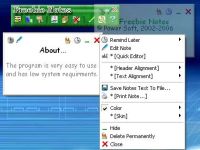 If you easily forget things, this freeware might be of help. I’m talking about Freebie Notes, a cool sticky note program with alarm timer. If you easily forget things, this freeware might be of help. I’m talking about Freebie Notes, a cool sticky note program with alarm timer.
Freebie Notes is a great little program for users who just want sticky notes with an alarm timer. With Freebie Notes you can create notes displaying on your desktop. What I really appreciate about this tool is that notes can be displayed immediately after creation or in the certain moments of time. You will also love the fact that you can create notes of custom sizes and colors and set different types for your notes.
The latest updated version, Freebie Notes 3.10, which just released yesterday, has these latest changes:
- New Help for Windows Vista compatibility
- Warning before close the program added
- Hebrew and Indonesian languages added
- Program’s windows minimization bug fixed
- Some minor bugs
Want to check it out? Go to http://www.freebienotes.com/stick-notes
Posted in Developer, Information Management, Main, Shareware, Shell and Desktop, Text, Utilities, Windows | No Comments »
Tuesday, March 27th, 2007
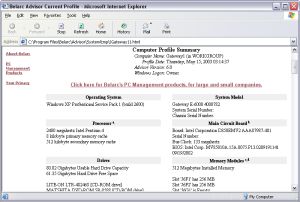 Need reliable software to advise you on the state of your installed software and hardware? This software may be just what you need, it’s called Belarc Advisor. Need reliable software to advise you on the state of your installed software and hardware? This software may be just what you need, it’s called Belarc Advisor.
Belarc Advisor builds a detailed profile of your installed software and hardware, including Microsoft Hotfixes, anti-virus status etc and displays the results in your Web browser. The really cool thing about the way Belarc Advisor works is that all your PC profile information is kept private on your PC and is not sent to any web server.
One thing I like about Belarc Advisor is that, unlike other software that the publishers leave to figure things on your own, on the official site [http://www.belarc.com/free_download.html] the publishers have an FAQ section that can help you enjoy the software easily.
For example, if you have a question like: “The Advisor has installed and finished a discovery of my PC’s hardware and software, but I do not see any results”.
On the site, you will find a great answer like:
“Check that Windows is set to open files with the HTML extension in your web browser. To do this, in the Folder Options windows control panel look at the File Types tab. Select the HTML Document file type and check that it opens with your preferred web browser”.
If that doesn’t work for you, open this file: C:\Program Files\Belarc\Advisor\System\tmp\(COMPUTERNAME).html
(where COMPUTERNAME is the name of your PC) using the File|Open… menu in your web browser.
Really making things easier right?
Want to check out the software? Did I fail to mention that it’s free!!! Yeah it’ll cost you $0.
Go to http://www.belarc.com/free_download.html to see for yourself what it’s all about and get a free download.
Posted in Business, Developer, Freeware, Information Management, Internet, Main, Security, Utilities, Windows | 2 Comments »
Monday, March 26th, 2007
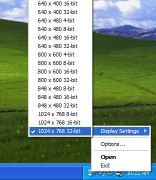 Do you find that you need to frequently change your screen resolution or colour depth? Some reasons could be when doing demos, switching between monitors, recording/capturing the screen, connecting to projectors, etc. Do you find that you need to frequently change your screen resolution or colour depth? Some reasons could be when doing demos, switching between monitors, recording/capturing the screen, connecting to projectors, etc.
It’s a bit of an inconvenience to have to go to the display properties each time or use the little system tray icon utility provided by your graphics card software. FastRes is a useful little alternative that resides in your system tray.
It enables you to very quickly change between resolutions anytime you wish, without having to click several layers deep into your computer settings. It’s freeware and you can get it here.
Posted in Design, Developer, Freeware, Main, Programming, Shell and Desktop, Windows | No Comments »
Sunday, March 25th, 2007
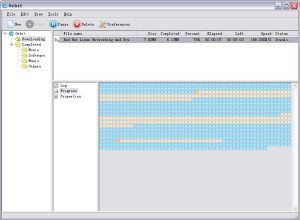 In need of a fully featured download accelerator? One which does what it is supposed to do i.e. accelerate your downloads; then you need to check out Orbit downloader. In need of a fully featured download accelerator? One which does what it is supposed to do i.e. accelerate your downloads; then you need to check out Orbit downloader.
Orbit downloader is a full-featured download accelerator and manager. It is based on P2P technology, has advanced robust multithread download algorithm implemented with high quality. That’s not all, orbit downloader integrates seamlessly into Microsoft Internet Explorer to automatically handle your downloads.
You will appreciate the fact that you can easily download files from any remote server via HTTP, FTP, RTSP or MMS. One other cool thing about Orbit Accelerator is that it has a smart download logic accelerator that features intelligent dynamic file segmentation and safe P2P downloading technology to accelerate your downloads.
Still not sure whether this software is worth checking out? Consider the following:
- Great Speed: Orbit Downloader is based on p2p and multi-source downloading technology, which make you download files up to 500% faster than before
- Easy to Use: Orbit Downloader has a simple and clear user interface. It is easy to use and config for both newbies and professions
- The Most Comprehensive Download Tools: Orbit Downloader supports most protocols and have a function of “Flash and Streaming Media Capturer”, so you can download videos from youtube metacafe, files from rapidshare, metalink files, flash and streaming media online more simple and easy
- Support IE, Firefox, Maxthon and Opera: Orbit Downloader integrates seamlessly into IE, FireFox, Maxthon and Opera without installing any other plugin
- Free and Safe
What are you waiting for?
Go and check it out, it’s FREE!!!!! Go to http://www.orbitdownloader.com/
Posted in Developer, Download Managers, Freeware, Internet, Main, Utilities, Windows | 18 Comments »
Friday, March 23rd, 2007
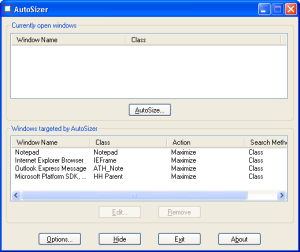 Have you ever had times when your browser or some other program insisted on opening in a little window instead of being maximized full screen? Autosizer is the answer to this mildly irritating situation. Have you ever had times when your browser or some other program insisted on opening in a little window instead of being maximized full screen? Autosizer is the answer to this mildly irritating situation.
It’s a small utility that works from the system tray and can be used to make almost any program open maximized or exactly to the size and coordinates that you want. It works with almost any program, including web browsers, Notepad, etc. It’s really easy to use, you can easily add to it’s list which programs you want to run with their windows at a certain size.
I know I like things to be fullscreen most of the time, especially browsers and it can be a little annoying when the browser decides to open in a really small window (although this hasn’t happened me for a long time now).
It’s freeware and its over here.
Posted in Design, Developer, Freeware, Main, Shell and Desktop, Utilities, Windows | No Comments »
Friday, March 23rd, 2007
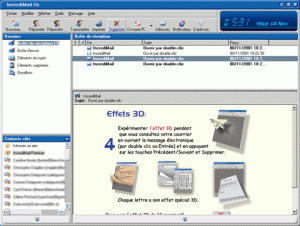 Tired of boring mails? Want to add some spice or life to your emails? IncrediMail could be what you need. Tired of boring mails? Want to add some spice or life to your emails? IncrediMail could be what you need.
IncrediMail is an advanced email program that offers you an unprecedented interactive experience. You can do a lot with your emails like personalizing them according to your mood and personality, choosing from an assortment of email backgrounds, animations, 3D effects, E-cards, sounds, and make them all become part of your email – not attachments.
One of the things I really like about IncrediMail is that it offers a collection of flash notifiers that will announce the arrival of new mail and add life to your desktop. In the new updated version which was released yesterday, the major change incorporated into it was the addition of a new desktop icon.
One thing you need to note is that IncrediMail is adware, upgrading will only cancel the ads, but if you can stand the ads, you can enjoy IncrediMail for free. Why pay $30 for no ads? You can go for the free version, it’s up to you.
Want to check it out? Go to http://www.incredimail.com/english/
Posted in Developer, E-mail, Information Management, Internet, Main, Shareware, Windows | 2 Comments »
Friday, March 23rd, 2007
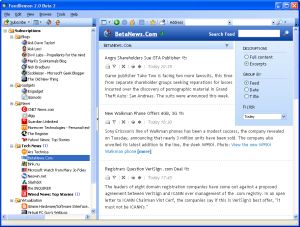 FeedDemon – Explore The World Of RSS Easily. Explore the world of RSS easily with this cool software, FeedDemon. FeedDemon – Explore The World Of RSS Easily. Explore the world of RSS easily with this cool software, FeedDemon.
Coming from the creator of TopStyle and HomeSite, Nick Bradbury, FeedDemon is good and really easy to use. It enables you to quickly explore the world of RSS from your desktop without having to visit hundreds of sites.
FeedDemon makes RSS as easy to access as your email. Thousands of web sites offer their content as RSS newsfeeds so with FeedDemon you will enjoy the RSS world, staying informed and up to date without even visiting hundreds of site.
It allows you to can completely customize the way feeds are organized and displayed and set up custom news watches based on keywords. With FeedDemon you can even download podcasts and audio files and have them show up on your portable audio device. In addition, FeedDemon now synchronizes with NewsGator Online and the rest of the NewsGator RSS Suite. The software is pre-configured with dozens of feeds, so you can unleash the power of RSS right away.
A new version is out with these cool features:
- Integration with YouTube, Digg, Windows LiveWriter
- Newspaper format for easy reading
- Search channels to discover relevant feeds
- Automatic synchronization with other NewsGator readers
- Built-in podcast receiver to download audio files to iPods
- Download 30-Day Free Trial
Want to check it out? CLICK HERE
Posted in Developer, Information Management, Internet, iPod, Main, RSS, Windows | 3 Comments »
|
|
|






