Archive for the 'Utilities' Category
Thursday, November 16th, 2006
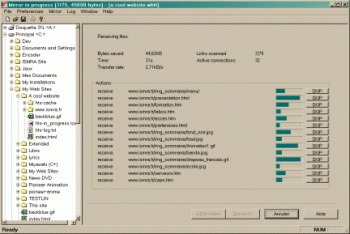 As great a tool as the Internet is, not being able to have access to certain information in certain sites because of server problems, limited Internet access or whatever can really be frustrating. So if you are looking for a way to stay connected to the Internet even when you are not connected, you might find this useful. As great a tool as the Internet is, not being able to have access to certain information in certain sites because of server problems, limited Internet access or whatever can really be frustrating. So if you are looking for a way to stay connected to the Internet even when you are not connected, you might find this useful.
HTTrack is an offline browser utility that allows you to download a website from the Internet to a local directory, building recursively all directories, getting html, images, and other files from the server to your computer.
The fact that it arranges the original site’s relative link-structure makes this software a really useful tool. All you have to do is to simply open a page of the “mirrored” website in your browser, and you can browse the site from link to link, as if you were viewing it online. It can also update an existing mirrored site, and resume interrupted downloads. It is fully configurable, and has an integrated help system.
If you have limited Internet access then this software is for you but if you have unlimited access to the Internet you may not really find it useful. But you can use it as backup for your favorite sites so that you can access necessary information whether you are connected or not, whether your server is down or not.
WinHTTrack is the Windows 98/NT/2000/XP release of HTTrack, and WebHTTrack the Linux/Unix/BSD release. Check out the download page.
Posted in Browsers, Freeware, Internet, Linux, Main, Utilities, Windows | No Comments »
Tuesday, November 14th, 2006
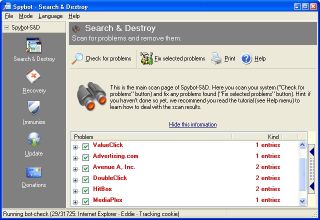 Getting rid of stuff that disturbs your surfing abilities can be a big deal at times, but with Spybot Search and Destroy things are just about to get better for you. Getting rid of stuff that disturbs your surfing abilities can be a big deal at times, but with Spybot Search and Destroy things are just about to get better for you.
Spybot Search and Destroy searches your hard drive for so-called spy- or adbots; that is, little modules that are responsible for the ads many programs display. Many of these modules also transmit information, including your surfing behavior on the Internet. If it finds such modules, it can remove them. In most cases the host still runs fine after removing the spyware/adware.
An admirable feature is the removal of usage tracks, which makes it more complicated for unknown spybots to transmit useful data. The list of last visited websites, opened files, started programs, cookies; all that and more can be cleaned. Supported are the three major browsers Internet Explorer, Netscape Communicator, and Opera.
One downside is that it shuts you out of the Internet Options page.
NOTE: In case you have some other spyware program and detects spies in the Spybot Search and Destroy program, don’t be alarmed! It’s a false alarm, as Spybot-S&D has no spyware integrated. The reason for such a false alarm is simple: Spybot-S&D saves backups of the problems you have fixed; to make it possible to recover them in case something stops working after the fix.
So look at the path where such a program found the spyware. If the file found is in the Recovery directory inside the Spybot-S&D directory, it is such a backup. It is no longer of any harm there, as the file won’t be found and loaded from there. But once you are sure you don’t need the backup, go to the Recovery section inside Spybot-S&D and purge the files.
CHECK THIS OUT for more info and free download.
Posted in Freeware, Internet, Main, Security, Utilities | 7 Comments »
Tuesday, November 14th, 2006
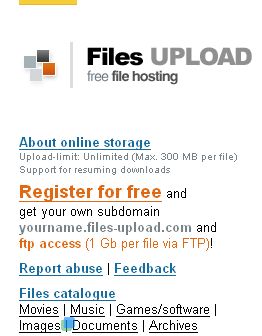 You like or need to share files online and you’re not a big fan of Rapidshare? Well, as they say there’s always a choice! You like or need to share files online and you’re not a big fan of Rapidshare? Well, as they say there’s always a choice!
For example try Files-Upload. This web based service will let you upload up to a 1GB file unlimited times and unlimited storage. Sounds good? Okay, but there’s a catch (and really not just one). First of all (and that’s the worst thing of this one) your files will only be retained for 6 months since the last download of that file so if you want them to stay online for longer period you’ll have to upload ‘em every 6 month or they just disappear. Next one is that you can upload files up to 1 GB storage only by Ftp client (http upload is only up to 300 MB, but it is still better then free Rapidshare). Good points are: support for resuming downloads, there’s no downloading and uploading limit, splitted archives also allowed. Guys from Files-Upload also offer a free subdomain “myname.files-upload.com” for easy access to those files. And it’s all totally free (at least for now) so what are you waiting for – just register and GO : )
Posted in Internet, Main, Utilities, Web services | No Comments »
Monday, November 13th, 2006
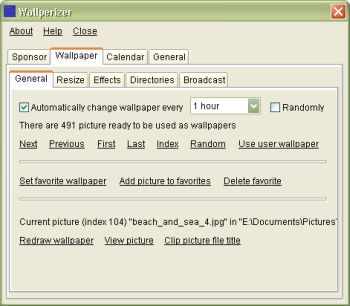 Tired of your system wearing the same old look? Well, this freeware offers to give your computer a new and ever-changing look. Tired of your system wearing the same old look? Well, this freeware offers to give your computer a new and ever-changing look.
Wallperizer is a desktop wallpaper changer, which allows you to add up to 100 directories, where the program would look for pictures that would be used as wallpapers. It’s really nice because the wallpapers can be changed automatically, either in order or randomly.
One of the cool features of Wallperizer is Brightness normalization. This is an automatic process where bright pictures are made darker and dark pictures are made brighter. Brightness normalization can be used to bring the brightness of wallpapers close to environmental light.
Another cool feature is that a calendar can be displayed on the wallpaper. These calendars have skins that you can edit, load and save.
For more features check out the History of changes.
A new updated version has just been released, 1.2.1 and the major change in this new update is that a label has been added below the list of directories, from which the wallpaper pictures are loaded, which shows the entire name of the focused directory. This is useful when a directory name is very long
For more info and free download; Click here! Previous version can be found here.
SYSTEM REQUIREMENTS: Windows 98 / Me / NT4 / 2000 / XP / Vista. On Windows Vista, the program must currently be run as administrator.
NOTE: Though there are no special requirements for running the program; for Windows NT4 you need to have installed service pack 6.
To install the program, just run the downloaded file (but first close any running instances of the program).
Posted in Freeware, Main, Themes, Utilities, Windows | No Comments »
Monday, November 13th, 2006
 If you have had it with losing data to corrupted zip files and Self Extracting files [SFX], then this software might be for you. Advanced Zip Repair [AZR] is a powerful tool that helps you repair corrupted zip files and Self Extracting Files. It can scan the zip archives and recover your data in them as much as possible, to minimize the loss in file corruption. If you have had it with losing data to corrupted zip files and Self Extracting files [SFX], then this software might be for you. Advanced Zip Repair [AZR] is a powerful tool that helps you repair corrupted zip files and Self Extracting Files. It can scan the zip archives and recover your data in them as much as possible, to minimize the loss in file corruption.
It’s attractive features include its ability to fix all sub-types of zip files and all kinds of self-extracting files and the fact that it supports the repair of zip files on corrupted medias, such as floppy disks, zip disks, CDROMs etc. among others.
To know whether AZR can repair your zip file successfully you’ll need to repair your zip archive normally in “Repair” tab. If it can be repaired successfully, you will see a message box after the repair process, where you can click the “Show Repair Report” button and see a report of all the recoverable items in the zip archive. For every item, the report will display its file name, file size, the packed size and its recoverable status.
The downside to this software is that though you can get the demo version for free there is a limitation; it will only show a report of all the recoverable items in the Zip archive, but will not output the fixed archive. To get the actual repaired Zip archive, you need to order the full version. Advanced Zip Repair has been recently updated and the updated version, Advanced Zip Repair 1.8 released.
The major changes in the new updated version:
- Improved the support to spanned/split zip files;
- Fixed some minor bugs
For a detailed list of its features and to download, CLICK HERE!
Posted in Main, Shareware, Utilities | No Comments »
Monday, November 13th, 2006
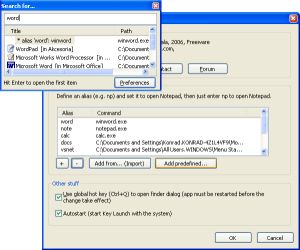 If, like I do, you have a lot of programs on your start menu and you don’t want it to take forever bringing up any program you need, then you may find this freeware useful. If, like I do, you have a lot of programs on your start menu and you don’t want it to take forever bringing up any program you need, then you may find this freeware useful.
Key Launch is a simple and small utility for fast typers. It allows you to open programs by entering a few characters from their names, instead of going through all these menus and submenus. For example: Just enter “calc” to find all programs containing this string.
If you want you can add “aliases”, e.g. you can define that “excel” means “Microsoft Excel” or “word” “Microsoft Word”. Just type the alias and the program will open. How long does it take you to find a program in your Start Menu? If you’re familiar with a keyboard, then you can do this in less than a second.
If you are not a fast typer and don’t have much programs on your system, you may just stick to your conventional way of going through the start menu but if you know your way around a keyboard, you’ll really find this useful.
Learn more and download it HERE! It’s FREE!
SYSTEM REQUIREMENT: Windows XP and NT only.
Posted in Freeware, Main, Utilities | No Comments »
|
|
|




