Archive for the 'Internet' Category
Wednesday, November 15th, 2006
 It finally happens! Sun Microsystems Inc. said on Monday that it will make its Java software available for free by giving it to the open-source community. Though company will continue to sell and support standardized versions of the product. It finally happens! Sun Microsystems Inc. said on Monday that it will make its Java software available for free by giving it to the open-source community. Though company will continue to sell and support standardized versions of the product.
The main cause of that action is to make that ‘sunny’ software more widely available (company still is striving to return to consistent profitability). Several key components of Java are already available for free download and the rest will be released in 2007. ‘Altogether it will put some 6 million lines of Java code into the public domain, making it one of the largest such grants to date’. That what Reuters have told us : )
As you’re all know Java software lets developers write one set of code for programs that work on different types of computers and operating systems. (more…)
Posted in Business, Commercial, Internet, Main, News, Open Source, Programming | No Comments »
Tuesday, November 14th, 2006
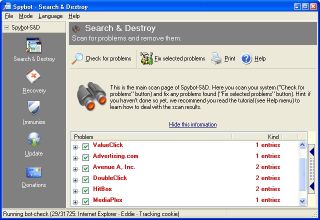 Getting rid of stuff that disturbs your surfing abilities can be a big deal at times, but with Spybot Search and Destroy things are just about to get better for you. Getting rid of stuff that disturbs your surfing abilities can be a big deal at times, but with Spybot Search and Destroy things are just about to get better for you.
Spybot Search and Destroy searches your hard drive for so-called spy- or adbots; that is, little modules that are responsible for the ads many programs display. Many of these modules also transmit information, including your surfing behavior on the Internet. If it finds such modules, it can remove them. In most cases the host still runs fine after removing the spyware/adware.
An admirable feature is the removal of usage tracks, which makes it more complicated for unknown spybots to transmit useful data. The list of last visited websites, opened files, started programs, cookies; all that and more can be cleaned. Supported are the three major browsers Internet Explorer, Netscape Communicator, and Opera.
One downside is that it shuts you out of the Internet Options page.
NOTE: In case you have some other spyware program and detects spies in the Spybot Search and Destroy program, don’t be alarmed! It’s a false alarm, as Spybot-S&D has no spyware integrated. The reason for such a false alarm is simple: Spybot-S&D saves backups of the problems you have fixed; to make it possible to recover them in case something stops working after the fix.
So look at the path where such a program found the spyware. If the file found is in the Recovery directory inside the Spybot-S&D directory, it is such a backup. It is no longer of any harm there, as the file won’t be found and loaded from there. But once you are sure you don’t need the backup, go to the Recovery section inside Spybot-S&D and purge the files.
CHECK THIS OUT for more info and free download.
Posted in Freeware, Internet, Main, Security, Utilities | 7 Comments »
Tuesday, November 14th, 2006
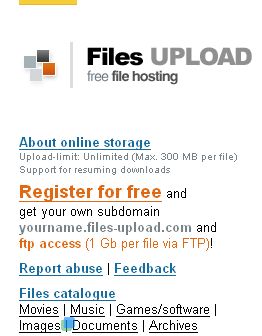 You like or need to share files online and you’re not a big fan of Rapidshare? Well, as they say there’s always a choice! You like or need to share files online and you’re not a big fan of Rapidshare? Well, as they say there’s always a choice!
For example try Files-Upload. This web based service will let you upload up to a 1GB file unlimited times and unlimited storage. Sounds good? Okay, but there’s a catch (and really not just one). First of all (and that’s the worst thing of this one) your files will only be retained for 6 months since the last download of that file so if you want them to stay online for longer period you’ll have to upload ‘em every 6 month or they just disappear. Next one is that you can upload files up to 1 GB storage only by Ftp client (http upload is only up to 300 MB, but it is still better then free Rapidshare). Good points are: support for resuming downloads, there’s no downloading and uploading limit, splitted archives also allowed. Guys from Files-Upload also offer a free subdomain “myname.files-upload.com” for easy access to those files. And it’s all totally free (at least for now) so what are you waiting for – just register and GO : )
Posted in Internet, Main, Utilities, Web services | No Comments »
Tuesday, November 14th, 2006
 If you have been around the web for a little while, you’ve probably heard of PHP or PHP: Hypertext Preprocessor. This is one of the most popular web programming languages right now and for good reason. It’s flexible, powerful, relatively easy to learn, and, best of all free. If you have been around the web for a little while, you’ve probably heard of PHP or PHP: Hypertext Preprocessor. This is one of the most popular web programming languages right now and for good reason. It’s flexible, powerful, relatively easy to learn, and, best of all free.
The problem I had with beginning to program in PHP,though, was that I had no place to test it before uploading to a web server. So, I went to the search engines and found a solution: MAMP. This is a development environment consisting of Macintosh – Apache – MySQL – PHP.
I’m doing my development on my trusty little iBook, so I had to find something that would work with Macintosh. MAMP is perfect. After a rather large download, MAMP is easy to install. Simply unzip the file, mount the disk image (.dmg) file by double-clicking, and then drag and drop the MAMP folder from the disk image to your Applications folder.
Using MAMP is as easy as double-clicking the application file to turn on the servers. After that, all you have to do is copy your web files into the ‘htdocs’ folder inside the MAMP application folder and navigate to ‘localhost:8888’ in your browser.
You may know that OS X already comes with versions of Apache and PHP installed. So, why use MAMP? Because, MAMP puts it all together in one easy install. You don’t have to mess around with configuration files or downloading and installing MySQL. The installation doesn’t touch any of the important files already on your Mac and if you ever want to uninstall it, just drag the MAMP folder to the trash can. And one more great reason to use MAMP? It’s freeware.
Posted in Developer, Freeware, Internet, Mac Stuff, Main, Open Source, Programming | 3 Comments »
Tuesday, November 14th, 2006
 You need a handy tool to make some simple moves with your photos, but you don’t want to install any software (even if it’s totally free)? Well, as I always say there’s a choice! Try for example Pixer. You need a handy tool to make some simple moves with your photos, but you don’t want to install any software (even if it’s totally free)? Well, as I always say there’s a choice! Try for example Pixer.
It’s an online ajax-powered photo editors, with really simple controls. But once again there’s a catch. The worst thing (maybe that’s just for me, eh?) is that you can’t preview changes you make on your own picture (you upload it, but as soon as you make any change you’ll see the standard picture of that service with two pretty ladies on it). Don’t worry as soon as you done with editing just save the result on your hard drive and you see that this service really works. (more…)
Posted in Fun, Internet, Main, Photo, Web services | 1 Comment »
Monday, November 13th, 2006
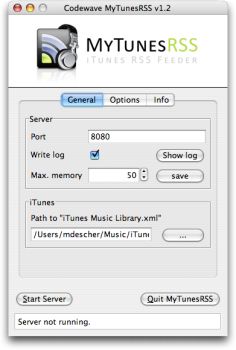 The first version of the freeware, MyTunesRSS1.0 was released April 2 2006. Since then it has undergone a series of updates, a new updated version was just released a couple of days ago, November 8 to be precise; MyTunesRSS 2.3.4 The first version of the freeware, MyTunesRSS1.0 was released April 2 2006. Since then it has undergone a series of updates, a new updated version was just released a couple of days ago, November 8 to be precise; MyTunesRSS 2.3.4
MyTunesRSS allows you to access the music and videos from your iTunes library over a local network or even the Internet. You can access your music from all over the world using a simple web browser. The user interface lets you search for titles or browse your whole library by album or artist. You can access your iTunes playlists or create new ones directly in MyTunesRSS.
MyTunesRSS includes an embedded Tomcat server that allows you to access the iTunes library with any web browser. You can create an RSS feed from the results. Any device capable of receiving RSS feeds can get the songs from your iTunes library through the feed. For example, the Playstation Portable can play songs from your iTunes library over WLAN with this application.
Latest changes in the new updated version, 2.3.4 include:
- Prevent MyTunesRSS from being started more than once
- Initial “iTunes Music Library.xml” search can be cancelled
- ZIP archives with multiple tracks contain a complete M3U playlist
- Bug fixes
Click here for the complete version history
NOTE: MyTunesRSS is pure Java, so you can only run it on any platform supporting Java Runtime 1.5 and iTunes.
Click here for free download
Posted in Audio, Freeware, Internet, Main, Multimedia | No Comments »
Monday, November 13th, 2006
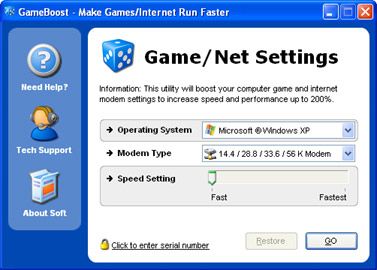 The problem with downloading and playing games on the system or even online at times is that you may not get the best speed out of your PC and Internet connection. You experience some glitches or slow downs. This software, Game Boost helps put an end to such problems or at least reduce their frequency of occurrence. The problem with downloading and playing games on the system or even online at times is that you may not get the best speed out of your PC and Internet connection. You experience some glitches or slow downs. This software, Game Boost helps put an end to such problems or at least reduce their frequency of occurrence.
GameBoost is a shareware from the stables of PGWARE. Based off of their GameGain and Throttle products, GameBoost increases overall speed and squeezes out every last bit of performance your computer and Internet connection is capable of.
One of the things I like about it is that it is very easy to use and fully compliant with all versions of Windows. It also adjusts itself to your computer specifications.
GameBoost is a tool for all that allows you to modify your computers settings to increase gaming and Internet speed performance. The fact that no modifications to your hardware are made and all adjustments and settings are done in an easy to use interface makes this program a darling. GameBoost makes direct changes to system registry and system files to enhance memory, screen drawing, animations, refresh rates, CPU threading speeds, Internet speed.
Tired of those frame rate glitches or slow downs disrupting your favorite games? Give GameBoost a try!
Click here for trial version and more info!
Posted in Games, Internet, Main, Shareware, Windows | No Comments »
|
|
|




