Archive for the 'Windows' Category
Wednesday, January 16th, 2008
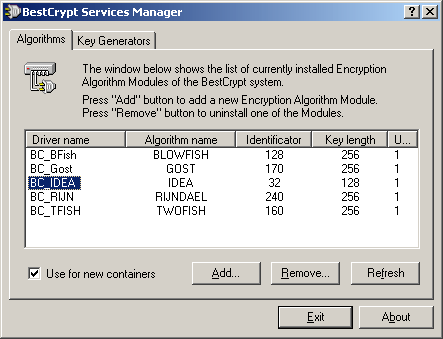
The latest version of the IDEA plug in for the BestCrypt software is now available on the market and the reason that it has become so popular in such a short time is the fact that this is an easy way for you to encrypt things without having to worry about it being too easy to decrypt. The encryption software programs have started to become more popular as the average level of web sophistication increases and users begin to realize that their more important e-mails need to be encrypted at some point. This has spawned a number of excellent software programs such as BestCrypt and those software programs have a number of modules that can be used within them.
This particular module is the IDEA plug in for BestCrypt and it simply uses the IDEA algorithm in order to encrypt the information that you want kept secret. The great thing about this plug in is that it works on all Windows systems so that regardless of what version and structure of Windows you happen to be running at the time, you are still going to be able to use the IDEA plug in when you want to encrypt certain pieces of information. This plug-in has been tried, tested and true for awhile and the latest version makes it just that much better.
More information is available at http://www.iarsn.com/ideaplugin.html
Posted in Developer, Freeware, Main, Plugin, Utilities, Windows | 1 Comment »
Wednesday, January 16th, 2008
 The newer version of Paint.NET has finally been released and for the fans of this excellent piece of software it has come not a moment too soon! The newest release of this piece of software has fixed bugs that occurred during installation as well as some poor performance during installation depending on the options that were selected. While I never experienced this when using the software, apparently some people had prolonged wait times of up to 20 minutes during an installation or removal process. The newer version of Paint.NET has finally been released and for the fans of this excellent piece of software it has come not a moment too soon! The newest release of this piece of software has fixed bugs that occurred during installation as well as some poor performance during installation depending on the options that were selected. While I never experienced this when using the software, apparently some people had prolonged wait times of up to 20 minutes during an installation or removal process.
For those of you that are new to this program, Paint.NET is a rather interesting piece of software in the sense that it has become something that is used for something totally different from what it was originally intended for. The authors of Paint.NET wanted it to be a standalone and free replacement for the paint program that comes with windows, but as different versions started to come out and reception to the program began to grow more favourable, the program creators eventually decided on making it into a full-featured program supporting layers, shading and a number of other drawing tools that are either not available in paint or alternatively are available in much more detail in Paint.NET.
More information can be found at http://www.getpaint.net/
Posted in Developer, Freeware, Internet, Main, Utilities, Windows | No Comments »
Tuesday, January 15th, 2008
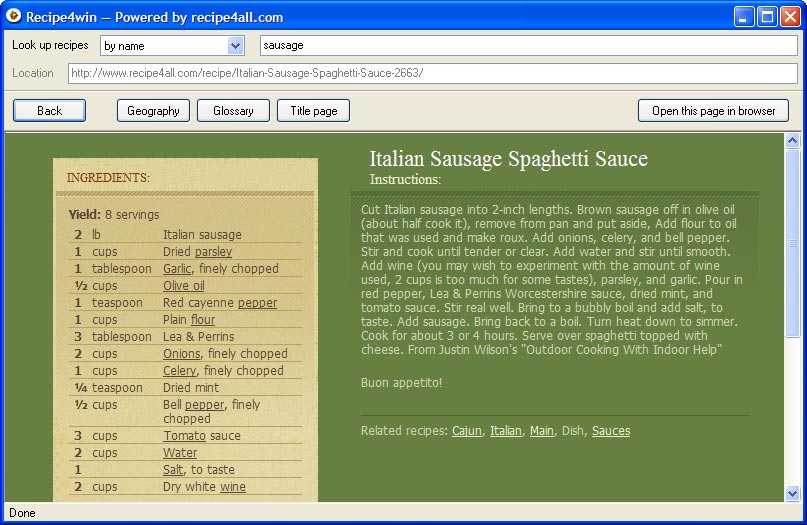 Are you looking for a great way to find all kinds of different recipes for cooking? Well, if so, then the Recipe4win 1.1 software is exactly what you need. This handy piece of freeware was released on January 4th and has quickly become a fan favourite amongst people that have taken the time to download it and install it on their computer. It also comes with an uninstaller, which is more than can be said for many of the freeware programs that are available in today’s world. Are you looking for a great way to find all kinds of different recipes for cooking? Well, if so, then the Recipe4win 1.1 software is exactly what you need. This handy piece of freeware was released on January 4th and has quickly become a fan favourite amongst people that have taken the time to download it and install it on their computer. It also comes with an uninstaller, which is more than can be said for many of the freeware programs that are available in today’s world.
This program is actually quite simple, but at the same time is quite effective. All it does is link up with the central database available at recipe4all.com and it allows you to browse through all of the different recipes available for that website until you find one that will work for you in whatever situation you happen to be in. For example, you can search by specific keywords for a specific recipe, you can search by ingredients that are used in the different recipes or you can even search by geography and the region of the world that a specific recipe comes from. These are all excellent modes for you to use to find that perfect recipe for any occasion and the Recipe4win software engine allows you to do that in record time.
More information about this program is available at http://www.recipe4all.com/software/
Posted in Developer, Fun, Games, Information Management, Main, Windows | No Comments »
Tuesday, January 15th, 2008
 One of the most interesting things about writing on free programs that are available is that you can actually take a look at these programs and see what motivates the people that make them. In the case of VicMan Software, the creators of My Pictures 3D, the motivation was what was perceived as being a dull selection of screensavers that were available with the typical Windows system. What started out as a screensaver quickly developed into so much more and the eventual result was released on January 4th and labelled as version 1.2 of My Pictures 3D. One of the most interesting things about writing on free programs that are available is that you can actually take a look at these programs and see what motivates the people that make them. In the case of VicMan Software, the creators of My Pictures 3D, the motivation was what was perceived as being a dull selection of screensavers that were available with the typical Windows system. What started out as a screensaver quickly developed into so much more and the eventual result was released on January 4th and labelled as version 1.2 of My Pictures 3D.
What My Pictures 3D is, quite simply, is an online gallery. This gallery is something similar to what you would see if you walked into a small art gallery near your house that regularly exhibited different works of painters in a single room. You get to walk around the room and look at different paintings and that is exactly what happens in this program as well. The only catch is that instead of paintings, what you will be looking at is different favourites from your particular photo album on your hard drive and in addition to being able to look at them through the use of the program, you can also set the program as your screensaver to have others look at them when your screensaver is on. It is an absolutely spectacular program that is available for free online.
More information can be found at http://www.mypictures3d.com/
Posted in Design, Developer, Freeware, Internet, Main, Photo, Windows | No Comments »
Monday, January 14th, 2008
 Comodo Firewall pro is a totally free, award-winning firewall. Comodo Firewall pro is a totally free, award-winning firewall.
I first tried out this program after i realized that the recent versions of ZoneAlarm were slowing up my computer a little too much. While ZoneAlarm is a great program, the version I was using was a little too much of a resource hog on my particular system.
So, in my quest to find a replacement I finally settled on Comodo Firewall as it runs smoothly, easily and doesn’t take up much resources.
The latest version is even better, as it contains “Defense +” an advanced Host Intrusion Prevention System (HIPS) that monitors and protects important system resources and guards against unauthorized system changes such as rootkit installations, memory injections, keyloggers and more. So rather than having 2 separate programs; a firewall and HIPS program. You get both in one!
Apparently, according to some tests conducted, it even surpasses the capabilities of similar paid-for software. Not bad for a freebie huh?
Basically, this is a very good Firewall/Intrusion Prevension System that’s both easy enough for beginners to use and also has plenty of things for the more advanced computer geek types to sink their teeth into if they so choose. It does what it sets out to do and does it well!
Wanna see for yourself? Head on over to the homepage here where theres more details and the free download.
Posted in Developer, Freeware, Internet, Main, Security, Windows | 2 Comments »
Friday, January 11th, 2008

GNU Solfege is a very comprehensive ear training program.
The interface is a little rough and ready, but gets the job done. While it may not be the prettiest piece of software out there, it certainly is thorough at doing what it sets out to do.
It helps you improve your musical ability with an impressively detailed amount of “musical ear” training such as recognizing and identifying chord progressions, intervals, rhythms and scales. It’s sure to be of use to anyone studying music or musical theory. It also has statistics, so you can track your progress, and tests are included so you can see just exactly how much its helping you to improve your musical proficiency and understanding.
It’s a free and open-source program available for Windows and also comes in a Linux version. Go to the website here for more information and the free download.
Posted in Freeware, Linux, Main, Music, Open Source, Utilities, Windows | 2 Comments »
Thursday, January 10th, 2008

If you’ve been a Windows user for any length of time it’s probably come to your attention that its not exactly a perfect system. One issue with Windows is that when you uninstall a program, it leaves behind a lot of leftovers in the registry, which can cause problems in time, like slowing up your computer.
Smarty Uninstaller is a utility for fully uninstalling programs without leaving any traces behind.
As an extra precautionary measure safety features such as registry backup and restore are also available and the ability to protect important system files so they can’t get accidentally deleted while using this program.
This is a useful utility to have for anyone who finds themselves installing and uninstalling programs on a regular basis. As with any programs like this which delete or clean up things, its wise to be careful and I recommend making a system restore point before use.
For further details of features and to download a trial, Click here.
Posted in Commercial, Developer, Main, Multimedia, Security, Shareware, Utilities, Windows | No Comments »
Wednesday, January 9th, 2008
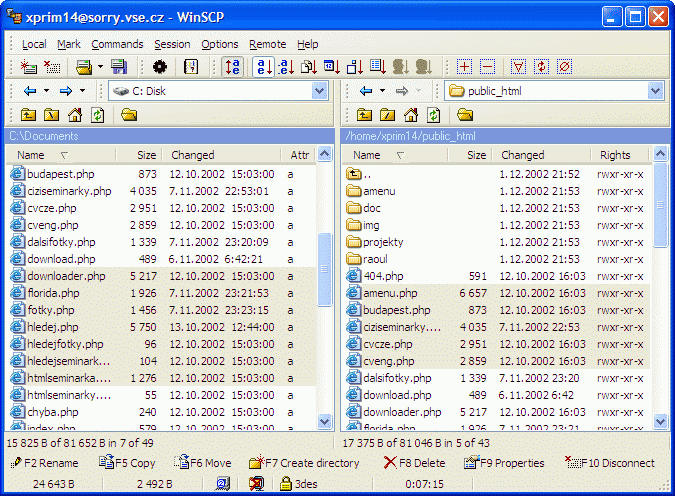 The latest version of WinSCP is now out, having been released on January 3rd by Martin Prikryl. The main changes that have been made to the software are almost entirely fixes of bugs that were either discovered by Martin or else e-mailed to him by users of the program. These include the fixing of bugs such as the lack of allowance for ending a session in some cases, the incorrect listing of authentications in some cases and the poor way in which WinSCP worked externally with other prompts that it received. These are not the only bugs that were fixed but they are amongst some of the more prominent and the result is a much better piece of software for everyone to enjoy. The latest version of WinSCP is now out, having been released on January 3rd by Martin Prikryl. The main changes that have been made to the software are almost entirely fixes of bugs that were either discovered by Martin or else e-mailed to him by users of the program. These include the fixing of bugs such as the lack of allowance for ending a session in some cases, the incorrect listing of authentications in some cases and the poor way in which WinSCP worked externally with other prompts that it received. These are not the only bugs that were fixed but they are amongst some of the more prominent and the result is a much better piece of software for everyone to enjoy.
For people new to the program, WinSCP is a file transfer protocol program that is used within the Windows environment and secure shell handling. The main actual goal of the program is to make it easier to transfer programs and files between the local terminal that a user is currently on and a remote terminal that may exist somewhere else. The goal of the program is to allow users to do these transfers in a way that is not only secure, but also a way that is safe and efficient for all of the computers involved in the file transfer process.
More information about WinSCP and the latest edition of the program can be found at http://winscp.net/eng/index.php.
Posted in Desktop, Developer, Main, Security, Shareware, Utilities, Windows | 1 Comment »
Sunday, January 6th, 2008
 The slow speed of your system gives you the time to catch up with your sleep? Sound funny but surely you would like to avoid such situations when your system becomes unbearably slow. Well trying out the RAM Boost Master Free Version 5.0.0.5 software just may be the answer to your worries as the software effortlessly improves the operation of your system. The software incidentally provides you with features for performing Fast Free or even Deep Compress. Once you run the software you would instantly feel the difference as your computer would start responding much quicker to given commands. The slow speed of your system gives you the time to catch up with your sleep? Sound funny but surely you would like to avoid such situations when your system becomes unbearably slow. Well trying out the RAM Boost Master Free Version 5.0.0.5 software just may be the answer to your worries as the software effortlessly improves the operation of your system. The software incidentally provides you with features for performing Fast Free or even Deep Compress. Once you run the software you would instantly feel the difference as your computer would start responding much quicker to given commands.
RAM Boost Master Free Version 5.0.0.5 software frees up the physical memory of your PC to make it work with faster speed. The interface of the program is uncomplicated and does not require much of your efforts to set the options. Well to begin with you have the Fast Free for rapid clean up and Deep Compress for deep compression. It also provides you with the details about the memory status along with the graphs.
You can have the defragmentation done; just make the selection and the progress is shown on the screen. You can even free the space by cleaning the clipboard content with just a simple click. You can switch to the Advanced feature that help, you to enable the schedule to free the memory and also lets you check the Black and White list. You can also select the auto compression, enable the CPU protection and set the size of the memory to be free.
Settings give you the liberty to set the program to auto run on window startup, automatically clean the clipboard while compressing, and set the Page File Settings, etc. The attached Help Content is useful to have a look at for using the program so that you can set it work at its best.
RAM Boost Master Free Version 5.0.0.5 gives you the details how your system resources are used by Windows and how much memory is being used. You would require set the options once and it would keep working automatically at the background.
{More Info and Download}
Posted in Commercial, Developer, Freeware, Information Management, Utilities, Windows | No Comments »
Saturday, January 5th, 2008
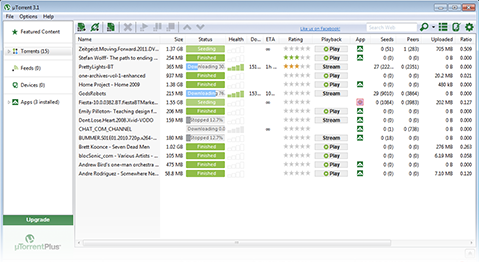 There are a number of different excellent programs available as torrent clients, but the uTorrent software has been acknowledged for a very long time as being one of the best out there. With the latest release of the software coming out on January 3rd, what people are finding is that one of the best in the business just happened to get better. Every piece of freeware is continually working to remove kinks from the software as they develop and a number of minor bugs have been fixed in this latest version of uTorrent whilst keeping the essential core of the software exactly the same as it has been in previous versions. There are a number of different excellent programs available as torrent clients, but the uTorrent software has been acknowledged for a very long time as being one of the best out there. With the latest release of the software coming out on January 3rd, what people are finding is that one of the best in the business just happened to get better. Every piece of freeware is continually working to remove kinks from the software as they develop and a number of minor bugs have been fixed in this latest version of uTorrent whilst keeping the essential core of the software exactly the same as it has been in previous versions.
You can use the uTorrent software to open any of the torrent files that you might want to download from the various websites and then you can also use it to track multiple downloads at the exact same time. Not only can you track the progress of a general download, but you can also track specifics about that download to the point where you know which packets and files within the torrent have been downloaded at which times. This actually allows you to only download specific parts of the torrent file and therefore lessen the size of the download and ultimately speed up the download process.
More information about this program is available at http://utorrent.com/.
Posted in Freeware, Internet, Main, P2P, Windows | No Comments »
|
|
|




