Author Archive
Saturday, December 29th, 2007
 While Windows XP is no longer the industry standard operating system, at the same time it is still an operating system used by the vast majority of people; almost everyone that has not purchased a new personal computer in the last year or so is still on Windows XP and therefore programs that still affect Windows XP are very relevant to talk about. SparkleXP 0.5 is the latest release (December 22, 2007) of the SparkleXP program and the only change that has been made in this program over the latest release is the addition of an upgrade option that has made upgrading the software quite easy to do. While Windows XP is no longer the industry standard operating system, at the same time it is still an operating system used by the vast majority of people; almost everyone that has not purchased a new personal computer in the last year or so is still on Windows XP and therefore programs that still affect Windows XP are very relevant to talk about. SparkleXP 0.5 is the latest release (December 22, 2007) of the SparkleXP program and the only change that has been made in this program over the latest release is the addition of an upgrade option that has made upgrading the software quite easy to do.
SparkleXP is essentially a piece of software that you can use to configure the settings in Windows XP. It allows you to free up computer resources and therefore run your computer programs easier through the use of general tweaking of hardware and software profiles. Once you have finished tweaking Windows XP to your heart’s delight, you can then create a completely separate user file for your SparkleXP tweaks and then when you start the computer you can choose to either boot into your normal XP user account or into your lightweight SparkleXP account that you can then use to run resource-intensive software.
More information can be found at http://www.sparklexp.com/
Posted in Main | No Comments »
Wednesday, December 26th, 2007
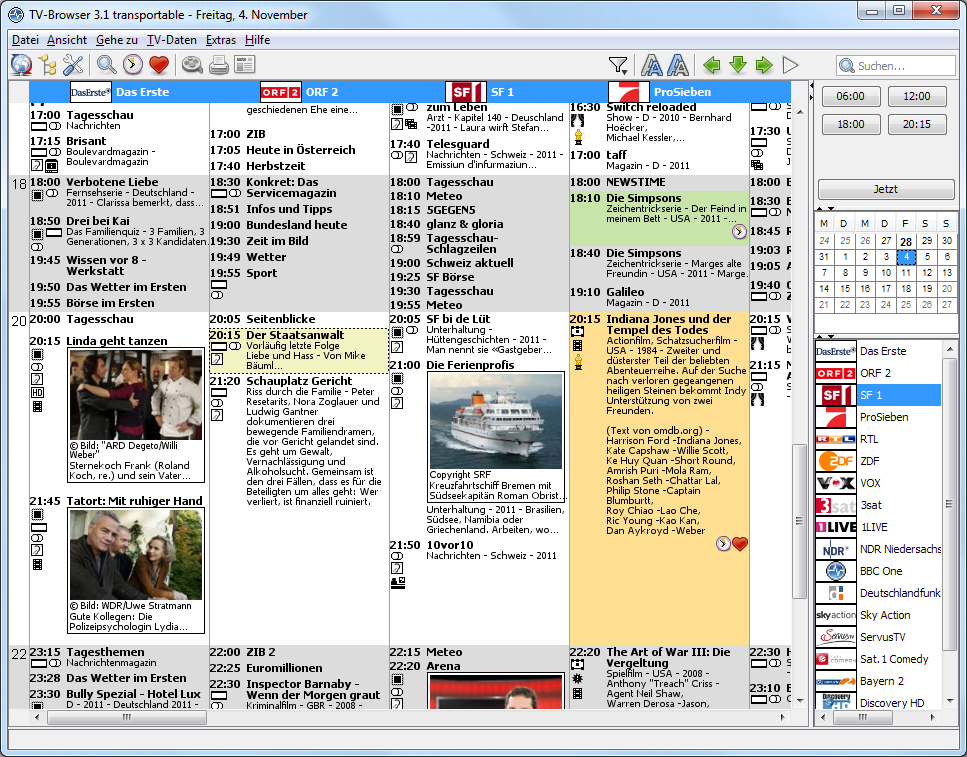 There are a number of different programs out there that are good at simulating the effects of a particular television software, but at the same time there are very few programs out there that are good at functioning as a guide as to what you can watch on TV. In other words, there aren’t any programs out there that emulate the functions of a TV guide very good and the TV-browser for Windows is definitely one of the best programs in that particular field. There are a number of different programs out there that are good at simulating the effects of a particular television software, but at the same time there are very few programs out there that are good at functioning as a guide as to what you can watch on TV. In other words, there aren’t any programs out there that emulate the functions of a TV guide very good and the TV-browser for Windows is definitely one of the best programs in that particular field.
The browser is designed in java and is intended for you to be able to use whenever you want to find out what is on television in your area. You can extend the function of the TV-Browser quite easily through the use of different Java plug-ins and the actual layout of the browser is actually modelled after the TV guide. This makes it an excellent piece of software that you can use for your convenience, but also makes it a throwback to the guide that initially defined television viewing convenience.
More information about this program can be found at http://www.tvbrowser.org/.
Posted in Commercial, Developer, Freeware, Linux, Mac Stuff, Main, TV, Windows | No Comments »
Monday, December 24th, 2007
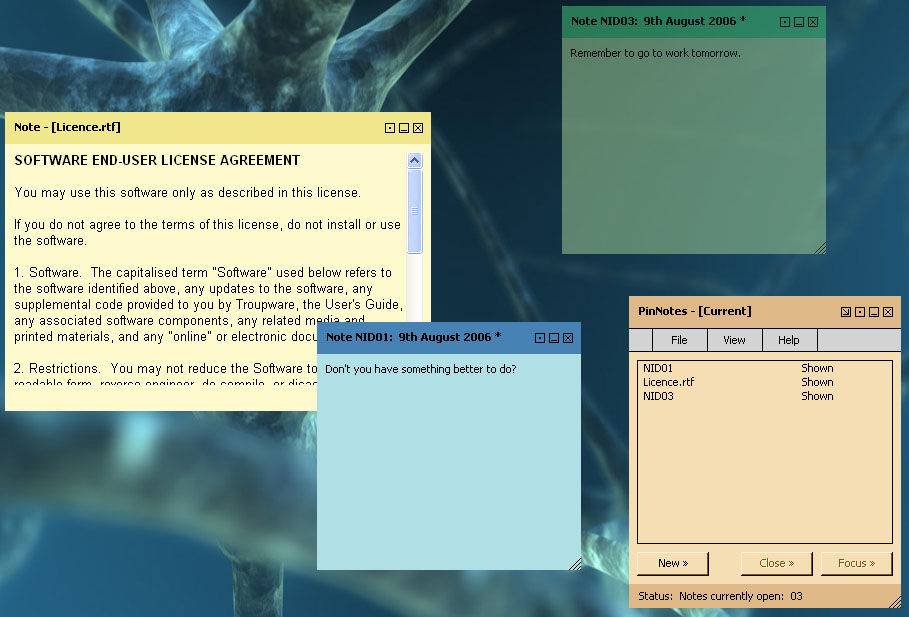
 There are a number of different notes programs around and therefore in order to make the list of freeware programs a note program has to be particularly special in some way. Well, I think I can say with confidence that the PinNotes program is a very special one. Not only is the program compatible with Windows Vista (something that a lot of different programs can not attest to as of yet), but it is also a program that allows you to use rich text support combined with different note colours in order to get exactly what you want. It is a fantastic program because of the choice that it offers the user and this combined with the fact that the program is free is very good indeed. There are a number of different notes programs around and therefore in order to make the list of freeware programs a note program has to be particularly special in some way. Well, I think I can say with confidence that the PinNotes program is a very special one. Not only is the program compatible with Windows Vista (something that a lot of different programs can not attest to as of yet), but it is also a program that allows you to use rich text support combined with different note colours in order to get exactly what you want. It is a fantastic program because of the choice that it offers the user and this combined with the fact that the program is free is very good indeed.
The latest release of the PinNotes software was on December 7th and a number of new features were added. You can now get to the website for the program directly from the about menu of the software and you can also create live links that are able to be opened by simply clicking on them in the actual note. There is also a splash screen added for effect and a number of new options are now available for you to customize your notes to a greater degree. All in all, this software continues to make great strides and it wouldn’t be that surprising if it quickly became one of the most popular notes software packages around.
More information can be found at http://www.pinnotes.co.uk/
Posted in Commercial, Design, Developer, Information Management, Main, Reminder, Text, Utilities, Windows | No Comments »
Monday, December 24th, 2007
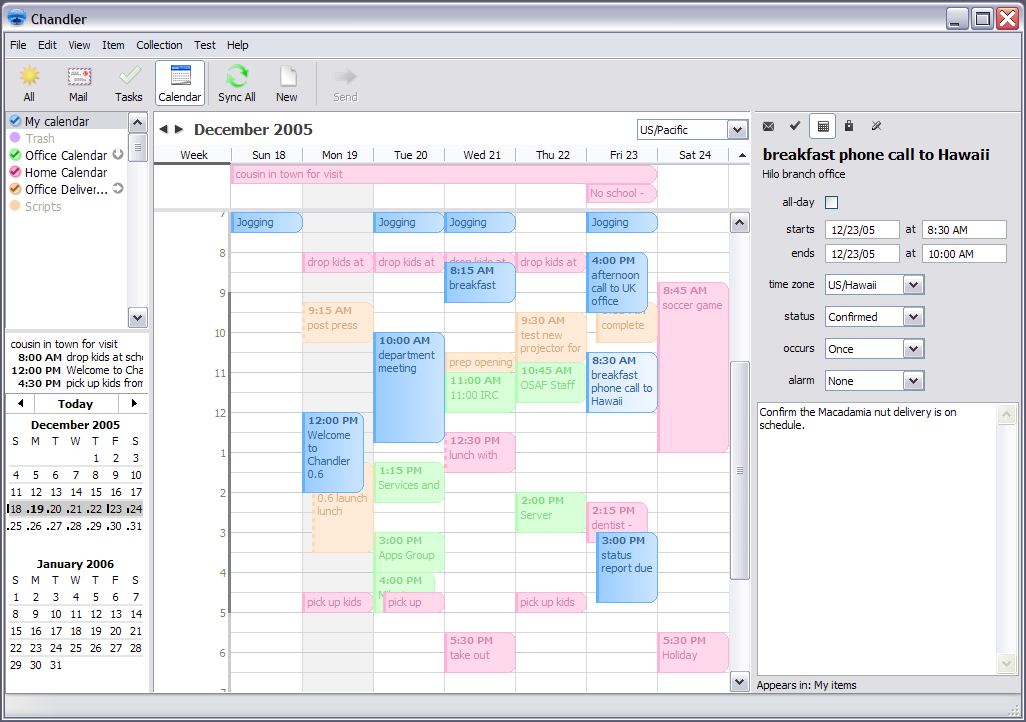
Chandler is an interesting piece of software that is intended for personal information management. In that vein, it has a number of different things that people will like about it that are typical of all PIM programs. For example, you can use Chandler to store your e-mail and manipulate them in different ways to ensure that you are able to have quick access to the important e-mails that are still active in your inbox. In addition to that however, it is also something that you can use to plan your day out; almost like a digital version of a daily planner and something that you can easily structure your life around without changing a great deal.
Additionally, you can also use Chandler for Windows to store contacts and create different task lists for yourself that you can then adjust as the day goes on and you are able to finish different tasks. Another cool part of the program is your ability to create notes for yourself in different ways. All in all, there is nothing particularly innovative about this software packages except for the fact that it is very convenient in that it combines all of the things that you might need access to for managing your personal information.
More information is available at http://www.osafoundation.org/
Posted in Commercial, Developer, Freeware, Information Management, Internet, Main, Open Source, Reminder, Time Managment, Windows | No Comments »
Monday, December 17th, 2007
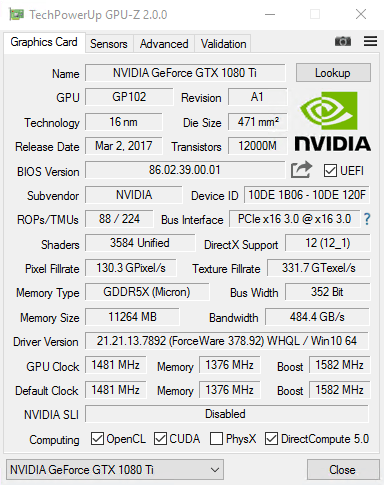
There are a number of utilities out there for giving you information on different parts of your system, but one place where finding information is difficult is in the area of your video card and your GPU. These things do not have a lot of information about them within the hardware device manager in your control panel and of course getting any information about them from the publisher is something that is very annoying to do. Some companies are better than others (ATI for example with their Catalyst Control Centre), but overall it would be better if there was a better way.
Well, as of just a few days ago, there is a better way! That better way is the software package known as GPU-Z. This handy piece of software is a utility that is specifically designed with video cards in mind. It will give you all of the information that you need about your video card; everything from the name of the video card all the way down to things like the bus interface and clocking information. This is information you can find from a number of other separate sources, but the key is that GPU puts it all together for your viewing convenience on one screen. The utility is very lightweight too, meaning that your system is not going to die just from using this piece of software.
More information about this can be found at http://www.techpowerup.com/gpuz/
Posted in Developer, Main, Utilities, Video, Windows | No Comments »
Tuesday, December 11th, 2007
 There must be some sort of coordination that goes on within the world of torrent clients, because they all seem to update at the exact same time! At the same time as BitComet released their new freeware torrent client, Azureus did the same thing. Azureus 3.0.4.0 was released on December 7 th and in just a few days has already been downloaded over 300,000 times! It is a torrent client that has full functionality in terms of downloading, queuing and managing your downloaded files when you get them, but at the same time it also has a number of very cool functions that come from the fact that it is based in Java. There must be some sort of coordination that goes on within the world of torrent clients, because they all seem to update at the exact same time! At the same time as BitComet released their new freeware torrent client, Azureus did the same thing. Azureus 3.0.4.0 was released on December 7 th and in just a few days has already been downloaded over 300,000 times! It is a torrent client that has full functionality in terms of downloading, queuing and managing your downloaded files when you get them, but at the same time it also has a number of very cool functions that come from the fact that it is based in Java.
The latest version of the Azureus client looks nicer and sleeker than anything else that has been released within the torrent field and a lot of functionality has been added to the software package in the form of different packets and your ability to select when it comes to downloading parts of a specific torrent file. This means that if you only want to download 100 of the 1000 different e-books in that next torrent file, you can do that using the Azureus client with a simple point and click interface that is impossible to beat. A number of bugs that had been reported were fixed as well, so if you had some concerns with the running quality of Azureus before, download the new one and try it out to see if your concerns have been addressed.
More information is available at http://azureus.sourceforge.net/.
Posted in Developer, Freeware, Internet, Main, P2P, Shell and Desktop | No Comments »
Tuesday, December 11th, 2007
 For everyone that loved the previous version of digital designer and was waiting for the next release, here it is! As of December 5 th, your waiting is over and with the version 2.3 release, LEGO has added a number of different things to their software package. The most important thing that has been added to the package is a larger selection when it comes to selecting the pieces that you want to use in order to build your LEGO invention. While the inventory is still quite limited in relation to the full range of physical products that LEGO offers, one can expect the inventory to get better and better as time happens to go by. For everyone that loved the previous version of digital designer and was waiting for the next release, here it is! As of December 5 th, your waiting is over and with the version 2.3 release, LEGO has added a number of different things to their software package. The most important thing that has been added to the package is a larger selection when it comes to selecting the pieces that you want to use in order to build your LEGO invention. While the inventory is still quite limited in relation to the full range of physical products that LEGO offers, one can expect the inventory to get better and better as time happens to go by.
For those of you that are new to LEGO digital designer, imagine having a software package that could bring your childhood memories to life in startling clarity and you have the LEGO digital designer! Play with the software in the same way that you would play with the bricks as a kid and you will find that the sky and your imagination are the only limits on what you can accomplish. Be warned though, this program can be quite addictive once you get started so don’t download it the night before a big test or a big presentation!
More information on this software can be found at http://ldd.lego.com/
Posted in Design, Developer, Main, Shareware, Shell and Desktop, Windows | 1 Comment »
Tuesday, December 11th, 2007
 The latest version of Malwarebytes does not have that many changes on it and was released on December 7th. However, the changes that it does have are very significant because they take care of a number of the core functions that used to have problems. Every now and then users would see a bug that would crash the software and a lot of those bugs have been located and removed from the system and in addition to that changes have been made to the aesthetics of the program so that it looks and feels very good indeed. The latest version of Malwarebytes does not have that many changes on it and was released on December 7th. However, the changes that it does have are very significant because they take care of a number of the core functions that used to have problems. Every now and then users would see a bug that would crash the software and a lot of those bugs have been located and removed from the system and in addition to that changes have been made to the aesthetics of the program so that it looks and feels very good indeed.
Malwarebytes did not need that many changes because for the most part it was an excellent piece of freeware already. It is a freeware package that you can use to either quickly scan or alternatively fully scan your hard drive and other drives on your computer in order to detect different pieces of harmful malware. Once found, the program then has the ability to quarantine the offending pieces of malware and even remove them completely from your system. This is the functionality of software packages costing hundreds of dollars, but it is yours for free when you download the Malwarebytes program.
More information can be found at http://www.malwarebytes.org/
Posted in Developer, Freeware, Internet, Main, Security, Windows | No Comments »
Thursday, December 6th, 2007
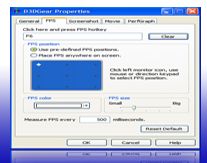 Here is a useful tool worth checking out. Here is a useful tool worth checking out.
D3DGear is an advanced utility for Windows DirectX & OpenGL games. The cool thing about this software is that it automatically measures a 3D game’s frame rate and displays it on screen. It allows you to customize font color, size and position of the frame rate display.
It is easy to use as it can capture 3D game screenshots with the press of a hotkey, and automatically save screenshots into a file. You can define screenshot hotkey, save file format and save file directory. One other thing I love about it, is that D3DGear also can record 3D games to movie.
In the recently released version, the bug that didn’t allow D3DGear to work with the game Shaiya has been fixed.
Go check it out at http://www.d3dgear.com/
Posted in Commercial, Developer, Flash, Main, Photo, Programming, Shareware, Utilities, Windows | No Comments »
Thursday, December 6th, 2007
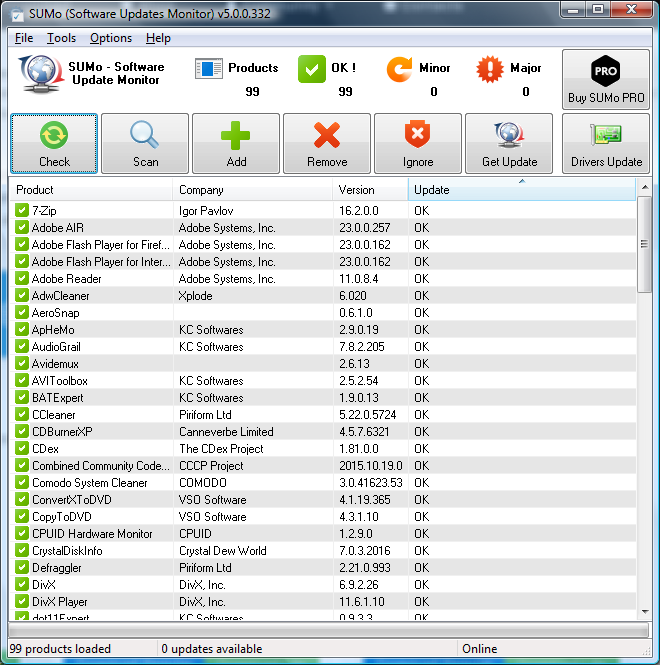 With the ways advancements are made these days a software useful yesterday maybe totally useless today, that is why you need to have regular updates to stay in touch. Eneter SUMo. With the ways advancements are made these days a software useful yesterday maybe totally useless today, that is why you need to have regular updates to stay in touch. Eneter SUMo.
SUMo (which stands for Software Updates Monitoring) detects applications you are using and tracks updates. If a new version is detected, you’ll be notified.It relies a social networking as its database is populated by the other users. By using up-to-date software you’ll reduce the risk of encountering bugs and will benefit from more features.
Want to give it a shot? A trial should convince you. Oh! Least I forget it’s freeeeee!
Go to http://www.kcsoftwares.com/?sumo for more info and download.
Posted in Business, Developer, Information Management, Internet, Main, Programming, Reminder, Shareware, Shell and Desktop | No Comments »
|
|
|