Archive for the 'Internet' Category
Tuesday, March 27th, 2007
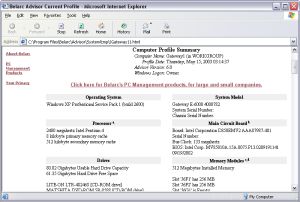 Need reliable software to advise you on the state of your installed software and hardware? This software may be just what you need, it’s called Belarc Advisor. Need reliable software to advise you on the state of your installed software and hardware? This software may be just what you need, it’s called Belarc Advisor.
Belarc Advisor builds a detailed profile of your installed software and hardware, including Microsoft Hotfixes, anti-virus status etc and displays the results in your Web browser. The really cool thing about the way Belarc Advisor works is that all your PC profile information is kept private on your PC and is not sent to any web server.
One thing I like about Belarc Advisor is that, unlike other software that the publishers leave to figure things on your own, on the official site [http://www.belarc.com/free_download.html] the publishers have an FAQ section that can help you enjoy the software easily.
For example, if you have a question like: “The Advisor has installed and finished a discovery of my PC’s hardware and software, but I do not see any results”.
On the site, you will find a great answer like:
“Check that Windows is set to open files with the HTML extension in your web browser. To do this, in the Folder Options windows control panel look at the File Types tab. Select the HTML Document file type and check that it opens with your preferred web browser”.
If that doesn’t work for you, open this file: C:\Program Files\Belarc\Advisor\System\tmp\(COMPUTERNAME).html
(where COMPUTERNAME is the name of your PC) using the File|Open… menu in your web browser.
Really making things easier right?
Want to check out the software? Did I fail to mention that it’s free!!! Yeah it’ll cost you $0.
Go to http://www.belarc.com/free_download.html to see for yourself what it’s all about and get a free download.
Posted in Business, Developer, Freeware, Information Management, Internet, Main, Security, Utilities, Windows | 2 Comments »
Sunday, March 25th, 2007
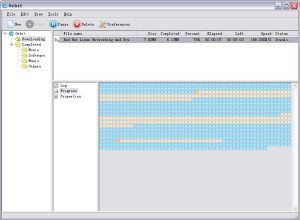 In need of a fully featured download accelerator? One which does what it is supposed to do i.e. accelerate your downloads; then you need to check out Orbit downloader. In need of a fully featured download accelerator? One which does what it is supposed to do i.e. accelerate your downloads; then you need to check out Orbit downloader.
Orbit downloader is a full-featured download accelerator and manager. It is based on P2P technology, has advanced robust multithread download algorithm implemented with high quality. That’s not all, orbit downloader integrates seamlessly into Microsoft Internet Explorer to automatically handle your downloads.
You will appreciate the fact that you can easily download files from any remote server via HTTP, FTP, RTSP or MMS. One other cool thing about Orbit Accelerator is that it has a smart download logic accelerator that features intelligent dynamic file segmentation and safe P2P downloading technology to accelerate your downloads.
Still not sure whether this software is worth checking out? Consider the following:
- Great Speed: Orbit Downloader is based on p2p and multi-source downloading technology, which make you download files up to 500% faster than before
- Easy to Use: Orbit Downloader has a simple and clear user interface. It is easy to use and config for both newbies and professions
- The Most Comprehensive Download Tools: Orbit Downloader supports most protocols and have a function of “Flash and Streaming Media Capturer”, so you can download videos from youtube metacafe, files from rapidshare, metalink files, flash and streaming media online more simple and easy
- Support IE, Firefox, Maxthon and Opera: Orbit Downloader integrates seamlessly into IE, FireFox, Maxthon and Opera without installing any other plugin
- Free and Safe
What are you waiting for?
Go and check it out, it’s FREE!!!!! Go to http://www.orbitdownloader.com/
Posted in Developer, Download Managers, Freeware, Internet, Main, Utilities, Windows | 18 Comments »
Friday, March 23rd, 2007
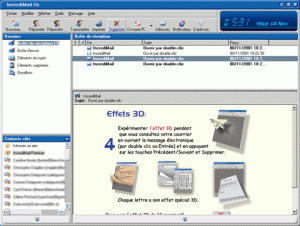 Tired of boring mails? Want to add some spice or life to your emails? IncrediMail could be what you need. Tired of boring mails? Want to add some spice or life to your emails? IncrediMail could be what you need.
IncrediMail is an advanced email program that offers you an unprecedented interactive experience. You can do a lot with your emails like personalizing them according to your mood and personality, choosing from an assortment of email backgrounds, animations, 3D effects, E-cards, sounds, and make them all become part of your email – not attachments.
One of the things I really like about IncrediMail is that it offers a collection of flash notifiers that will announce the arrival of new mail and add life to your desktop. In the new updated version which was released yesterday, the major change incorporated into it was the addition of a new desktop icon.
One thing you need to note is that IncrediMail is adware, upgrading will only cancel the ads, but if you can stand the ads, you can enjoy IncrediMail for free. Why pay $30 for no ads? You can go for the free version, it’s up to you.
Want to check it out? Go to http://www.incredimail.com/english/
Posted in Developer, E-mail, Information Management, Internet, Main, Shareware, Windows | 2 Comments »
Friday, March 23rd, 2007
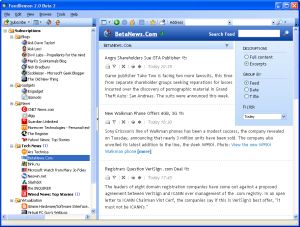 FeedDemon – Explore The World Of RSS Easily. Explore the world of RSS easily with this cool software, FeedDemon. FeedDemon – Explore The World Of RSS Easily. Explore the world of RSS easily with this cool software, FeedDemon.
Coming from the creator of TopStyle and HomeSite, Nick Bradbury, FeedDemon is good and really easy to use. It enables you to quickly explore the world of RSS from your desktop without having to visit hundreds of sites.
FeedDemon makes RSS as easy to access as your email. Thousands of web sites offer their content as RSS newsfeeds so with FeedDemon you will enjoy the RSS world, staying informed and up to date without even visiting hundreds of site.
It allows you to can completely customize the way feeds are organized and displayed and set up custom news watches based on keywords. With FeedDemon you can even download podcasts and audio files and have them show up on your portable audio device. In addition, FeedDemon now synchronizes with NewsGator Online and the rest of the NewsGator RSS Suite. The software is pre-configured with dozens of feeds, so you can unleash the power of RSS right away.
A new version is out with these cool features:
- Integration with YouTube, Digg, Windows LiveWriter
- Newspaper format for easy reading
- Search channels to discover relevant feeds
- Automatic synchronization with other NewsGator readers
- Built-in podcast receiver to download audio files to iPods
- Download 30-Day Free Trial
Want to check it out? CLICK HERE
Posted in Developer, Information Management, Internet, iPod, Main, RSS, Windows | 3 Comments »
Thursday, March 22nd, 2007
 RocketDock is a Mac-inspired dock for Windows users. For those that don’t know, a dock is fancy toolbar with some effects and added functionality thrown in and is a standard feature on Mac computers. It comes from the same people who made UberIcon, which i recently reviewed and if you also use that, Rocketdock also includes a function to use the same effects as you have chosen in UberIcon. RocketDock is a Mac-inspired dock for Windows users. For those that don’t know, a dock is fancy toolbar with some effects and added functionality thrown in and is a standard feature on Mac computers. It comes from the same people who made UberIcon, which i recently reviewed and if you also use that, Rocketdock also includes a function to use the same effects as you have chosen in UberIcon.
Some of its features include the ability to minimize windows to the dock and real-time window previews in Vista, ObjectDock Docklet support,compatible with MobyDock, ObjectDock, RK Launcher, and Y’z Dock skins, you can use icon sets you find online, and apparently it runs great on slower computers too!
Check the site for the full list of features.
Maybe you are a Mac user and want to have similar functionality on your Windows machine, or even if you just want to liven up your Windows desktop a little, it’s worth checking out this very smooth and very customizable and also very free program. Click here for more info and to download it.
Posted in Design, Developer, Freeware, Information Management, Internet, Mac Stuff, Main, Shell and Desktop, Utilities | 6 Comments »
Thursday, March 22nd, 2007
 This is a free online service which enables you to add comic book style captions to photos. You can then send your friends the url of your captioned photo. This is a free online service which enables you to add comic book style captions to photos. You can then send your friends the url of your captioned photo.
It’s simple to use, you simply go to the site and then enter the url of the photo you wish to add a caption to, this can be your own photo, or one you find online, anything at all really. On the next screen you can type your caption in a speech bubble. To position the speech bubble you just click and drag the edge of it.
On the next screen you just click “save scene” and now you can bookmark the url or send it to your friends.
Pretty cool site that’s sure to get some laughs when you add funny captions to your friend’s photos. Check it out here.
Posted in Developer, Fun, Internet, Main, Photo, Shell and Desktop, Web services, Windows | No Comments »
Tuesday, March 20th, 2007
 Need help monitoring and recording all activities on your computer? This software may be the help you need. Highly recommended all over the net Advanced Spy is one software that does what it is supposed to do perfectly.What Does It Do? Need help monitoring and recording all activities on your computer? This software may be the help you need. Highly recommended all over the net Advanced Spy is one software that does what it is supposed to do perfectly.What Does It Do?
It records all e-mails sent and received, all AOL, ICQ, Yahoo and MSN chat conversations, all web sites visited, every application executed, all text and images sent to the clipboard, every keystroke pressed, every password typed, and more!
You will love the fact that it can run in Total Stealth mode and send activity logs to your email and/or upload to ftp server. Advanced Spy is perfect for monitoring others who use your computer – children, spouses, employees, or guests!
Advanced Spy is also enhanced with other advanced features like; Email and log delivery, alert window, search in logs, and log exporting.
Want To Check It Out? CLICK HERE
Posted in Business, Developer, FTP, Internet, Main, Security, Shareware, Utilities, Windows | 1 Comment »
Tuesday, March 20th, 2007
Check out this useful tool that will definitely come in handy. It is called Digital Diary.
Digital Diary is a tool to write your diaries every day without needing to write your stuff in text files (Notepad). This cool tool comes with features which helps you to organize your time and minimize your effort.
In the Latest version, Digital Diary 4.0, released just a couple of days ago, on March 15, these changes were made:
Added:
- Send e-mails using Digital Diary Mailer
- Insert bullets, images and emotions to diary pages
- Getting version of the backup file in Digital Diary upgrader
- SMTP sever records can be imported from other Digital Diary account using
- Digital Diary upgrader
- Save your work when selected page or content changes (Options)
- Force to use a specific font (Options)
Fixed:
- Critical bug may appear while creating new user, logging or opening options
- Scrolling in contents list
- RSS dialog sometimes wasn’t show up in the top of other opened Windows
- Minimum window size for Help window
- Icons alpha appearance on Windows Vista
- Saving images in Digital Diary Gallery with names contain apostrophe
And lots more.
Check It Out here http://www.infradrive.com/digitaldiary.php.
Posted in Chat, Design, Developer, Fun, Internet, Main, Open Source, Social Software, Windows | No Comments »
Friday, March 16th, 2007
 Zattoo is a program that enables you to watch live television on your computer. Some of the channels currently available are ARD, arte, BBC Prime, BBC World, Bloomberg TV, Canale 5, CNN, EuroNews and EuroSport, to name but a few. (Also many non-English speaking channels). Zattoo is a program that enables you to watch live television on your computer. Some of the channels currently available are ARD, arte, BBC Prime, BBC World, Bloomberg TV, Canale 5, CNN, EuroNews and EuroSport, to name but a few. (Also many non-English speaking channels).
The bad news is that, currently, Zattoo will only work in Switzerland, the good news is they say they plan to go worldwide with it “soon”.
This looks like it could be a good service, as they say that it’s better than the usual internet video quality. They say it’s equal to TV quality. It remains to be seen if they can keep their promise, as my country isn’t currently served. But i was able to add my email to their mailing list so i can be notified when (if!) it is.
But it seems like one to watch, no pun intended! Check it out here.
Posted in Commercial, Developer, Fun, Information Management, Internet, Main, Shareware, TV, Video, Web services, Windows | 2 Comments »
Monday, March 12th, 2007
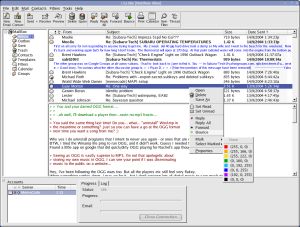 i.Scribe is a fairly compact email program with an easy to use interface and it has some good features. These include a split view of folders and items, signatures, drag and drop, previewing and more. It doesn’t require an install and can be run from a USB memory stick or even a floppy disk if needed. It allows you to manage email accounts, check your mail periodically, preview mail on the server, colour code your messages, and more.i.Scribe can import existing mail from Outlook Express, Netscape, Outlook and Unix MBOX. Additional features include plug-in support, proxy support, ESMTP authentication, message templates, its own built-in Bayesian spam filter, intergrated contact database and calendar and more. i.Scribe is a fairly compact email program with an easy to use interface and it has some good features. These include a split view of folders and items, signatures, drag and drop, previewing and more. It doesn’t require an install and can be run from a USB memory stick or even a floppy disk if needed. It allows you to manage email accounts, check your mail periodically, preview mail on the server, colour code your messages, and more.i.Scribe can import existing mail from Outlook Express, Netscape, Outlook and Unix MBOX. Additional features include plug-in support, proxy support, ESMTP authentication, message templates, its own built-in Bayesian spam filter, intergrated contact database and calendar and more.
A very capable little email program with a ton of features, excellent as an alternative to the big guys, or as mobile solution on a USB drive. Check it out.
Posted in Backup, Business, Commercial, Developer, E-mail, Freeware, Information Management, Internet, Linux, Main, USB, Windows | No Comments »
|
|
|

 Need reliable software to advise you on the state of your installed software and hardware? This software may be just what you need, it’s called Belarc Advisor.



