Archive for the 'Main' Category
Monday, January 29th, 2007
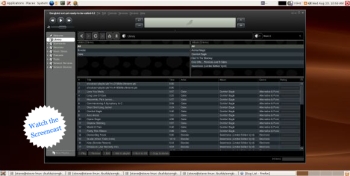 Songbird is a media player, but not all media players are quoted as promising “to be the Firefox of media players”. Songbird is a media player, but not all media players are quoted as promising “to be the Firefox of media players”.
Apparently the user interface is very similar to iTunes, but the main thing I noticed about this media player is its ability to list all the sound or video files on a page, almost as if they were local files.
You see how this thing operates, is you surf to sites such as mp3 blogs etc, by using the built-in browser, and all the media on the page will be listed. You can then choose if you would like to save or play any of these songs/videos locally to your collection. Of course you can also play and organize playlists etc, with your current mp3 or video collection that resides on your computer.
It is pretty cool to be able to instantly play media without having to open it in a separate program.
This might be useful software for anyone who routinely browses for music or videos online. You can find out more details and download it by clicking here!
Posted in Business, Commercial, Developer, Fun, Information Management, Internet, Linux, Mac Stuff, Main, Multimedia, Music, Shareware, Social Software, Utilities, Windows | No Comments »
Monday, January 29th, 2007
7-Zip is an open-source file archiver with high compression ratio. It can compress your files using a variety of methods, such as 7z, ZIP, GZIP, BZIP2 and TAR. It can also extract RAR, CAB, ISO, ARJ, LZH, CHM, Z, CPIO and NSIS archives.
 Like other file archives you may be used to, 7-zip can integrate into the windows shell and it also has a command-line version. 7-ZIP also offers some advantages over other windows based archive programs such as winzip and winrar: Like other file archives you may be used to, 7-zip can integrate into the windows shell and it also has a command-line version. 7-ZIP also offers some advantages over other windows based archive programs such as winzip and winrar:
Open-source – You can read and modify the program source code.
- Cross-platform – You can run 7-zip on any modern operating system (Windows, Linux, OS X, and so on)
- No registration – There are no annoying splash screens or nagging registration pop-ups
- Provides a compression ratio that is 2-10% better than PKZIP and WINZIP provide for ZIP and GZIP archives.
Note that you can register 7-zip if you want to support it by clicking Help->About 7-Zip->register in the 7-Zip File manager but it’s not a requirement and it will never bug you to.
There are two basic ways you can associate certain file types with 7-zip. The easiest way is to open up the 7-zip file manager and choose Tools->Options and in the System tab choose the file extensions you want to associate with 7-zip. This will make it so files ending in those extensions are automatically opened in the 7-Zip file manager for extraction. If you choose to add the associations manually by the standard MS Windows way of right-clicking on a file, choosing “open with”, selecting the “always open files of this type with this program” and then browse for the 7-zip program then make sure you select C:\Program Files\7-Zip\7zFM.exe. There are two other binaries in the 7-Zip installation folder that could confuse you and they are called 7z.exe and 7zG.exe; so make sure to use 7zFM.exe (FM means File Manager)
It is possible that 7-Zip can handle all your file archiving needs but you may run into some files that were compressed using Winzip and they won’t always be compatible with 7-Zip. I personally haven’t came across this issue but just be aware of it.
To extract all the files of an archive first click Edit->Select All and then click the ‘Extract’ Button (As shown in the included screenshot)
Posted in Developer, Freeware, Linux, Mac Stuff, Main, Open Source, Social Software, Utilities, Windows | 8 Comments »
Monday, January 29th, 2007
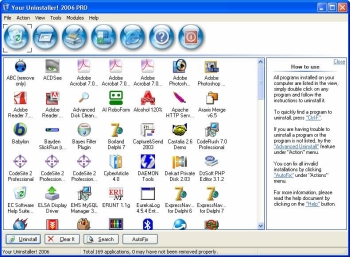 If you want to try something new or you are just looking for a worthy substitute to the Windows Add/Remove program, you might want to check this program out. It’s called Your Uninstaller! If you want to try something new or you are just looking for a worthy substitute to the Windows Add/Remove program, you might want to check this program out. It’s called Your Uninstaller!
Your Uninstaller! provides a total solution for your uninstalling tasks. Built to be a worthwhile alternative to the Windows Add/Remove program, it offers a much more user-friendly way to remove applications that you don’t need or those that have become a source of headache to you on your computer and it’s faster too. It starts up about 5-10 times faster than Add/Remove program.
Your Uninstaller! displays appropriate icons applications, so that you can easily find out the application you want to uninstall. One other good thing about this software is that it can automatically detect rubbish registry keys and entirely delete them with your permission.
Had it with those stubborn programs that just won’t go away, try Your Uninstaller!
Check it out: http://www.ursoftware.com/
Posted in Business, Commercial, Developer, Information Management, Main, Security, Shareware, Utilities, Windows | No Comments »
Friday, January 26th, 2007
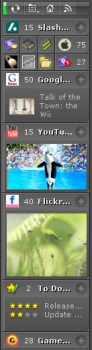 Got this cool way for you to stay on top of things easily. It’s called KlipFolio. It is a small, smart, and easily configurable personal dashboard. Got this cool way for you to stay on top of things easily. It’s called KlipFolio. It is a small, smart, and easily configurable personal dashboard.
What can it do?
It can be used to monitor anything online and I mean anything; weather, stocks, news, RSS feeds, auctions, whatever, the choice is yours, right on your desktop. So you can really be on top of things easily with KlipFolio, you don’t have to go check on your favorite sites always to know what the latest happenings are, this personal dashboard brings it all to your desktop.
The latest version, KlipFolio 4 Beta B , which just got released yesterday has these changes:
- Added auto-hide, always-on-top and normal window layering modes
- Layouts now saved for floating, strip and sidebar modes within session
- Minimize menu item, system tray icon and Win+K shortcut now minimizes everything
- Klips can now be collapsed by clicking on ghosts
- Made it easier to enter a sidebar mode gesturally when overshooting target
- Klips no longer ‘bumping’ offscreen (so easily)
Etc.
CLICK HERE for more info and download!
Did I fail to mention that it’s free? Yeah it is absolute free.
Posted in Commercial, Developer, Freeware, Information Management, Internet, Main, Shell and Desktop, Social Software, Windows | 1 Comment »
Friday, January 26th, 2007
 It’s time to give your photos a new look. Yeah! This software can help achieve that easily. It’s time to give your photos a new look. Yeah! This software can help achieve that easily.
Photo Frame Show is an imaging and desktop enhancement program that adds frames to digital photos in order to enhance your personal albums, projects, Web sites or desktop wallpapers.
Are you wondering how frames can change the look of your photos? Try it you’ll be surprised by the outcome.
There are a variety of frames to choose from, you just have to add them to your images and you’ll be surprised what you’ll get. You can save your framed images in popular formats for use on your projects; print your framed images through an on-screen virtual printer; email your framed images to your friends directly from within the program.
But you see it’s not just about frames , the coolest thing about this software is that it enables you to blend your favorite pictures with your desktop wallpaper by dragging and dropping them at your desired location on screen.
Go check it out: CLICK HERE!
Posted in Commercial, Design, Developer, Fun, Main, Shareware, Shell and Desktop, Windows | No Comments »
Thursday, January 25th, 2007
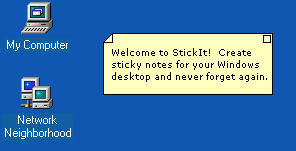 If you are one of those people who easily forgets things and needs constant reminders to do what you are supposed to do, you need to check this out, I call it the sticky reminder but the publisher calls it StickIt. If you are one of those people who easily forgets things and needs constant reminders to do what you are supposed to do, you need to check this out, I call it the sticky reminder but the publisher calls it StickIt.
StickIt is a Windows desktop sticky note application. With this cool tool you can create notes and place them anywhere on your computer. I love the fact that the notes don’t just disappear, they remain where they are – where you left them, until you close them –and get this; they will even reappear after rebooting your computer. So no forgetting those important stuff again.
The notes can be customized by you. You are given the option of selecting from a wide range of text colors and background colors for your notes. Go and check it out! It’s free.
CLICK HERE for download and more info.
Posted in Business, Design, Developer, Information Management, Main, Shareware, Shell and Desktop, Social Software, Text, Utilities, Windows | No Comments »
Thursday, January 25th, 2007
 There is this cool screensaver that keeps you abreast of currents events that I want you to check out. It’s called News Screensaver. There is this cool screensaver that keeps you abreast of currents events that I want you to check out. It’s called News Screensaver.
News Screensaver will allow you to always have the most recent news, weather forecasts and stock quotes on your computer screen.
The screensaver supports all RSS, RDF and Atom formats. The program comes with more than 100 links to variously themed news feeds, such as Top News, Business, Science, Sport, Regional, Technology, Industries, Health etc.
The cool thing about it is that it is customizable; you can add the necessary news feed yourself, so you can stay informed about the things that really interest you. It’s a cool way to get serious info regularly.
Check it out: CLICK HERE!
Posted in Commercial, Design, Developer, Fun, Information Management, Internet, Main, Shareware, Shell and Desktop, Utilities, Windows | No Comments »
Thursday, January 25th, 2007
 Trend Micro Anti-Spyware for the Web is an online tool that checks your machine for spyware, and helps remove any infections it locates and identifies. The software displays a report when it’s done listing the spywares detected and asks you if you want removal. Trick question. Trend Micro Anti-Spyware for the Web is an online tool that checks your machine for spyware, and helps remove any infections it locates and identifies. The software displays a report when it’s done listing the spywares detected and asks you if you want removal. Trick question.
You may have spyware if you machine is slow when opening programs or saving files, you suffer from interminable pop-up windows, you have a new browser homepage, or worst of all new and unexpected toolbars in your browser. The online spywarre checker fixes all that.
Spyware is more widespread and more dangerous than viruses these days so be safe. Go to Trend Micro for more.
Posted in Developer, Information Management, Main, Security, Shareware, Utilities, Web services, Windows | 2 Comments »
Thursday, January 25th, 2007
 Keeping track of employees or children? Want to know where they’ve been, what they’ve typed, what files they created? Ah how cynical and suspicious the world is, but with good reason. People do things on the Internet they wouldn’t like someone else to know about. And sometimes YOU need to know about it if you are a parent or an employer. Keeping track of employees or children? Want to know where they’ve been, what they’ve typed, what files they created? Ah how cynical and suspicious the world is, but with good reason. People do things on the Internet they wouldn’t like someone else to know about. And sometimes YOU need to know about it if you are a parent or an employer.
Keyloggers are good, but they take time to set up. Sometimes you don’t have time to install one. Sometimes you need SpyArsenal Detective. A simple EXE file, you can even have it on a memory stick. Run it and you get full information about the user activity on a target PC in just seconds. All the recent activity in a form you can explore and print. You can be in and out in moments and the machine is back to normal. And the price for this wonderful utility? Free.
Go to Spy Arsenal to find out more.
Posted in Commercial, Developer, Freeware, Information Management, Internet, Main, Programming, Security, Utilities, Windows | 1 Comment »
Thursday, January 25th, 2007
 If you’ve ever been studying or researching something and couldn’t get through a book without a highlighter pen in hand, then this is the tool you’ve been waiting for. If you’ve ever been studying or researching something and couldn’t get through a book without a highlighter pen in hand, then this is the tool you’ve been waiting for.
It’s a small, free downloadable application that turns your mouse into a highlighter (well, an i-Lighter) With it, you can highlight passages on a web page and then store the highlighted information in a folder hosted by your i-Lighter.com account.
Although there is a couple of other similar programs like this i’ve seen and used before, the thing i like about this most is that you can access it from any computer, as it saves your highlights stuff online and not locally on your computer.
Version 2.0, coming out in early 2007 will allow you to find your information from any web
enabled device.
Check it out at the website to get a better description, further details, and download it for free.
Posted in Design, Freeware, Information Management, Internet, Main, Utilities | No Comments »
|
|
|





